
Updated: August 24, 2026
Quick Answer
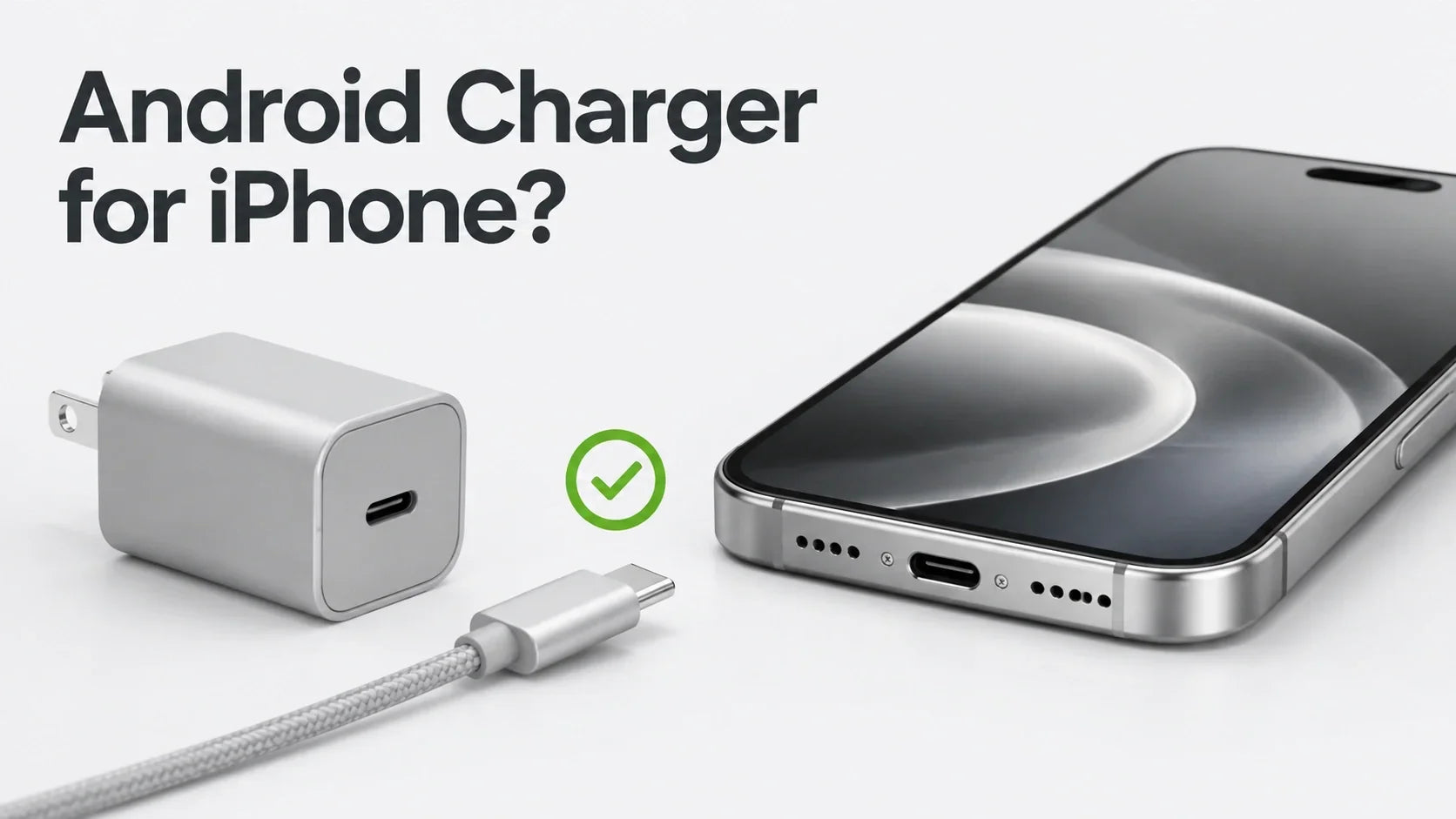
Yes. You can charge an iPhone with a charger sold for an Android phone if the cable and power adapter comply with the USB-C standard. For fast charging, use a USB-C to USB-C cable and a USB Power Delivery (USB-PD) adapter. “Android charger” is a marketing label, not a charging standard; compatibility depends on the connector, protocol, cable and build quality.
If an Android charger does not charge your iPhone, that does not mean Apple blocks Android accessories. The more likely causes are a proprietary fast-charging port, a non-compliant or damaged cable, a low-power source, moisture in the connector, or a failed power negotiation.
Can You Charge an iPhone With an Android USB-C Charger?
In most cases, yes. Apple says iPhone 15 and later can be charged with a USB-C cable and a power adapter that comply with the USB-C standard. The adapter can come from Apple or another manufacturer.
For wired fast charging, Apple recommends a USB-C power adapter that supports USB Power Delivery. A Samsung, Google, Huawei, Xiaomi, laptop or third-party charger can therefore work with an iPhone when its USB-C port offers standards-based USB-PD output.
Apple’s USB-C guidance describes USB-C as a universally accepted standard and explicitly supports compliant third-party cables and adapters.
Is There Really an “Android Charger” and an “iPhone Charger”?
Not in the technical sense. Chargers are better classified by port type, supported voltage and current profiles, charging protocol, maximum output and safety compliance.
A charger may be advertised for Android because it supports a phone maker’s proprietary fast-charging system. However, it may also include USB-PD and charge an iPhone normally. The brand name on the charger matters less than the standards supported by the specific port you use.
The same charger can also behave differently through different ports. A multiport adapter may provide USB-PD through its USB-C port but use a proprietary or legacy charging method through its USB-A port.
Does iPhone USB-C Use 2.4A Charging or USB-PD 3.0?
The most accurate consumer answer is that iPhone supports standards-compliant USB-C charging and uses USB-PD for fast charging.
Calling “2.4A” the iPhone’s basic USB-C protocol is too broad. A current value alone does not describe the complete charging negotiation, and older USB-A charging methods are not the same thing as USB-C Power Delivery.
Apple’s public charging guidance refers to USB-PD but does not assign one universal PD revision to every USB-C iPhone model. For that reason, shoppers should look for USB-PD compatibility instead of relying only on claims such as “PD 3.0,” “65W” or “Android fast charger.”
USB-PD allows a connected device to request the power it can use. A compliant 65W, 100W or 240W adapter does not force its full rated wattage into an iPhone. Apple also states that a higher-wattage USB-C adapter, including one supplied with a Mac laptop, can be used for faster iPhone charging.
Why Do Some Android Chargers Not Charge an iPhone?
When a charger works with one Android phone but not with an iPhone, check the complete charging chain rather than assuming the brands are incompatible.
1. The Charger Relies on a Proprietary Fast-Charging Protocol
Some phone makers use proprietary protocols to reach their highest advertised wattage. If the selected port does not also provide a compatible USB or USB-PD fallback, an iPhone may charge slowly, connect inconsistently or not charge.
This is especially relevant to older or specialized USB-A fast chargers. The original phone and cable may exchange vendor-specific information that an iPhone does not use.
2. The USB-A to USB-C Cable Is Non-Compliant or Wired for a Specific System
USB-C is not simply a positive and negative power connection. Its configuration-channel contacts help devices identify a connection, cable orientation and power role.
A legacy USB-A port does not natively provide the full USB-C connection system. A compliant USB-A to USB-C cable must therefore implement the required legacy-to-Type-C behavior correctly. Poorly designed cables, unusual resistor configurations or vendor-specific cable identification can cause a phone to detect a connection without accepting power.
Apple confirms that a compliant USB-C to USB-A cable can be used in supported situations. The problem is not the A-to-C shape itself; it is whether the charger and cable combination follows the relevant standard.
3. The Cable Is Damaged or Not Built for the Intended Function
A cable can have the correct connectors and still fail internally. Bent contacts, worn plugs, broken conductors and low-quality electronics can interrupt charging or make it unstable.
Power capability and data capability are also separate. A cable that charges correctly may not support high-speed data or display output, while a damaged data cable may still show intermittent power.
4. The Power Source Is Too Weak or Is Sharing Its Output
USB ports in cars, computers and hubs may provide less power than a dedicated wall adapter. Multiport chargers can also divide their available output when several devices are connected.
A low-power source should usually result in slower charging rather than damage. On recent iOS versions, the Battery screen may display Slow Charger or Incompatible Charger, helping separate a weak source from a charging fault.
5. Moisture, Debris or Connector Damage Is Blocking Charging
If iPhone detects liquid in the USB-C connector or on the cable, it disables wired charging and accessory use until the connection is dry. Apple warns that charging through a wet connector can corrode the pins and cause permanent damage or connectivity problems.
Do not repeatedly override a liquid-detection warning. Disconnect the cable, place the iPhone in a dry area with airflow and wait until both the port and cable are completely dry. Do not insert paper, cotton swabs or other objects into the connector.
Why Can Some Huawei USB-A to USB-C Chargers Fail With iPhone?
There is no single answer that applies to every Huawei charger. Huawei has used several charging systems, including SCP, PD, PPS, QC and UFCS, and support varies by model and port.
Huawei’s own compatibility notes say that differences in charging protocols, power restrictions and cables can produce incompatibility. They also identify USB-PD as the relevant standards-based route for iOS fast charging on supported products.
Therefore, it is safer not to claim that every Huawei A-to-C cable intentionally rejects non-Huawei phones. A specific combination may fail because its USB-A port and cable prioritize a proprietary charging method, because the legacy-to-USB-C implementation is incompatible, or because the cable or adapter is faulty.
If a Huawei USB-A charger does not charge your iPhone, try the charger’s USB-C PD port with a compliant USB-C to USB-C cable. If the adapter has no USB-C PD output, use a different USB-PD charger.
Can a USB-A to USB-C Charger Damage an iPhone?
USB-A to USB-C is not inherently dangerous. A compliant, undamaged cable connected to a properly designed adapter should provide a safe legacy charging path.
The risk comes from counterfeit, damaged or non-compliant accessories—not from the connector combination alone. A poorly built adapter may have inadequate isolation or protection, and a badly wired cable may advertise power incorrectly.
Choose accessories from a trusted manufacturer, stop using frayed or damaged cables, and look for clear electrical ratings and applicable safety approvals. USB-IF-certified products may display authorized Certified USB logos after passing the organization’s compliance program.


Why Do iPhone USB-C Ports or Charging Controllers Fail?
It is misleading to say that the iPhone’s “USB-IC” fails easily or that one cause explains every board-level fault. Without a professional diagnosis, symptoms such as heat, battery drain, failed data transfer or no charging do not prove that a particular controller chip has burned out.
The most practical risks are easier to identify:
- Liquid and corrosion: Moisture across exposed contacts can cause corrosion, unintended current paths and permanent connector damage.
- Damaged or non-compliant accessories: Poor construction or failed protection circuitry can expose the charging system to abnormal electrical conditions.
- Physical damage and debris: Bent contacts, compacted lint and repeated lateral strain can prevent a stable connection.
- Excessive heat: Charging may slow or stop when iPhone becomes too warm. Apple warns that prolonged use or charging above 35°C (95°F) can reduce battery lifespan.
Quality charging hardware lowers avoidable risk, but no cable or charger can make it safe to charge through a wet or physically damaged port.
Can MagSafe Wireless Charging Protect the iPhone USB-C Port?
It can reduce everyday wear and keep the port out of the charging path. Using MagSafe means fewer plug-in cycles, less cable leverage on the connector and fewer occasions when a cable is inserted into a damp or debris-filled port.
If iPhone displays a liquid-detection alert, Apple says wireless charging remains an option after confirming that the back of the iPhone is dry. Wireless charging does not repair or waterproof the USB-C port, so the connector should still be allowed to dry completely before it is used again.
Wireless charging can generate heat of its own. The best thermal result depends on alignment, ambient temperature, phone workload, case design and charger cooling. During navigation in a warm car, active cooling can be especially useful because GPS, the display, cellular data and charging all create heat at the same time.
ZEERA SuVolt Gen5 Qi2.2 25W Active-Cooling MagSafe Car Charger
ZEERA SuVolt Gen5 provides magnetic wireless charging without occupying the iPhone’s USB-C port. Its semiconductor active-cooling system is designed to help control phone temperature during demanding in-car use such as navigation and long drives.
Choose between the Qi2 15W and Qi2.2 25W versions according to your iPhone and charging needs. Actual wireless charging power depends on device support, temperature and operating conditions.

iPhone 18 Pro Max MagSafe Charger & Stand
ZEERA MagTri Gen2 Qi2.2 Foldable MagSafe Charger
- 25W Qi2.2
- 3-in-1 fold
- Active cooling
- Travel size
- 3-device ready

ZEERA MagSion 5-in-1 Dual MagSafe Charger Stand
- Dual MagSafe
- 5-in-1 stand
- Watch charging
- Angle adjust
- Clean setup

ZEERA SuVolt Gen5 Qi2.2 Active Cooling Car Charger
- 25W Qi2.2
- Active cooling
- Strong magnet
- CarPlay ready
- Heat control

What Is a Safer Wired Charging Option for iPhone?
For wired charging, use a standards-based USB-C to USB-C setup and let the iPhone negotiate the power it needs. A high cable rating describes the cable’s maximum supported capacity; it does not mean that the cable forces that wattage into the phone.
ZEERA FlexUSB Pro 240W USB-C Cable with USB4 40Gbps and 8K Support
The 13cm USB-C to USB-C version supports PD 3.1, includes an E-Marker chip and is rated for up to 240W. Its short, flexible flat design is useful for compact charging and power-bank setups where a long cable creates clutter or connector strain.
The iPhone draws only the power it supports. USB4 transfer speeds and 8K video output also require compatible source and display hardware; the cable’s maximum specifications do not upgrade the capabilities of the connected iPhone.
How to Choose a Compatible USB-C Charger for iPhone
- Use a USB-C to USB-C cable for iPhone 15 and later whenever possible.
- Choose a USB-C adapter that supports USB Power Delivery for fast charging.
- A 20W or higher USB-C PD adapter is a practical baseline; the phone controls how much supported power it accepts.
- Check the output of the exact port being used on a multiport charger.
- Buy from a trusted manufacturer and avoid counterfeit or unmarked adapters.
- Replace cables with loose plugs, bent contacts, cuts or intermittent charging.
- Never connect a cable while the iPhone port or cable end is wet.
What Should You Do If an Android Charger Does Not Charge Your iPhone?
- Disconnect other devices from the adapter or hub.
- Try a known-good USB-C PD wall adapter and a compliant USB-C to USB-C cable.
- Inspect the cable and adapter for visible damage.
- Check the USB-C port for moisture or debris without inserting an object into it.
- If a liquid alert appears, disconnect the cable and allow the connector to dry.
- Restart the iPhone and check Settings > Battery for a Slow Charger or Incompatible Charger message.
- If several known-good charging setups fail, contact Apple or a qualified repair provider.
FAQ
Can I use a Samsung USB-C charger for my iPhone?
Yes. A standards-compliant Samsung USB-C charger can charge an iPhone. Use a USB-PD port and a compatible USB-C to USB-C cable for fast charging.
Is a 65W Android charger safe for an iPhone?
Yes, if the adapter and cable are compliant and undamaged. USB-PD lets the iPhone request a supported power level; a 65W adapter does not automatically send 65W to the phone.
Why does my Android charger connect but not charge my iPhone?
The charger may use a proprietary protocol, the selected port may not support USB-PD, the cable may be damaged or non-compliant, the source may be too weak, or the iPhone may have detected moisture or an incompatible accessory.
Will a Huawei SuperCharge adapter charge an iPhone?
It depends on the model and port. A Huawei adapter with compatible USB-PD output can charge an iPhone, while some proprietary USB-A and cable combinations may charge slowly or fail. For the most reliable result, use its USB-C PD port with a compliant USB-C to USB-C cable.
Can USB-A to USB-C damage an iPhone?
The connector combination itself is not dangerous. The concern is a counterfeit, damaged or non-compliant cable or adapter. Use reputable accessories with clear power ratings.
Does MagSafe protect the USB-C charging port?
MagSafe reduces plugging cycles and keeps the USB-C port out of the charging path, which can reduce mechanical wear and cable-related exposure. It does not waterproof or repair the port, and wireless charging can still generate heat.
Can I use MagSafe when the iPhone USB-C port is wet?
Apple says wireless charging can be used after making sure the back of the iPhone is dry. Do not reconnect a wired cable until the USB-C port and cable ends are completely dry.
Sources
- Apple: Charge and connect with the USB-C connector on your iPhone
- Apple: Fast charge your iPhone
- Apple: About iPhone charge speeds
- Apple: If you see a liquid-detection alert on your iPhone
- Apple: If your iPhone or iPad gets too hot or too cold
- USB-IF: USB Power Delivery
- USB-IF: Compliance and certified products
- Huawei: Charging protocols and compatibility notes









