
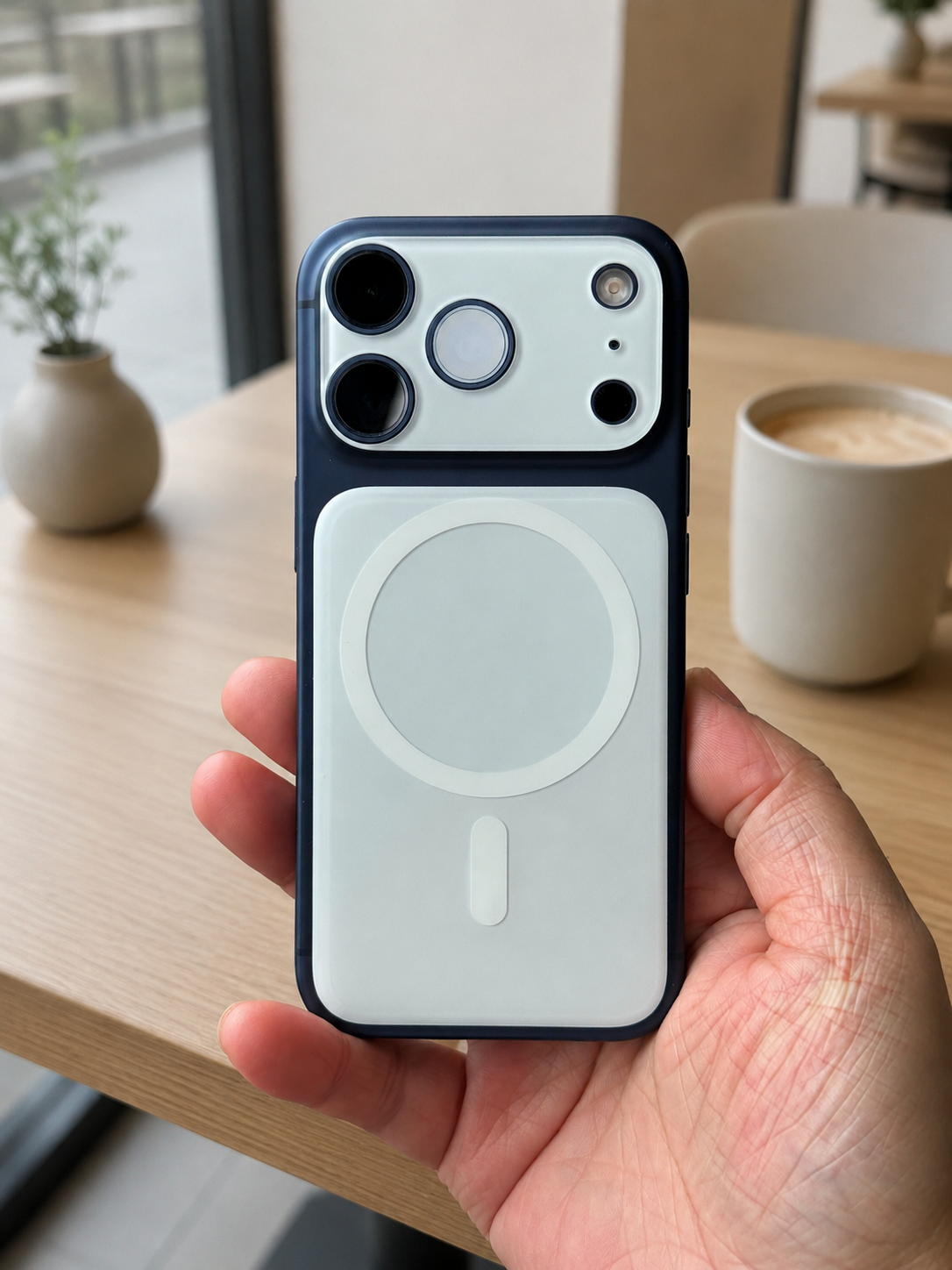
Why iPhones Still Wobble in 2026
Even in 2026, iPhone wobble hasn’t gone away. In fact, it’s more noticeable than ever.
That’s because Apple continues to push camera performance forward—resulting in larger and thicker camera modules. On models like the Pro series, the camera bump creates an uneven surface, causing the phone to rock when placed on a flat table.
It’s not a defect—it’s a design trade-off.

When Does iPhone 17 Air Wobble Become a Problem?
Not everyone cares about it—but in certain situations, it becomes genuinely annoying:
- Typing on a desk → constant rocking
- Using your phone during meetings → distracting noise
- Recording or tapping the screen → unstable feel
- Working on a hard surface (glass/wood) → more noticeable
For many users, it’s a small issue that turns into a daily frustration.
A Real Ways to Fix iPhone 17 Air Wobble
Use a Flat Surface Add-On (Most Effective): ZEERA AirFlat Pro
Ultra-Thin MagSafe Back Plate Series
ZEERA MagSkin Air Ultra-Thin Magnetic Plate
- Only 0.3mm thin
- MagSafe compatible
- Preserves Air feel
- Light back guard
- Case-free carry

ZEERA MagSkin Pro Ultra-Thin Magnetic Back Plate
- Ultra-thin Pro fit
- MagSafe compatible
- Bare-phone feeling
- Camera deco guard
- Minimal daily carry

ZEERA AirFlat Lens Cover for iPhone Air
- Makes back flat
- Stops desk wobble
- Protects camera lens
- Slim matching look
- Easy clean design

ZEERA AirFlat Pro Lens Cover is the closest thing to a real fix. Instead of trying to reduce the camera bump, these iPhone 17 Air accessories even out the back surface, eliminating wobble entirely.
Compared to traditional cases, they:
- Keep the phone slim
- Maintain original design feel
- Work with magnetic accessories
👉 This is currently the most practical solution if wobble really bothers you.


The Best Minimal Solution for iPhone Wobble
If you want a balance between design, function, and usability, a thin magnetic plate-style solution works best.
Introduce the ZEERA MagSkin Air : Ultra-Thin Magnetic MagSafe Back Plate for iPhone Air
- Keep the original iPhone feel
- Add strong MagSafe compatibility
- Create a more balanced back surface
- Improve grip with a matte finish
This approach doesn’t just “reduce” wobble—it makes the phone feel more stable overall, especially on flat surfaces.


Does Apple Actually Care About Wobble?
Short answer: not really.
Apple prioritizes:
- Camera performance
- Internal space optimization
- Design consistency
Unless there’s a major design shift (like under-display cameras), wobble is likely here to stay.
Conclusion
iPhone wobble isn’t a flaw—it’s a side effect of better cameras.
But that doesn’t mean you have to live with it.
If it bothers you daily, the best approach is simple:
- Don’t fight the camera bump
- Balance it
And once you do, the difference is immediately noticeable.









