
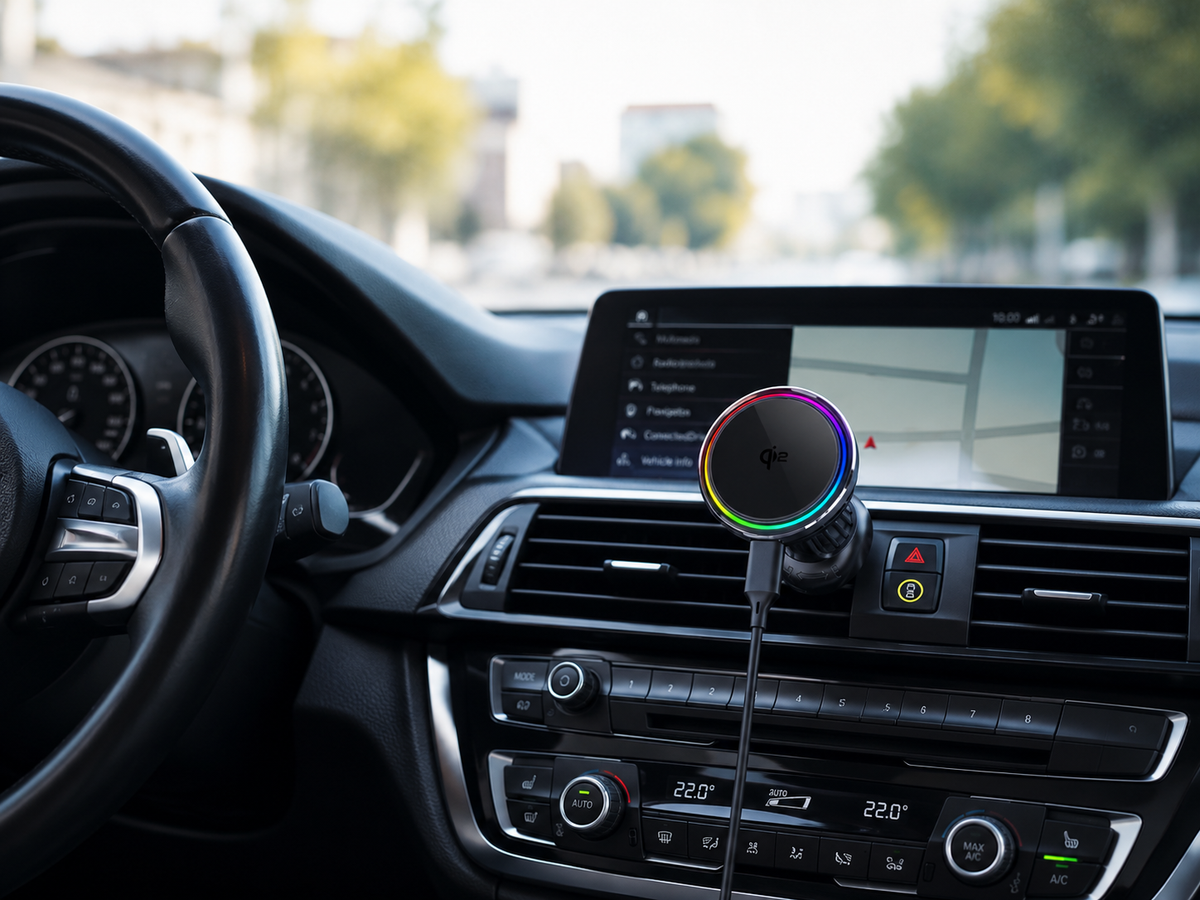
Mis à jour : 2 septembre 2026
Réponse rapide
Si la batterie de votre iPhone se décharge pendant qu'il charge en voiture, cela ne signifie pas nécessairement que le chargeur est défectueux. Votre téléphone consomme peut-être simplement de l'énergie plus rapidement que le système de charge ne peut la reconstituer.
Cela se produit fréquemment lorsque la navigation GPS, CarPlay sans fil, les données cellulaires, le streaming musical et l'écran fonctionnent en même temps que le téléphone charge sans fil. La chaleur peut aggraver le problème car l'iPhone peut automatiquement réduire ou mettre en pause temporairement la charge lorsque sa température devient trop élevée.
Si le pourcentage de la batterie stagne ou diminue pendant un long trajet, vérifiez la température, la puissance d'entrée du chargeur, l'alignement de la charge sans fil et l'intensité d'utilisation de l'iPhone.

Pourquoi un iPhone peut-il perdre de la batterie pendant qu'il charge ?
Voir le symbole de charge ne signifie pas toujours que le pourcentage de votre batterie augmente rapidement.
L'icône vous indique que l'iPhone est connecté à une source d'alimentation. Ce qui compte ensuite, c'est l'équilibre entre la quantité d'énergie utilisable qui atteint la batterie et la quantité d'énergie que le téléphone consomme en même temps.
Imaginez que votre iPhone reçoive de l'énergie d'un chargeur de voiture sans fil tout en faisant fonctionner Apple Maps, Google Maps ou Waze, en maintenant une connexion CarPlay sans fil, en diffusant de la musique et en communiquant avec les réseaux cellulaires.
Si ces activités créent une forte demande d'énergie alors que la chaleur ou une autre limitation réduit les performances de charge, la batterie peut :
- charger très lentement,
- rester au même pourcentage pendant longtemps, ou
- continuer à se décharger même si le symbole de charge est visible.
C'est pourquoi un problème qui ressemble à une batterie faible peut en réalité être une combinaison de consommation d'énergie, de chaleur et de puissance de charge disponible.
1. La navigation consomme de l'énergie pendant que vous essayez de charger
La navigation maintient le GPS, les données cellulaires, les cartes et souvent l'écran actifs en même temps. Si vous diffusez également de la musique ou utilisez CarPlay, la consommation d'énergie augmente encore plus.
Cela signifie que votre iPhone peut charger normalement lorsqu'il est inactif, mais gagner de la batterie beaucoup plus lentement lorsqu'il exécute Apple Maps, Google Maps ou Waze.
Si cela se produit souvent, consultez notre guide pour savoir pourquoi la charge sans fil ralentit dans la voiture.
2. CarPlay sans fil ajoute une demande d'énergie supplémentaire
CarPlay sans fil maintient des connexions sans fil supplémentaires actives alors que votre iPhone peut déjà exécuter la navigation, la musique et les données cellulaires.
CarPlay en soi n'est pas nécessairement le problème. Le problème est la charge de travail combinée, qui augmente à la fois la consommation d'énergie et la chaleur pendant que le téléphone essaie de charger.
3. La chaleur peut ralentir ou mettre en pause la charge
La chaleur est l'une des principales raisons pour lesquelles un iPhone peut perdre de la batterie lors de la charge dans une voiture.
La navigation, la charge sans fil et la lumière directe du soleil peuvent toutes faire grimper la température du téléphone. Apple précise que l'iPhone peut automatiquement ralentir ou suspendre temporairement la charge lorsqu'il devient trop chaud.
Apple recommande d'utiliser l'iPhone dans des températures ambiantes comprises entre environ 0°C et 35°C.
Un chargeur peut supporter une puissance de crête élevée, mais l'iPhone peut ne pas accepter cette puissance en continu lorsqu'il devient trop chaud.

4. L'icône de charge ne signifie pas que la batterie charge rapidement
Le symbole de charge montre uniquement que le courant atteint l'iPhone. Il ne vous dit pas quelle quantité d'énergie atteint réellement la batterie.
Si la navigation, CarPlay et d'autres tâches consomment presque autant d'énergie que le chargeur n'en fournit, la batterie peut rester au même pourcentage ou même diminuer lentement.
| Ce que vous voyez | Cause possible |
|---|---|
| La batterie stagne | L'utilisation de l'énergie est proche de la puissance de charge |
| La batterie baisse lentement | Le téléphone consomme plus d'énergie qu'il n'en reçoit |
| La charge ralentit soudainement | La température peut limiter la charge |
| La charge se met en pause | L'iPhone se protège probablement de la chaleur |
| La charge est toujours lente | La source d'alimentation de la voiture peut être trop faible |
5. Le port USB de votre voiture peut limiter la charge
Un chargeur sans fil de 15W ou 25W a toujours besoin d'une puissance d'entrée suffisante.
Les ports USB des véhicules plus anciens, les adaptateurs allume-cigare de faible puissance ou les câbles inadaptés peuvent empêcher le chargeur d'atteindre sa puissance nominale.
Source d'alimentation de la voiture → Adaptateur USB → Câble → Chargeur sans fil → iPhone
Si une partie de cette chaîne est sous-alimentée, la charge sera plus lente.
6. L'alignement de la charge sans fil est important
MagSafe et Qi2 fonctionnent de manière optimale lorsque le téléphone et les bobines de charge sont correctement alignés.
Une coque magnétique faible ou un mouvement causé par des bosses et des vibrations peuvent réduire l'efficacité de la charge et créer une chaleur supplémentaire.
Une connexion magnétique sécurisée favorise donc à la fois la stabilité du support et un alignement de charge constant.
7. Le niveau de la batterie modifie également la vitesse de charge
L'iPhone ne charge pas à la même vitesse de 0 % à 100 %.
À mesure que la batterie se remplit, en particulier vers des niveaux de charge plus élevés, iOS gère automatiquement la charge de manière plus prudente pour contrôler la chaleur et la tension de la batterie.
Ainsi, une charge plus lente près de 80 % ou plus peut être normale et n'indique pas nécessairement un problème de chargeur.


Comment empêcher votre iPhone de se décharger pendant la charge en voiture
Si votre batterie baisse pendant un trajet, commencez par les changements les plus simples.
Gardez l'iPhone à l'abri de la lumière directe du soleil
Ne fixez pas le téléphone là où la lumière du soleil chauffe l'écran et la surface de charge pendant de longues périodes.
Le chauffage solaire direct peut rendre une session de charge déjà exigeante beaucoup plus chaude.
Refroidissez l'habitacle avant d'attendre la vitesse de charge maximale
Si la voiture a été garée au soleil, le téléphone et le chargeur peuvent commencer le trajet dans un environnement inhabituellement chaud.
Faire fonctionner la climatisation et réduire la température de l'habitacle peut aider le téléphone à revenir à une plage plus appropriée pour la charge.
Réduisez la luminosité inutile de l'écran
Un écran très lumineux augmente la consommation d'énergie et la chaleur.
La luminosité automatique est généralement préférable au maintien de l'écran à la luminosité maximale tout au long d'un long trajet.
Vérifiez la source d'alimentation
Assurez-vous que l'adaptateur de voiture fournit suffisamment de puissance pour le chargeur sans fil que vous utilisez.
Si un chargeur 25W Qi2.2 est connecté à une source USB sous-alimentée, l'étiquette 25W seule ne peut pas surmonter la limitation d'entrée.
Utilisez une coque MagSafe ou compatible Qi2 appropriée
Les coques très épaisses ou les coques avec des anneaux magnétiques faibles peuvent réduire la stabilité du support et potentiellement affecter l'alignement.
Une coque compatible MagSafe bien conçue doit maintenir l'iPhone solidement centré sur le chargeur.
Utilisez le refroidissement actif pour les conditions de conduite exigeantes
Si votre session de charge typique inclut la navigation, CarPlay sans fil et de longs trajets, la gestion thermique devient plus importante.
Les chargeurs passifs ne peuvent dissiper la chaleur que naturellement. Un chargeur à refroidissement actif ajoute un système de refroidissement spécialement conçu pour éloigner la chaleur de la zone de charge.
Chargeur et support MagSafe pour iPhone 18 Pro Max
Chargeur MagSafe Pliable ZEERA MagTri Gen2 Qi2.2
- 25W Qi2.2
- Pliable 3-en-1
- Refroidissement actif
- Format voyage
- Prêt pour 3 appareils

Support Chargeur Double MagSafe ZEERA MagSion 5-en-1
- Double MagSafe
- Support 5-en-1
- Charge Apple Watch
- Angle ajustable
- Configuration épurée

Chargeur Voiture à Refroidissement Actif ZEERA SuVolt Gen5 Qi2.2
- 25W Qi2.2
- Refroidissement actif
- Aimant puissant
- Prêt pour CarPlay
- Contrôle de la chaleur

Quand un chargeur de voiture à refroidissement actif est-il judicieux ?
Tous les conducteurs n'ont pas besoin de refroidissement actif.
Si votre trajet est de 15 minutes, que l'habitacle est frais et que le téléphone passe la majeure partie du trajet avec l'écran éteint, un chargeur sans fil magnétique normal peut suffire.
L'avantage devient plus notable lorsque plusieurs conditions exigeantes se présentent simultanément :
- longues sessions de navigation GPS,
- CarPlay sans fil,
- conduite estivale,
- lumière directe du soleil,
- charge sans fil 25W,
- grands téléphones Pro Max, ou
- longs voyages en voiture.
L'objectif du refroidissement actif n'est pas simplement de rendre le téléphone froid.
L'objectif plus utile est de réduire l'accumulation de chaleur afin que le système de charge ait de meilleures chances de maintenir des performances stables pendant une utilisation exigeante.
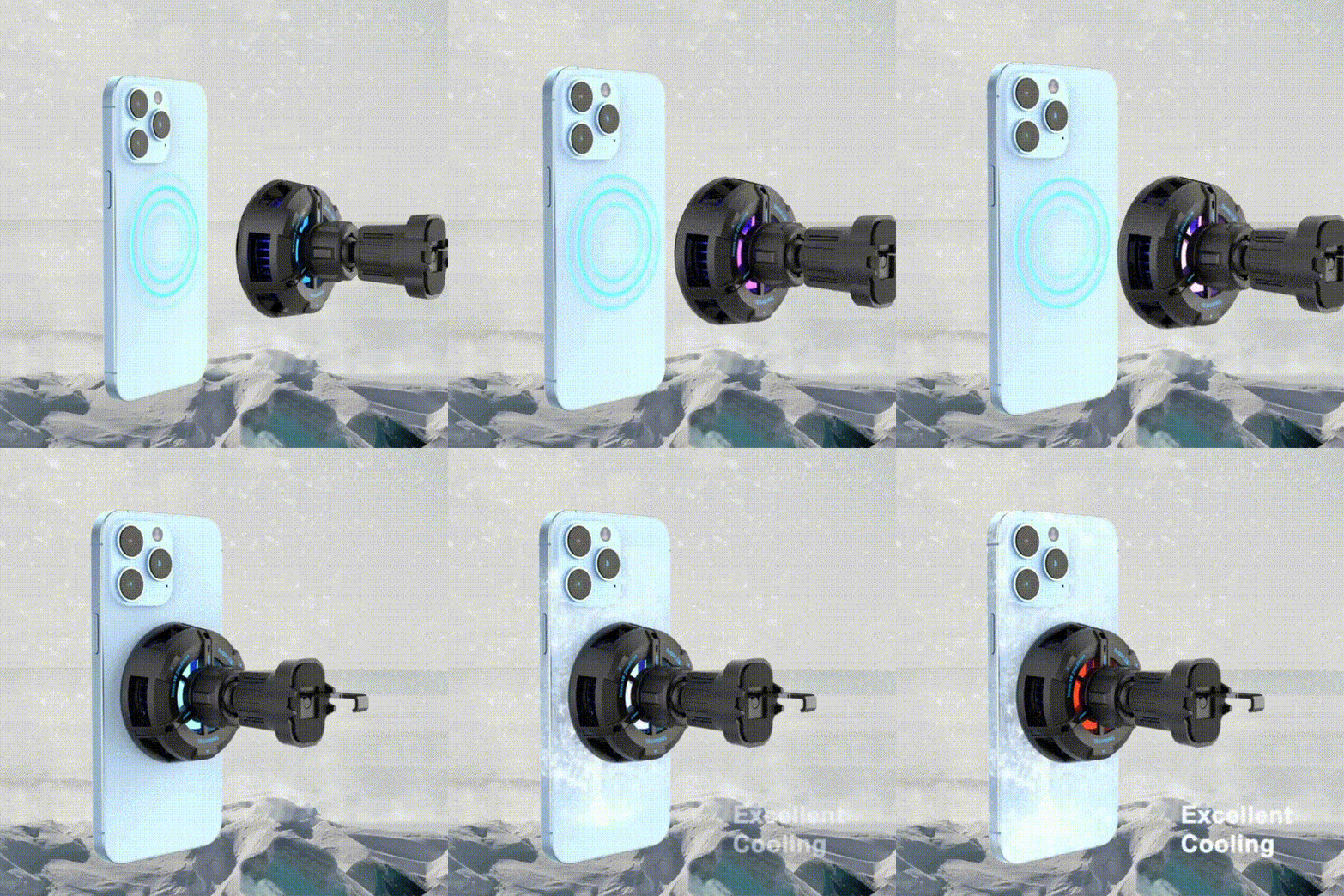
ZEERA SuVolt Gen5 : Conçu pour charger pendant que vous conduisez
Le Chargeur Voiture ZEERA SuVolt Gen5 Qi2.2 25W est spécialement conçu autour des problèmes qui rendent la charge sans fil en voiture difficile.
Plutôt que de se concentrer uniquement sur la puissance de charge maximale, le SuVolt Gen5 combine :
- Charge sans fil Qi2.2 jusqu'à 25W sur les appareils compatibles,
- Refroidissement semi-conducteur actif pour aider à réduire l'accumulation de chaleur,
- Alignement magnétique puissant pour une position de charge stable,
- Un support de grille d'aération à 3 points amélioré pour réduire les mouvements et l'affaissement, et
- Prise en charge des coques compatibles MagSafe pour la conduite quotidienne.
Il est particulièrement utile pour les conducteurs qui utilisent régulièrement la navigation, CarPlay sans fil ou la charge longue distance où le téléphone peut déjà générer une chaleur importante.
Le point important n'est pas simplement d'atteindre un chiffre de charge de pointe élevé. C'est de créer de meilleures conditions pour une charge plus stable tout au long du trajet.

Qi2 15W ou Qi2.2 25W : Lequel est le meilleur pour la charge en voiture ?
Pour une charge quotidienne de base, le Qi2 15W peut encore suffire.
Mais un chargeur 25W Qi2.2 fournit plus de puissance de charge potentielle sur les appareils compatibles, ce qui peut être utile lorsque le téléphone est activement utilisé pendant un trajet.
Cela ne signifie pas que les 25W seront maintenus en continu dans toutes les situations.
La puissance de charge sans fil réelle dépend de :
- le modèle d'iPhone,
- le niveau de la batterie,
- la température,
- la compatibilité du chargeur,
- la puissance d'entrée,
- la coque et l'alignement magnétique, et
- ce que fait le téléphone pendant la charge.
Vous pouvez en savoir plus dans notre guide de charge Qi2 vs Qi2.2 25W.
Est-ce mauvais pour votre iPhone de perdre de la batterie pendant la charge ?
Un pourcentage de batterie qui stagne occasionnellement pendant une session de navigation intensive ne signifie pas automatiquement que la batterie est endommagée.
Ce qui compte le plus, c'est l'exposition répétée à une chaleur excessive.
Apple indique que des températures élevées peuvent affecter les performances de charge et, au fil du temps, peuvent affecter négativement la durée de vie de la batterie.
Si votre iPhone devient de manière répétée très chaud dans la voiture, concentrez-vous sur la réduction de la température plutôt que d'essayer de forcer le téléphone à charger plus rapidement.
Éloigner le téléphone de la lumière directe du soleil, refroidir l'habitacle, utiliser la bonne source d'alimentation et améliorer la gestion thermique du chargeur sont tous des moyens plus utiles que d'acheter simplement le chargeur avec la puissance annoncée la plus élevée.
Accessoires Ultra-Fins iPhone Air & iPhone 17 Pro Max
Plaque Magnétique Ultra-Fine ZEERA MagSkin Air
- Seulement 0,3 mm d'épaisseur
- Compatible MagSafe
- Préserve la sensation Air
- Protection arrière légère
- Port sans coque

Plaque Arrière Magnétique Ultra-Fine ZEERA MagSkin Pro
- Ajustement Pro ultra-fin
- Compatible MagSafe
- Sensation de téléphone nu
- Garde de décoration de l'appareil photo
- Transport quotidien minimaliste

Couvre-Objectif ZEERA AirFlat pour iPhone Air
- Rend le dos plat
- Arrête les oscillations sur le bureau
- Protège l'objectif de l'appareil photo
- Look assorti fin
- Conception facile à nettoyer

Verdict Final
Si votre iPhone perd de la batterie pendant la charge en voiture, il n'y a généralement pas une seule cause.
Le scénario le plus courant est une combinaison de :
navigation + CarPlay sans fil + utilisation de l'écran + activité cellulaire + charge sans fil + chaleur.
Votre chargeur peut toujours fournir de l'énergie, mais le téléphone peut consommer une grande partie de cette énergie lui-même. Si la température augmente encore, l'iPhone peut également réduire ou suspendre temporairement la charge.
Commencez par vérifier la source d'alimentation de votre voiture, en gardant le téléphone au frais et en assurant un bon alignement magnétique.
Pour les conducteurs qui utilisent régulièrement la navigation ou CarPlay sur de longs trajets, un chargeur de voiture Qi2 ou Qi2.2 à refroidissement actif peut avoir plus de sens que de choisir un chargeur uniquement en fonction de sa puissance maximale.
FAQ
Pourquoi la batterie de mon iPhone baisse-t-elle même s'il indique qu'il est en charge ?
Votre iPhone consomme peut-être de l'énergie presque aussi rapidement, ou plus rapidement, que l'énergie de charge utilisable n'atteint la batterie. La navigation, CarPlay, les données cellulaires, la luminosité de l'écran et la chaleur peuvent tous y contribuer.
Pourquoi mon iPhone s'arrête-t-il de charger pendant que je conduis ?
Si l'iPhone devient trop chaud, iOS peut automatiquement réduire ou suspendre temporairement la charge. La charge reprend normalement une fois que l'appareil est revenu à une température appropriée.
Google Maps peut-il vider la batterie pendant que mon iPhone charge ?
Oui. La navigation GPS, la connectivité des données, l'utilisation de l'écran et le traitement en arrière-plan consomment tous de l'énergie. Si les performances de charge sont limitées en même temps, le pourcentage de la batterie peut augmenter très lentement ou même diminuer.
CarPlay sans fil aggrave-t-il la décharge de la batterie de l'iPhone ?
CarPlay sans fil ajoute une autre connexion sans fil active alors que le téléphone peut déjà exécuter la navigation, la musique et les données cellulaires. La charge de travail combinée peut augmenter l'utilisation de l'énergie et la chaleur pendant un trajet.
Pourquoi mon chargeur de voiture sans fil est-il lent en été ?
Les températures élevées de l'habitacle, la lumière directe du soleil et la chaleur de charge peuvent faire grimper la température de l'iPhone. Lorsque le téléphone devient trop chaud, la charge peut automatiquement ralentir ou se mettre en pause.
Un chargeur de voiture 25W chargera-t-il toujours à 25W ?
Non. 25W est la puissance de charge maximale prise en charge dans des conditions compatibles. La vitesse de charge réelle dépend du téléphone, du niveau de la batterie, de la température, de la puissance d'entrée, de l'alignement et de l'activité de l'appareil.
Le refroidissement actif est-il utile pour un chargeur de voiture MagSafe ?
Il peut être particulièrement utile lors de longues sessions de navigation, de l'utilisation de CarPlay sans fil et de la conduite estivale car ces situations créent plus de chaleur qu'une charge inactive ordinaire.
Dois-je plutôt utiliser un chargeur filaire ?
La charge filaire peut être plus efficace lorsque la vitesse de charge maximale est la seule priorité. La charge magnétique sans fil est utile lorsque vous appréciez un montage rapide, la visibilité de la navigation et l'utilisation à une seule main. Pour la charge sans fil dans des conditions de voiture exigeantes, la gestion thermique devient particulièrement importante.
Guides Associés






