If you’re updating to iOS 18 to enjoy its features, and find your iPhone stuck on 'Preparing Update', this guide will help you understand why and how to fix it. 🌟

Understanding: Why Does Your iPhone iOS 'Preparing Update' Get Stuck?
- Network Connection Issues 📶: A poor or unstable internet connection can interrupt the download and installation process.
- Insufficient Storage 📦: If your device doesn’t have enough free space, it can’t complete the update.
- Server Problems 🌐: Apple’s servers might be overloaded, causing delays or issues with the update process.
- Device Compatibility 🛠️: Sometimes, newer iOS updates may have compatibility issues with older devices.
- Software Conflicts ⚠️: Conflicts with existing apps or settings might prevent the update from proceeding smoothly.
How to Fix iOS Stuck on 'Preparing Update' on You iPhone
1.Check Your Network Connection 📶
- Ensure you have a strong Wi-Fi connection.
- Restart your router or switch to mobile data to improve connectivity.
- Go to Settings > General > iPhone Storage.
- Delete unnecessary apps, photos, or videos to make room for the update.
- Press and hold the Volume Down button and the Side button until the Apple logo appears.
- This can help clear any temporary issues causing the update to get stuck.
- Visit the Apple System Status page to check for any ongoing server issues.
- Connect your iPhone to your computer.
- Open iTunes (or Finder on macOS Catalina and later).
- Select your device and choose Check for Update. Follow the prompts to complete the update.
- If none of these steps work, contact Apple Support for further assistance.
How Long Does iOS 18 Update Take ?
- The preparation time for an iPhone update varies based on the update size, internet speed, and device model.
- Smaller updates can take a few minutes, while larger ones may require up to an hour or more, especially with slower internet.
- Ensure your device is connected to a stable Wi-Fi network and is charged to avoid interruptions. The actual installation process after preparation is usually quicker, but allow some time for the device to reboot and finalize the update.
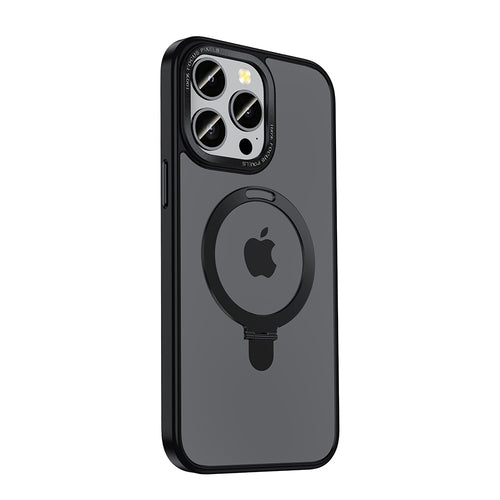
ZEERA MagSafe Kickstand Case
MagSafe Kickstand Case with Ring holder for iPhone 16, 15, 14, 13, 12 Series
Shop NowConclusion
Experiencing issues with your iPhone getting stuck on 'Preparing Update' in 2024 can be frustrating, but these steps should help you get iOS 18 up and running smoothly. By checking your network, freeing up storage, and contacting support if needed, you can resolve the issue and enjoy the latest iOS features. Happy updating! 🎉
🎉Share this blog and get your Secret Discount
Share and use the code APPLE to get a 20% discount on ZEERA MagSafe products! ZEERA Wireless offers outstanding performance and reliability, making it a top choice for your iPhone MagSafe Accessories in 2024. Don’t miss out on this great deal!
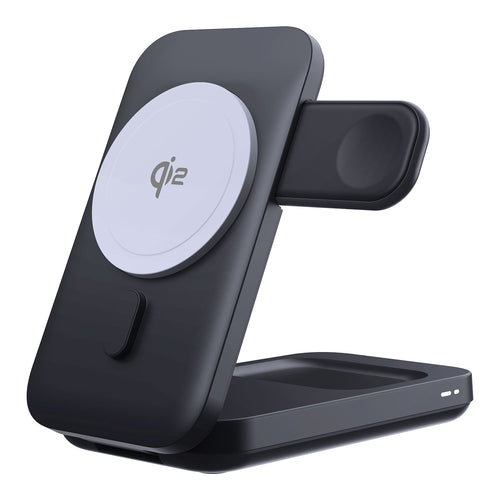
ZEERA MagTri Qi2 MagSafe Charger
The Premium 3-in-1 Portable Travel Charger with 15W Wireless Output
Shop Now
English: iOS 18 Stuck on 'Preparing Update' in 2024? Quick and Easy Fix Guide
Italian: iOS 18 bloccato su "Preparazione aggiornamento" nel 2024? Guida rapida e semplice alla risoluzione dei problemi
Spanish: ¿iOS 18 atascado en 'Preparando actualización' en 2024? Guía de reparación rápida y sencilla
German: iOS 18 bleibt im Jahr 2024 bei „Update wird vorbereitet“ hängen? Schnelle und einfache Lösungsanleitung
Turkish : iOS 18 2024'te 'Güncelleme Hazırlanıyor' aşamasında mı kaldı? Hızlı ve Kolay Onarım Kılavuzu
Hungarian: Az iOS 18 elakadt a „Frissítés előkészítése” alatt 2024-ben? Gyors és egyszerű javítási útmutató
Arabric: iOS 18 عالق في "تحضير التحديث" في عام 2024؟ دليل الإصلاح السريع والسهل