
Apple has officially released iOS 26.4.2 and iPadOS 26.4.2, a security-focused update that goes far beyond a typical bug fix.
While Apple describes it in technical terms, this update is widely linked to a real-world privacy issue involving push notification data retention, which was reportedly used in a law enforcement investigation involving the FBI.

iOS 26.4.2 Security Fix Overview
Apple rolled out iOS 26.4.2 in April 2026 as a rapid-response security update for iPhone and iPad users.
Key details:
- Release: iOS 26.4.2 / iPadOS 26.4.2
- Focus: Security + privacy patch
- No new features included
- Also released for older devices: iOS 18.7.8
This update follows a pattern of Apple quickly patching low-level system vulnerabilities before wider exploitation occurs.

Mac Mini M4 Aluminum Cooling Case
CNC aluminum enclosure for Mac Mini M4 / Mac Mini M4 Pro, improves heat dissipation,
reduces thermal throttling, and enhances Mac Pro-style aesthetics with
premium build quality for desktop setups.
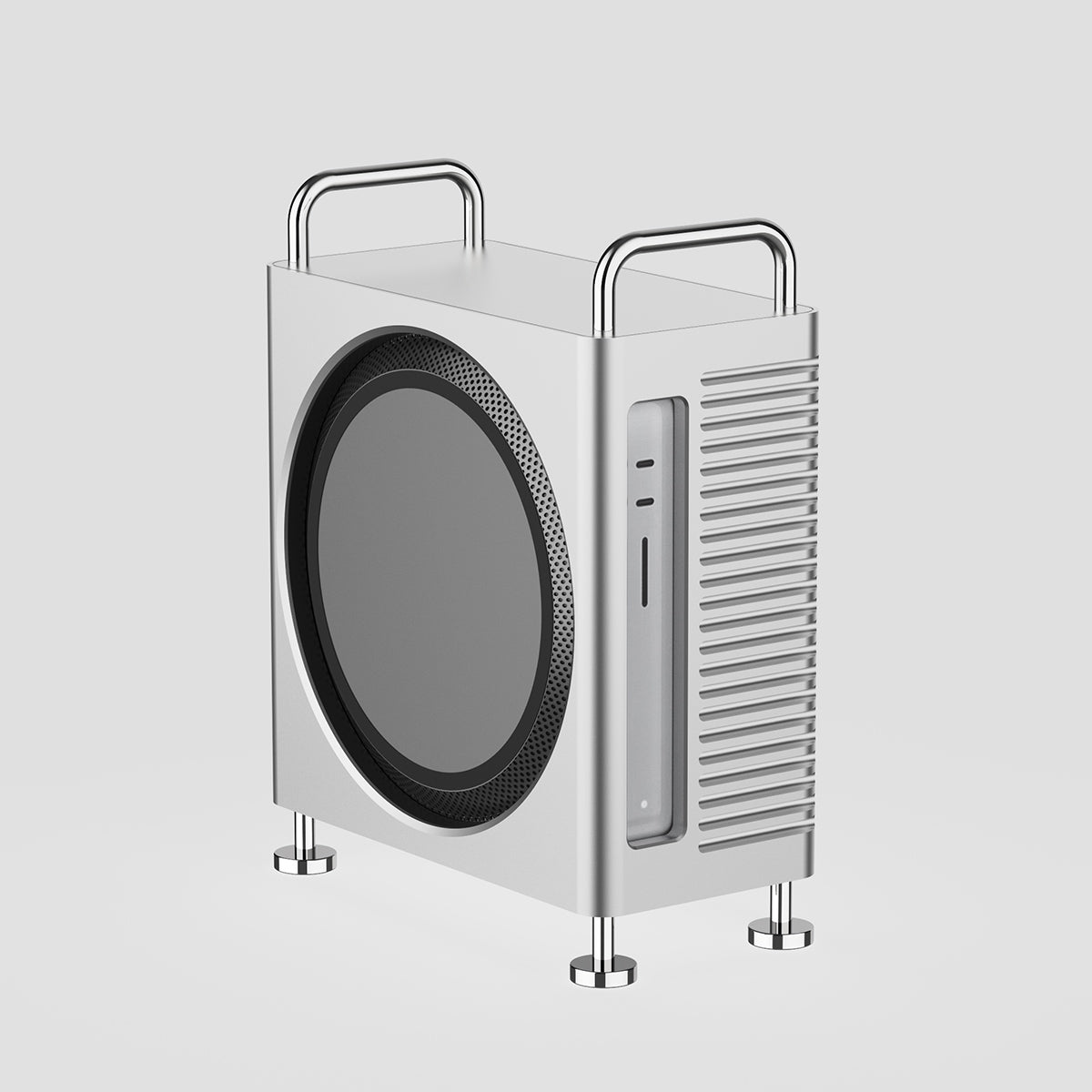
Mac Studio Aluminum Enclosure Case
CNC aluminum enclosure for Mac Studio, improves airflow and thermal performance,
designed for heavy workloads with Mac Pro-inspired structure and stable
high-performance cooling architecture.
What Was the Deleted Notification Vulnerability: FBI-Linked Signal Data Exposure Revealed the Issue
Apple’s iOS 26.4.2 update addresses a privacy-related issue involving how iPhone handles push notification data at system level.
While Apple officially describes it as a “notification retention bug,” security reports suggest it is connected to a real-world case involving Signal message previews accessed during a law enforcement investigation.
This issue has raised concerns about how iOS temporarily stores notification data even after deletion.

1. How the Notification Data Retention Issue Was Discovered on iPhone
The issue surfaced during a law enforcement case where the FBI reportedly accessed Signal message previews on an iPhone. The app had already been deleted, but notification previews were still found on the device. This raised concerns that iOS may retain notification data even after deletion. Signal itself was not compromised and no messages were decrypted.
2. Why Deleted Notifications Were Still Stored in iOS System Logs
The problem is linked to how iOS temporarily stores push notifications in a system database. In some cases, these records were not fully cleared after deletion and remained in hidden system logs. As a result, deleted notifications were not always completely removed from the system layer.
3. What This iOS Privacy Issue Means for iPhone Users
This does not affect daily use, but it shows that deleted notifications may still leave traces in system storage. Apple addressed this in iOS 26.4.2 by improving cleanup, data redaction, and logging behavior so deleted notifications are now intended to be fully removed.

ZEERA AirFlat – Anti-Wobble Lens Cover
Ultra-flat lens cover designed for iPhone Air camera stability.
Reduces wobble and improves flat placement on any surface.

ZEERA MagSkin – Ultra-Thin MagSafe Back Plate
Minimalist magnetic back plate for MagSafe compatibility.
Ultra-thin design keeps iPhone Air lightweight and protected.
iOS 26.4.2 Fixes Deleted Notification Privacy Issue
This iOS 26.4.2 security update improves how iPhone handles deleted notifications and system-level data storage, extending the same fix to iOS 18.7.8 and iPadOS 18.7.8 on older devices.
Before the update, some notification data could remain in hidden system logs after deletion, especially from messaging apps using notification previews.
After updating, Apple improves system-level data cleanup, reducing the chance that deleted content can be recovered through device access, repair, or forensic tools, and strengthening overall iPhone privacy protection.
Should You Update to iOS 26.4.2?
If you’re still deciding whether to install the latest update, this iOS 26.4.2 security fix is not one to delay. Apple specifically addressed a vulnerability related to deleted notifications, which could potentially expose sensitive information under certain conditions.
You should update immediately if you:
- Regularly receive sensitive messages (banking alerts, verification codes, private chats)
- Frequently connect to public or unsecured Wi-Fi networks
- Use your iPhone for work, business, or confidential communication
- Haven’t installed recent Apple security updates
Even if you’re a casual user, installing this update ensures your device is protected against known exploits. Security patches like this are designed to fix issues before they can be widely abused, making timely updates essential for maintaining your privacy.
Optional: A Better Daily Charging Setup for iPhone Users
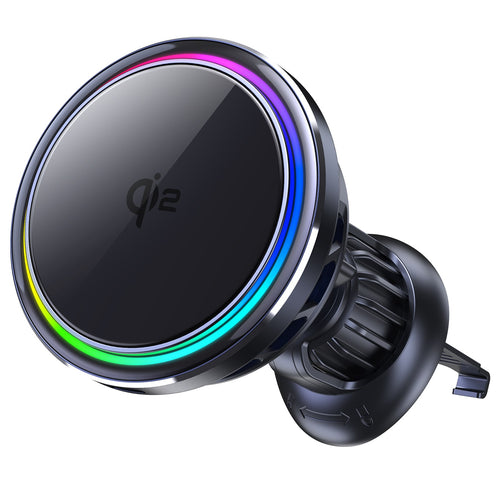
SuVolt Gen5 Qi2.2 25W Car Charger
Qi2.2 active cooling car charger for stable high-speed wireless charging.
Supports up to 25W fast charging with intelligent temperature control system.
Built for navigation, long drives, and secure magnetic mounting stability.
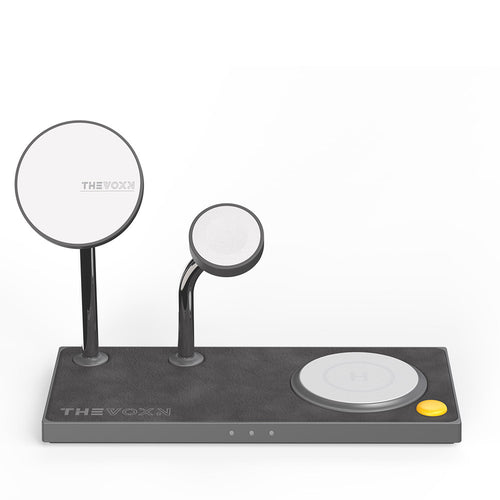
THEVOXN 5-in-1 MagSafe Charging Stand
All-in-one 5-in-1 charging station for iPhone, AirPods, and Apple Watch.
Dual MagSafe alignment ensures stable multi-device charging efficiency.
Clean desktop setup with organized and fast charging experience.
With iOS updates like iOS 26.4.2 focusing on system-level stability and background data handling, many users are also paying more attention to how they use and maintain their devices in daily life.
A stable and efficient charging setup has become part of that experience, especially for users who rely heavily on MagSafe charging for iPhone during work, travel, or night charging.

Supported Devices for iOS 26.4.2 Update
The iOS 26.4.2 update is available for all iPhone and iPad models that support the iOS 26 system. This includes newer devices as well as selected older models that are still receiving Apple’s security updates.
In addition, Apple also released iOS 18.7.8 and iPadOS 18.7.8 for older devices that are no longer on the iOS 26 track, ensuring they still receive critical security patches related to the same vulnerability fix.
Conclusion
iOS 26.4.2 is not a feature update — it is a privacy and system integrity fix focused on how iPhone handles deleted notification data.
While Apple describes it as a standard security improvement, external reports link it to a deeper issue involving notification data retention in system logs, which could leave behind fragments of deleted content under certain conditions.
With this update, Apple strengthens the consistency of data deletion behavior across iOS, ensuring that removed notifications are more reliably cleared from both the user interface and system-level storage.
For most users, this update is a recommended security patch that improves privacy protection without changing how the device is used.









