
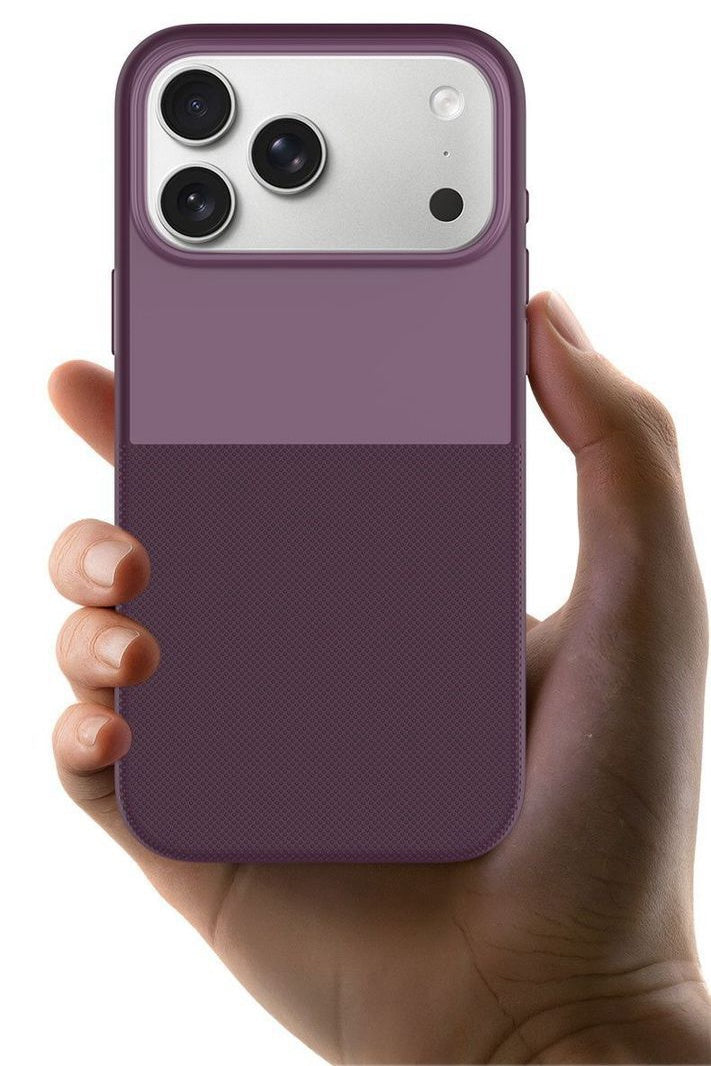
Updated September 10, 2026: Apple has now officially announced the iPhone 18 Pro and iPhone 18 Pro Max, confirming several of the camera upgrades previously discovered or hinted at in iOS 27 code.
Apple has officially confirmed a 48MP Fusion Main camera with variable aperture on both the iPhone 18 Pro and iPhone 18 Pro Max.
The camera can use four aperture settings: ƒ/1.48, ƒ/1.8, ƒ/2.8 and ƒ/4.0, with automatic adjustment or manual aperture control through the new iOS 27 Pro controls.
Apple has also confirmed manual control for shutter speed, white balance and aperture, plus a built-in histogram.
However, several other tools previously found in iOS 27 code — including waveform monitoring, focus peaking, highlight warnings, repeated self-timer controls and a manual-focus slider — have not been officially announced.
Just before Apple unveiled the iPhone 18 Pro series, code inside iOS 27 pointed to a much more advanced Camera experience.
At the time, the biggest question was whether those findings were experimental features or clues to the final iPhone 18 Pro camera system.
We now have part of the answer.
Apple has confirmed the biggest hardware clue: variable aperture is real. It is also not limited to the Pro Max — both iPhone 18 Pro models receive the new camera system.

What Did Apple Officially Confirm for the iPhone 18 Pro Camera?
| Camera Feature | Status |
|---|---|
| 48MP Fusion Main camera | Confirmed |
| Variable aperture | Confirmed |
| ƒ/1.48, ƒ/1.8, ƒ/2.8, ƒ/4.0 | Confirmed |
| Manual aperture control | Confirmed |
| Manual shutter speed | Confirmed |
| White balance control | Confirmed |
| Histogram | Confirmed |
| Waveform monitor | Not officially announced |
| Focus peaking | Not officially announced |
| Highlight / zebra warnings | Not officially announced |
| Manual-focus slider | Not officially announced |
| Repeated self-timer | Not officially announced |
This distinction is important.
The original iOS 27 findings showed what Apple had been testing internally. Apple's launch announcement now tells us which parts became headline features of the shipping iPhone 18 Pro camera experience.
iPhone 18 Pro Variable Aperture Is Official
The biggest confirmed change is the new 48MP Fusion Main camera with variable aperture.
Previous iPhones used a fixed physical aperture. The iPhone 18 Pro can physically change the opening inside the Main camera lens to control incoming light and depth of field.
Apple offers four aperture positions:
ƒ/1.48 — Maximum light
Best suited to darker scenes where the camera needs to collect as much light as possible.
ƒ/1.8 — Default
A general-purpose balance between light gathering and depth of field.
ƒ/2.8 — More depth
Useful when more of the scene needs to remain sharp.
ƒ/4.0 — Maximum depth
Designed for greater depth of field and more deliberate creative control.
Apple says the camera can adjust aperture automatically depending on lighting and depth of field.
More advanced users can also manually select aperture settings through the Camera app's new Pro controls.
Why Does Variable Aperture Matter on an iPhone?
The easiest way to understand variable aperture is to think about the pupil of your eye.
In darkness, your pupil opens wider. In bright light, it becomes smaller.
The iPhone 18 Pro Main camera can now make a similar physical adjustment.
A wider aperture such as ƒ/1.48 allows more light to reach the sensor. That can help improve low-light photography and shorten the exposure needed for Night mode.
A smaller opening such as ƒ/2.8 or ƒ/4.0 increases depth of field, helping more objects at different distances stay in focus.
This can be especially useful for group photos, landscapes, product photography, architecture and creative video.

Apple Says Low-Light Performance Is Around 50% Better
Apple says the new ƒ/1.48 setting helps the iPhone 18 Pro Main camera deliver around 50% better low-light performance.
That does not simply mean brighter Night mode images.
A larger aperture allows the camera to capture more light before computational photography begins processing the image.
This can give the camera better source data to work with, particularly indoors and in darker environments.
iOS 27 Adds New Pro Camera Controls
The hardware upgrade is only half of the change.
Apple has also introduced a customizable Pro controls interface for the Camera app on iPhone 18 Pro and iPhone 18 Pro Max.
Apple officially lists control over:
- Lens aperture
- Shutter speed
- White balance
- Histogram exposure monitoring
This is a major change for Apple's default Camera app.
Instead of relying almost entirely on automatic computational photography, iPhone 18 Pro users can now directly control several of the decisions normally made by the camera system.
The iOS 27 Histogram Leak Was Correct
One of the clearest features found in the earlier iOS 27 code was a histogram.
Apple has now officially confirmed it.
A histogram shows how brightness is distributed across an image.
If most of the graph is heavily pushed toward the bright side, parts of the image may be approaching clipped highlights.
If the information is concentrated toward the dark side, shadow detail may be getting lost.
For photographers, this provides a more objective way to judge exposure than simply looking at the brightness of the iPhone display.
What Happened to the iOS 27 Waveform?
This is where the original leak and Apple's official announcement begin to separate.
iOS 27 code contained references to waveform-style exposure monitoring, including more advanced ways to analyze brightness across a frame.
Apple has not listed a waveform monitor among the announced iPhone 18 Pro Camera Pro controls.
That does not necessarily mean the feature has been permanently abandoned.
It could remain internal, arrive in a later iOS 27 update, appear in another Apple camera app, or never reach users.
For now, however, histogram is confirmed; waveform is not.
Does iOS 27 Have Focus Peaking?
Focus peaking was another interesting feature discovered before launch.
It would place a colored outline around high-contrast edges that appear to be in focus, making precise focusing easier.
This is common on dedicated cameras and professional video tools.
Apple did not announce focus peaking as part of the stock iOS 27 Camera Pro controls for iPhone 18 Pro.
That means it should no longer be described as an expected launch feature.
The safest description today is that focus-peaking references were discovered during iOS 27 development, but Apple has not confirmed public availability.
What About Manual Focus?
The original iOS 27 findings also pointed toward deeper manual-focus control.
This would be different from the familiar tap-to-focus and AE/AF Lock system already available on iPhone.
A true manual-focus slider would let photographers directly move the focus position instead of asking autofocus to choose the subject.
Apple has officially highlighted manual aperture, shutter speed and white balance in the new Pro controls.
It has not announced a comparable manual-focus slider in the default Camera app.
So for now, this remains an unreleased development finding rather than a confirmed iPhone 18 Pro feature.
Did Highlight Warnings or Zebra Stripes Make It?
Earlier iOS 27 code also suggested highlight-warning overlays that could identify parts of an image approaching overexposure.
Some implementations resembled the zebra patterns used by professional cameras and video monitors.
Again, Apple has not listed zebra or highlight-warning controls among the officially announced Pro controls.
The new histogram can still help photographers judge exposure, but it is not the same thing as displaying warnings directly over overexposed parts of the live preview.
What Happened to the Repeated Self-Timer Feature?
Another earlier code finding suggested that iOS 27 could automatically restart the Camera timer and capture multiple timed photographs.
That could have been useful for group photos, travel photography and tripod shooting.
Apple did not highlight this capability during the iPhone 18 Pro or iOS 27 announcement.
Until it appears in the public Camera app, it should remain classified as unconfirmed.
iPhone 18 Pro vs iPhone 18 Pro Max: Is Variable Aperture Pro Max Only?
No.
This is one of the most important corrections to pre-launch reporting.
Before Apple's event, some rumors suggested variable aperture could be exclusive to the larger iPhone 18 Pro Max.
Apple has now confirmed the feature on both iPhone 18 Pro and iPhone 18 Pro Max.
Both models use the new variable-aperture 48MP Fusion Main camera.
If you were considering the Pro Max only because of variable aperture, that is no longer necessary.
The Rest of the iPhone 18 Pro Camera System
Variable aperture is not the only confirmed camera upgrade.
The rear camera system consists entirely of 48MP cameras:
48MP Fusion Main
24mm, variable ƒ/1.48 / ƒ/1.8 / ƒ/2.8 / ƒ/4.0 aperture.
48MP Fusion Ultra Wide
13mm, ƒ/2.2, with macro photography support.
48MP Fusion Telephoto
100mm 4x optical focal length with an additional 200mm 8x optical-quality option.
The Pro models also support 4K Dolby Vision recording at up to 120 fps on the Fusion Main camera, Apple Log 2, ProRes, ProRes RAW and genlock.
Can iOS 27 Camera Tools Remove Glare and Reflections?
Not directly.
The new iOS 27 Camera tools can help you control exposure, aperture, shutter speed and white balance, but they cannot physically remove glare or polarized reflections from glass, water or glossy surfaces.
For example, lowering exposure may make a reflection look less bright, but the reflection itself is still present in the image.
The same applies to the iPhone 18 Pro's new variable aperture. Changing from ƒ/1.48 to ƒ/2.8 or ƒ/4.0 affects light intake and depth of field, but it does not filter reflected light.
iOS 27 Camera controls: Help manage exposure and the final look of the image.
Variable aperture: Controls light and depth of field.
CPL filter: Physically reduces certain polarized reflections before the light reaches the camera sensor.
This is why a rotating CPL filter can still be useful on the iPhone 18 Pro, especially when shooting through windows, photographing cars, water, storefronts or other reflective surfaces.

The ZEERA SnapLens Trio CPL Lens Protector lets you rotate the polarizing filter to find the angle where unwanted reflections are reduced most effectively.
In practice, the best results come from combining both approaches: use iOS 27 Pro controls to fine-tune exposure and color, then use a CPL filter when you need to physically cut glare and reflections that software controls cannot remove.

Which iOS 27 Camera Leaks Were Actually Correct?
The pre-launch code findings were useful, but they should now be separated into three groups.
Confirmed:
Variable-aperture processing, physical variable aperture and histogram support.
New official features:
Manual aperture, shutter-speed and white-balance controls.
Still unconfirmed:
Waveform, focus peaking, highlight warnings, repeated self-timer and a dedicated manual-focus slider.
This is a good example of why features found in beta code should not automatically be treated as final product specifications.
The code correctly revealed Apple's direction, but not every experimental interface became part of the announced Camera experience.
Do You Need a MagSafe Case or Charger for iPhone 18 Pro Max?
If you are upgrading to the iPhone 18 Pro Max, a compatible MagSafe case is one of the easiest ways to protect the phone without giving up magnetic charging and accessory compatibility.
A good iPhone 18 Pro Max MagSafe case should keep the camera area protected while still working properly with MagSafe chargers, stands, car mounts and other magnetic accessories.
Charging also matters more during heavy camera use. Long 4K video recording, high screen brightness and extended photo sessions can drain the battery quickly, so a reliable iPhone 18 Pro Max charger can be useful for travel, desk setups and overnight charging.

FAQ: iOS 27 and iPhone 18 Pro Camera
Does the iPhone 18 Pro have variable aperture?
Yes. Apple has officially confirmed variable aperture on both iPhone 18 Pro and iPhone 18 Pro Max.
What aperture settings does the iPhone 18 Pro have?
The 48MP Fusion Main camera supports ƒ/1.48, ƒ/1.8, ƒ/2.8 and ƒ/4.0.
Can you manually change aperture on iPhone 18 Pro?
Yes. Apple's new Camera Pro controls allow users to manually adjust the Main camera aperture.
Does iOS 27 have a histogram?
Yes on the iPhone 18 Pro camera experience. Apple officially lists histogram exposure monitoring as part of the new Pro controls.
Does iOS 27 have manual shutter speed?
Apple has confirmed manual shutter-speed control as part of the new iPhone 18 Pro Pro controls.
Does iOS 27 have manual focus?
A deeper manual-focus system appeared in pre-release code findings, but Apple has not officially announced a dedicated manual-focus slider in the stock Camera app.
Does iOS 27 have focus peaking or waveform monitoring?
References to both appeared during iOS 27 development, but Apple has not announced them as part of the final iPhone 18 Pro Camera Pro controls.
Is variable aperture exclusive to iPhone 18 Pro Max?
No. Apple confirmed variable aperture for both the iPhone 18 Pro and iPhone 18 Pro Max.
Conclusion
The biggest iOS 27 camera clue turned out to be correct.
The iPhone 18 Pro generation officially introduces a physical variable-aperture Main camera, giving Apple's computational photography system another real optical tool to control light and depth of field.
Apple has also moved the default Camera app further toward professional photography with manual aperture, shutter speed, white balance and histogram controls.
But not every feature discovered before launch made Apple's official list.
Waveform monitoring, focus peaking, highlight warnings, repeated self-timer controls and a dedicated manual-focus slider should still be treated as unreleased or unconfirmed until Apple makes them publicly available.
For iPhone photography, the important change is clear: iPhone 18 Pro now combines computational photography with significantly more direct optical and manual control than previous generations.






