
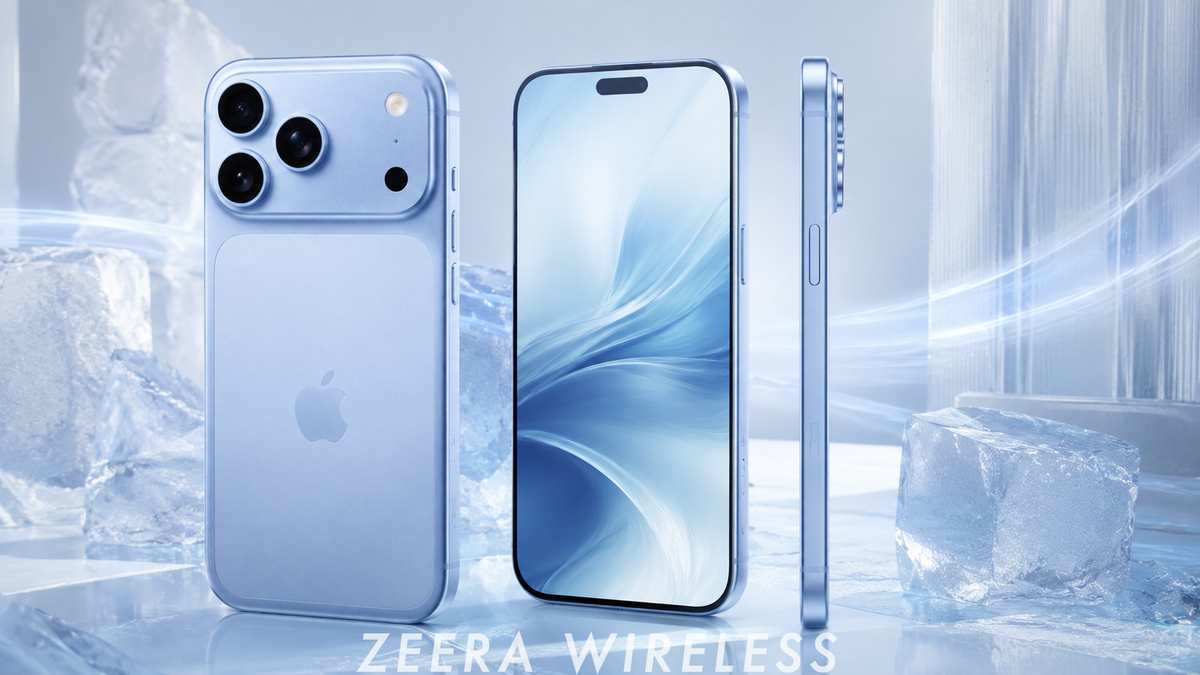
Updated: August 21, 2026
Quick Answer
If your iPhone 18 Pro Max gets hot during setup, it does not automatically mean the phone has an overheating defect.
A new iPhone can be installing iOS 27, transferring data, restoring an iCloud backup, downloading apps, syncing Photos and Messages, and rebuilding system indexes at the same time.
Apple specifically says an iPhone may feel warmer during first-time setup, backup restoration, major software updates and wireless charging.
If you need to keep the iPhone 18 Pro Max powered during a long data migration, the ZEERA SuVolt Gen5 Qi2.2 25W active-cooling MagSafe charger can be useful. It keeps the phone charging while actively drawing heat away from the charging area, helping reduce the extra thermal load created by wireless charging.
Important: As of August 21, 2026, Apple has not officially released the iPhone 18 Pro Max. There is therefore no evidence of a confirmed widespread iPhone 18 Pro Max overheating defect. This guide explains what buyers should expect during launch-day setup based on Apple's documented iPhone thermal behavior.
Why Does the iPhone 18 Pro Max Get Hot During First Setup?
The most likely reason is that your new iPhone is doing far more background work than it normally will.
When you set up an iPhone 18 Pro Max and migrate from an older iPhone, several demanding processes can happen simultaneously:
- Installing the latest iOS version
- Transferring apps and local data
- Restoring an iCloud backup
- Downloading photos and videos
- Syncing Messages, Mail and Notes
- Re-downloading App Store apps
- Analyzing and indexing photos
- Rebuilding Spotlight search indexes
- Processing Siri and Apple Intelligence-related data
These jobs increase processor, storage, Wi-Fi and network activity at the same time.
Apple lists first-time setup, restoring from a backup and completing a major software update among the situations where an iPhone may normally become warmer.
So an iPhone 18 Pro Max feeling noticeably warm during its first few hours of use would not, by itself, indicate a hardware problem.
Can Data Transfer Make the iPhone 18 Pro Max Overheat?
Yes. A large data migration can temporarily make an iPhone 18 Pro Max significantly warmer.
Quick Start is not simply copying files from one iPhone to another.
The new iPhone may be transferring data while simultaneously connecting to iCloud, downloading apps, processing photos and videos, rebuilding databases and authenticating multiple Apple services.
A large photo library makes this particularly noticeable because processing can continue long after the main Quick Start screen disappears.
Your iPhone 18 Pro Max may therefore look fully set up while substantial background work is still running.
If you are moving hundreds of gigabytes of photos, videos, messages and applications, temporary warmth and higher battery consumption should not automatically be treated as an overheating defect.
Can Overheating Slow iPhone 18 Pro Max Data Transfer?
Yes. Excessive heat can slow processing and can even temporarily pause an iCloud restore.
Apple's thermal management system automatically protects the iPhone when its internal temperature becomes too high.
Apple says that when an iPhone exceeds its normal operating temperature, charging may slow or stop and some apps or features may operate with reduced performance or increased processing times.
Apple also documents a specific “Restore Paused” condition. If an iPhone becomes too hot while restoring from an iCloud backup, the restore can temporarily stop and resume only after the phone cools down.
That makes temperature particularly important during a large iPhone 18 Pro Max migration.
Cooling does not increase your Wi-Fi bandwidth or make Apple's iCloud servers faster.
However, keeping the iPhone cooler can help prevent heat-related throttling, longer processing times and temperature-related restore pauses.
In practical terms, better thermal control can help the iPhone 18 Pro Max maintain more consistent performance throughout a long setup.
Should You Charge an iPhone 18 Pro Max While Transferring Data?
Yes, especially if you are transferring a large amount of data, but temperature management matters.
A long migration can consume significant battery power because the processor, storage, Wi-Fi and background services may remain active for hours.
Keeping the phone connected to power prevents the battery from draining while the migration continues.
The problem is that charging also generates heat.
That can create a demanding combination:
iOS update + Quick Start + iCloud restore + photo indexing + wireless charging.
Using a conventional wireless charger can add another thermal load while the iPhone 18 Pro Max is already working hard.
For this specific situation, a charger designed around active thermal management can make more sense than focusing only on maximum charging wattage. The ZEERA SuVolt Gen5 Qi2.2 25W MagSafe charger with active cooling is designed to keep the iPhone powered while actively removing heat from the charging area, which is particularly useful during long Quick Start or iCloud restore sessions.
Why SuVolt Gen5 Is Useful During iPhone 18 Pro Max Data Transfer
The ZEERA SuVolt Gen5 combines magnetic wireless charging with an integrated semiconductor active-cooling system.
The Qi2.2 version supports up to 25W wireless charging, while the cooling system actively removes heat from the area where the iPhone contacts the charger.
That makes it particularly useful when setting up a new iPhone 18 Pro Max.
Instead of choosing between keeping the phone powered and keeping it cool, SuVolt Gen5 is designed to do both simultaneously:
- Maintain battery level during a long data migration
- Actively cool the phone while wireless charging
- Reduce additional charging-related heat
- Help reduce the chance of temperature-related charging slowdowns
- Help the iPhone maintain more consistent sustained performance
- Reduce the risk of an iCloud restore being interrupted by excessive temperature
With the optional 360° suction-cup mount, SuVolt Gen5 can also be used as a stable desktop charging stand.
You can leave the iPhone 18 Pro Max connected to stable Wi-Fi, keep it powered and allow background restoration to continue while the active cooling system manages charging-related heat.
SuVolt Gen5 does not directly increase Wi-Fi speed or iCloud download speed.
Its advantage is eliminating one possible bottleneck: excessive heat.
If temperature would otherwise cause the iPhone to slow processing, limit charging or temporarily pause an iCloud restore, active cooling can help the phone operate under more favorable thermal conditions.
ZEERA MagSafe Wireless Charging Series
ZEERA MagTri Gen2 Qi2.2 Foldable MagSafe Charger
- 25W Qi2.2
- 3-in-1 fold
- Active cooling
- Travel size
- 3-device ready

ZEERA MagSion 5-in-1 Dual MagSafe Charger Stand
- Dual MagSafe
- 5-in-1 stand
- Watch charging
- Angle adjust
- Clean setup

ZEERA SuVolt Gen5 Qi2.2 Active Cooling Car Charger
- 25W Qi2.2
- Active cooling
- Strong magnet
- CarPlay ready
- Heat control

Can iOS 27 Make the iPhone 18 Pro Max Run Hot?
A major iOS update can temporarily increase iPhone temperature, especially immediately after installation.
As of August 21, 2026, iOS 27 is still being tested. Apple Developer lists iOS 27 beta 5 as released on August 10.
After installing a major iOS update, the iPhone may continue rebuilding databases, optimizing applications, indexing search content and processing other system data in the background.
That can temporarily increase processor activity and battery consumption even after the visible installation process has finished.
This could be particularly noticeable on the iPhone 18 Pro Max because many buyers will likely update the operating system and migrate years of data immediately after taking the new phone out of the box.
Early major iOS releases can also have software bugs and third-party app compatibility issues that are addressed in later updates.
However, it would be inaccurate to assume in advance that iOS 27 will cause a widespread iPhone 18 Pro Max overheating bug.
The important distinction is between temporary post-update heat and persistent abnormal overheating after background processing has finished.
Why Is the iPhone 18 Pro Max Still Hot After Quick Start Finishes?
The visible Quick Start transfer can finish before background processing is complete.
Photos is one of the biggest examples.
After thousands of photos and videos arrive on the new iPhone 18 Pro Max, the system may continue analyzing the library for people, objects, locations, search results and other intelligent features.
Apps may continue restoring their own content while Spotlight and other system services rebuild indexes.
You may therefore notice:
- A warm back panel while the phone appears idle
- Faster battery drain than expected
- Continued Wi-Fi activity
- Slower charging when the phone becomes hot
- The phone warming again after connecting to power
These symptoms are less concerning during initial setup than they would be several days later during normal light use.
Can iPhone 18 Pro Max Overheating Damage Battery Health?
Repeated or prolonged exposure to excessive heat can shorten lithium-ion battery lifespan.
Apple states that using an iPhone in very hot conditions can permanently shorten battery life.
This is why temperature management matters beyond simply making the iPhone more comfortable to hold.
Charging already generates heat. Combining charging with data migration, photo indexing, app downloads and a major system update can increase the total thermal load.
Apple's own thermal protection can slow or temporarily pause charging when the battery becomes too warm.
A short period of normal warmth during first-time setup is not the same as repeatedly exposing the battery to excessive heat.
Still, if a large iPhone 18 Pro Max migration is going to run for several hours, reducing unnecessary heat is a sensible way to treat a brand-new battery.
Does Wireless Charging Make iPhone 18 Pro Max Setup Heat Worse?
It can.
Apple specifically lists wireless charging as one of the situations where an iPhone may feel warmer.
This does not mean you should avoid wireless charging entirely.
The issue is the combination of charging heat with an already demanding workload.
If your iPhone 18 Pro Max is restoring hundreds of gigabytes of data while installing apps and processing photos, placing it on a conventional wireless charger adds another source of heat.
An active-cooling charger takes a different approach by supplying power while simultaneously removing heat from the charging area.
For example, the ZEERA SuVolt Gen5 Qi2.2 25W active-cooling MagSafe charger combines wireless charging with semiconductor cooling. That makes it a more suitable option than a conventional wireless charger when the iPhone 18 Pro Max is already warm from prolonged setup, navigation, gaming or other sustained workloads.
How Long Should an iPhone 18 Pro Max Stay Hot After Setup?
There is no universal time limit because the workload depends heavily on how much data you are transferring.
A user restoring a relatively small backup may finish quickly.
Someone transferring hundreds of gigabytes of photos, videos, messages and apps may see background activity continue for much longer.
The most useful indicator is the trend:
The iPhone 18 Pro Max should gradually become cooler as downloads, indexing and synchronization finish.
If it remains unusually hot during basic tasks after the initial setup and background activity are complete, further troubleshooting makes sense.
How Can You Cool Down an iPhone 18 Pro Max Safely?
If your new iPhone becomes excessively warm during setup, reduce unnecessary thermal load while allowing the important migration tasks to continue.
- Avoid gaming and benchmarks. Let the setup process use the available processing resources.
- Keep the phone out of direct sunlight. Ambient temperature has a major effect on cooling.
- Remove a thick case temporarily. This may help the phone dissipate heat during an unusually heavy setup session.
- Use stable Wi-Fi. Interrupted downloads and repeated synchronization can keep background tasks running longer.
- Use active cooling when charging simultaneously. This can reduce the additional thermal load created by charging.
- Leave the phone alone when possible. Allow background downloads, Photos processing and indexing to complete without adding more demanding tasks.
If charging is contributing to the heat, the most direct fix is to reduce charging-related heat rather than simply stop charging. The ZEERA SuVolt Gen5 Qi2.2 25W active-cooling MagSafe charger can keep the iPhone powered while its active-cooling system removes heat from the charging area. This is most useful during long data transfers, iCloud restores, navigation or other sustained workloads.
Do not place an overheated iPhone in a refrigerator or freezer and do not apply ice directly to the device.
Extreme temperature changes and condensation can damage electronics.
When Is iPhone 18 Pro Max Overheating Actually a Problem?
Persistent overheating during light use is more concerning than temporary warmth during initial setup.
Possible warning signs include:
- A temperature warning appears on screen
- iCloud Restore repeatedly pauses because of temperature
- Charging repeatedly slows or stops
- The display repeatedly dims because the device is hot
- The phone becomes extremely hot during simple tasks
- Heat remains excessive after setup and syncing are complete
- One specific app repeatedly causes extreme heat
- Battery drain remains unusually high during light use
If the iPhone displays Apple's temperature warning, stop demanding tasks, move it away from direct sunlight and allow it to cool naturally.
Is iPhone 18 Pro Max Overheating a Hardware Defect?
There is currently no evidence supporting that conclusion.
As of August 21, 2026, the iPhone 18 Pro Max has not officially launched.
Current reports expect the iPhone 18 Pro Max and the rest of Apple's premium 2026 iPhone lineup to arrive in September, but real thermal behavior cannot be evaluated reliably until production devices are available.
If early buyers report that their iPhone 18 Pro Max feels hot, the most important question will be when the heat occurs.
An iPhone becoming warm while restoring 200GB of data is very different from the same device overheating several days later while browsing Safari.
That distinction will be critical when evaluating early iPhone 18 Pro Max overheating reports.
What Should You Do on iPhone 18 Pro Max Launch Day?
A practical setup sequence can reduce unnecessary heat and make troubleshooting easier:
- Back up your old iPhone before the new phone arrives.
- Connect the iPhone 18 Pro Max to stable Wi-Fi.
- Install any required iOS 27 update.
- Start Quick Start or your iCloud restore.
- Keep the phone powered if the migration is large.
- Consider active cooling if you are charging and syncing simultaneously.
- Avoid gaming, benchmarks and extended camera use during the initial restore.
- Leave the phone on Wi-Fi while Photos, apps and system indexes finish processing.
- Evaluate temperature and battery behavior again after the background activity settles.
For a particularly large migration, placing the iPhone 18 Pro Max on an actively cooled charger such as the SuVolt Gen5 can be a practical way to maintain battery level while keeping charging-related heat under better control.
iPhone 18 Pro Max Cases for Launch Day
If you are planning to upgrade to the iPhone 18 Pro Max at launch, preparing the case and charging setup before the phone arrives can make the migration process easier.


What If You Are Considering the iPhone Ultra Instead?
The expected 2026 premium iPhone launch may also include Apple's first foldable iPhone, widely referred to as the iPhone Ultra.
ZEERA has also developed MagSafe case options for the expected foldable form factor, including clear, matte, vegan leather and full-hinge protection designs.
ZEERA iPhone Ultra MagSafe Case Series
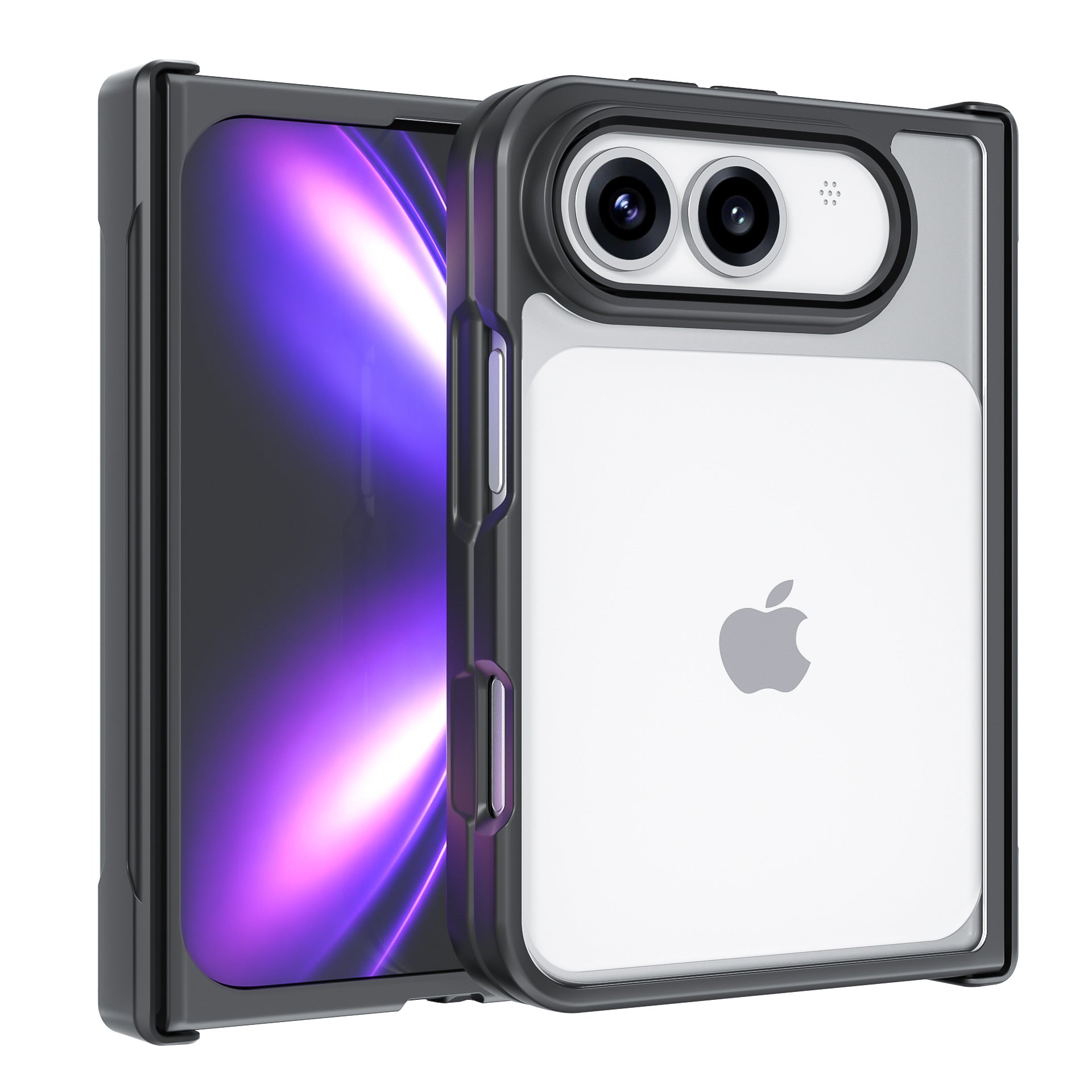
ZEERA ClearGuard Pro Crystal Clear MagSafe Case for iPhone Ultra
- Crystal-clear PC backplate
- Built-in MagSafe compatibility
- Reinforced corners for drop protection
- Raised screen and camera protection
- Responsive independent buttons

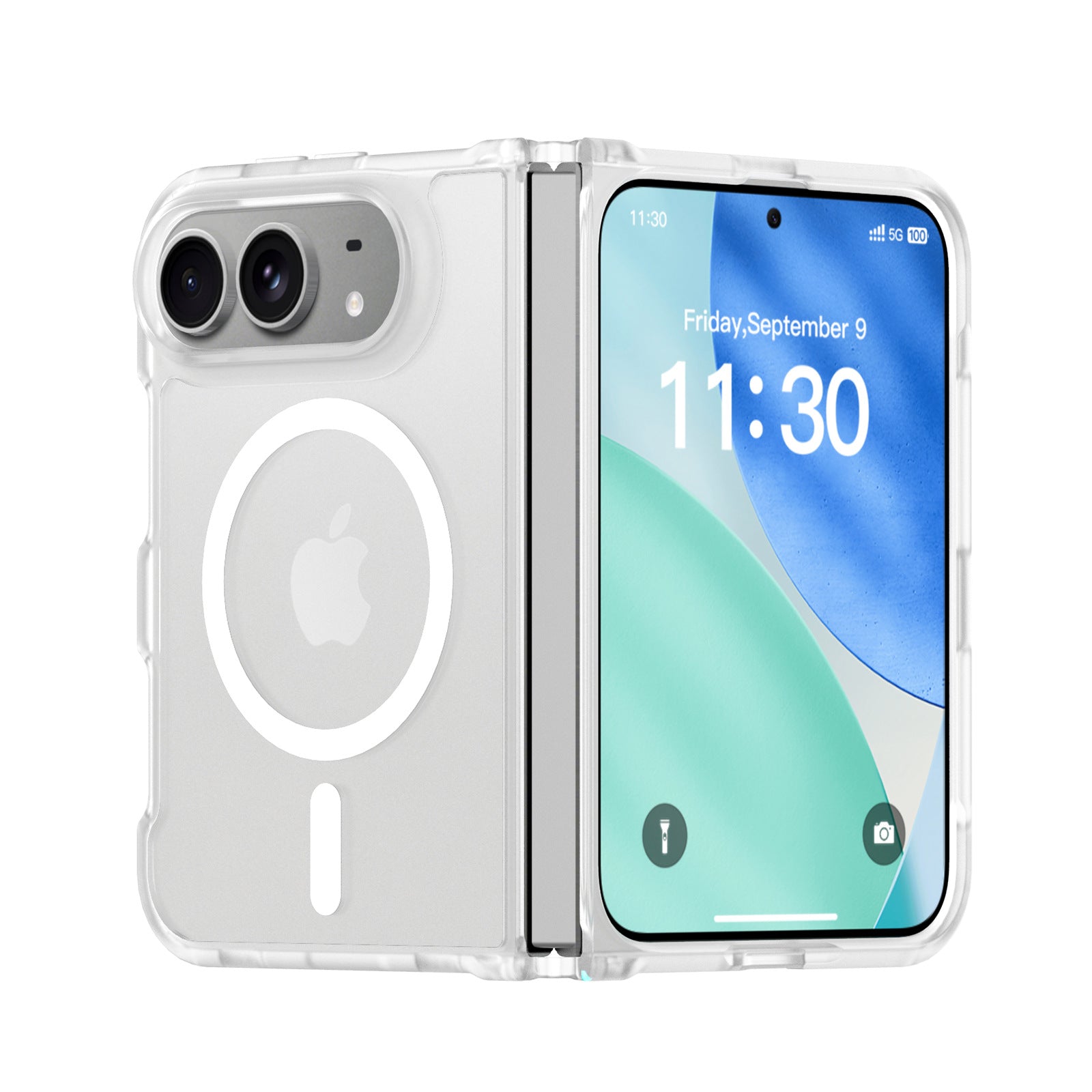
ZEERA FrostGuard Pro Matte Translucent MagSafe Case for iPhone Ultra
- Soft-touch matte translucent back
- 2mm reinforced backplate
- 1.5mm raised camera protection
- Flexible TPU hinge frame
- Built-in MagSafe compatibility
ZEERA ColorGuard Pro MagSafe Vegan Leather Case for iPhone Ultra
- Built-in tempered glass screen protector
- Premium vegan leather finish
- Magnetic hinge protection
- Reinforced shock-resistant frame
- Strong built-in MagSafe magnets

ZEERA FoldGuard Case for iPhone Ultra – 360° Full Protection
- Protects both screens and the hinge
- Flexible shock-absorbing TPU frame
- Durable PC backplate
- Optional N52 MagSafe version
- Optional 360° rotating stand
FAQ
Why is my new iPhone 18 Pro Max getting hot?
Initial setup, iOS updates, Quick Start, iCloud restore, app downloads and photo processing can all increase processor and network activity. Temporary warmth during these processes can be normal.
Is iPhone 18 Pro Max overheating normal during data transfer?
Some warmth can be normal during a large data migration. The important sign is that the iPhone should gradually cool as the transfer and background processing finish.
Can overheating slow iPhone 18 Pro Max data transfer?
Yes. Apple says excessive temperature can reduce performance and increase processing times. An iCloud restore can also temporarily pause if the iPhone becomes too hot.
Can I charge my iPhone 18 Pro Max while Quick Start is running?
Yes. Keeping the phone powered can be useful during a large migration. Because charging also creates heat, active cooling can be particularly useful when charging and transferring data simultaneously.
Can SuVolt Gen5 make iPhone 18 Pro Max data transfer faster?
SuVolt Gen5 does not increase Wi-Fi or iCloud network speed. Its active-cooling system can instead help reduce excessive heat that could cause slower processing, charging limitations or a temperature-related iCloud restore pause.
Does SuVolt Gen5 work as a desktop charger?
Yes. With the optional 360° suction-cup mount, SuVolt Gen5 can be configured as a stable adjustable desktop wireless charger with active cooling.
Can iOS 27 make the iPhone 18 Pro Max hot?
A major iOS update can temporarily increase processor activity and temperature while the system completes background optimization and indexing. This does not automatically indicate an iOS 27 overheating bug.
Why is my iPhone 18 Pro Max hot after Quick Start is finished?
Photos analysis, Spotlight indexing, app downloads and iCloud synchronization can continue after the visible Quick Start process has ended.
Can heat damage iPhone 18 Pro Max battery health?
Prolonged exposure to excessive heat can shorten lithium-ion battery lifespan. Apple warns that using an iPhone in very hot conditions can permanently shorten battery life.
How long should the iPhone 18 Pro Max stay hot after setup?
There is no fixed time because it depends on how much data is being restored. The important sign is that temperature should gradually decrease as downloads, indexing and synchronization finish.
When should I worry about iPhone 18 Pro Max overheating?
Persistent extreme heat during light use, repeated temperature warnings, restore pauses, charging interruptions or unusually high battery drain after setup has completed deserve further investigation.
Is iPhone 18 Pro Max overheating a confirmed problem?
No. As of August 21, 2026, the iPhone 18 Pro Max has not officially launched, so there is currently no basis for claiming a confirmed widespread overheating problem.









