If you’ve used the iPhone 17 Pro Max or iPhone Air on a desk, you’ve probably noticed one thing immediately — it doesn’t lay flat.
That slight rocking motion when you tap the screen?
That’s the camera bump wobble.

Why iPhone 17 Pro Max and iPhone Air Don’t Lay Flat
Both the iPhone 17 Pro Max and iPhone Air feature upgraded camera systems:
-
Larger sensors
-
Advanced lenses
-
More powerful imaging hardware
All of that requires physical space, which results in a raised camera module.
👉 The result:
-
Uneven back surface
-
Contact only on one side
-
Noticeable wobble on flat surfaces
The camera bump isn’t a flaw — it’s a hardware necessity.
But the wobble it creates is still a daily frustration.

The Best Way to Fix iPhone 17 Pro Max & iPhone Air Wobble
Most people assume the only solution is to switch to a bulky case.
But that’s not true anymore.
The smarter solution: a camera-leveling cover
Instead of changing your entire setup, you can fix the problem directly at its source — the camera module.
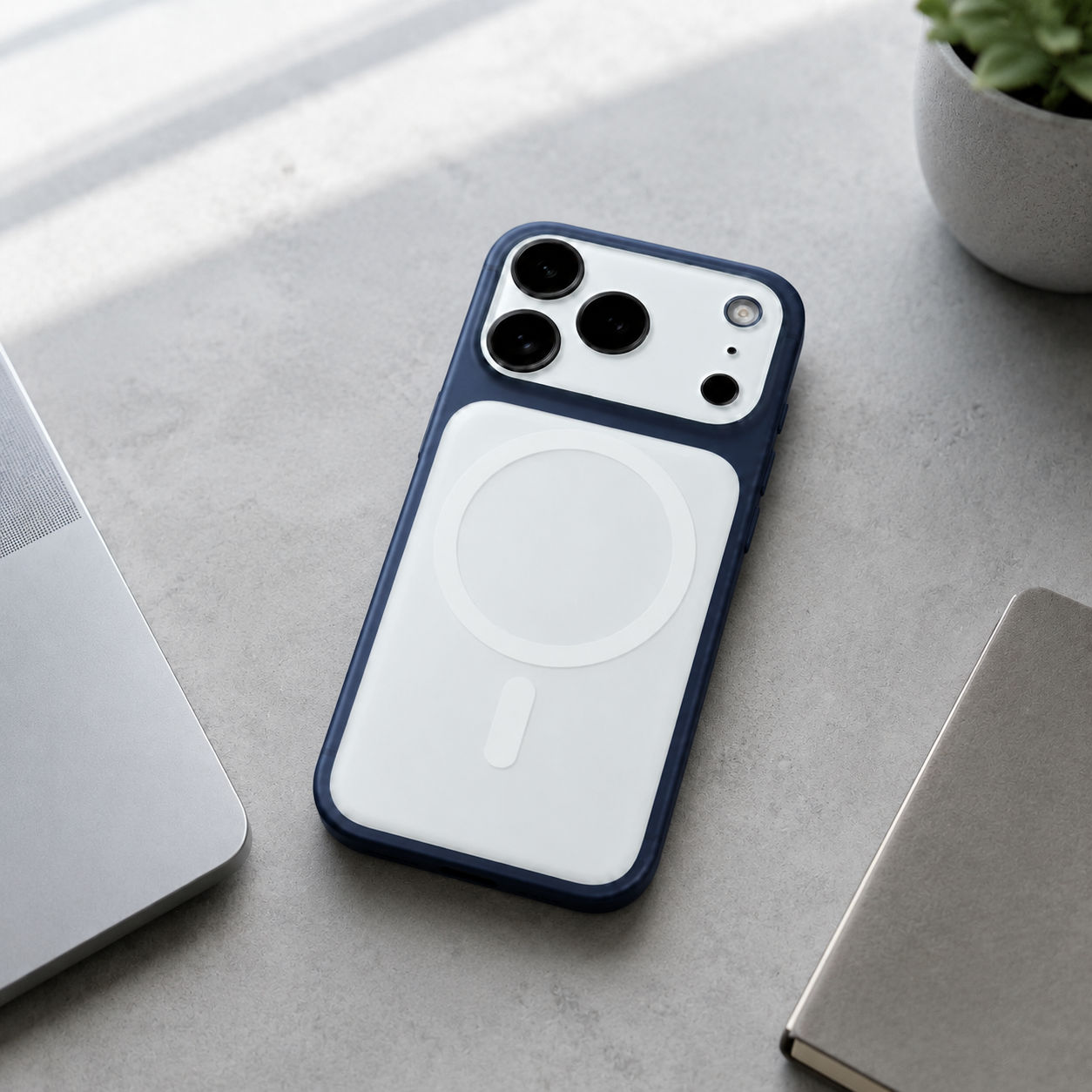
That’s exactly what the ZEERA FlatCam Deco Anti-Wobble Camera Leveling Cover is designed to do.
1. Make Your iPhone Camera Perfectly Flat
-
Eliminates camera wobble completely
-
Creates a true flat-back surface
-
Keeps your phone stable on any table or desk
No more rocking. No more uneven tapping.

2. Protect Your Camera at the Same Time
-
Covers the entire camera module
-
Prevents scratches and impact damage
-
Adds an extra layer of protection without bulk

3. A Simple Upgrade That Works With Any Case
This is what makes the solution different from most accessories.
Instead of replacing your case, the leveling cover attaches directly to the camera module.
So you can:
-
Keep your current case
-
Use Apple cases
-
Use third-party cases
-
Or even go caseless
It fixes the wobble without changing how you normally use your phone.

For the Best Setup, You Can Pair It With ZEERA MagPlate Eco
If you want the most stable and protected setup possible, you can combine a camera-leveling cover with a case.
This gives you:
-
A fully flat back surface
-
Better drop protection
-
A more balanced feel on a desk
It’s a simple combination that improves both function and protection.

Why Camera-Leveling Solutions Are Becoming Popular
As smartphone cameras continue to improve, camera bumps are getting larger.
That means:
-
More wobble on desks and tables
-
Less stability when typing or tapping
-
A worse everyday experience
Instead of redesigning the phone, more users are turning to simple add-on solutions that fix the problem directly.
👉 Camera-leveling covers are quickly becoming one of the most practical upgrades for modern iPhones.

Conclusion
If you’re tired of your iPhone wobbling every time you use it on a desk or table, the solution doesn’t have to be complicated. You don’t need to switch to a bulky case or completely change how you use your phone. A simple camera-leveling cover can eliminate the wobble, create a flat surface, and protect your camera at the same time. It’s the easiest and most effective way to improve your everyday experience—without giving anything up.
🎉✨ Share this blog & grab 20% OFF with code APPLE!
Ultra-Thin MagSafe Back Plate Series
ZEERA MagSkin Air Ultra-Thin Magnetic Plate
- Only 0.3mm thin
- MagSafe compatible
- Preserves Air feel
- Light back guard
- Case-free carry

ZEERA MagSkin Pro Ultra-Thin Magnetic Back Plate
- Ultra-thin Pro fit
- MagSafe compatible
- Bare-phone feeling
- Camera deco guard
- Minimal daily carry

ZEERA AirFlat Lens Cover for iPhone Air
- Makes back flat
- Stops desk wobble
- Protects camera lens
- Slim matching look
- Easy clean design