
Quick Answer
App optimization is the biggest obstacle to making iPhone Duo feel consistently better than a regular iPhone.
An app has to handle different screens, orientations and folding positions, rather than simply fill a bigger rectangle.
Wide and narrow foldables make different compromises between the inner and outer display.
The real payoff comes when opening the phone gives you a more useful layout without extra effort.
A Bigger Screen Needs a Better Layout
You open iPhone Duo expecting to see more messages, a larger video or a document that is easier to work with. Sometimes that happens. Sometimes you get the same phone interface surrounded by empty space, or larger buttons without more useful content.
That is the central problem explored in the reviews by He Tongxue and Mediastorm: the hardware creates possibilities that each app still has to deliver. Their launch-period software observations provide the examples below.
One App Has Six Usage Modes to Consider
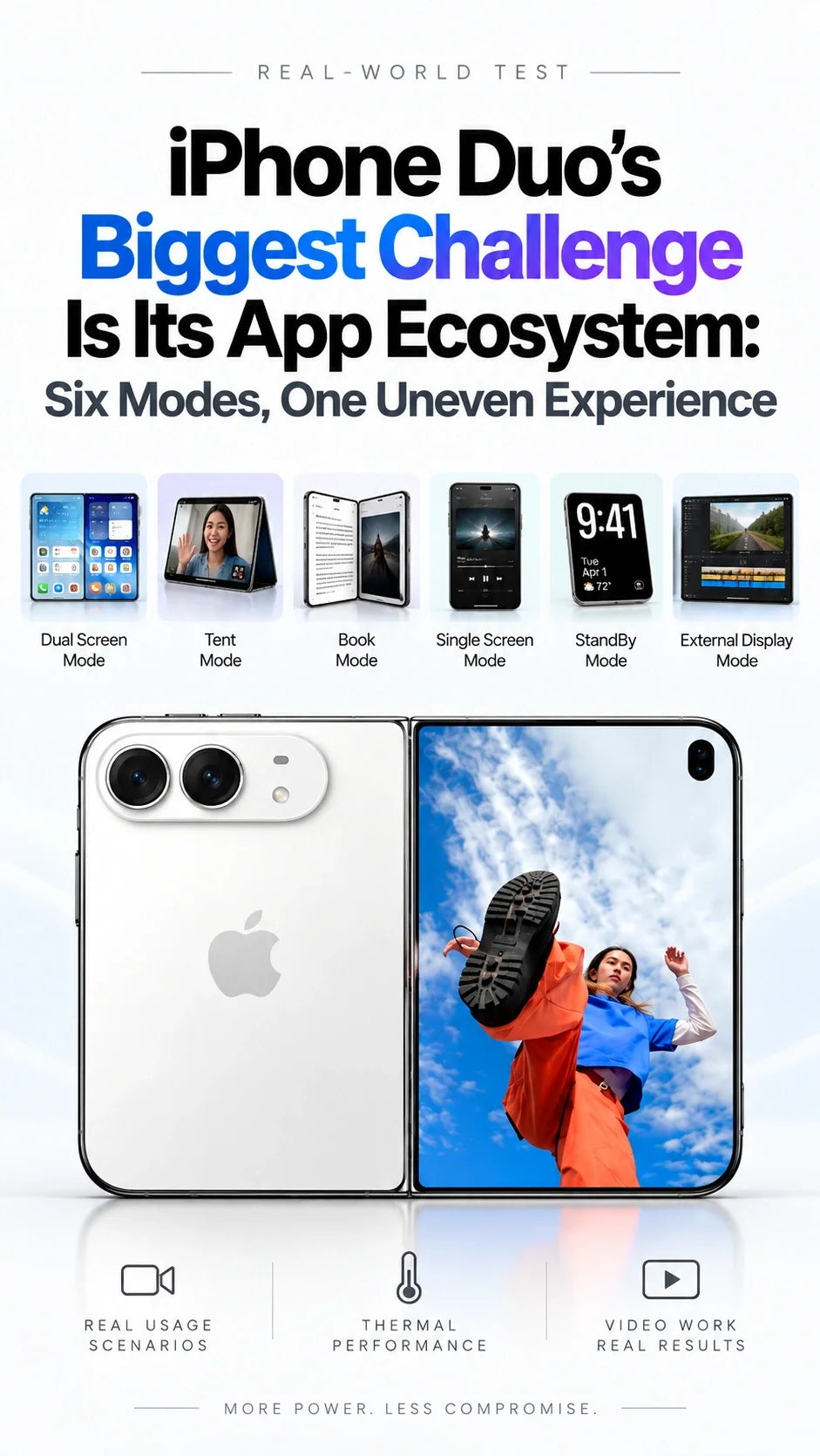
A conventional phone app already supports different screen sizes, but developers can usually concentrate on a familiar portrait experience. He Tongxue identifies six practical configurations on Duo that need design, development and testing:
| Configuration | What the app needs to get right |
|---|---|
| Closed, outer display | Compact content, reachable controls and room for the keyboard. |
| Open, inner display | A wider layout that uses the extra space meaningfully. |
| Partly folded, book mode | Readable content and usable controls across the fold. |
| Inner display rotated upright | A layout that reorganizes when the available space changes. |
| Partly folded, laptop mode | Content and controls arranged for the two angled halves. |
| Tent mode, outer display | An interface suited to hands-free viewing and its orientation. |
These are usage configurations, not six separate apps or six fixed pixel sizes. The work also includes moving between them: keeping your place, preserving what you are typing and putting controls somewhere sensible after a rotation or fold.
Apple's developer guidance calls for flexible layouts, size classes, safe-area handling and testing across poses. That can reduce duplicated work, but a full-screen app still needs a usable design.
Wide or Narrow: Which Screen Gets the Priority?
A narrower cover screen favors familiar phone use
A taller, narrower closed device can stay closer to the portrait shape many apps expect. Opened, a more square display may leave substantial unused space around widescreen video. More display area does not automatically make the video proportionally larger.
Duo's wider shape favors the open-screen experience
Its wider inner display suits landscape content, but the closed device becomes wider and shorter too. He Tongxue shows how the keyboard and navigation can leave little vertical room for messages, menus or a map.
Software can move toolbars and reorganize content to reclaim space. It cannot change the physical proportions. Neither shape removes the trade-off; it changes which tasks feel comfortable first.
The Reviews Show Three Levels of App Optimization
In He Tongxue's pre-release sample of 25 common apps, around 80% had not completed Duo adaptation. That describes his sample at the time, rather than the entire App Store.
Mediastorm's examples make the differences tangible:
- Unoptimized: a phone-sized interface with large black margins. The review also encountered orientation problems in Blackmagic Camera.
- Partly optimized: the app uses more of the display but still has awkward margins, overlapping elements or missing controls.
- Thoughtfully optimized: iQIYI offers interactions suited to both orientations, while Feishu makes documents and mind maps more comfortable to work with.
The same review also shows why the existing iPad ecosystem is not an instant shortcut: Duo cannot simply download an iPad-only app as a replacement. Its iPhone app needs the appropriate layout.
What Would Make Duo Feel Ready?
The useful test is whether your everyday apps make unfolding worthwhile. A messaging app should reveal a better conversation layout; a document app should make reading or editing easier; a video app should handle orientation without leaving you guessing.
When you have to open, rotate and experiment before finding a usable view, the device interrupts the task. When the layout adapts naturally, the extra screen starts earning its place. That is why ecosystem adaptation is such a serious barrier for foldables: the experience depends on many developers improving their own part of it.
Before buying, try your essential apps on both displays and during the transition between them. Hardware is easier to compare from a specification sheet; the quality of your daily app routine is what decides whether the folding screen is useful to you.
Video Sources
Based on He Tongxue's iPhone Duo first-use review and Mediastorm's iPhone Duo in-depth review.
Related Articles






