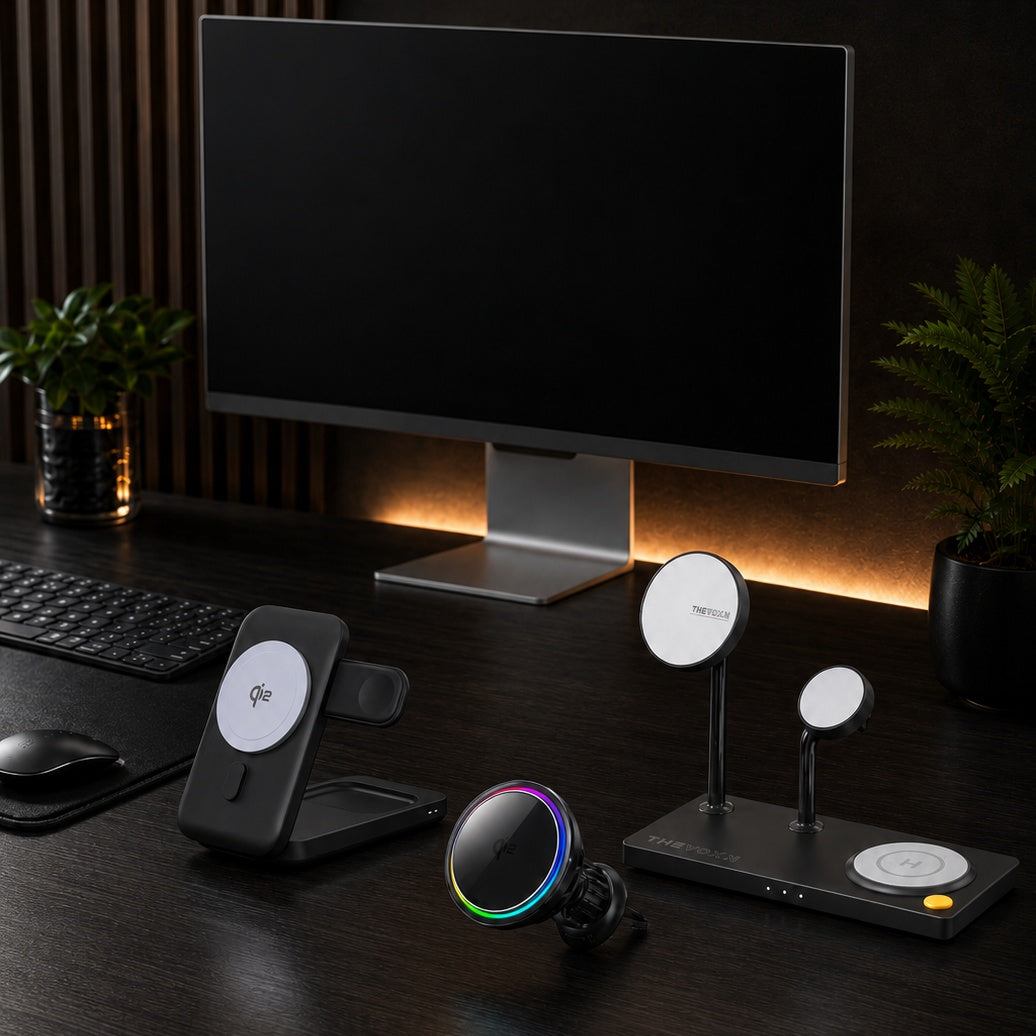
In 2026, the best iPhone accessories are no longer just about protection. They improve how your iPhone feels, charges, shoots photos, sits on a desk, and fits into your Apple setup.
From ultra-thin MagSafe back plates to active cooling chargers, anti-wobble lens covers, magnetic camera filters, and premium Mac aluminum cases, these ZEERA accessories are designed for users who want a cleaner, smarter, and more practical everyday setup.

1. Ultra-Thin MagSafe Back Plates for a Case-Free iPhone Feel
If you love the original feel of your iPhone but still want MagSafe compatibility and light back protection, an ultra-thin magnetic back plate is one of the cleanest upgrades in 2026.
Unlike a traditional case, a back plate keeps the sides open and preserves the slim, minimal feel of the device. This makes it ideal for users who dislike bulky cases but still want better grip, scratch protection, and MagSafe support.
Ultra-Thin MagSafe Back Plate Series
ZEERA MagSkin Air Ultra-Thin Magnetic Plate
- Only 0.3mm thin
- MagSafe compatible
- Preserves Air feel
- Light back guard
- Case-free carry

ZEERA MagSkin Pro Ultra-Thin Magnetic Back Plate
- Ultra-thin Pro fit
- MagSafe compatible
- Bare-phone feeling
- Camera deco guard
- Minimal daily carry

ZEERA AirFlat Lens Cover for iPhone Air
- Makes back flat
- Stops desk wobble
- Protects camera lens
- Slim matching look
- Easy clean design

2. MagSafe Chargers That Control Heat and Keep Your Setup Clean
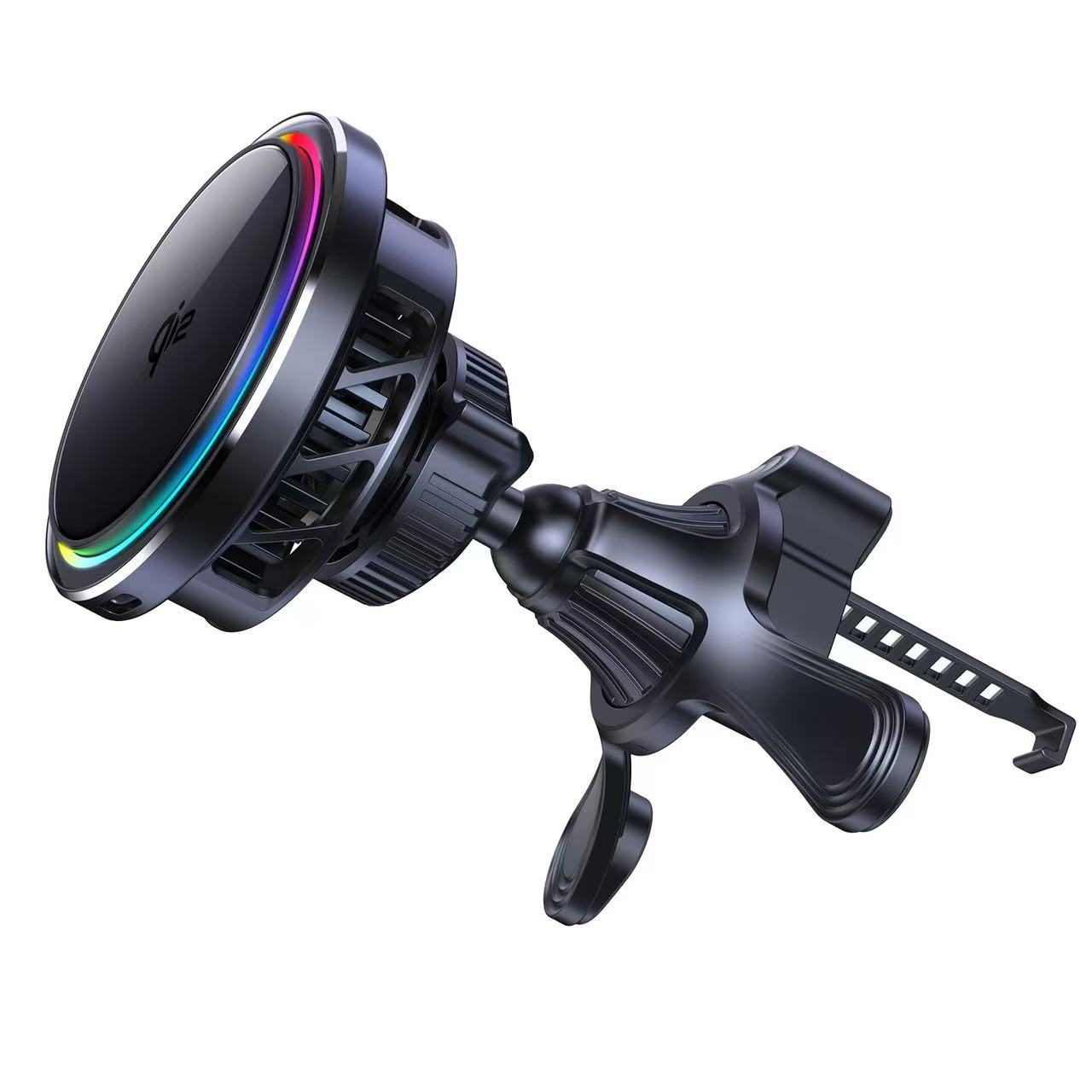
MagSafe charging is convenient, but heat control matters more than ever in 2026. If you charge while using navigation, CarPlay, video calls, gaming, or standby mode, an active-cooling MagSafe charger can help keep the charging experience more stable.
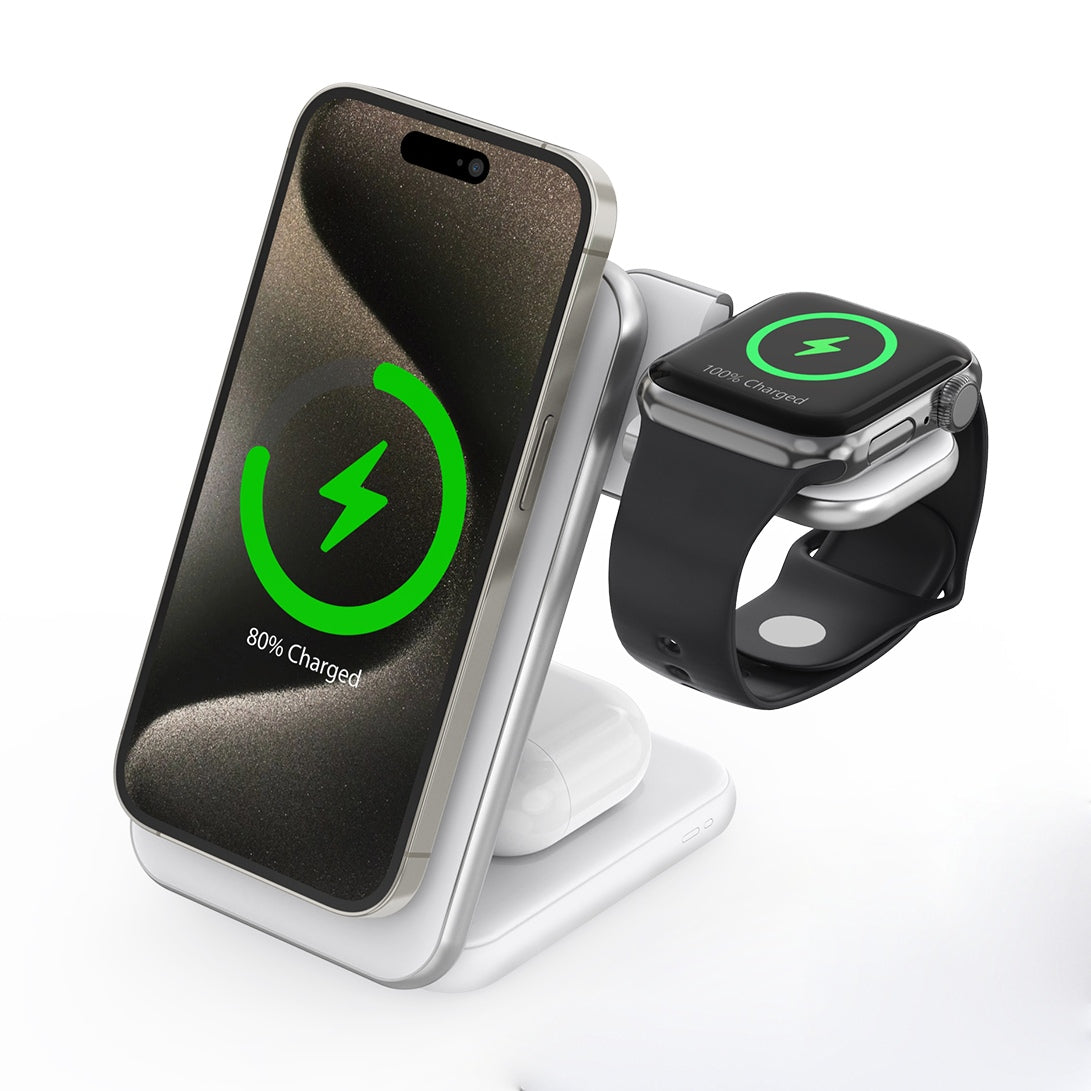
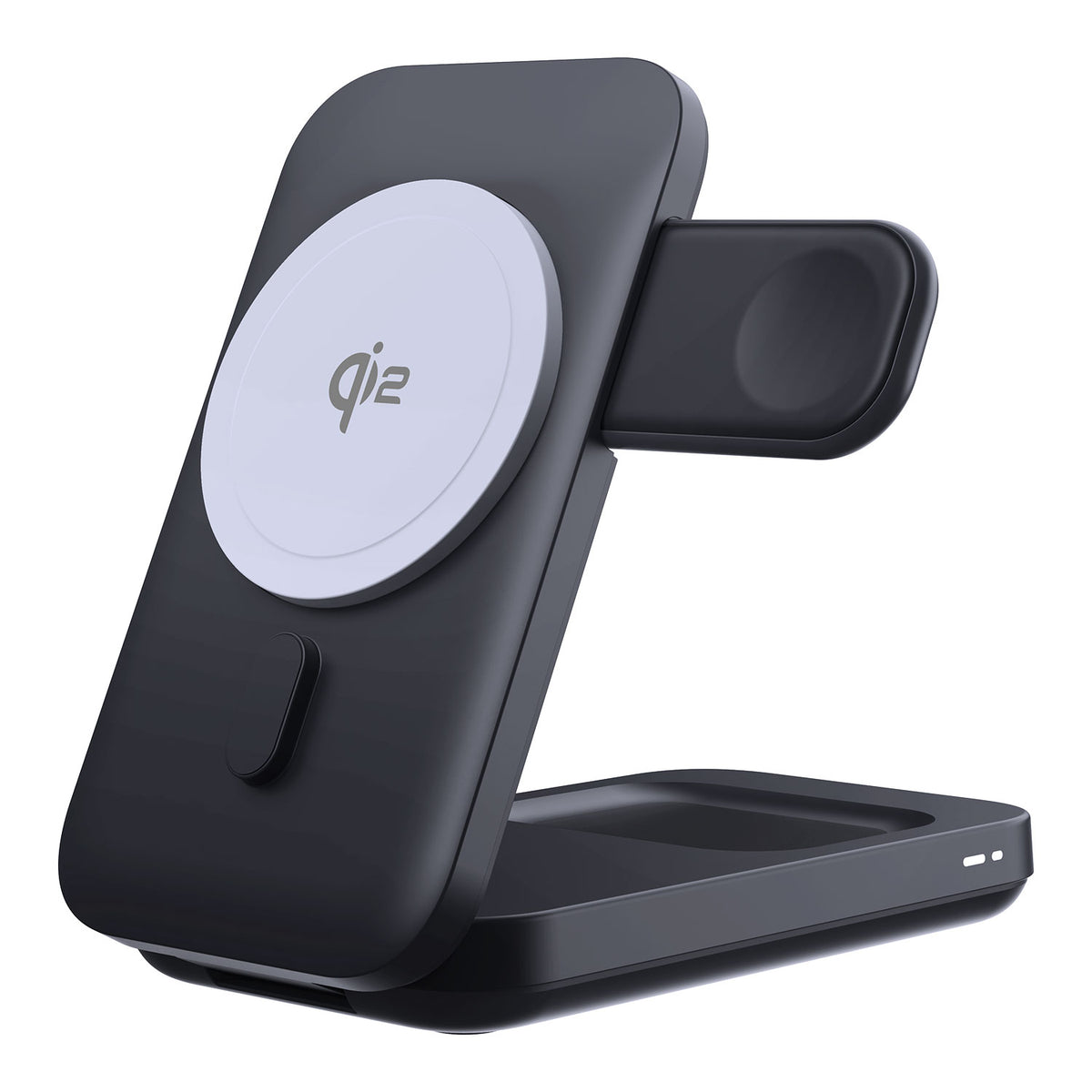
For travel, a foldable 3-in-1 charger is the easiest way to reduce cable clutter. For the car, a cooling MagSafe charger is especially useful during long drives or summer heat.
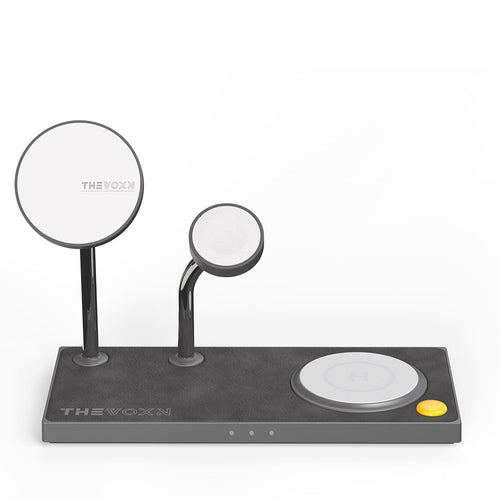
ZEERA MagSafe Wireless Charging Series
ZEERA MagTri Gen2 Qi2.2 Foldable MagSafe Charger
- 25W Qi2.2
- 3-in-1 fold
- Active cooling
- Travel size
- 3-device ready
ZEERA MagSion 5-in-1 Dual MagSafe Charger Stand
- Dual MagSafe
- 5-in-1 stand
- Watch charging
- Angle adjust
- Clean setup
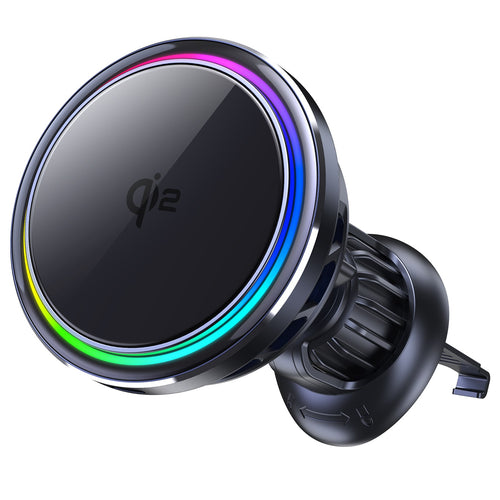
ZEERA SuVolt Gen5 Qi2.2 Active Cooling Car Charger
- 25W Qi2.2
- Active cooling
- Strong magnet
- CarPlay ready
- Heat control
3. MagSafe iPhone Cases for Better Protection and Daily Use
Some users want the thinnest setup possible. Others need real protection, a kickstand, better grip, or a stronger daily case. That is where a MagSafe iPhone case still makes the most sense.
The best MagSafe cases in 2026 should do more than cover your phone. They should support wireless charging, work with MagSafe mounts, feel good in the hand, and match different usage styles.


4. Snap-On Camera Filters for Better iPhone Photos and Videos
For creators, travelers, and everyday iPhone shooters, camera filters can make a big difference. The problem is that many filter systems are bulky, case-dependent, or slow to install.
A magnetic snap-on filter system is a much cleaner option. It lets you quickly add effects such as UV, Black Mist, ND, and CPL filters without turning your iPhone into a heavy camera rig.
5. Colorful MagSafe Accessories for a More Personal iPhone Setup
Not every iPhone accessory needs to look plain. In 2026, more users want accessories that match their device color, desk setup, or daily style.
ZEERA’s Dopamine Collection focuses on colorful, minimal, and functional accessories, including camera leveling covers, magnetic back plates, and color-matched MagSafe case sets.
ZEERA ColorPop Pro iPad Protective Case
- Color block
- Matte feel
- Pencil slot
- Raised edge
- Daily guard

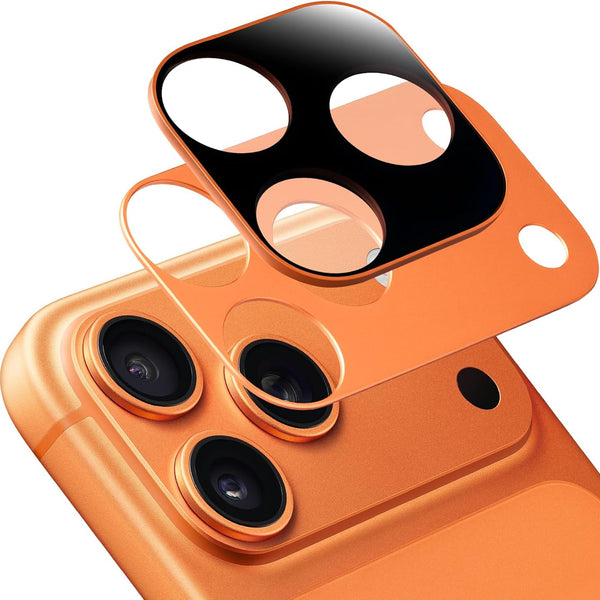
ZEERA FlatCam Deco Camera Leveling Cover
- No wobble
- Flat back
- Lens guard
- Color match
- Clean look
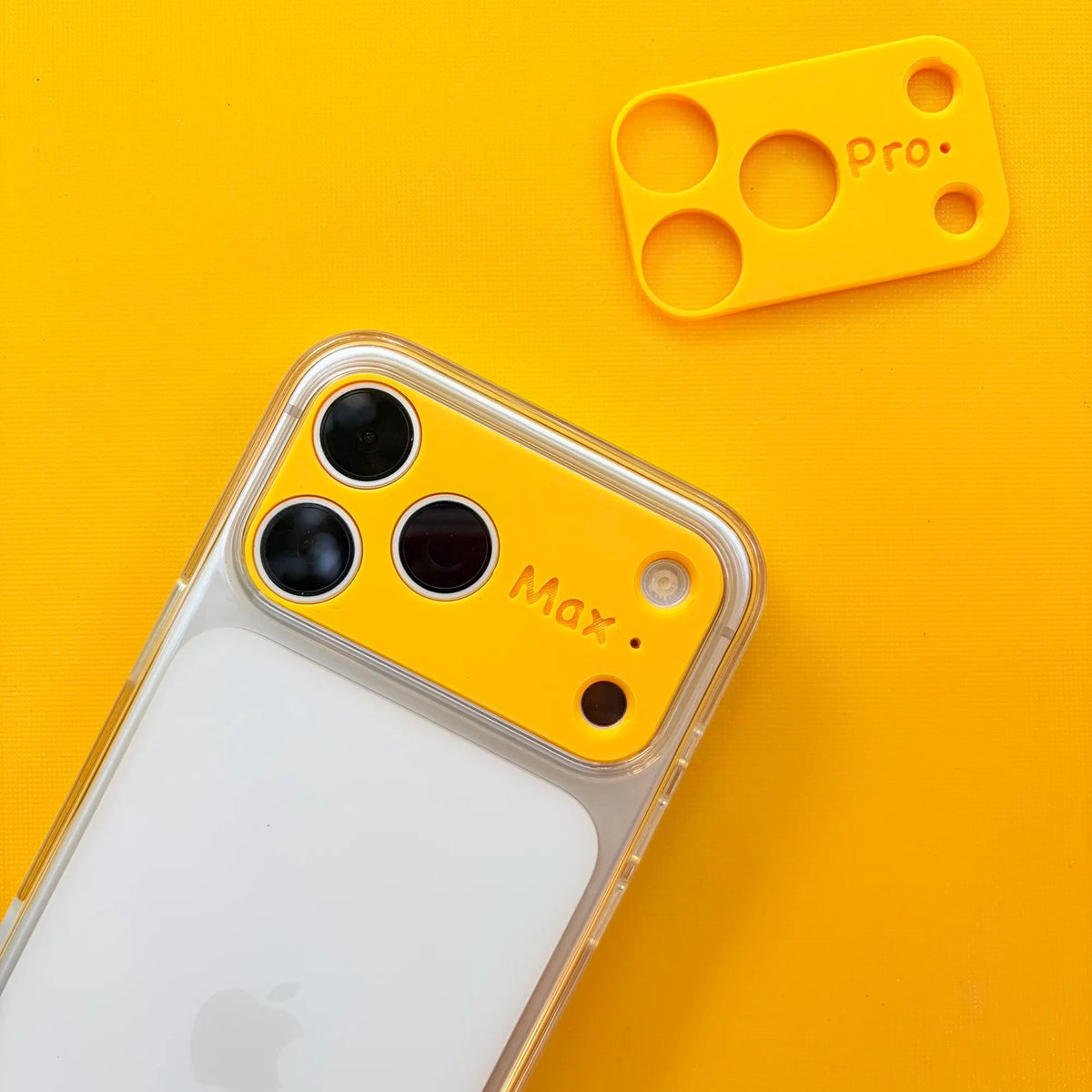
ZEERA MagPlate Eco Magnetic Back Plate
- 3D printed
- MagSafe fit
- Bare feel
- Color combo
- Slim setup
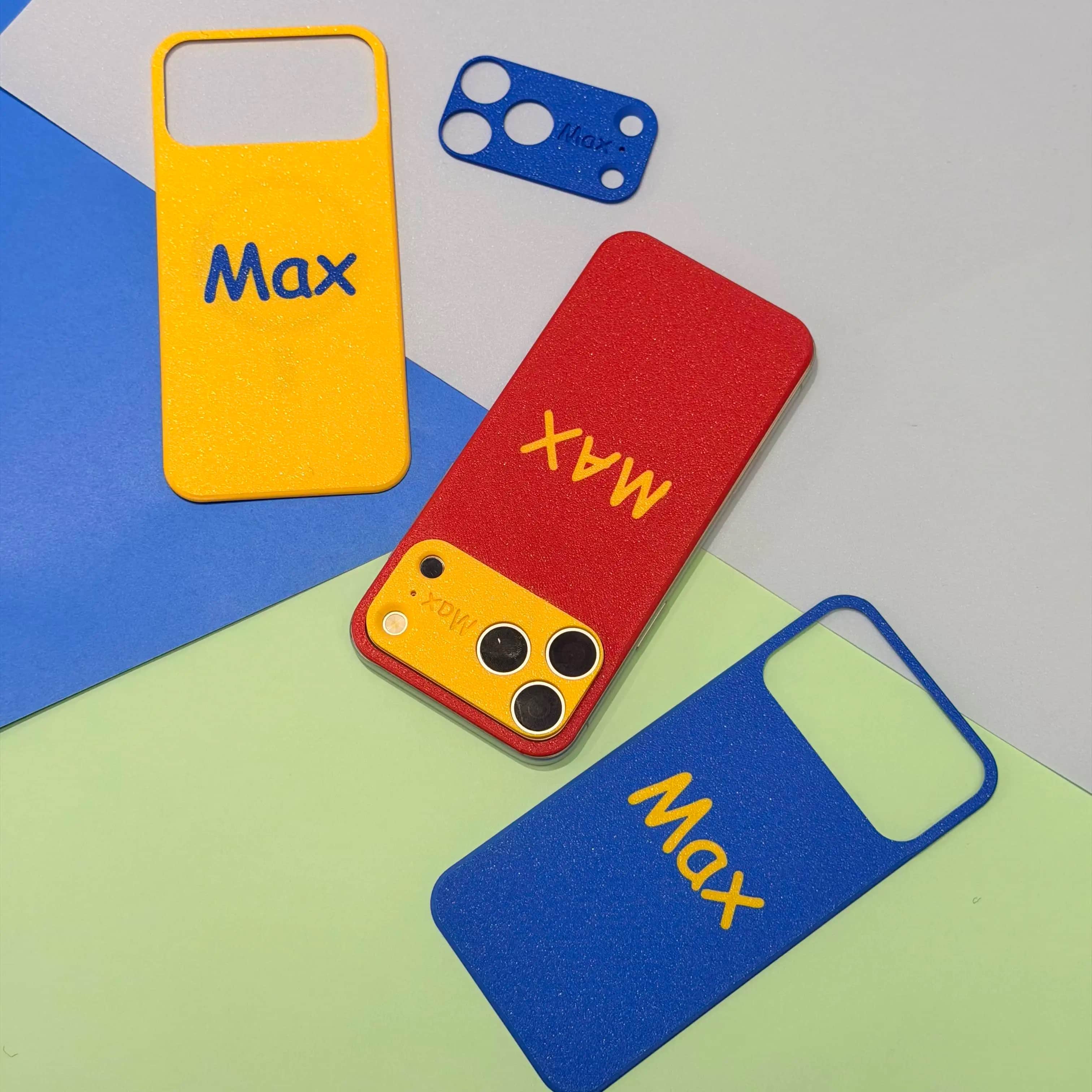
ZEERA MagPop Duo MagSafe Case Set
- Case + cover
- MagSafe ready
- Color match
- Lens guard
- Bold style

6. Bonus: Mac Aluminum Cases for a Cleaner Apple Desk Setup
A great Apple setup is not only about the iPhone. If you use a Mac mini or Mac Studio, a premium aluminum enclosure can make the whole desk look more polished while also improving structure, airflow, and daily usability.
ZEERA MacForge cases are designed for users who want a Mac Pro-inspired desktop look without replacing their current Mac. They are especially useful for creators, developers, and setup enthusiasts who want their Mac mini or Mac Studio to feel more premium on the desk.
ZEERA Mac Aluminum Case Series
ZEERA MacForge CNC Mac Studio Aluminum Case
- CNC aluminum
- Mac Pro style
- Cooling grille
- Tool-free fit
- Studio guard

ZEERA MacForge Gen3 CNC Aluminum Mac Mini Case
- Mac Pro grille
- CNC chassis
- Better airflow
- SSD expansion
- Front ports

Which Accessory Should You Choose?
| User Need | Best Accessory Type | Why It Helps |
|---|---|---|
| You hate bulky cases | MagSkin / MagPlate back plate | Keeps a slim, case-free feel while adding MagSafe support and back protection. |
| Your iPhone wobbles on a desk | AirFlat / FlatCam camera leveling cover | Helps flatten the camera area and improves desk stability. |
| You charge often while using your phone | Active cooling MagSafe charger | Helps reduce heat buildup during wireless charging. |
| You travel with multiple Apple devices | Foldable 3-in-1 MagSafe charger | Charges iPhone, Apple Watch, and AirPods in a cleaner setup. |
| You shoot photos or videos on iPhone | SnapLens magnetic filter system | Adds creative filter control without a bulky cage or screw-on mount. |
| You want a premium Mac desk setup | MacForge aluminum case | Gives Mac mini or Mac Studio a cleaner, Mac Pro-inspired desktop look. |
Final Thoughts
The best MagSafe iPhone accessories in 2026 are not just add-ons. They solve real daily problems: heat while charging, camera wobble, bulky cases, messy cables, and limited mobile photography control.
For a minimal iPhone setup, start with a MagSkin-style back plate. For charging, choose an active-cooling MagSafe charger. For photography, SnapLens is the most creator-focused upgrade. And if you want your whole Apple setup to feel more premium, MacForge aluminum cases are a natural extension of the same clean design philosophy.
FAQ
Are MagSafe accessories still worth it in 2026?
Yes. MagSafe accessories remain useful because they make charging, mounting, carrying, and shooting with an iPhone more convenient.
What is the best MagSafe accessory for a case-free iPhone?
An ultra-thin magnetic back plate is a great choice because it keeps the original iPhone feel while adding back protection and MagSafe compatibility.
Do active cooling MagSafe chargers help?
They can help manage heat during wireless charging, especially in cars, warm rooms, or heavy-use situations such as navigation and CarPlay.
What accessory helps stop iPhone camera wobble?
A camera leveling cover such as ZEERA AirFlat or FlatCam can help reduce desk wobble by making the back of the phone sit flatter.
Are magnetic iPhone camera filters useful?
Yes. Magnetic filters are useful for creators who want faster access to effects such as ND, CPL, UV, or Black Mist without a bulky case-based filter rig.
Are Mac aluminum cases necessary?
They are not required, but they are a great upgrade for users who want a cleaner Apple desk setup, better enclosure protection, and a more premium Mac Pro-inspired look for Mac mini or Mac Studio.
Related Reading
Want to explore more Apple rumors, iPhone upgrade guides, and future device comparisons? Here are a few popular ZEERA articles worth reading next.