
Quick Answer
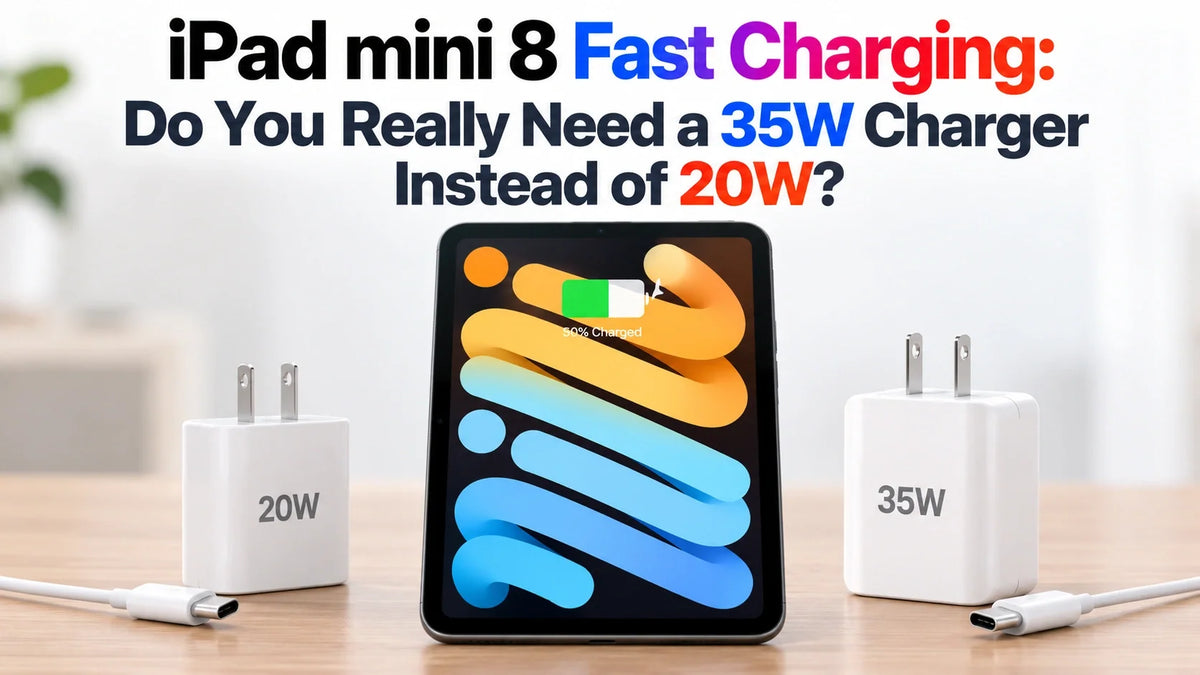
You do not need a 35W charger to use iPad mini 8. The included US 20W adapter is suitable for everyday charging, especially when you have plenty of time.
For Apple's advertised up to 50% charge in around 30 minutes, use a compatible USB-C adapter capable of providing 35W or more.
A suitable 45W or 65W USB-C PD charger you already own may cover that need, so check your existing adapter before buying another.
Choose the upgrade for short charging breaks. On a multiport charger, check the power available to the iPad when other devices are connected.
Why does Apple include 20W if fast charging needs 35W?
Apple's US iPad mini specifications list a 20W USB-C Power Adapter and a one-meter USB-C cable in the box. The fast-charge specification sets a higher adapter requirement. The supplied charger covers regular charging; the faster top-up is an optional upgrade.
Packaging varies by market: the UK box contents list the cable but no power adapter. Check your local listing before budgeting for accessories. Our iPad mini 8 buying guide covers the wider purchase decision.
20W vs 35W: which charger makes sense?
20W: keep it for relaxed charging
If you plug in at your desk for a long stretch or recharge overnight, start with the adapter you have. Its lower output matters most when you need to add battery quickly before leaving.
35W: choose it for short top-ups
A compatible adapter at this rating meets Apple's stated fast-charge requirement. It is the more useful choice for a brief stop between classes, a charging break before a flight, or topping up before a meeting.
45W or 65W: reuse a compatible USB-C PD adapter
Apple's USB-C charging guidance allows higher-wattage adapters, including Mac laptop chargers. Higher capacity does not force that entire wattage into the iPad. Check compatibility and output allocation; there is no need to buy an adapter labeled exactly 35W.
Do not calculate charging time from 35 ÷ 20. Adapter capacity is not a constant battery charging rate. A 35W label does not establish that charging is 75% faster, and a 65W label does not establish another proportional speed increase. Exact 20W-versus-35W time savings require a controlled comparison.
Check per-port output, not just the number on the charger
A charger labeled 35W may share that total between two sockets. Apple says its 35W Dual USB-C Port Power Adapter supplies up to 17.5W to each device when charging an iPhone and an iPad together. That setup leaves the iPad below the advertised fast-charge adapter requirement.
Before buying or connecting
- Read the output chart: look for at least 35W available from the USB-C port used by the iPad in your intended device combination.
- Use a USB-C to USB-C charging cable: start with the cable supplied with the tablet; a Thunderbolt cable is unnecessary for charging alone.
- Connect directly for a quick top-up: remove hubs or docks from the path so their power allocation does not complicate the setup.
- For Apple's dual-port adapter: unplug the second device and its unused cable when you want the iPad to receive the most available power.
Why might charging still feel slow with a 35W adapter?
Apple's half-hour figure describes a partial recharge under its test conditions. It is not a 0–100% time, and reaching 50% in about 30 minutes does not mean a full charge takes one hour.
Temperature and what you do while plugged in also matter. Apple explains that charging can slow or stop when an iPad gets too warm or cold. Gaming, demanding apps and high-quality video can add heat; running the screen and processor also uses some of the incoming power.
For a useful check, connect the iPad directly to the adapter, disconnect other devices from that charger, lock the screen and leave it in a comfortable indoor environment. If charging remains unusually slow, try another cable and compatible adapter before assuming the tablet is faulty.
Is buying a new charger worth it?
Our recommendation: buy for the charging break you actually have. A student who needs a quick refill before heading out has a stronger reason to upgrade than someone who leaves the mini connected all evening. If your current routine already keeps the battery ready, keep the 20W adapter.
For a new travel charger, a compatible multiport USB-C PD model can be practical if its output chart leaves enough power for the iPad alongside your other devices. An existing suitable laptop adapter is the first thing to try before spending more.
Charging is one part of the upgrade: our iPad mini 8 vs iPad mini 7 comparison explains the display, design and performance changes.
FAQ
Can I use a 30W USB-C charger?
A compatible 30W USB-C adapter can charge the iPad, but it is below Apple's stated 35W-or-higher condition for the half-hour fast-charge claim. Try it for your usual routine before deciding whether another adapter would help.
Will fast charging damage the battery?
Fast charging is a supported feature. The practical concern is sustained heat: Apple says very hot conditions can permanently shorten battery life. Keep the tablet out of direct sunlight and give it a break from demanding apps if it becomes hot while charging.
Related Reading
- iPad mini 8: price, A20 Pro, OLED and the features to know
- iPad mini 8 vs iPad mini 7: the hardware changes compared
- Why the 512GB iPad mini 8 has a different A20 Pro configuration
- iPad mini 8 nano-texture vs standard glass: is the upgrade worth it?
- Will iPad mini 7 cases and screen protectors fit iPad mini 8?
Updated October 27, 2026.






