
Aggiornamento iOS 26.5: le opzioni di posticipo dei promemoria stanno finalmente diventando più precise
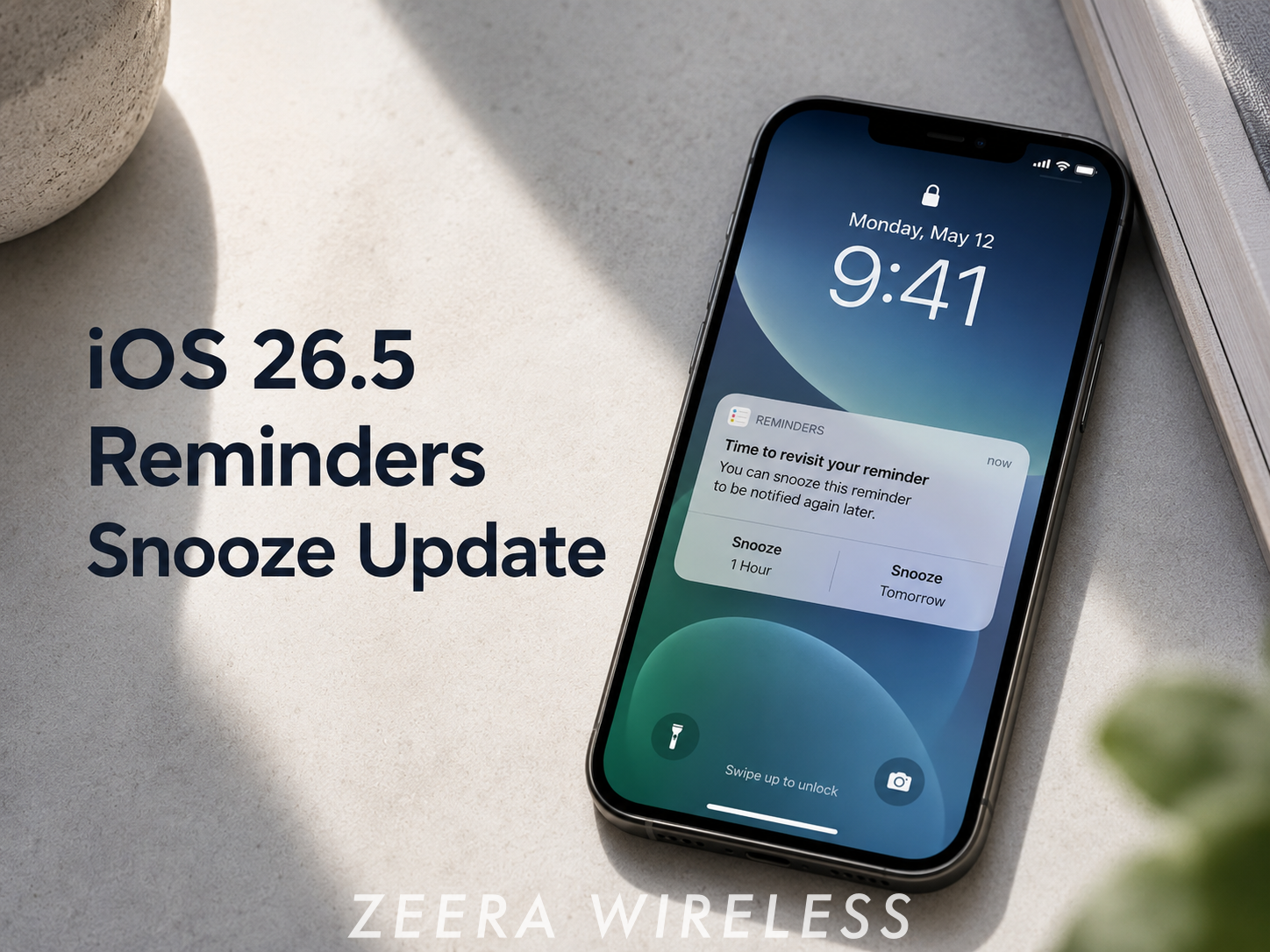
Aggiornato 6 maggio 2026: iOS 26.5 sembra includere una piccola ma utile modifica all'app Promemoria. Quando gli utenti posticipano un promemoria con ora da una notifica, l'opzione di posticipo può ora mostrare un orario di ritorno più specifico invece di un'etichetta vaga come "Questo pomeriggio" o "Questa sera".
Non si tratta di una riprogettazione importante dei Promemoria, ma rende la funzione di posticipo più chiara e prevedibile per gli utenti che si affidano all'app Promemoria di Apple per attività sensibili al tempo.
La modifica si basa sui miglioramenti più ampi dei Promemoria introdotti in iOS 26, dove Apple ha aggiunto allarmi promemoria con posticipo e supporto per le attività live per attività urgenti.

Cosa è cambiato nei Promemoria di iOS 26.5?
La più grande modifica dei Promemoria individuata in iOS 26.5 è la riformulazione del posticipo. Quando appare una notifica di promemoria con ora, premendo a lungo la notifica si aprono le opzioni di posticipo. In iOS 26.5, una di queste opzioni può mostrare l'ora esatta in cui il promemoria tornerà.
Ad esempio, invece di un'opzione vaga come "Ricordamelo questo pomeriggio", i Promemoria potrebbero ora visualizzare un'opzione più chiara come "Ricordamelo alle 15:00". Questo rende più facile capire esattamente quando il promemoria apparirà di nuovo.
Nota: Queste modifiche sono state individuate in iOS 26.5 RC e potrebbero essere perfezionate nella versione pubblica ufficiale.

Prima vs Dopo: Posticipo dei promemoria in iOS 26.5
| Prima di iOS 26.5 | In iOS 26.5 | Perché è importante |
|---|---|---|
| Ricordamelo questo pomeriggio | Ricordamelo a un'ora specifica | Gli utenti possono vedere esattamente quando il promemoria tornerà |
| Ricordamelo questa sera | Ricordamelo a un'ora serale più chiara | Meno ambiguità quando si ritarda un'attività |
| Ricordamelo domani mattina | Domani a un'ora più chiara | Migliore pianificazione per promemoria sensibili al tempo |
Come usare la nuova opzione di posticipo dei promemoria
- Crea un promemoria con un'ora di scadenza nell'app Promemoria.
- Attendi che la notifica del Promemoria appaia sulla schermata di blocco o nel Centro notifiche.
- Premi a lungo la notifica per aprire le opzioni di posticipo disponibili.
- Scegli un'opzione di posticipo e controlla l'ora di ritorno visualizzata.
Il miglioramento chiave è la chiarezza. Invece di indovinare cosa significhi "Questo pomeriggio", gli utenti possono capire meglio quando l'attività tornerà.

Custodia di raffreddamento in alluminio per Mac Mini M4
Custodia in alluminio CNC per Mac Mini M4 / Mac Mini M4 Pro, migliora la dissipazione del calore,
riduce il throttling termico e migliora l'estetica in stile Mac Pro con
qualità costruttiva premium per configurazioni desktop.

Custodia in alluminio per Mac Studio
Custodia in alluminio CNC per Mac Studio, migliora il flusso d'aria e le prestazioni termiche,
progettata per carichi di lavoro pesanti con struttura ispirata al Mac Pro e stabile
architettura di raffreddamento ad alte prestazioni.
Perché questa piccola modifica è importante
I promemoria vengono spesso utilizzati per attività che devono essere eseguite in un momento specifico, come prendere farmaci, richiamare, partire per un appuntamento o seguire un lavoro. Un'etichetta di posticipo vaga può rendere più difficile sapere quando il promemoria apparirà di nuovo.
Mostrando un orario di ritorno più chiaro, iOS 26.5 rende il posticipo più prevedibile. È una piccola modifica che migliora la qualità della vita, ma per gli utenti che si affidano ai Promemoria ogni giorno, può ridurre la confusione e rendere la gestione delle attività più affidabile.

Come questo si basa sui promemoria di iOS 26
Questa modifica di iOS 26.5 sembra basarsi sui miglioramenti più ampi dei Promemoria introdotti in iOS 26. Le note sull'aggiornamento di iOS 26 di Apple menzionano gli allarmi per i Promemoria, inclusi il posticipo e il supporto delle attività live per le attività urgenti.
In altre parole, iOS 26 ha introdotto le basi per promemoria più urgenti, simili ad allarmi, mentre iOS 26.5 sembra perfezionare il modo in cui gli utenti interagiscono con le opzioni di posticipo dalle notifiche.
Altri punti salienti di iOS 26.5
Promemoria è solo una piccola parte di iOS 26.5. L'aggiornamento dovrebbe includere diverse altre modifiche nell'esperienza dell'iPhone, tra cui il supporto per la crittografia end-to-end RCS, Luoghi suggeriti di Apple Maps e un nuovo sfondo Pride.
Poiché iOS 26.5 è un aggiornamento relativamente piccolo, la maggior parte degli utenti dovrebbe aspettarsi miglioramenti della qualità della vita piuttosto che una riprogettazione importante.
Questa modifica ai Promemoria è solo una parte dell'aggiornamento iOS 26.5. Per una panoramica più ampia delle nuove funzionalità, correzioni e modifiche, leggi il nostro confronto completo: iOS 26.5 vs iOS 26.4 .
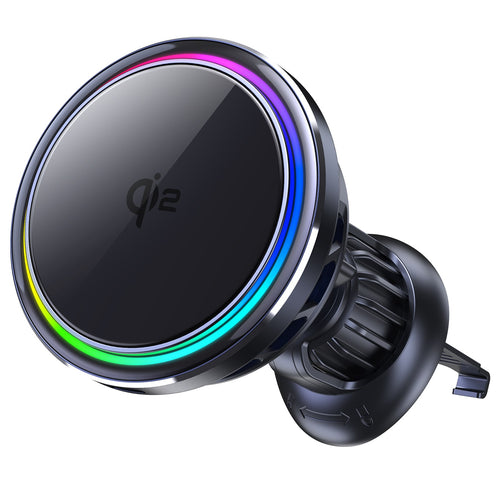
Caricabatterie da auto SuVolt Gen5 Qi2.2 25W
Caricabatterie da auto Qi2.2 con raffreddamento attivo per una ricarica wireless stabile ad alta velocità.
Supporta la ricarica rapida fino a 25W con sistema di controllo intelligente della temperatura.
Costruito per la navigazione, i lunghi viaggi e la stabilità del montaggio magnetico sicuro.

Supporto di ricarica MagSafe ZEERA MagTri Gen2 Qi2.2
Stazione di ricarica 3-in-1 all-in-one per iPhone, AirPods e Apple Watch.
Ricarica rapida wireless da 25 W, raffreddamento attivo e design compatto da viaggio.
Design pieghevole, costruito per i viaggi.
Dovresti aggiornare per questa modifica ai Promemoria?
Se usi spesso i Promemoria, vale la pena tenere d'occhio questo aggiornamento. La formulazione più precisa del posticipo potrebbe non cambiare il funzionamento dell'app a livello tecnico, ma può rendere l'esperienza delle notifiche più facile da capire.
Per gli utenti occasionali, si tratta di un piccolo miglioramento. Per le persone che dipendono dai Promemoria per attività sensibili al tempo, potrebbe essere una delle modifiche più utili in iOS 26.5.
Considerazioni finali
L'aggiornamento dei Promemoria di iOS 26.5 è un buon esempio di come Apple perfezioni piccoli dettagli che influenzano l'uso quotidiano. Tempi di posticipo più precisi possono rendere i promemoria più affidabili, specialmente quando gli utenti ritardano un'attività e vogliono sapere esattamente quando tornerà.
Se segui anche i futuri cambiamenti software e hardware dell'iPhone, consulta la nostra Guida completa a iPhone 18 Pro Max , dove monitoriamo la data di rilascio, il chip A20 Pro, la batteria, la fotocamera e le voci relative a iOS.









