Less Desk Wobble
A near-flush fit helps steady your phone on hard, level surfaces.
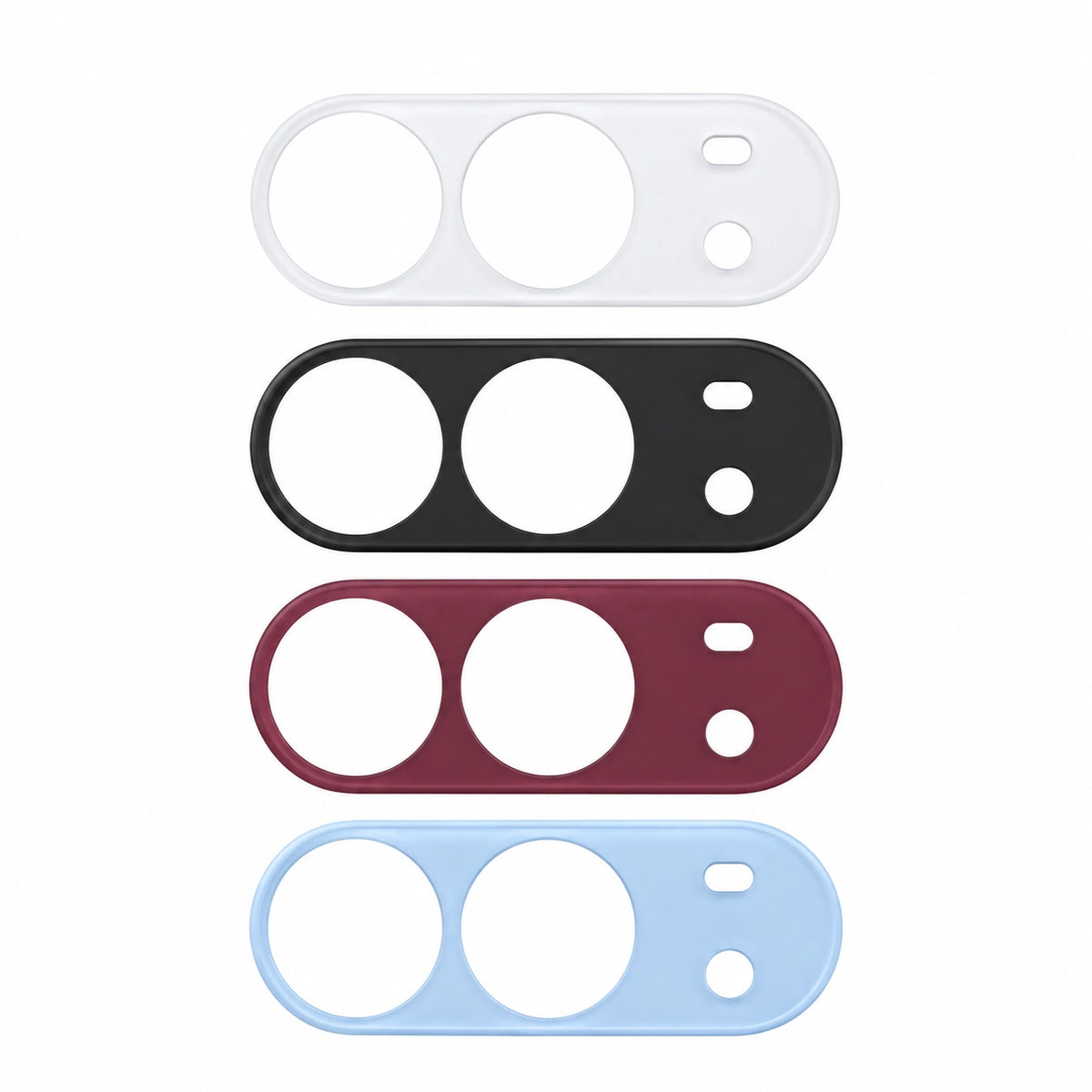


ZEERA DuoFlat | Camera Lens Cover for iPhone Duo
ZEERA DuoFlat fills in the space around the raised camera lenses on iPhone Duo. The matte polycarbonate cover sits nearly flush with the lenses, helping your phone rock less when you tap or type on a desk. It weighs approximately 1.23 g and leaves both lenses exposed.

A near-flush fit helps steady your phone on hard, level surfaces.
Lightweight coverage around the raised camera module.
Designed to fit Apple’s Folio and Liquid Silicone cases.
Flat-Back Design
When iPhone Duo rests on a hard, level surface, the raised lenses can make it rock as you use the screen. DuoFlat brings the area around the lenses closer to their height, giving the phone a steadier resting profile.

Tap, scroll and type with less movement.
Curved edges follow the shape of the camera module.
Case Compatibility
DuoFlat is set in approximately 0.85 mm per side from the edge of the camera area. That clearance is designed for Apple’s original iPhone Duo Folio and Liquid Silicone cases, and for most third-party cases with one large camera opening.

Designed to sit neatly within the original camera opening.
Designed to fit inside the original case’s camera opening.
Compatible with most cases that leave sufficient room around the camera module.
Precision Camera Coverage
The cover fits around the two camera lenses. Shaped cutouts leave the lenses and adjacent openings clear.

Each lens sits inside its own open cutout.
The cover shields the area immediately around the lenses from everyday surface contact.
Ultra-Light PC Construction
The 53.8 × 19.3 mm polycarbonate cover weighs approximately 1.23 g. Color is printed on the underside, while the outer surface has a smooth matte feel.
Rigid PC keeps the cover slim and lightweight.
A fine matte texture extends across the top surface.
Four Signature Colors
Choose Black, White, Burgundy or Light Blue to match your phone or case.
A timeless dark finish.
A soft, clean neutral finish.
A rich, understated wine-red tone.
A soft, cool blue finish.
Secure Adhesive Attachment
The adhesive-backed cover fits directly around the camera lenses. Set it in place lightly first. Once the openings line up, press firmly and evenly to seat the adhesive.
The adhesive holds the cover directly against the camera area.
Adjust the fit before firmly pressing down.
ZEERA DuoFlat at a Glance
Designed specifically for the iPhone Duo camera module.
Installation, Removal & Storage
Start with a clean, dry camera area and check the alignment before pressing down.
For other iPhone models, see ZEERA AirFlat for iPhone Air or ZEERA ProFlat for iPhone 18 Pro and iPhone 18 Pro Max.
Frequently Asked Questions
Check case fit, lens clearance and how to reapply the cover.
It helps level the raised iPhone Duo camera area and reduce rocking on hard, level surfaces.
Yes. DuoFlat is designed to fit both the original Apple Folio Case and liquid silicone case.
Most cases with large camera cutouts should fit. Cases with narrow or individual lens openings may not be compatible.
No. Its open cutouts leave the camera lenses and adjacent openings exposed.
It is designed to reduce wobble. Results depend on the case, the surface and installation alignment.
DuoFlat is made of polycarbonate (PC), weighs approximately 1.23 g and measures approximately 53.8 × 19.3 mm.
Clean the area, place the cover without pressing immediately, adjust the alignment if necessary and press firmly when ready.
Gently lift DuoFlat from an edge with a thin paper card or fine thread. Once removed, place the adhesive side against the smooth side of the included storage sticker to keep dust away before reuse.
Black, White, Burgundy and Light Blue.
ZEERA DuoFlat | iPhone Duo
Get a steadier resting profile with a matte, near-flush cover that leaves the lenses exposed and adds about 1.23 g.
Explore more styles
Explore the ZEERA iPhone Duo case collection to compare materials and practical features, from slim everyday covers to designs with screen protection and built-in accessories. Options vary by model.
Materials & Finishes
Functional Features

귀하의 결제 정보는 안전하게 처리됩니다. 저희는 신용카드 정보를 저장하거나 접근하지 않습니다.