
Updated September 9, 2026
The best iPhone Duo car mount should hold Apple’s expected foldable securely while it is folded, maintain magnetic charging alignment, and manage heat during navigation and Wireless CarPlay. iPhone Ultra and iPhone Fold remain useful search terms for the same expected device.
Choose a MagSafe or Qi2 car mount charger with strong magnets, a rigid vent or suction-cup base, case compatibility, sufficient USB-C power and active cooling. Do not assume an existing magnetic mount will fit iPhone Duo until Apple confirms the final dimensions, magnetic layout and charging specifications.
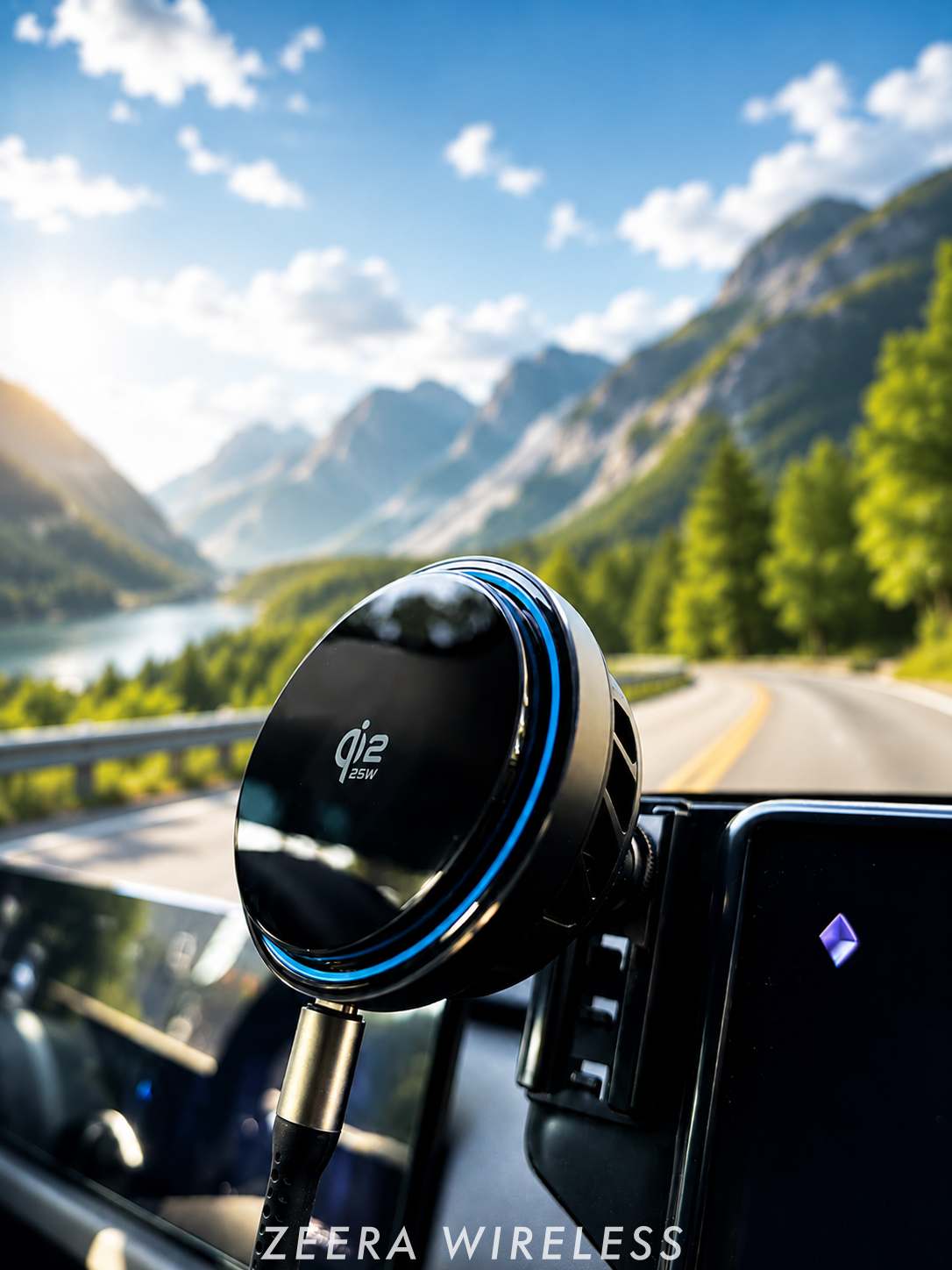
For demanding in-car use, the ZEERA SuVolt Gen5 combines magnetic mounting, Qi2.2 charging, active cooling and a reinforced three-point vent mount.
What Is an iPhone Duo / iPhone Ultra Car Mount?
An iPhone Duo car mount is a vehicle-mounted phone holder designed for Apple’s expected book-style foldable iPhone. The same device has also been widely discussed as iPhone Ultra and iPhone Fold.
The latest reporting points to iPhone Duo as the likely name, but Apple has not yet published final retail specifications. In this guide, iPhone Duo, iPhone Ultra and iPhone Fold refer to the same expected foldable category.
A suitable mount must do more than attract the phone magnetically. It needs to support a different shape, folded thickness and center of gravity from a conventional iPhone.
Will a MagSafe Car Mount Work With iPhone Duo?
A compatible MagSafe car mount could work if the final iPhone Duo includes the reported magnetic charging system. Current reporting points toward MagSafe support, but the charging rate, magnetic-ring position and physical clearances still need Apple confirmation.
There are three separate compatibility questions:
- Will the phone attach magnetically?
- Will the charging coils align correctly?
- Can the complete mount remain stable while the car is moving?
A mount can pass one test and fail another. For example, iPhone Duo may attach to a magnetic holder but charge intermittently because the camera bump or case prevents close coil alignment.
Should You Mount iPhone Duo Folded or Unfolded?
For most driving situations, the safest and most stable position will likely be with iPhone Duo folded closed.
Opening the inner display makes the phone wider and changes its center of gravity. That creates more leverage on the magnetic connection, ball joint, vent hook and air-vent slats.
| Position | Potential Advantage | Main Concern | Best Use |
|---|---|---|---|
| Folded | More compact and easier to stabilize | Smaller navigation view | Normal driving and one-handed attachment |
| Unfolded | Larger map and split-screen view | More leverage, vibration and possible vent stress | Only if the mount is explicitly rated and safely positioned |
Do not assume that a strong magnet alone makes unfolded use safe. The complete mounting system must support the wider device without rotating, sagging or placing excessive force on a fragile vent.
Magnetic Holder vs Car Mount Charger: What Is the Difference?
A magnetic car phone holder only holds the iPhone. A car mount charger also contains a wireless charging coil and requires electrical power.
| Product Type | Holds the Phone | Charges the Phone | Best For |
|---|---|---|---|
| Magnetic car mount | Yes | No | Short trips or drivers who prefer USB-C cable charging |
| MagSafe car mount charger | Yes | Yes | Convenient everyday magnetic charging |
| Qi2 car charger | Yes | Up to the supported Qi2 rate | Standardized magnetic alignment and broad compatibility |
| Active cooling car charger | Yes | Yes | Navigation, Wireless CarPlay, summer driving and long trips |
If a listing only says “magnetic phone holder,” do not assume it charges. Look for a stated wireless output, USB-C power input and clear Qi2 or MagSafe compatibility.
7 Things to Check Before Buying an iPhone Duo Car Mount
1. Strong Magnetic Alignment
An iPhone Duo / iPhone Ultra foldable may be heavier and thicker when closed than a conventional model. Strong, correctly aligned magnets will therefore matter for braking, cornering, potholes and uneven roads.
The case is part of this connection. A weak magnetic ring inside the case can make a powerful car mount feel unreliable.
2. A Rigid Vehicle Attachment
The magnetic face is only one part of the mounting chain. You also need a secure ball joint, hook, support structure and connection to the vehicle.
A simple friction clip hanging from one vent slat may wobble under the added leverage of an iPhone Ultra. A reinforced hook with multiple support points can distribute the load more effectively.

3. Vent or Suction-Cup Compatibility
A vent mount works best with strong horizontal air-vent slats. It is compact, easy to reach and can place the phone near conditioned cabin airflow.
A dashboard or suction-cup mount may be better if your vehicle has circular, vertical, motorized, recessed or fragile vents. It can also provide more control over height and viewing angle.
Never install a phone where it blocks the road, instruments, controls or an airbag deployment area.
4. Correct Case and Camera Clearance
An iPhone Duo case must account for two body sections, the hinge, the camera and the phone’s greater folded thickness.
Choose an iPhone Duo / iPhone Ultra MagSafe case with a correctly positioned magnetic ring. Check that the camera surround, hinge protector, wallet, kickstand or rear grip does not prevent the phone from sitting flat against the charger.
Remove magnetic wallets, metal plates and loose cards before wireless charging.
5. Active Cooling
Wireless charging is only one source of heat inside a car. GPS, map rendering, cellular data, screen brightness, Wireless CarPlay, direct sunlight and a hot cabin can all raise the phone’s temperature simultaneously.
When an iPhone becomes too warm, iOS may reduce or pause charging until the battery returns to a safer temperature. This can make the charging icon remain visible while the battery percentage rises very slowly—or continues to fall.
An active cooling MagSafe car charger creates more thermal headroom than a passive magnetic mount. It is especially relevant for long navigation sessions and hot-weather driving.
6. Adequate USB-C Power
The wireless charger still needs wired power from the vehicle. An old or low-output built-in USB port may not provide enough energy for the charger, cooling system and phone.
Check the recommended adapter and USB-C cable. For a Qi2.2 25W car mount charger, use a power source that meets the charger manufacturer’s full input requirement.
The phone still controls the power it accepts. A 25W charger may operate at a lower rate if the iPhone Ultra supports less power or if temperature, battery level or software limits charging.
7. Safe Portrait and Landscape Adjustment
A useful iPhone Duo / iPhone Fold car mount should let you position the outer display for navigation without forcing the phone into the windshield or controls.
A secure 17mm ball interface or ball joint allows fine angle adjustment, but the joint must be tight enough to resist unwanted rotation while driving.
Why Active Cooling Matters More in a Car
A charger’s peak wattage only describes its best-case output. What matters during a real drive is how much useful charging power reaches the battery over time.
Navigation, Wireless CarPlay, music streaming, high screen brightness and cellular data consume energy while the phone is charging. Heat can then cause the phone to reduce the amount of power it accepts.
The practical equation is simple:
If the iPhone Ultra uses almost as much power as the charger can deliver, the battery percentage may barely move. If heat further reduces charging, the battery may decline despite showing a charging symbol.
Active cooling cannot eliminate heat from sunlight or an extremely hot cabin. However, it can help remove heat from the phone-facing charging surface and reduce one important cause of sustained wireless-charging slowdown.
Is a Vent Mount or Suction-Cup Mount Better for iPhone Duo?
| Mount Type | Choose It When | Avoid It When |
|---|---|---|
| Air-vent mount | Your vehicle has strong horizontal slats and you want a compact installation near cabin airflow. | The vents are circular, motorized, very thin, recessed or fragile. |
| Dashboard suction mount | You need more control over viewing height or cannot use the air vents. | The dashboard has a rough, curved, soft-touch or heavily textured surface. |
| Windshield suction mount | Local rules permit it and the position does not obstruct visibility. | It blocks the road view, places the phone in direct sun or conflicts with local law. |
Because a folded iPhone Duo can place more leverage on the mount, choose the attachment method according to your vehicle—not only the appearance of the charger.
Why ZEERA SuVolt Gen5 Fits This Use Case
ZEERA SuVolt Gen5 is designed around three common problems with in-car magnetic charging: heat, movement and inconsistent charging power.
- Qi2 or Qi2.2 charging: Choose between up to 15W and up to 25W versions for compatible devices.
- Semiconductor active cooling: Helps draw heat away from the phone-facing charging surface.
- Strong magnetic alignment: Centers compatible phones and cases over the charging coil.
- Three-point vent mount: Uses a reinforced hook and wider support structure to help control wobble.
- 17mm ball joint: Supports adjustable positioning and broader mounting-base compatibility.
- Optional 360-degree suction base: Adds dashboard, windshield or smooth-surface installation choices.
- One-handed use: Attach or remove the phone without opening mechanical clamp arms.
Final iPhone Duo / iPhone Ultra compatibility and maximum charging speed should still be checked after Apple publishes official device specifications.

How to Test an iPhone Ultra / iPhone Duo Car Mount Safely
Once the final iPhone Duo is available, test the complete setup before relying on it for a long drive.
- Install the vent hook or suction base according to its instructions.
- Check that the ball joint is firmly locked.
- Attach the iPhone Ultra while it is folded.
- Confirm that the phone sits flat against the charging surface.
- Rotate it between portrait and landscape positions.
- Check clearance around the camera, hinge and case.
- Drive slowly over a familiar uneven road and listen for movement.
- Run navigation and Wireless CarPlay while monitoring charging stability and temperature.
If charging repeatedly starts and stops, test without the case. If the problem disappears, case thickness, magnetic-ring placement, camera clearance or trapped heat may be responsible.
Final Verdict: What Is the Best Car Mount for iPhone Duo?
The best iPhone Duo car mount is not simply the model with the strongest magnet or highest advertised wattage.
For Apple’s first foldable iPhone, prioritize a stable mounting structure, a properly aligned iPhone Duo / iPhone Ultra MagSafe case, camera clearance, sufficient USB-C power and active cooling.
Use the phone folded unless the mount is specifically tested to support the wider unfolded position. For navigation, Wireless CarPlay and long drives, an active cooling car mount charger such as ZEERA SuVolt Gen5 offers a more complete solution than a basic magnetic phone holder.
FAQ
Does iPhone Duo support MagSafe?
Current reporting points toward MagSafe support for Apple’s foldable iPhone, but Apple has not confirmed final charging specifications. Verify official compatibility before buying a mount specifically for iPhone Duo.
Are iPhone Duo, iPhone Ultra and iPhone Fold the same phone?
Current reporting points to iPhone Duo as the likely retail name. iPhone Ultra and iPhone Fold are widely used earlier or descriptive names for the same anticipated Apple foldable.
Can I use my current MagSafe car mount with iPhone Duo?
Possibly. Check magnetic hold, coil alignment, camera clearance, case compatibility and the stability of the complete vehicle attachment after Apple publishes the final hardware details.
Should iPhone Duo be mounted folded or unfolded?
Folded use should be more compact and stable. Unfolded mounting creates more leverage and should only be used when the mount is explicitly tested for that position.
Why is my iPhone charging but losing battery in the car?
Navigation, Wireless CarPlay, cellular data, screen brightness and heat may make the phone consume almost as much power as it receives. Poor coil alignment or an underpowered car USB port can reduce charging further.
Is a Qi2.2 25W car charger better than a 15W charger?
It offers more potential output for compatible phones, but the iPhone controls the power it accepts. Heat management, power input and sustained performance can matter more than peak wattage during a long drive.
Source note: Compatibility guidance reflects currently available reporting about Apple’s foldable iPhone and should be rechecked after Apple publishes final specifications. Recent reporting identifies iPhone Duo as the likely name, while iPhone Ultra and iPhone Fold remain common search terms; see the latest iPhone Duo report. Apple explains that iPhone charging may slow or pause when the device becomes too warm in its thermally limited charging guidance. Current MagSafe expectations are summarized in recent foldable iPhone reporting.






