
iPhone 18 Pro Max Photography Guide
The iPhone 18 Pro Max already gives creators a 48MP Pro camera system, variable aperture and deeper manual control. The next meaningful upgrade is not another editing preset—it is controlling the light before it reaches the camera.
Quick Answer
What is the best camera filter for iPhone 18 Pro Max? Choose the ZEERA SnapLens Creator Kit if you want the widest creative range: CPL for reflections, ND32 for bright-light video, 1/4 Black Mist for cinematic highlights and UV for everyday protection.
Choose ZEERA SnapLens Trio if you mainly want a slim, always-ready CPL lens protector that reduces reflections from glass, water and glossy surfaces.
In ZEERA’s practical shooting tests, the largest visible gain came from controlling glare before capture. The CPL produced cleaner glass and water shots, ND32 made bright outdoor motion easier to manage, and Black Mist softened harsh night highlights.
Why Use an iPhone 18 Pro Max Camera Filter?
Apple’s computational photography can recover shadows, balance color and merge multiple exposures. It cannot fully remove every reflection after the light has already reached the sensor.
A physical filter changes that incoming light. A CPL can suppress polarized glare. An ND filter reduces light across the frame. A diffusion filter changes how strong highlights bloom.
That is why an optical filter can improve a photo or video in ways that an app cannot perfectly recreate. The goal is not to make every shot look filtered. It is to give the iPhone cleaner information—or a more intentional look—at capture.
CPL
Controls reflections on glass, water, paint and other non-metallic surfaces while often improving perceived contrast.
ND32
Cuts incoming light in bright conditions, giving video shooters more room to use a slower, more natural-looking shutter speed.
1/4 Black Mist
Diffuses hard highlights and adds a restrained glow around lamps, signs and other bright points.
UV
Provides a clear everyday barrier against fingerprints, dust and direct contact with the camera lenses.
ZEERA SnapLens Creator Kit Review: Four Filters, One Magnetic Mount
The ZEERA SnapLens Creator Kit is the better choice for creators who regularly switch between photography and video.
Its CNC metal plate forms a low-profile magnetic base around the camera module. The UV, ND32, CPL and 1/4 Black Mist filters snap into place without a cage, screw thread or dedicated photography case.
1-Second Filter Changes
The magnetic design makes it practical to respond when the light changes instead of leaving a filter attached all day.
No Special Case Required
The mounting plate works at the camera area, keeping the setup smaller than a cage or full-size filter adapter.
Photo and Video Coverage
CPL and UV handle common photography needs; ND32 and Black Mist add stronger creative control for video and night scenes.
Camera Module Protection
The CNC plate also creates a slim protective frame around the raised camera area.
ZEERA’s Real-World SnapLens Test: What Actually Improved?
How ZEERA Tested the Filters
We tested the filters in repeatable everyday scenes rather than judging them only under studio lighting. For each scene, we kept the phone position and selected camera lens consistent, captured an unfiltered reference, then attached or rotated the relevant filter while watching the live preview.
Because the iPhone can change exposure and white balance automatically, the most useful result was the visible optical difference in the preview—not a claimed percentage score.
Test 1: CPL on Storefront Glass and a Car Windshield
Without a CPL, bright sky and nearby objects appeared across the glass as distracting reflections. After attaching the CPL and rotating it slowly, part of that reflected layer faded and more detail behind the glass became visible.
The effect was strongest at the right angle to the light. When the phone moved or the light direction changed, the filter needed a small adjustment. This is normal CPL behavior and is why rotation matters.
Test 2: CPL on Water, Leaves and Painted Surfaces
On shallow water, reducing surface glare revealed more texture below the reflection. On foliage and glossy paint, colors looked less washed out because white glare no longer covered as much of the surface.
The improvement looked natural, not like a heavy saturation preset. It came mainly from removing glare that had been hiding color and texture.
Test 3: ND32 for Bright Outdoor iPhone Video
In strong daylight, the iPhone can be forced toward a very fast shutter speed. That may make movement look sharper and more staccato than filmmakers want.
The ND32 filter reduced the incoming light and gave us more exposure headroom for controlled video settings. It was most useful when shooting movement outdoors and trying to keep motion blur looking smoother and more deliberate.
Important: ND32 does not automatically create cinematic motion. For the full benefit, lock exposure or use the iPhone 18 Pro Max’s manual shutter controls—or a compatible pro camera app—and select settings that suit the frame rate.
Test 4: 1/4 Black Mist for Night Video and Portraits
In our night test, small lamps and illuminated signs had softer transitions and a controlled halo. Hard digital-looking highlights became gentler, while the scene retained enough contrast to avoid a foggy appearance.
For portraits, the effect slightly softened harsh highlight detail without applying a beauty filter to the entire face. The result was most convincing around practical lights, backlighting and reflective skin highlights.
Test 5: UV for Everyday Shooting
The UV filter produced the least dramatic creative change, as expected. Its main value was convenience: an extra clear barrier over the camera lenses during daily use, with quick access to the other magnetic filters when the scene called for them.
ZEERA SnapLens Trio Review: The Best Everyday CPL Lens Protector?
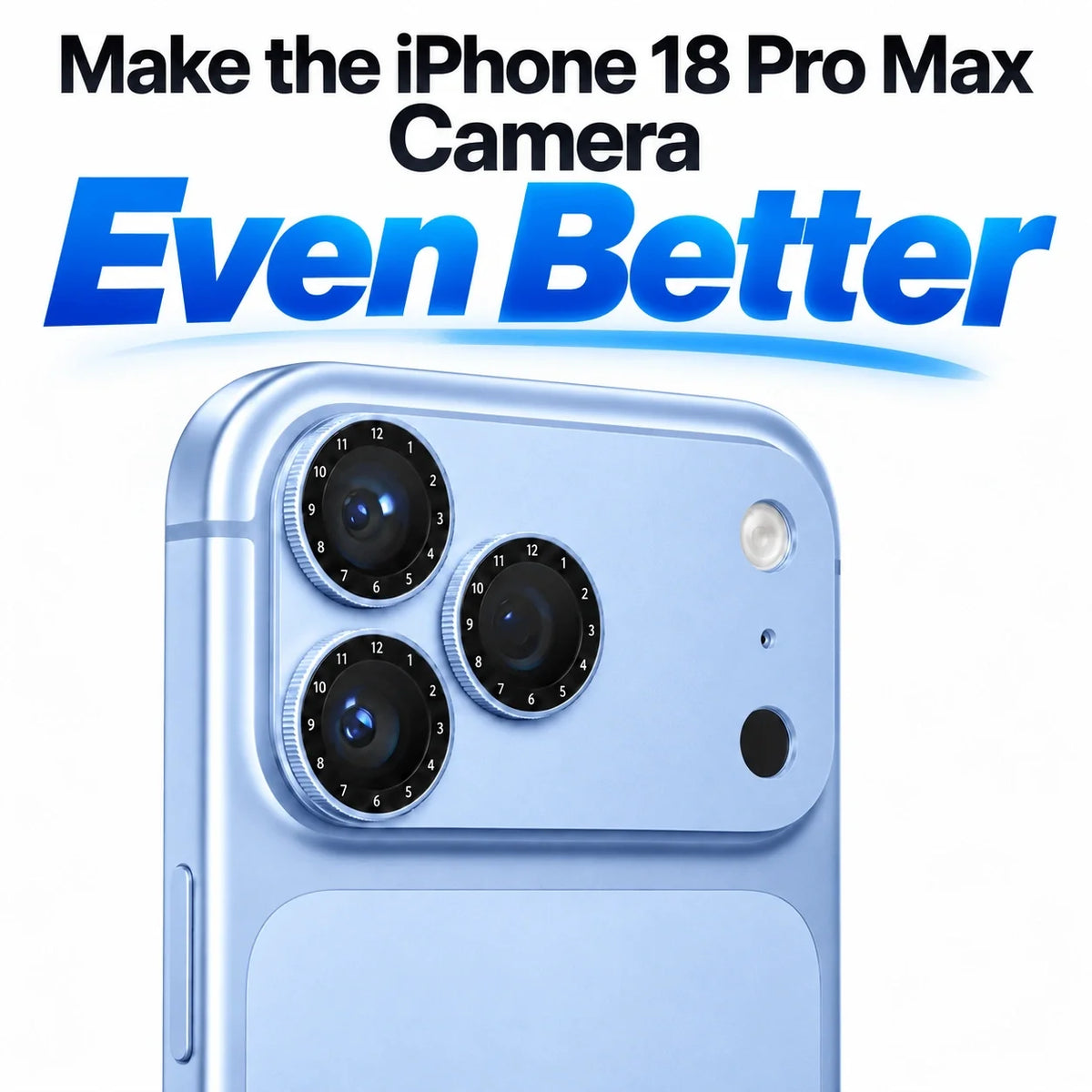
The ZEERA SnapLens Trio takes a different approach. Instead of carrying separate filters, it integrates three CPL filters into a precision aluminum camera protector.
Each CPL ring rotates independently through 360 degrees. You can frame the shot, rotate the ring over the camera currently in use and stop when the reflection looks best in the preview.

Three Independent CPL Rings
Adjust the polarizing effect for the Main, Ultra Wide or Telephoto camera instead of relying on one fixed orientation.
360° Rotation
Fine-tune reflection reduction while watching the iPhone camera preview in real time.
Low-Profile Aluminum Design
The integrated format stays closer to the original camera module than a clip-on filter holder or video cage.
Daily Lens Protection
The aluminum structure helps shield both the raised lenses and the camera module from everyday surface contact.
SnapLens Creator Kit vs SnapLens Trio: Which iPhone Filter Should You Buy?
The Simple Buying Decision
Choose SnapLens Creator Kit if…
You shoot both photos and video, want multiple visual styles, need ND control in daylight or like Black Mist for portraits and night scenes.
Choose SnapLens Trio if…
You mostly want to reduce reflections, shoot travel and outdoor photos, photograph cars or glass, and prefer an integrated everyday solution.
The Creator Kit offers more range. SnapLens Trio removes the step of carrying and attaching a separate CPL. Neither is universally better; the right choice depends on whether you value creative variety or daily convenience.
How to Use a CPL Filter on iPhone 18 Pro Max
- Choose the camera first. Frame the image with the Main, Ultra Wide or Telephoto camera you plan to use.
- Watch the reflection. Look at the glass, water or glossy surface—not only the sky or overall brightness.
- Rotate slowly. Turn the CPL while watching the live preview. The effect will strengthen, weaken and then repeat as the ring rotates.
- Stop before it looks unnatural. Maximum polarization is not always the best-looking result, especially across a wide blue sky.
- Recheck after moving. A different camera angle or light direction can change the ideal CPL position.
How to Get Better iPhone 18 Pro Max Video With ND32 and Black Mist
For daylight video, set your resolution and frame rate first. Then attach ND32, lock the exposure and choose a shutter speed that gives movement the character you want. Review the histogram and highlights so bright areas do not clip.
Use 1/4 Black Mist when the scene contains bright practical lights or when you want a gentler portrait look. It works best as a restrained optical effect; stacking heavy software diffusion afterward can quickly become excessive.
Clean every filter before shooting toward a light source. Fingerprints can create flare and loss of contrast that may be mistaken for the intended Black Mist effect.
Can Camera Filters Reduce iPhone 18 Pro Max Photo Quality?
Any material placed in front of a camera can affect the image. Keep the filter clean, seat it correctly and remove it when its optical effect is not helping the scene.
A CPL also reduces some light, and its result depends on the angle of the sun and the surface. It is less effective on metallic reflections and may produce uneven sky polarization with an ultra-wide field of view.
ND32 is for bright conditions, not low light. Black Mist intentionally lowers highlight contrast, so photographers seeking maximum clinical sharpness may prefer to remove it.
Frequently Asked Questions
What is the best ZEERA filter for iPhone 18 Pro Max photography?
SnapLens Trio is the most convenient for everyday outdoor, glass, water and car photography. The SnapLens Creator Kit is better when you want CPL, ND32, Black Mist and UV options in one system.
Does a CPL filter remove all reflections?
No. It can reduce polarized reflections from many non-metallic surfaces, but the result depends on the light direction, camera angle and surface. Rotate it while watching the preview.
Is ND32 useful for iPhone 18 Pro Max video?
Yes, especially in bright daylight when you want more control over shutter speed and motion blur. Lock exposure or use manual video controls for the clearest benefit.
What does a 1/4 Black Mist filter do on an iPhone?
It softens bright highlights and adds a subtle glow, which can make portraits, night scenes and video feel less digitally harsh.
Does SnapLens require a special iPhone camera case?
The SnapLens Creator Kit uses its own CNC magnetic mounting plate and does not require a dedicated photography case. Always check surrounding case clearance and select the correct iPhone model.
Can I leave SnapLens Trio on the iPhone every day?
It is designed as a low-profile CPL camera protector for everyday use. Keep the filter glass clean and rotate the active ring when you want to control reflections.
Will a CPL filter work with the iPhone Ultra Wide camera?
It can, but very wide scenes—especially blue skies—may show uneven polarization. Adjust the ring for a natural result rather than always using the strongest effect.






