
Quick Answer
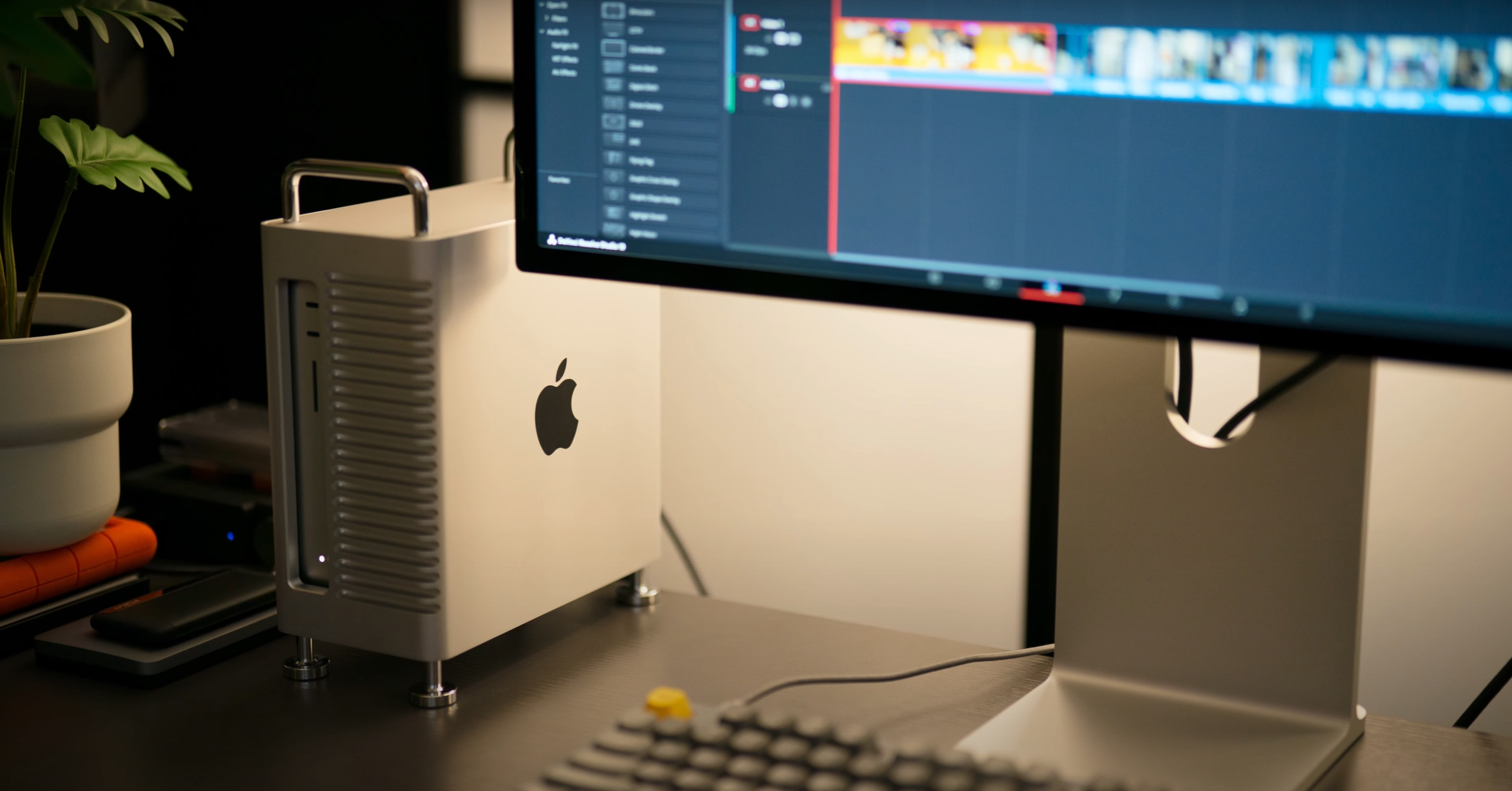
A Mac Studio aluminum case makes the most sense if your desk includes external SSDs, Thunderbolt devices, monitors, card readers, charging cables, or other accessories.
The best setup should not only help protect the Mac Studio from daily scratches and dust. It should also improve cable organization, reduce desktop clutter, keep ports easily accessible, and create a more structured workspace.
For many users, the real value is not protection alone. It is creating a cleaner and more intentional workspace.
Why Mac Studio Users Need More Than Basic Protection
Mac Studio users rarely keep a simple desk setup for long.
A clean workspace may begin with just a monitor, keyboard, mouse, and Mac Studio. But over time, external SSD setups, display cables, backup drives, audio interfaces, card readers, and charging accessories slowly start filling the desk.
Many users spend hours at the same desk every day. Eventually, workspace organization becomes just as important as performance.
The challenge is rarely the Mac Studio itself. It is everything surrounding it.
A basic cover only protects the machine. A better aluminum setup should help the entire workspace feel more organized and easier to use.
That is the real reason this category of accessory matters.
A Mac Studio Case Should Do More Than Cover the Machine
A Mac Studio case should not feel like a phone case enlarged for a desktop computer.
Mac Studio already has a premium aluminum design. Most users do not want to hide it inside a bulky plastic shell. But leaving it completely exposed on a busy desk can also create visual and practical clutter.
A better setup should work with the machine instead of against it.
It should help with:
- external SSD workflows
- cleaner cable routing
- stable desktop positioning
- scratch and dust protection
- easy access to ports
- a clean aluminum appearance that matches Apple hardware
This is what separates a useful Mac Studio aluminum case from a simple cover.
ZEERA Mac Aluminum Case Series
ZEERA MacForge CNC Mac Studio Aluminum Case
- CNC aluminum
- Mac Pro style
- Cooling grille
- Tool-free fit
- Studio guard

ZEERA MacForge Gen3 CNC Aluminum Mac Mini Case
- Mac Pro grille
- CNC chassis
- Better airflow
- SSD expansion
- Front ports

External SSDs Are the Real Reason a Mac Studio Case Feels Useful
Many Mac Studio users rely heavily on external SSD setups.
Video editors, photographers, designers, developers, and music producers often work with multiple external drives for active projects, backups, media libraries, or client files.
The problem is that these devices often end up scattered across the desk.
One SSD sits beside the Mac Studio. Another hangs behind the monitor. A backup drive gets pushed near other accessories. Over time, the setup starts to feel less like a clean Apple-style workspace and more like a collection of disconnected devices.
A better aluminum setup helps reduce that feeling of visual chaos by supporting a more organized desk layout around external SSD workflows.


Why Mac Studio Desks Become Cluttered So Quickly
Mac Studio itself stays compact, but the surrounding workspace often becomes more complex over time.
Thunderbolt hubs sit behind the monitor.
External SSDs stay connected for daily work.
Card readers move in and out depending on tasks.
Monitor cables run across the back of the desk.
Charging cables for iPhone, Apple Watch, AirPods, or iPad gradually take up more space.
Speakers, microphones, backup drives, and other tools become part of the workflow.
None of these accessories are unnecessary. They are part of how many users actually work.
The issue is that they slowly turn a clean desk into a scattered workstation.
A better aluminum setup helps bring more structure to that environment, making the workspace feel more intentional and easier to manage.
Cable Management and Port Access Matter More Than Most Users Expect
Mac Studio setups often involve multiple cables at the same time:
- power cables
- monitor cables
- Thunderbolt devices
- Ethernet
- audio interfaces
- external SSD setups
- charging accessories
A basic cover does not improve this. It may protect the machine, but it does not change how the workspace feels.
A better aluminum setup should help cables move in a cleaner direction.
It should allow enough open space for connections, avoid sharp cable bends, and reduce visual clutter caused by scattered wiring.
Good cable management is not about hiding everything. It is about making the workspace feel more controlled and less distracting.

What Makes a Good Mac Studio Aluminum Case?
A good setup should improve the workspace, not just cover the computer.
Premium Aluminum Design
Helps the setup feel more consistent with Apple hardware.
Stable Structure
Keeps the Mac Studio positioned securely during daily use.
External SSD Workflow Friendly Design
Supports cleaner external SSD usage without introducing clutter.
Cleaner Cable Routing
Helps reduce scattered cables across the desk.
Easy Port Access
Ensures the Mac Studio remains practical to connect and maintain.
Open Layout
Avoids enclosing the machine too tightly.
Apple-Style Appearance
Keeps the desk visually minimal and intentional.

ZEERA Mac Studio Aluminum Case: Built for Cleaner Apple-Style Workspaces
Some Mac Studio users prefer an aluminum setup that helps organize external SSD workflows, cables, and desktop accessories in a more structured way while preserving a clean Apple-style appearance.
ZEERA approaches the Mac Studio setup from that perspective.
Instead of treating the Mac Studio as something that should be hidden inside a bulky enclosure, the goal is to create a cleaner and more intentional workspace around it.
For users with multiple external SSD setups, monitors, and accessories, a better aluminum setup can help reduce clutter and improve overall desk structure without changing how the Mac Studio itself is used.
It helps the workspace feel more complete and less scattered.
Which Mac Studio Setup Style Fits You?
Minimal Workspace Setup
A minimal setup usually includes one monitor, a keyboard, a mouse, and a few connected devices.
The focus is simplicity and visual clarity. A lightweight aluminum setup can help reduce clutter while keeping the desk clean and minimal.
Pro Creative Workspace
A pro setup often includes multiple external SSD setups, Thunderbolt devices, displays, audio gear, and charging accessories.
At this level, workspace organization becomes part of the workflow itself. A more structured aluminum setup helps keep everything easier to manage and visually more controlled.
Mac Studio Case vs Dust Cover
A dust cover mainly helps when the Mac Studio is not in use.
It can reduce dust buildup over time, but it does not improve daily workspace organization.
A better aluminum setup goes further by helping with cable organization, external SSD workflows, and overall desk structure.
If your setup is very simple, a dust cover may be enough.
If your desk includes multiple devices and workflows, a more structured setup is often more useful.
Mac Studio Case vs Stand
A stand can improve positioning and slightly elevate the Mac Studio.
However, it usually has limited impact on overall workspace organization.
A better aluminum setup can combine stable placement, cleaner cable direction, and improved desk structure.
The goal should not only be elevation.
It should be improving the entire workspace experience.
Who Should Consider a Mac Studio Aluminum Case?
A Mac Studio aluminum case makes the most sense for users who want a cleaner and more structured workspace.
It is especially useful for people who:
- use external SSD setups regularly
- work with video, photo, audio, or design files
- connect multiple accessories and cables
- prefer a clean Apple-style desk setup
- rely on Mac Studio as a primary workstation
- dislike visible cable clutter
- want a more structured desktop environment
If your setup is extremely simple, it may not be necessary. But for most real-world creative or professional setups, it can improve desk organization.

What to Avoid When Buying a Mac Studio Case
Avoid designs that fully enclose the machine without enough open space.
Avoid bulky plastic styles that feel disconnected from Apple hardware.
Avoid setups that block ports or make connections harder.
Avoid products that only focus on covering the Mac Studio without improving desk organization.
A good aluminum setup should improve the workspace, not complicate it.
Final Verdict
Ultra-Thin MagSafe Back Plate Series
ZEERA MagSkin Air Ultra-Thin Magnetic Plate
- Only 0.3mm thin
- MagSafe compatible
- Preserves Air feel
- Light back guard
- Case-free carry

ZEERA MagSkin Pro Ultra-Thin Magnetic Back Plate
- Ultra-thin Pro fit
- MagSafe compatible
- Bare-phone feeling
- Camera deco guard
- Minimal daily carry

ZEERA AirFlat Lens Cover for iPhone Air
- Makes back flat
- Stops desk wobble
- Protects camera lens
- Slim matching look
- Easy clean design