
Quick Answer
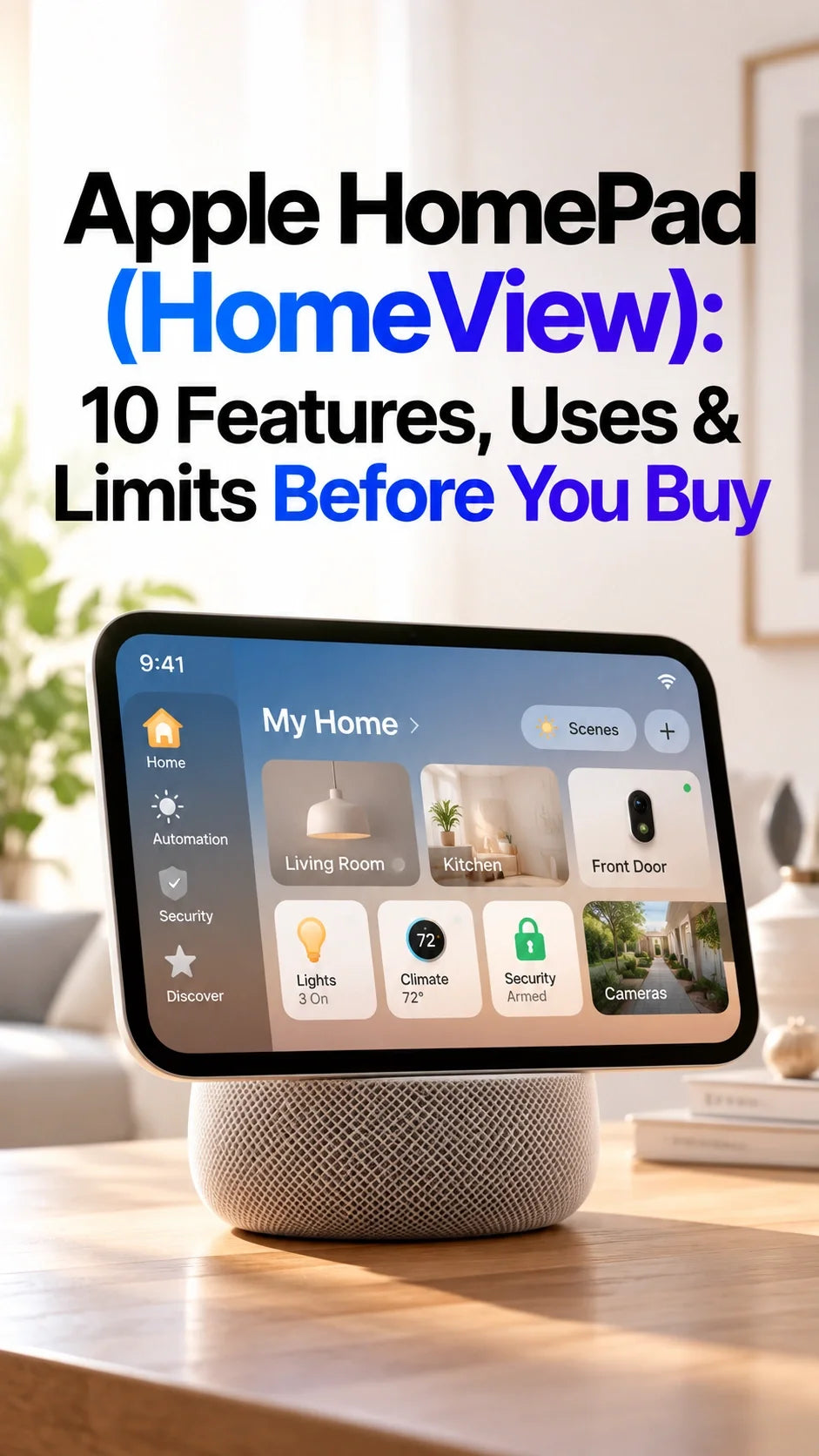
Apple HomePad, reportedly named HomeView, is an expected shared smart home display for music, home controls, family information and video calls.
Its potential advantage is keeping those tasks on a screen everyone can reach, with Siri AI and support for different household members.
Reports point to no third-party App Store; YouTube, Netflix and full iPad-style app freedom should not be assumed.
October 13 is the expected reveal date. The latest reporting points to availability around mid-November, subject to Apple's announcement.
As of October 12, 2026, the final feature list, price, privacy controls and regional availability still need official confirmation.
What Is Apple HomePad, and Is HomeView the Same Device?
HomePad is the familiar rumor name for Apple's upcoming screen-based home device. MacRumors' October 11 summary of Mark Gurman's reporting identifies HomeView as the expected product name. Apple has yet to announce it.
The idea is a small communal screen that stays in the kitchen, hallway or living room. It could show useful information without requiring someone to hand over their personal iPhone.
Reported hardware and launch snapshot
- Display: approximately 6 inches, with a square design.
- Processor: A18 reported; final specifications pending.
- Versions: tabletop speaker base and wall-mounted design.
- Power: a wired, fixed-location setup is expected.
- Software: Apple apps and Siri AI; no App Store reported.
- Price and ordering: Apple has not announced final details.
For cost and ordering questions, use our separate HomePad price and release date guide. Here, the useful question is what you would actually do with it.
What Can Apple HomePad Do? 10 Features and Everyday Uses
The following uses combine reported capabilities with practical scenarios. A plausible use case does not guarantee that every interface, service or automation will work exactly as imagined at launch.
1. Play Music Without Taking Over Your Phone
A countertop display with a speaker could become a convenient Apple Music station while cooking or eating. The screen would give you somewhere to see playback information and choose music.
The supplied feature discussion also imagines animated artwork and live lyrics. Their exact presentation remains uncertain; compare the real screen and sound before treating this as a HomePod replacement.
2. Keep Calendars, Reminders and Shopping Lists Visible
A kitchen screen could make the next appointment or grocery reminder easier to notice. That is useful when family information currently lives on one person's phone.
However, a shared screen does not automatically make a private calendar communal. Account permissions, list sharing and which details appear at a distance will determine how useful it is.
3. Switch Between Household Members
Automatic personalization is one of the more interesting ideas in the leaks: different people could approach the display and see information relevant to them.
The video describes face, voice and proximity recognition. Treat the exact sensor combination and guest-mode behavior as unconfirmed. Before relying on it, check what happens when two people stand together or identification fails.
4. Serve as an iCloud Photo Display
A family photo display could earn its place even when nobody is actively using the controls. The appeal is seeing familiar pictures during the day rather than opening Photos on a phone.
The video suggests slideshows based on people, pets, places and shared albums. Check which selection options actually ship, and whether you can restrict the display to an album chosen for the room.
5. Put Smart Home Controls Within Reach
A dedicated screen could give family members a predictable place to adjust lights or check the thermostat. A visible control can also be easier to understand than remembering the right spoken command.
Start with the accessories you own. A useful interface still depends on compatibility; the existence of a new Apple display does not make every Wi-Fi light, camera or lock work with Apple Home.
6. Give Siri a Screen for Visual Answers
The main promise of Siri AI on a home display is a place to show information as well as speak it. Finding a photo or reviewing a calendar item could be more useful when the result remains visible.
ZEERA's assessment after reviewing the feature claims is that the strongest buying reason would be fewer steps in a repeated household task. A recipe lookup, for example, should leave clear instructions on screen without repeatedly sending you back to your phone.
That is a criterion for evaluating the product, not a result from ZEERA hands-on testing. Language support, personal-data access and which functions work on day one need checking.
7. Make Hands-Free FaceTime Calls
A fixed camera and display could make family video calls convenient while your hands are busy. Placement matters: a screen facing a countertop may give callers a poor view of your face.
FaceTime is part of the reported feature set. The video's proposed proximity handoff from iPhone and possible Center Stage tracking are separate details that should not be treated as confirmed.
8. Offer a Wall-Mounted Home Control Point
A wall version could suit an entryway where you want controls without using table space. A tabletop model makes more sense if you want the display beside you for calls or music.
Do not assume the mounting hardware, power routing or speaker performance will match between versions. Check the complete installation package before buying a bracket or planning a hidden cable.
9. Help With Kitchen Recipes and Media
Recipes and short videos are appealing kitchen uses, but they rely on access to the services you actually use. A Siri answer, a built-in app and a YouTube cooking channel are different ways of getting instructions.
If watching your favorite creator is the main reason to buy, the service support question below deserves more attention than the screen's appearance.
10. Send Messages Between Rooms
Intercom-style communication could help you call the family to dinner or reach someone upstairs. The video proposes using the display alongside existing HomePods.
Confirm which devices can send and receive those messages, how rooms are selected and whether children's accounts have restrictions. You do not need a display in every room to get value from one shared control point.
Can HomePad Play YouTube or Netflix Without an App Store?
YouTube and Netflix playback are not confirmed in the information reviewed for this guide. Reports describe a limited selection of Apple apps rather than an iPad-style App Store.
No App Store would remove the familiar option of simply installing a streaming app. It does not, by itself, prove that every form of video playback is impossible.
A browser, casting support or a built-in integration could provide another route, but none should be assumed. The same applies to Spotify, Zoom and third-party widgets: confirm the specific service and interaction you need.
If unrestricted apps are your priority, our HomePad vs iPad on a stand comparison addresses that decision in more detail.
Will HomePad Replace Your HomePod or Apple TV Home Hub?
Not necessarily. A screen-based control point and the home-hub role behind your automations are different reasons to buy hardware.
Apple's current support documentation explains how HomePod, HomePod mini and compatible Apple TV devices provide remote accessory control, shared access and automations. A working setup may already cover those needs.
For Thread accessories, check the exact hub or border router you own. Before replacing anything, verify Apple's final HomeView requirements and how the device joins an existing home.
Is Apple HomePad Worth Buying for Your Household?
The clearest reason to consider it is a task several people repeat: checking the family schedule, controlling the living room or calling relatives from the kitchen. Pick that task first, then judge the announced product against it.
Three checks before ordering
- Daily usefulness: will everyone use it, or will it become an expensive clock?
- Services and privacy: are your must-have apps supported, and can you choose which personal information appears?
- Placement and total cost: does the version fit the room, power outlet and budget, including any installation?
Wait for reviews if the purchase depends on reliable account switching, Siri understanding you across a noisy kitchen or an always-visible camera feed. These are everyday behaviors that a polished demonstration cannot fully establish.
If your iPhone 18 Pro Max or planned iPhone Duo already handles your occasional calls and media, a suitable case and charging stand may cover your immediate desk needs. Choose a dedicated home display when the shared location adds value.
For the wider product reveal, see our Apple October 13 Welcome Home event guide.
FAQ
Can I use HomePad without buying new smart home accessories?
Potentially. Music, photos, calendars and calls could be useful on their own. Confirm those launch features and account requirements; new lights or cameras should not be necessary just to justify the purchase.
Will HomePad work if my iPhone is away from home?
The exact setup and ongoing iPhone requirements are unannounced. Check whether your intended function runs independently, needs the phone nearby or requires an internet connection.
Does facial recognition mean HomePad has Face ID?
Do not equate reported user recognition with a confirmed Face ID authentication system. Apple needs to explain how identification, private information and sensitive actions are protected.
Can HomePad show a doorbell camera continuously?
Camera monitoring is a proposed use, but a permanent live view is not established by that alone. Confirm camera compatibility, display behavior and any service requirements.
Do I need HomePad to keep using Apple Home?
No purchase requirement of that kind has been announced. Apple's existing Home app and supported home hubs already provide smart home functions; evaluate the new display for the additional experience you need.
Related Reading
- Apple HomePad Price and Release Date: What Buyers Should Check
- HomePad vs iPad on a Stand: Do You Need a Dedicated Display?
- Apple October 13 Event: Welcome Home Products to Watch
- Apple TV 4K 2026 vs 2022: Reported Upgrades and Buying Questions
- iPhone Duo 12GB RAM: Multitasking and Siri AI Questions
- 12 ZEERA iPhone Duo Cases Compared
Sources and status: Updated October 12, 2026, before Apple's product announcement. This is a reported-feature guide, not a hands-on review.









