
Quick Answer
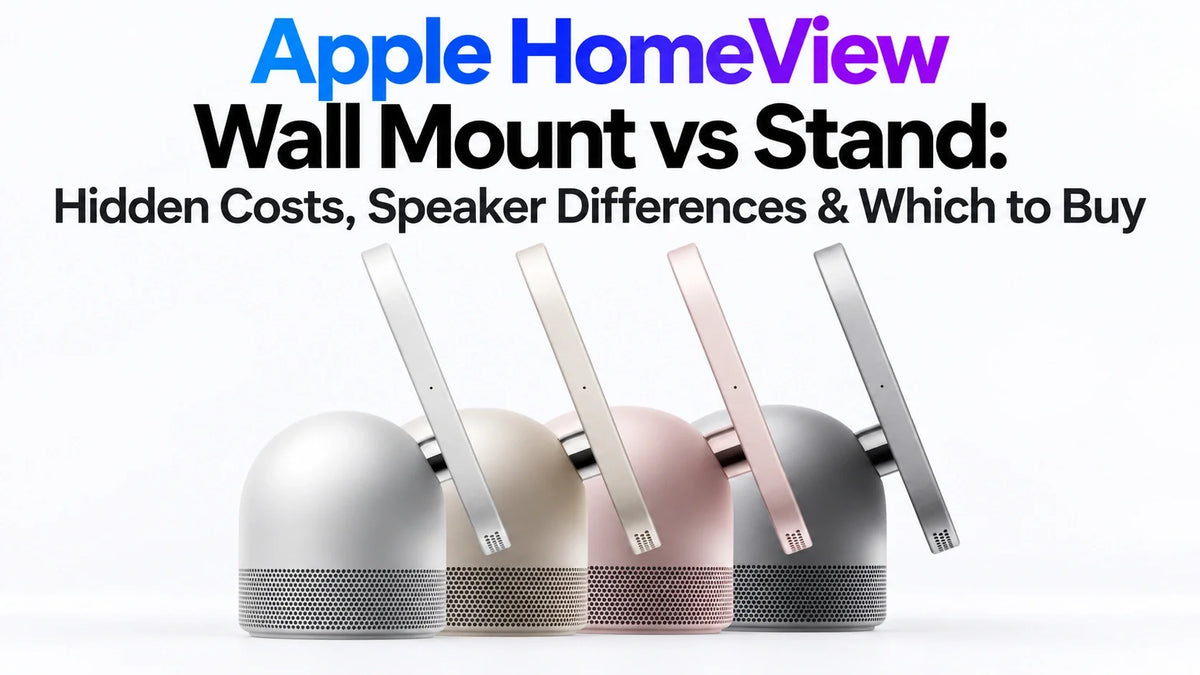
Choose the tabletop Apple HomeView for the simpler setup, adjustable screen tilt and additional bass hardware in its speaker base.
Choose HomeView (Wall Mounted) when saving counter space matters more and you have a workable power route at the exact mounting location.
Both cost $299 in the US, but the wall model needs a separately sold mount and its required power accessories.
An island setup may need cable concealment or a professionally planned cable opening; wall mounting may need surface cable management or concealed electrical work.
Neither option is battery-powered. A clean-looking installation is not automatically a cable-free installation.
HomeView Stand vs Wall: Choose the Location Before the Hardware
The real question is not just whether a HomeView looks better on a stand or a wall. It is whether the screen, speaker and power cable will work where your household actually needs them.
Apple sells a tabletop HomeView with a speaker base and a separate wall-mounted model. This guide compares their installation trade-offs rather than assuming you can convert either model with an interchangeable accessory. [1]
Checked October 14, 2026. US prices exclude tax. HomeView availability begins November 13, 2026. This is a source-based buying guide, not a ZEERA hands-on installation or audio test.
Apple HomeView Wall Mount vs Stand: Key Differences
$299 each; wall mount and required power accessories cost extra.
7-inch Liquid Retina; True Tone; 0.3–500 nits.
A18 in both models.
12MP Center Stage in both models.
Continuous wired power; neither works as an unplugged tablet.
Tabletop: 952g. Wall model: 286g, excluding mount.
Tabletop adds a woofer and two passive radiators; wall model has two full-range drivers.
Apple's reviewed specifications do not list an IP water-resistance rating.
Sources: Apple specifications, US store and announcement. [1] [2] [3]
| Buying point | Tabletop / stand | Wall mounted |
|---|---|---|
| Box contents | USB-C cable and power adapter included | Compatible mount, cable and adapter sold separately |
| Screen position | Tilting hinge; easier to reposition near power | Fixed installation location; check the chosen mount's adjustment |
| Counter space | Base and cable occupy a surface | Frees the surface, but needs an accessible wall location |
| Hidden wiring | Plan a route to an island or nearby outlet | Plan USB-C, AC-wired or future PoE installation |
| Colors | Silver, starlight, rose pink, space gray | Silver, space gray |
HomeView Mount Price: Why $299 Is Not the Installed Cost
Apple announced three Schneider Home power mounts. The USB-C and AC-wired options can be ordered from the announcement date; the PoE option is scheduled for early 2027. Their different prices reflect different power approaches, not just different brackets. [1]
Tabletop: $299 before tax
The supplied USB-C cable and adapter make this the lower-cost starting point when a suitable outlet is already nearby. Cable concealment, a new outlet or island work can still add to your budget.
USB-C wall connector: from $358.95 before tax
$299 HomeView + mount starting at $59.95. This is a device-plus-mount subtotal, not a complete installed price.
Apple specifies a separately sold power adapter rated at a minimum of 20W for this option; the wall model's USB-C cable is also sold separately. Confirm the chosen kit's contents and cable requirements before checkout. [2]
AC-wired mount: from $378.95 before tax
$299 HomeView + mount starting at $79.95. Budget separately for any electrical preparation, suitable installation hardware, labor and wall restoration. Do not treat this subtotal as an electrician's quote.
PoE-wired mount: $428.95 before tax, scheduled for early 2027
$299 HomeView + $129.95 mount. Power over Ethernet is an option to plan for, not a launch-day assumption. Existing network cabling does not by itself prove the installation is ready: confirm the mount's power-source and wiring requirements when its installation documentation is available.
Ask for an itemized quote covering the mount, power supply, cable route, opening or drilling work, finishing and future removal. Apple points customers to ADT installation in eligible areas; pricing and coverage require a separate check. Free online Personal Setup is device setup, not free concealed wall wiring. [2]
For the wider accessory lineup, see our Apple Home Collection guide.
Kitchen Island Cable Routing: The Stand Is Not Always Plug-and-Forget
A HomeView in the middle of an island still needs a cable to reach power. If the outlet is on the island's side or inside a cabinet, the shortest route may cross the counter edge, interfere with a drawer or leave a visible loop beside the base.
You do not automatically need to drill the countertop. An existing safe cable route, a suitable outlet near the device or accepting a short visible lead may solve the problem. A dedicated opening becomes relevant when you specifically want an unobstructed, concealed route and the existing layout cannot provide it.
Three practical island scenarios
- Outlet next to the device: usually the easiest arrangement, but leave enough slack for tilt and cleaning.
- Outlet below the counter: map the complete route around the edge or through an appropriate existing passage; do not trap the lead in a drawer or cabinet door.
- No usable route: compare moving the device with professionally planned outlet or pass-through work before modifying the island.
If a new cable opening is necessary, have the countertop fabricator or appropriate installer assess its location, material, protection at the edge and effect on the surface. A tiny-looking hole can be a consequential modification to a finished stone counter. Keep the adapter accessible and avoid routing cables across food preparation, hot cookware or wet areas.
Before buying: place a roughly sized stand-in at the exact spot and lay a temporary string along the proposed cable route. Open the nearby drawers, pull out chairs and clear the counter as you normally would. If the route is inconvenient now, a matching USB-C cable will not remove that inconvenience.
The tabletop model is easier to relocate, but only between locations with suitable power. It is not a battery-powered screen you can carry from the island to the dining table while it stays on.
Wall-Mount Wiring: Hidden Cables Need a Plan, Not Just a Bracket
Wall mounting does not always require pre-buried wiring. A plug-in installation may use an appropriate surface cable route to a nearby outlet. A fully concealed finish may instead need a suitable outlet position, a manufacturer-approved power arrangement or professionally planned in-wall wiring.
Surface route: less building work, visible compromise
A compatible USB-C mount with a suitable external power route can avoid a major wall renovation. Check whether the outlet, adapter, cable and any cable cover remain visible from the side or doorway. A cover conceals the lead; it does not make the wall completely unchanged.
Concealed route: better finish, more dependencies
Confirm the actual mount template, connector clearance, electrical arrangement and wall construction before cutting. Studs, pipes, existing wiring and required installation clearances can limit the location. A power adapter that fits behind another smart display may not fit behind HomeView.
Renovation route: plan the future, not only launch day
If walls are already open, discuss the intended AC or future PoE option with the installer, including a replaceable cable path and service access. Do not finalize a HomeView-specific recess from a promotional image alone.
Do not simply bury a normal power lead or extension cord, modify an adapter or seal connectors behind finished drywall. Concealed installations need suitable materials and must follow the mount instructions and applicable local requirements. Have a qualified installer assess electrical work; this article is a purchasing checklist, not a wiring tutorial.
Also ask how you will remove the display, disconnect power or replace a failed accessory later. A clean installation should still be maintainable. Leave the clearance and cable slack required by the final mount instructions rather than guessing a universal measurement.
Speaker Differences: The Tabletop Base Is More Than a Stand
Apple's tabletop model combines two full-range drivers in the display with a down-firing woofer and two force-cancelling passive radiators in the base. The wall model retains two full-range drivers and uses computational audio tuned for on-wall placement. [1] [3]
For music-first buyers
The tabletop model is the more defensible starting recommendation because it includes the dedicated bass hardware. That is a hardware-based buying judgment, not a measured claim about how much deeper or louder it sounds.
For a household control point
The wall model may be the better layout choice when freeing the counter matters most. It is not speakerless, and the missing base does not establish that voices or music sound poor.
Do not assume an external speaker makes the two models acoustically identical, or that every audio-routing feature behaves the same for music, Siri and FaceTime. Compare the actual intended tasks when independent testing becomes available.
A firm counter, a corner and an open-plan room can also change what you hear. Those are reasons to evaluate placement, not evidence that ZEERA has found a HomeView vibration or bass problem.
Lessons From Echo Show, Nest Hub and Digital Wall Calendars
Existing smart displays offer useful installation lessons. They do not prove that HomeView shares their faults. The examples below separate documented experiences from the practical checks we would apply to Apple's new hardware.
Echo Show 15: a recessed outlet can still be too small
An owner reported that the supplied adapter would not fit their recessed outlet, while the surrounding wall framing limited a larger opening. This is one owner's report, not a failure-rate estimate. [6]
HomeView takeaway: check the adapter, connector and bracket together. USB-C does not guarantee that the whole installation fits inside the available cavity. Do not copy unsafe adapter modifications suggested in forum replies.
Echo Show and Cozyla: cable concealment can become a second project
In a firsthand installation account, Tom's Guide described a visible Echo Show lead, an obstructed wall route and clearance problems while concealing power for a Cozyla Calendar 2+. [5]
HomeView takeaway: plan the complete power route and service space before selecting the final mounting point. The article's accessory cost is not a HomeView installation estimate.
Google Nest displays: tabletop does not mean cordless
Google's own setup guidance says its smart speakers and displays need continuous outlet power and should use their supplied power equipment. [4]
HomeView takeaway: test convenience at a powered location, not only where the display looks good. The comparison concerns outlet dependence; it does not imply the devices share cables, mounts or adapters.
Echo Show installation guidance: kitchen cable paths matter
Amazon warns users to keep cables away from food preparation surfaces, hot or sharp objects, and to avoid drilling into concealed pipes or wires. It also calls for accessible power outlets. [7]
HomeView takeaway: discuss equivalent routing and access questions with your installer while following HomeView's own instructions. A kitchen display's power lead should not create a new obstacle.
Everyday Placement Problems to Check Before Committing
These are pre-purchase checks based on the two layouts, not reported HomeView defects. A fixed screen can solve one inconvenience while introducing another.
Reach and camera position
A wall location that looks balanced may be awkward for children, a seated caller or someone using touch controls. Mark the planned screen outline and try reaching it from the normal standing and seated positions. The tabletop model's tilt offers flexibility; do not assume every wall mount provides the same adjustment.
A 7-inch screen is not a 15-inch wall calendar
Do not copy the viewing distance of a larger Echo Show or calendar display. Test whether the information you need is legible from the island or doorway, and whether touching controls requires an inconvenient walk. HomeView's distance-aware interface is helpful, but small text still needs a suitable viewing position.
Glare, steam and cleaning
Look at the proposed spot during daylight and with evening lights on. Avoid choosing a location directly exposed to cooking splashes, steam or heat. Wall mounting frees workspace but does not automatically provide protection; an oleophobic screen coating is not a waterproof rating.
Shared screen, shared sightline
An entryway is convenient for quick checks, but consider what guests or delivery visitors can see during a call or while information is displayed. Try the intended viewing angle from the doorway as well as from the main user position.
Rearranging and repair
A tabletop unit can move to another powered surface. A wall unit may leave holes, a cable cover or a dedicated power point when relocated. Keep installation documentation and make sure removal does not require destroying the finished wall.
Installation does not remove Apple's device requirements. Review our HomeView iPhone and iPad compatibility guide before budgeting for the household setup.
Which HomeView Should You Buy?
Choose tabletop for a finished kitchen or uncertain location
It is the simpler default if you rent, value the base's extra audio hardware, have a nearby outlet or want to experiment with position. For an island, first confirm that the cable can reach power without crossing your main preparation or seating area.
Choose wall mounted for a planned, permanent control point
It makes more sense when counter space is precious, family members can comfortably reach the screen and the chosen power route is feasible. Get the full installation quote before comparing it with the $299 tabletop package.
Wait if the clean finish depends on unconfirmed details
Wait for the specific mount instructions or independent use reports if you need precise clearances, adjustment behavior or audio comparisons. If PoE is central to the plan, remember the mount is scheduled for early 2027 rather than HomeView's November launch.
ZEERA's verdict: tabletop is the easier recommendation for most existing kitchens; wall mounted is the better space-saving option for a deliberately planned installation. The best choice is the one you can power, reach, hear and maintain comfortably—not simply the one with the cleaner promotional photo.
If software is part of the decision, our HomeView apps and streaming guide covers that separate buying question.
Frequently Asked Questions
Can I buy the tabletop HomeView now and wall-mount it later?
Apple lists separate tabletop and wall-mounted models. The reviewed documents do not establish that the speaker-base model can be converted using the Schneider wall mounts. Confirm exact model compatibility before buying a mount.
Does the USB-C wall mount make HomeView cable-free?
No. It still needs a power route and suitable power equipment. Concealing that route depends on your outlet position, mount instructions and installation, not simply on choosing USB-C.
Do I have to drill a hole in my kitchen island?
Not necessarily. A suitable nearby outlet or existing safe cable route may be enough. A dedicated opening is a layout-dependent concealment choice, not an Apple requirement for every tabletop installation.
Can HomeView stay on if someone unplugs the cable?
No. Both models require continuous wired power. The tabletop model is not a battery-powered tablet, even though it is easier to relocate.
Is HomeView wall mounted $59.95 more expensive than the stand model?
The USB-C mount starts at $59.95, making the device-plus-mount subtotal $358.95 before tax. Separately required power equipment, cable management and any installation work can increase the difference.
Does the wall-mounted model have speakers?
Yes. It has two full-range drivers and computational audio tuned for on-wall placement. The tabletop model additionally has a base woofer and two passive radiators; their real-world sound difference has not been measured by ZEERA.
Can I use any USB-C charger or third-party tablet mount?
Do not assume universal compatibility. Apple specifies a minimum 20W adapter for the USB-C wall connector, but wattage alone is not a complete compatibility check. Follow the chosen mount and device instructions for power equipment and mechanical fit.
Related ZEERA Guides
- Apple HomeView: Official Features, Uses and Buying Limits
- What Apps Work on Apple HomeView?
- Does Apple HomeView Need an iPhone?
- Apple Home Collection: Devices, Prices and Compatibility
- Apple TV 4K 2026: Release Date, Price and Preorder
- Apple TV 4K 2026 at $299: Is It Worth Buying?
Sources and Editorial Notes
- Apple announcement: models, audio design, mount prices and availability
- Apple US store: package contents, power requirements and installation FAQ
- Apple HomeView technical specifications
- Google: continuous power requirements for smart speakers and displays
- Tom's Guide: firsthand Echo Show and Cozyla cable-concealment experience
- Echo Show 15 owner report: adapter clearance in a recessed outlet
- Amazon: Echo Show 15 (2nd generation) safety and installation guidance
Apple pricing, package contents and product-design claims are based on the supplied Apple announcement and US store pages, with technical specifications checked separately. The cross-product examples are attributed owner or firsthand installation reports and manufacturer guidance. Placement advice is ZEERA's editorial analysis; it is not evidence of tested HomeView defects. No universal labor price, cable length, drilling requirement or mount-clearance measurement is assumed.









