
Last updated: August 28, 2026
Quick Answer
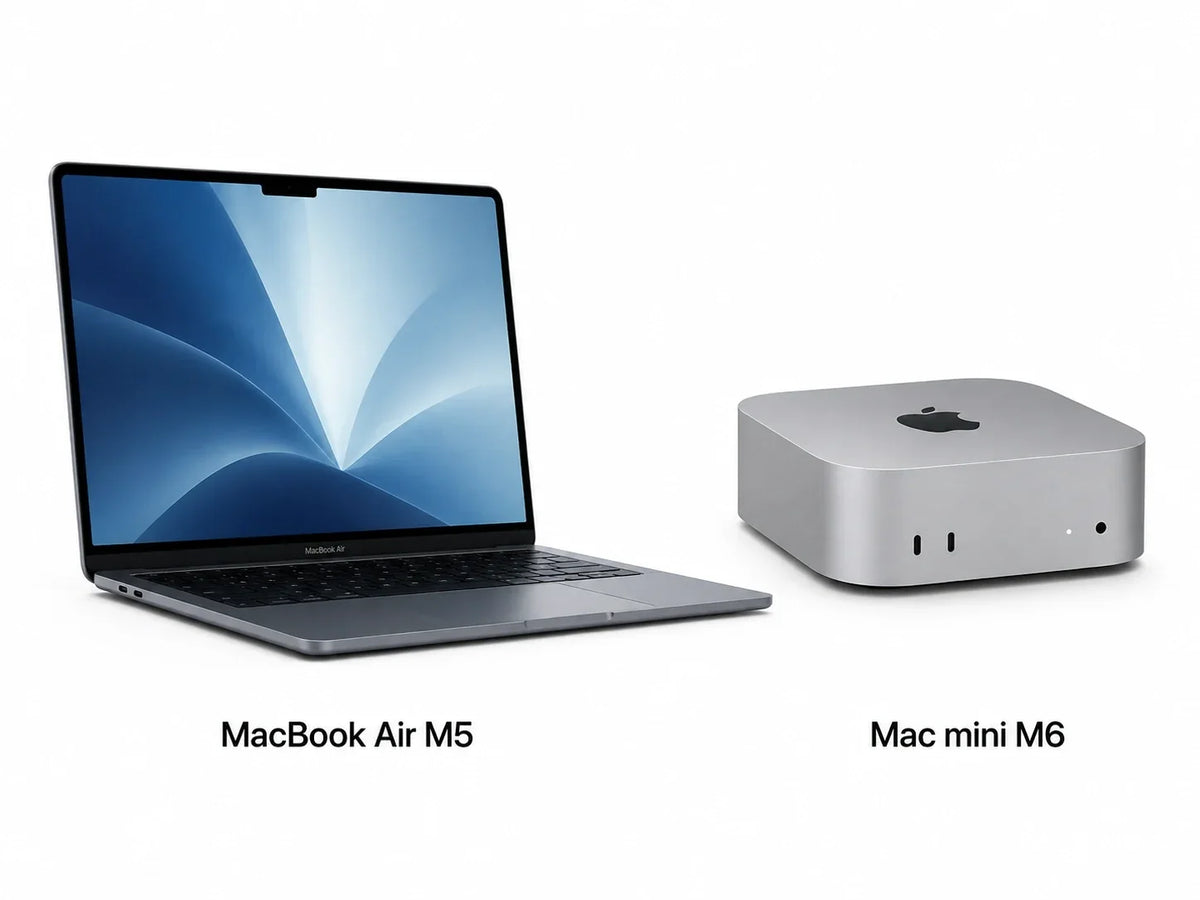
The M6 Mac mini is the best new Mac under $1,000 if you already own a monitor, keyboard and mouse. Its $899 base model gives you 16GB of unified memory and much newer desktop performance than any similarly priced MacBook.
If you need portability, the smarter complete computer is the 13-inch M5 MacBook Air. It starts at $1,099, but eligible students and educators can buy it for $999. A new MacBook Pro starts at $1,999, so it should not be part of a strict $1,000 shortlist.
“What is the best Mac I can buy for $1,000?” sounds like a simple price question. It is really a question about what is already on your desk.
A Mac mini gives nearly the entire budget to the computer. A MacBook Air also includes a display, battery, keyboard, trackpad, camera, microphones and speakers. That difference changes which model is the better value.

Recommended for Mac mini
ZEERA MacFrost Pro: 30W Thermoelectric Active Cooler + Aluminum Stand for Mac Mini M6, M5 Pro & M4
Built for sustained workloads, the ZEERA MacFrost Pro combines a 30W thermoelectric active cooler with a CNC aluminum stand to give Mac mini more thermal headroom while improving airflow underneath. It is designed for demanding tasks such as long video exports, local AI workloads, 3D rendering and large code builds.
Shop NowWhich Mac Is the Best Buy for $1,000?
| Mac | Starting price | Base memory / storage | Fits $1,000? | Best for |
|---|---|---|---|---|
| M6 Mac mini | $899 $799 education |
16GB / 256GB | Yes | Best performance value and permanent desk setups |
| 13-inch M5 MacBook Air | $1,099 $999 education |
16GB / 512GB | Education price only | Students, travel and one-computer users |
| 14-inch M5 MacBook Pro | $1,999 | 16GB / 1TB | No | Professional workflows with a much larger budget |
These are U.S. starting prices. Apple lists the M6 Mac mini at $899, while the 13-inch M5 MacBook Air starts at $1,099 or $999 with education pricing. Apple’s current 14-inch MacBook Pro begins at $1,999.
Why the M6 Mac mini Is Our Best-Value Pick
The $899 M6 Mac mini is the only current, brand-new consumer Mac that fits comfortably below $1,000 at regular Apple pricing.
Its base configuration includes a 12-core CPU, 12-core GPU, 16GB of unified memory and a 256GB SSD. Apple also gives it three Thunderbolt 4 ports, HDMI, 2.5Gb Ethernet, Wi-Fi 7 and Bluetooth 6.
For home-office work, web development, schoolwork, photo editing, coding and occasional 4K video, the 16GB model is the strongest performance-per-dollar choice in this comparison.
The desktop design also avoids the fanless thermal limits of the MacBook Air during long exports, builds and other sustained workloads. It can remain connected to multiple displays and external storage without turning a laptop into a permanent docked machine.
The catch: the $899 model has only 256GB of internal storage. It is a good purchase if most of your files live in the cloud or if you are comfortable adding a fast external SSD later.
When the M5 MacBook Air Is Worth More Than the M6 Mac mini
Choose the 13-inch M5 MacBook Air when the computer must travel with you—or when you do not already own the accessories a desktop needs.
The Air includes a 13.6-inch display, up to 18 hours of battery life, a 12MP Center Stage camera, keyboard, trackpad, speakers and microphones. Its base 512GB SSD is also twice the capacity of the entry M6 Mac mini.
That makes the $1,099 retail price easier to justify than the $200 difference suggests. A monitor, webcam, keyboard and mouse can quickly push an $899 Mac mini setup beyond the price of the Air.
If you qualify for Apple’s $999 education price, the M5 MacBook Air is the best complete Mac at the $1,000 mark. It is the model we would recommend to a student, frequent traveler or first-time Mac buyer who owns no desktop accessories.
Should You Buy a MacBook Pro for $1,000?
Not new. The current 14-inch MacBook Pro starts at $1,999, which is double this budget.
A used or refurbished Apple-silicon MacBook Pro can occasionally fall near $1,000. Its 120Hz Liquid Retina XDR display, active cooling, extra ports and better sustained performance may suit video editors or developers.
However, buying an older Pro simply because it says “Pro” is usually a poor trade. You may give up warranty coverage, battery health and several years of useful life for features your workflow does not need.
If you consider a used MacBook Pro, avoid Intel models. Check the battery cycle count, Activation Lock status, warranty, return window and whether the Mac is tied to company device management before paying.
What Does a $1,000 Mac Setup Really Cost?
Buy the M6 Mac mini for $899. Keep the remaining $101 for a cable, hub or future external storage.
Buy the 13-inch M5 MacBook Air for $999 if portability matters. Choose the $799 Mac mini if desktop performance matters more.
Look for an authorized-retailer sale or Apple Certified Refurbished MacBook Air. Otherwise, save another $99 for the new M5 Air.
The M6 Mac mini is the better budget starting point. Save for more memory if your workload routinely exceeds 16GB.
Is 16GB of Memory Enough?
Yes for most buyers with a $1,000 ceiling. Sixteen gigabytes is suitable for browsing, Microsoft Office, coding, schoolwork, light photo editing and moderate multitasking.
Choose 24GB or 32GB only if you regularly use large local AI models, complex development environments, high-resolution video timelines or memory-heavy creative apps. Those upgrades move the Mac mini beyond this article’s strict budget.
Do not reduce memory below 16GB to chase an older bargain. Storage can be expanded externally; unified memory cannot be upgraded after purchase.
Is 256GB Enough on the M6 Mac mini?
It is enough for macOS, core applications and a cloud-first workflow, but it is not generous. Photos, games, local AI models and video files can fill it quickly.
If your $1,000 budget is firm, buy the 256GB model only when you already have external storage or can add it later. If you can spend more, the 512GB configuration is a more comfortable long-term choice.
Final Recommendation: Which Mac Should You Buy?
Buy the M6 Mac mini with 16GB memory and 256GB storage if you already have a desk setup. At $899, it is the best new Mac for performance and connectivity under $1,000.
Buy the 13-inch M5 MacBook Air if you need portability. The $999 education configuration is the standout all-in-one choice; at regular pricing, spending the extra $99 is still more sensible than building a desktop setup you do not want.
Skip the MacBook Pro at this budget. Save for the current model or buy a carefully inspected Apple-silicon refurbished unit only when its display, ports and active cooling directly benefit your work.
FAQ
What is the best Mac under $1,000 in 2026?
The M6 Mac mini is the best new Mac under $1,000 for buyers who already own a monitor, keyboard and mouse. It starts at $899 with 16GB of unified memory.
Can I buy a new MacBook Air for under $1,000?
Eligible students and educators can buy the 13-inch M5 MacBook Air for $999. Its regular U.S. starting price is $1,099.
Is the M6 Mac mini better than the M5 MacBook Air?
The M6 Mac mini offers better desktop value and newer performance. The M5 MacBook Air is better when you need a built-in display, battery and portability.
Does the Mac mini come with a keyboard and monitor?
No. The Mac mini includes the computer and power cord, so you must supply a display, keyboard and pointing device.
Is it worth buying a used MacBook Pro for $1,000?
Only if it is a recent Apple-silicon model in excellent condition and you need its ProMotion display, ports or active cooling. Avoid Intel models and verify battery health, Activation Lock and device-management status.
Should I buy 16GB or 24GB of memory?
Choose 16GB for general work and a strict $1,000 budget. Choose 24GB for heavier creative work, development or local AI if you can spend more.









