
Updated: September 2026
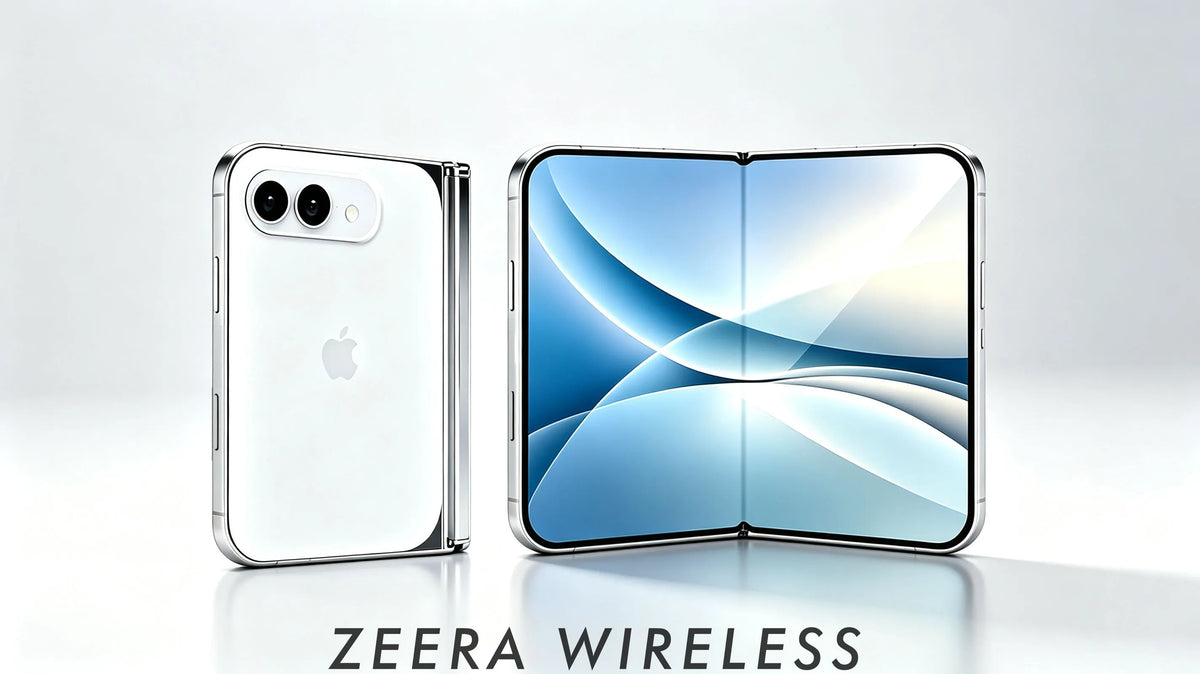
Note: Apple’s first foldable iPhone is iPhone Duo. This guide retains iPhone Ultra, iPhone Fold and foldable iPhone where relevant because these remain common search terms and may appear in older links, product URLs and coverage.
If you have only used regular iPhones before, moving to iPhone Duo will involve more than learning how to open and close a foldable screen.
The flexible inner display, hinge, folded thickness, case design, MagSafe position and potential repair costs may all change how you carry, protect and charge your iPhone.
That does not automatically make iPhone Duo too fragile for everyday use. It simply means that you should decide whether the foldable experience fits your habits before choosing it over an iPhone 18 Pro or iPhone 18 Pro Max.

Important: iPhone Duo is now official. However, always confirm final compatibility, service pricing and accessory fit from Apple and the accessory maker before buying.
Quick Answer: Is iPhone Duo Worth Buying?
If iPhone Duo is your first foldable iPhone, the main question is whether its larger inner display is useful enough to justify a thicker folded body, different protection needs and potentially higher repair costs.
You should avoid removing the inner protective layer, keep sand and small debris away from the folding display, choose a properly fitted iPhone Duo case and confirm whether your MagSafe charger physically fits the new design.
If you regularly multitask, read, watch video or work while travelling, iPhone Duo could offer something an iPhone 18 Pro cannot. If you mainly want a lighter, simpler and more familiar phone, the iPhone 18 Pro or Pro Max may remain the better purchase.
Here are the 10 things first-time foldable buyers should understand before ordering iPhone Duo.
1. Decide Whether You Will Actually Use the Foldable Display
The first question is not whether iPhone Duo looks exciting. It is whether you will regularly use the larger inner display.
A book-style foldable provides two different ways to use the same phone. The outer cover screen handles quick tasks, while the larger inner display is intended for activities that benefit from additional space.
What the cover screen is likely to be best for
- Checking messages and notifications
- Answering calls
- Changing music
- Using Apple Pay
- Following quick navigation directions
- Taking a fast photo
What the inner display could be best for
- Reading websites, books and long documents
- Writing and answering email
- Reviewing photos on a larger canvas
- Watching video while travelling
- Running two apps side by side
- Managing calendars, files and work tasks
The larger screen becomes meaningful when it replaces some of the situations in which you would normally reach for an iPad or laptop.
If you expect to leave iPhone Duo folded for 90% of the day, paying more for the flexible display may not improve your everyday experience. An iPhone 18 Pro or Pro Max would deliver a more familiar shape without the additional hinge, thickness and inner-screen considerations.
Before buying your first foldable phone, ask yourself one simple question:
What will I regularly do on the inner display that I cannot comfortably do on a normal iPhone?

2. The Inner Screen Is Different From an iPhone 18 Pro Display
The main display on an iPhone 18 Pro is a rigid screen protected by conventional cover glass. The inner display of a foldable iPhone must bend every time the phone opens and closes.
That difference affects how the screen is built and how it responds to pressure.
A flexible display may use multiple layers that work together, potentially including ultra-thin glass, polymer materials, adhesive layers and a factory-applied protective surface. Apple has not confirmed the final iPhone Duo display structure, so these details should not yet be treated as official specifications.
What buyers should understand is simpler: a folding display may be more sensitive to sharp objects and concentrated pressure than a rigid iPhone screen.
The goal is not to baby the phone. It is simply to avoid the kinds of pressure a conventional glass display normally tolerates better.
Will the iPhone Duo have a visible crease?
Apple is widely expected to reduce the visibility of the center crease, but “nearly crease-free” should not be confused with a guaranteed zero-crease display.
A flexible screen still needs to bend along the same area repeatedly. The fold line may be difficult to see from a straight angle but become more noticeable under side lighting, on dark backgrounds or when you run a finger across the center.
A subtle crease does not automatically make the display defective. The more important questions are whether it interferes with reading, touch input or long-term durability.
For a deeper explanation, read How Visible Will the iPhone Duo Crease Be? What “Nearly Crease-Free” Really Means.
3. The Inner Screen Is Different From a Regular iPhone Screen
A regular iPhone uses a rigid glass display. A foldable inner screen must bend repeatedly, so its display structure is more complex and uses flexible layers.
If Apple adds a factory-applied protective layer to the iPhone Duo inner display, do not assume it is the same as a normal removable screen protector.
Do not peel it off, add tempered glass or apply a third-party film unless Apple confirms it is safe.
If the inner layer starts to bubble or lift, contact Apple or an authorized service provider.
The outer display is different and can generally be protected more like a conventional smartphone screen.
Read our complete guide: Does the iPhone Duo Need a Screen Protector? Inner vs Outer Display Protection Explained.
4. Dust, Sand and Pocket Pressure Require New Habits
Small particles matter more when two flexible display surfaces close toward each other.
A grain of sand that means almost nothing to a normal iPhone can become a concentrated pressure point if it is trapped between the two halves of a folding screen.
This does not mean you need to inspect the phone every time you close it. It means you should be more careful in environments where debris is likely to enter the display or hinge area.
Situations that deserve extra attention
- Using the phone at a beach
- Working around dust, metal fragments or construction materials
- Keeping the phone in a bag with crumbs or loose objects
- Carrying it in a pocket filled with lint
- Placing it beside keys, coins or tools
If visible debris lands on the inner screen, remove it gently before closing the phone. Do not press the two halves together in an attempt to flatten the object.
Can you keep iPhone Duo in a back pocket?
A back pocket is not the best place for any expensive phone, but sitting on a foldable can introduce pressure across the hinge, frame and flexible display.
The folded body will also be thicker than a conventional iPhone. A front pocket or dedicated compartment in a bag is usually a more sensible choice.
You do not need to treat iPhone Duo as a museum piece. A few practical changes—keeping the inside clean, avoiding sharp objects and not sitting on it—address most everyday pressure risks.

5. The Hinge Becomes a New Protection Decision
Regular iPhone users normally think about protecting four areas: the corners, back, cameras and screen edges.
With iPhone Duo, the hinge becomes another protection zone.
The hinge allows the phone to open into a larger display, but it also adds moving parts and another edge that can contact the ground during a drop.
That creates a new case-buying decision: do you prefer a thinner case with an exposed hinge, or a larger case that covers the hinge?
| iPhone Duo Case Type | Main Advantage | Trade-Off |
|---|---|---|
| Slim case | Less bulk and easier pocket carry | The hinge may remain exposed |
| Hinge-protection case | More complete scratch and impact coverage | Thicker when the phone is folded |
| Frameless case | Preserves more of the original design | Less edge and structural protection |
| MagSafe case | Supports magnetic chargers, mounts and stands | Magnetic ring alignment must be accurate |
A slim iPhone Duo case may suit careful users who prioritize the folded size. A full-cover hinge case may make more sense for frequent travellers, commuters and anyone concerned about drops.
Neither option is automatically correct for everyone. The best iPhone Duo case is the one that matches how you actually carry and use the phone.
See Does iPhone Duo Need Hinge Protection? for a more detailed comparison.
6. Foldable Cases Work Differently From Regular iPhone Cases
Most iPhone 18 Pro cases use a single shell that wraps around one rigid body. A foldable iPhone case has to protect two moving halves without interfering with the phone as it opens and closes.
That can require a front frame, rear shell, hinge clearance and adhesive strips that prevent thin sections of the case from sliding.
Do not choose an iPhone Duo case from appearance alone.
What to check before buying an iPhone Duo case
- Full opening: The case should allow the phone to unfold normally.
- Hinge clearance: Case edges should not scrape or press against the hinge.
- Outer-screen access: The front frame should not block gestures or reduce usable screen space.
- Case stability: Thin front pieces should not slide during normal use.
- Camera clearance: Raised protection should not obstruct the lenses or flash.
- MagSafe alignment: The magnetic ring must match the actual charging-coil position.
- Wireless charging: Thick hinge parts, stands or accessories should not interfere with the charging area.
- Folded comfort: The combined phone and case should still feel comfortable in your hand and pocket.
Some foldable cases use adhesive strips to hold the front frame in place. That is not necessarily a design flaw, but buyers should understand whether those strips are reusable and whether replacements are included.
Integrated features can also reduce the number of separate accessories you need. Depending on your habits, you may prefer an iPhone Duo case with a camera kickstand, wrist strap, built-in stylus, tempered-glass outer-screen protector or full hinge cover.
Wait for final device dimensions before assuming that a case designed around an early dummy unit will fit the retail iPhone Duo perfectly.

7. MagSafe and Wireless Charging May Feel Different
A regular iPhone has one fixed physical shape. A foldable iPhone has at least two: folded and unfolded.
That distinction matters for magnetic charging stands, car mounts, power banks and other MagSafe accessories.
Current reporting indicates that iPhone Duo is likely to support MagSafe, but Apple has not yet confirmed the final implementation. Even if the phone supports MagSafe or Qi2, electrical compatibility does not guarantee that every existing accessory will fit comfortably.
Will an old MagSafe charger work with iPhone Duo?
Many existing MagSafe or Qi2 chargers may remain usable, but the real experience will depend on the coil position, body width, camera placement and case thickness.
A small magnetic charging puck has fewer physical restrictions than a stand with a fixed base. A charger designed around the dimensions of a normal iPhone may not leave enough space around a shorter, wider foldable body.
Can iPhone Duo charge while folded?
Charging while folded is likely to be the most practical position because the phone forms a compact and stable shape. Final charging direction and coil placement still need official confirmation.
Can iPhone Duo charge while unfolded?
It may be technically possible, but stability could vary between chargers. The larger unfolded body changes the phone’s balance and may place additional leverage on a vertical magnetic stand.
Will a MagSafe car mount hold iPhone Duo?
A car mount must do more than activate wireless charging. It must hold the combined weight of the phone and case during braking, turning and driving on uneven roads.
Check the magnetic strength, case alignment, vent-mount stability and whether the phone is intended to remain folded while mounted.
Should you buy an iPhone Duo charger before launch?
You can continue using a suitable USB-C PD power adapter. However, it is sensible to wait for final compatibility information before buying a form-fitting stand, case, wallet or fixed magnetic mount specifically for iPhone Duo.
8. Heat and Battery Life Still Matter on a Foldable iPhone
A foldable design does not automatically mean iPhone Duo will overheat. It is still a smartphone, and the familiar sources of heat will continue to matter.
- Wireless charging
- Gaming
- Video recording
- 5G cellular activity
- High screen brightness
- GPS navigation
- Wireless CarPlay
- Direct sunlight
The larger inner display may also consume more power than the outer screen, particularly at high brightness. Multitasking or running demanding applications on the unfolded display can add further processing load.
That does not necessarily mean iPhone Duo will have poor battery life. Actual endurance will depend on battery capacity, display efficiency, software optimization and how often you use the larger screen.
Read iPhone Duo Battery Life: Does the Inner Display Drain Battery Faster? for a closer look at folded and unfolded use.
Why in-car charging deserves extra attention
Navigation, Wireless CarPlay, cellular data and a bright screen may all be active at the same time. Add wireless charging and a hot vehicle interior, and the phone may reduce charging power to manage its temperature.
This can explain why an iPhone sometimes says it is charging while the battery percentage rises slowly—or continues to fall during navigation.
Reducing unnecessary charging heat is a sensible habit for any expensive phone, especially one you plan to keep for several years. Active cooling cannot prevent every source of heat or guarantee battery health, but it can help address heat around the wireless charging surface.
9. Repair Cost and AppleCare Should Be Part of the Purchase Price
Most regular iPhone owners think primarily about a cracked front display, damaged back glass or camera repair.
A foldable adds several potentially complex areas:
- Outer cover display
- Flexible inner display
- Display layers and internal connections
- Hinge mechanism
- Two-part frame
- Rear glass and camera area
This does not prove that iPhone Duo will be unreliable. It means that the possible cost of an accident should be considered before purchase rather than after something breaks.
Think about total ownership cost
The real budget may include more than the price of the phone:
- iPhone Duo purchase price
- AppleCare coverage
- An iPhone Duo protective case
- Outer-screen protection
- A compatible MagSafe charger or car mount
- Possible out-of-warranty service
Apple has not published official iPhone Duo repair or AppleCare pricing. Any specific inner-screen or hinge repair estimate should therefore be treated as provisional.
If inner-display or hinge repair turns out to be significantly more expensive than service for an iPhone 18 Pro, AppleCare may matter more for iPhone Duo than it does for a conventional iPhone.
This is especially relevant if you regularly travel, work in dusty environments, carry your phone without a case or plan to keep it for several years.
Read our detailed analysis: iPhone Fold and iPhone Ultra Repair Cost: Could It Exceed $1,000?.
10. Compare iPhone Duo With iPhone 18 Pro Before Ordering
iPhone Duo should not automatically be considered better simply because it uses a newer form factor.
The best choice depends on whether you value a larger folding display more than simplicity, lower thickness and familiar everyday handling.
iPhone Duo may be better if you:
- Want a phone and mini-tablet in one device
- Regularly read long articles or documents
- Want more space for multitasking
- Watch video while travelling
- Frequently review photos or presentations
- Accept additional thickness when the phone is folded
- Are comfortable budgeting for stronger protection or AppleCare
iPhone 18 Pro may be better if you:
- Prefer a lighter conventional phone
- Want easier one-handed use
- Rarely need a tablet-sized screen
- Want simpler case and screen-protector choices
- Prefer a device with no moving hinge
- Are especially concerned about repair costs
iPhone 18 Pro Max may be better if you:
- Want a large display without a foldable screen
- Prioritize conventional battery life and handling
- Watch video but do not need two-app multitasking
- Want predictable MagSafe case and charger compatibility
- Do not want a thicker two-part body in your pocket
Do not buy iPhone Duo simply because it is Apple’s newest form factor. Buy it if the inner display solves a real daily need that an iPhone 18 Pro or Pro Max cannot.
For a specification-focused comparison, read iPhone 18 Pro vs iPhone Duo: Price, Size and Key Differences.
Regular iPhone vs First Foldable iPhone
| Buying Factor | iPhone 18 Pro / Pro Max | iPhone Duo |
|---|---|---|
| Main display | Rigid glass display | Outer screen and flexible inner display |
| Main advantage | Familiar smartphone experience | Phone and mini-tablet experience |
| Folded thickness | Conventional body | Likely thicker when closed |
| Screen crease | None | A subtle fold line may remain visible |
| Screen protector | Conventional replacement options | Inner protective layer requires more caution |
| Case design | Usually one-piece | Multi-part with hinge considerations |
| Dust and debris | Normal precautions | Avoid debris between inner surfaces |
| Moving parts | None | Hinge |
| MagSafe fit | Fixed geometry | Coil, case and folded geometry matter |
| Repair | Established service structure | Potentially more complex and expensive |
| Best for | Simple, familiar everyday use | Multitasking, reading and productivity |
Before You Buy iPhone Duo: First-Time Foldable Checklist
- Will I use the larger inner display every day?
- Am I comfortable carrying a thicker folded phone?
- Have I compared iPhone Duo with iPhone 18 Pro and Pro Max?
- Am I comfortable caring for a flexible inner display?
- Do I want a slim case or full hinge protection?
- Will my existing MagSafe charger physically fit?
- Do I need a new car mount or foldable charging stand?
- Do I frequently charge my iPhone in a hot car?
- Have I budgeted for a case, outer-screen protection and AppleCare?
- Am I comfortable with potentially higher repair costs?
ZEERA Verdict: Should Your First Foldable Be iPhone Duo?
iPhone Duo could be a worthwhile first foldable if you genuinely want a larger screen for reading, video, travel, multitasking or work but still want to carry only one device.
Its biggest benefit should not be that it folds. It should be what the phone allows you to do after you unfold it.
At the same time, first-time buyers should be comfortable with a different inner-screen structure, a hinge, greater folded thickness, more specialized cases and potentially higher repair costs.
If those trade-offs feel reasonable and the inner display would become part of your daily routine, iPhone Duo may offer the most significant change to the iPhone experience in years.
If you mainly use your phone for messages, calls, social media, photography and short videos, an iPhone 18 Pro or Pro Max could still be the more practical purchase.
The best decision is not the newest shape. It is the iPhone that fits how you actually use it.
FAQ
Are foldable phones good for first-time buyers?
Yes, if the buyer understands that the flexible inner screen, hinge, case design and carrying habits differ from a regular smartphone. A foldable is most worthwhile when the larger display will be used regularly rather than only during the first few weeks.
Is iPhone Duo worth buying over iPhone 18 Pro?
iPhone Duo may be worth buying if you want a phone that can open into a mini-tablet for reading, video and multitasking. The iPhone 18 Pro may be better if you prioritize lighter weight, familiar handling and simpler protection.
Is iPhone Duo more fragile than a normal iPhone?
It will have a more complex structure because it includes a flexible inner display and a hinge. That does not automatically make it unsuitable for daily use, but concentrated pressure, trapped debris and hinge impacts may require more attention.
Can dust or sand damage iPhone Duo?
Small debris could create a pressure point if it becomes trapped between the two halves of the inner display. Buyers who visit beaches or work in dusty environments should check the folding screen before closing it.
Can I keep iPhone Duo in my back pocket?
It is better to avoid sitting on a foldable phone. Pressure from a back pocket can affect the frame, hinge and flexible display, and the thicker folded body may also be uncomfortable.
Should I remove the iPhone Duo inner screen protector?
Do not remove a factory-applied inner protective layer unless Apple explicitly says it is user-removable. If it lifts or bubbles, contact Apple or an authorized service provider instead of peeling it off yourself.
Does iPhone Duo need a hinge-protection case?
Not every buyer will need one. A slim case may suit careful users who prioritize portability, while a hinge-protection case may be better for frequent travel, demanding environments or users concerned about drops.
Will my current MagSafe charger work with iPhone Duo?
Many MagSafe and Qi2 chargers may remain electrically compatible, but physical fit will depend on the final charging-coil position, phone dimensions, camera placement and case thickness. Wait for official compatibility details before replacing your current charger.
Should I buy AppleCare for iPhone Duo?
AppleCare may be particularly valuable if out-of-warranty inner-screen or hinge repairs are expensive. Compare the official AppleCare price, service fees and repair prices after Apple publishes them.
Related Articles
- Does the iPhone Duo Need a Screen Protector?
- Does iPhone Duo Need Hinge Protection?
- How Visible Will the iPhone Duo Crease Be?
- iPhone Duo Repair Cost: Could It Exceed $1,000?
- iPhone Duo Battery Life: Inner vs Outer Screen
- 5 Best iPhone Fold and iPhone Ultra Cases
- iPhone 18 Pro vs iPhone Duo: Which Should You Buy?
- 5 Common iPhone Duo Problems and How to Fix Them






