Quick Answer
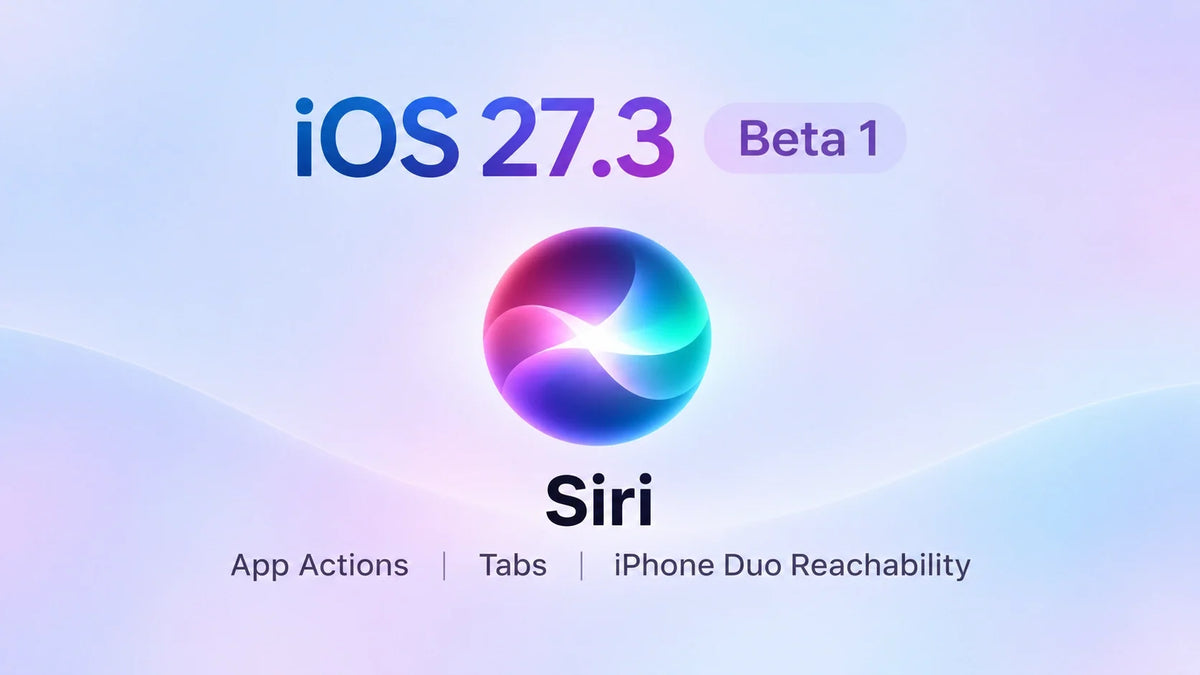
iOS 27.3 Beta 1 brings new Siri app actions, Safari vertical tabs and Adaptive Dark Mode, a returning Health redesign, and Reachability for iPhone Duo in the supplied hands-on walkthrough.
Apple lists the developer beta as build 24C5037i, released November 3, 2026.
The video reports a download near 25GB on both iPhone Duo and iPhone 17 Pro; check the size shown on your own device.
Duo owners have the clearest usability changes to explore, while updated StandBy faces also reach conventional iPhones.
This is the first developer beta. For a phone you depend on, waiting for more testing is the practical choice.
iOS 27.3 Beta 1: Build and Download Size
Apple's developer release listing identifies iOS 27.3 Beta 1 as 24C5037i. In Fernando's video, Apple Just Dropped a MASSIVE Update! iOS 27.3 Beta 1 (What's New), the download approaches 25GB on both test phones. He recommends leaving 35–40GB free for installation.
That free-space figure is his preparation advice, rather than a fixed requirement for every iPhone. Before downloading, check Settings → General → iPhone Storage and the size displayed in Software Update.
Siri Can Carry Out More App Actions
The most useful Siri change is the ability to complete tasks inside apps. The walkthrough demonstrates several concrete requests rather than just asking Siri to open an application.
What the video demonstrates
- Apple Music: create a named playlist, ready for songs to be added.
- Safari: create a tab group around a particular website.
- Messages: schedule a message after confirming the time and sending action.
- Journal: create an entry combining a written description with recent photos.
The Journal example also shows a meaningful limit: Siri creates the entry but selects different photos from the ones the presenter intended. Check the chosen content and recipient before confirming an action.
Apple's November 3 developer announcement resolves the video's question about third-party access: developers can integrate app content and actions through App Intents in a new preview. This is an early integration program, not instant support in every installed app.
Apple names 15 apps across its platforms, including Calendar, Files, Finder, Journal, Mail, Maps, Messages, Music, Notes, Photos, Preview, Reminders, Safari, Shortcuts and Weather. Finder belongs to macOS; the list is not 15 iPhone apps.
Language and region availability
Apple lists English, French, Japanese, Korean, Portuguese and Spanish, with Traditional Chinese, Norwegian, Turkish and Vietnamese coming soon. Siri AI requires a compatible Apple Intelligence device and supported language; Apple's announcement says it is currently unavailable in the EU on iOS, iPadOS and watchOS.
Safari Adds Vertical Tabs and Adaptive Dark Mode
Vertical tabs on the Duo inner screen
The video shows separate Safari layout choices for the outer and inner displays. For the inner display, selecting Vertical moves tabs into a left-side strip of website icons. Expanding the sidebar reveals more page information.
To try the demonstrated layout, open Settings → Apps → Safari and look for the inner-display tab options. A side strip makes switching among many tabs easier to scan, although it also uses some horizontal page space.
Dark pages when a site has no dark theme
Safari's Adaptive Dark Mode applies a dark appearance to a site that does not supply one itself. The walkthrough shows a preview and confirmation step, so you can judge the result before keeping it. This changes the page's appearance; it does not add missing website features. For layout problems, see our iPhone Duo Safari desktop-mode guide.
iPhone Duo Gets Horizontal Reachability
Reachability is the most practical change for people who struggle to reach across Duo. Instead of only lowering the top of a tall iPhone interface, the demonstration shows content shifting sideways toward the user's hand.
How to try the gesture shown in the video
- Open Settings → Accessibility → Touch.
- Turn on Reachability.
- Use a short swipe near the display edge to bring distant controls closer.
- Select the control you need, then return to the normal view.
The presenter demonstrates the outer screen and a smaller, non-optimized app window on the inner display. That second example is narrower than moving every full-screen Duo app. Our earlier Duo one-handed-use guide covers the launch omission and other ways to reduce stretching.
The Redesigned Health App Returns
The Health interface seen earlier in the iOS 27.2 beta cycle returns in this walkthrough. The presenter shows a For You view, sections for sleep, readiness, fitness, heart rate, vitals and longevity, plus Quick Log and Browse. He also switches between the Duo's open and closed displays to show how the layout adapts.
Expanded Health language support
The video lists Simplified Chinese, Traditional Chinese, French, Japanese, Korean, Norwegian, Portuguese, Spanish, Turkish and Vietnamese. This is the Health language list; Siri's rollout follows its own availability schedule.
Updated StandBy Faces Reach Regular iPhones
The walkthrough shows the richer StandBy editor on iPhone 17 Pro, extending the experience previously demonstrated on Duo. Changes include revised analog and digital clocks, more colors and complications, a Calendar face, an updated Photos face with Shared Albums, and multiple configurations you can swipe between.
The setup still depends on the phone
The iPhone 17 Pro demonstration uses charging and a landscape position to enter StandBy. Duo's ability to use StandBy without charging is a separate feature; bringing its face editor to other iPhones does not establish the same unplugged behavior. See our Duo StandBy and desk-setup guide for that distinction.
The video also points to Live Rewind and Siri Recap in the watchOS 27.3 testing cycle. Those are companion Apple Watch features, rather than extra iPhone StandBy modes.
Should You Install iOS 27.3 Beta 1?
For a daily phone: wait for more testing
The new controls are useful, especially on Duo, but a short walkthrough cannot establish long-term battery life or app reliability. Fernando notices the Duo becoming warm during his demonstration; that single observation does not establish a lasting thermal problem or a battery-life result.
For beta testers: prepare, then check your own workflow
Back up first, check available storage, and test the apps and accessories you rely on. Pay particular attention to Siri's chosen content, Safari layouts on both screens, and whether Reachability works in the apps you actually use.
Apple released corresponding platform betas on November 3, including iPadOS, macOS and watchOS 27.3. Its announcement is a developer-testing release, not a final iOS 27.3 public-release date. The video's estimate of roughly six to eight weeks remains the presenter's forecast.
FAQ
Does a 25GB download mean iOS permanently uses 25GB more storage?
The reported download size does not measure the net storage change after installation. The walkthrough does not provide a before-and-after system-storage comparison, so use it to plan the download rather than calculate permanent space usage.
Is Reachability the same as restoring Display Zoom on Duo?
No. Reachability changes where controls sit so they are easier to reach; Display Zoom concerns interface scaling. A Reachability demonstration does not show that the missing Display Zoom menu has returned. Our Duo Display Zoom guide explains that separate issue.
Related Reading
- iPhone Duo one-handed use: Reachability and grip options
- iPhone Duo Safari: desktop mode and website layouts
- iPhone Duo StandBy: charging, screens and desk setup
- Made for iPhone Duo apps: compatibility and updates
- iPhone Duo Display Zoom: missing settings explained
Written November 4, 2026. Hands-on examples are drawn from the supplied Fernando video transcript; build details and Siri developer availability are linked to Apple's November 3 announcements above.