
Quick Answer
For the new touchscreen MacBook Pro with PROLED XDR, standard glass is the better default if you work indoors and want a crisp, punchy OLED image. Choose nano-texture if windows, overhead lights or outdoor work regularly put reflections over your content. Both finishes support the same touchscreen features; nano-texture is an anti-glare choice, not a faster-touch upgrade. Neither is fingerprint-proof, and both need occasional cleaning. For most buyers, the lighting around the screen matters more than how often they tap it.
Does Nano-Texture Make Touch Better?
Not in the way a faster touch sensor would. Apple builds the touch sensor into the PROLED XDR panel itself, rather than adding a separate touch layer on top. Scrolling, pinching, dragging and drawing are supported whether you select standard or nano-texture cover glass.
The glass changes how ambient light reaches your eyes; it does not change the touchscreen feature set. Apple has not published a touch-latency advantage or a measurable gesture-accuracy advantage for either finish. A different finger-on-glass feel is something to judge in person, not a reason to assume one model responds faster.
Fingerprints: Which Looks Cleaner After Touch?
This is the part of the buying decision that is easy to overestimate. Apple's technical specifications list a fingerprint-resistant oleophobic coating for PROLED XDR display glass. Nano-texture is listed separately as an optional finish; it should not be treated as a promise that oily fingerprints disappear.
Standard glass
Finger marks can be obvious against a dark, glossy image, especially with the screen off. The smooth surface is straightforward to wipe with a suitable soft cloth.
Nano-texture glass
The reduced mirror effect may make certain marks less distracting in bright light, but skin oils can still leave visible smudges. The surface treatment does not remove the need to clean the screen.
For someone tapping menus all day, the practical question is not which finish is magically fingerprint-free. It is whether a sharp reflection or an oily-looking smudge bothers you more, and how easily you can control the room's lighting.
Glare: Where Nano-Texture Has a Real Advantage
Apple already puts an antireflective coating on the standard PROLED XDR glass. The optional nano-texture surface is etched into the cover glass to scatter reflected light further. That makes a strong case for people working opposite large windows, beneath ceiling spotlights or at outdoor tables.
The easiest way to understand the difference:
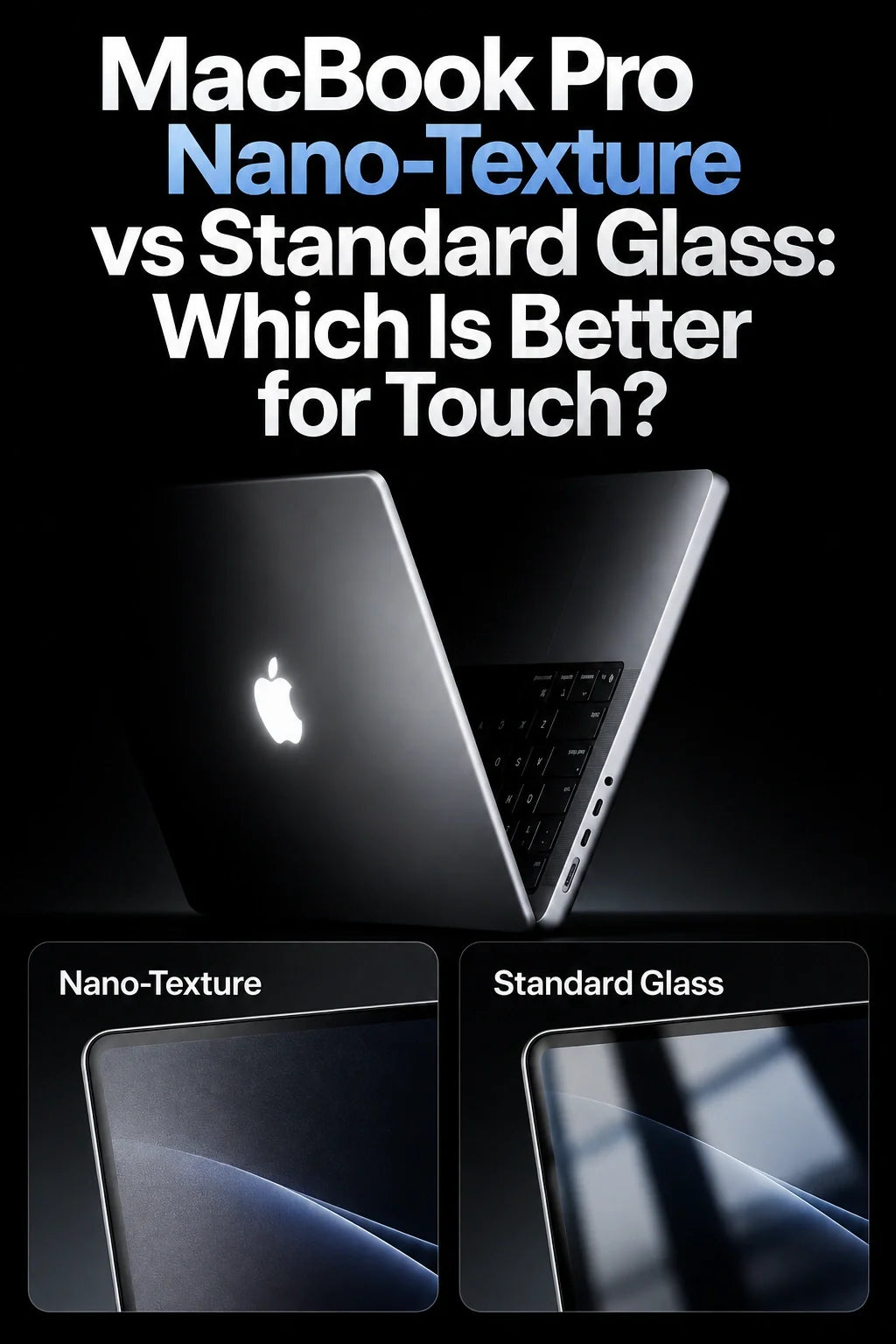
Standard glass: You may see a recognizable window, lamp or your own face reflected across a dark image.
Nano-texture: That distinct reflection is dispersed, making the content easier to follow in challenging light, although ambient light is not eliminated.
For a traveling designer reviewing a photo in a bright café, reduced glare may matter more than the slight change in surface appearance. At a desk with adjustable blinds, standard glass may already control reflections well enough.
Does Nano-Texture Take Away the OLED Look?
Both versions have the same underlying tandem OLED PROLED XDR panel. Apple rates it at a 10,000,000:1 contrast ratio, up to 1,000 nits sustained full-screen brightness and up to 2,000 nits peak HDR or SDR brightness in specified conditions, along with P3 and Adobe RGB color support. Buying nano-texture does not mean moving to a different display technology or losing those listed panel specifications.
What can change is the perceived image. Under controlled, dim lighting, glossy standard glass tends to give a more direct-looking presentation of fine details, dark scenes and bright highlights. A light-scattering matte surface can make reflected light look more diffuse and may appear less glassy when both screens are viewed side by side. That is a visual preference, not an Apple-published figure showing lost color accuracy or lower pixel resolution.
Under an overhead light, the tradeoff can reverse: a vivid black area is not especially useful if a bright reflection covers it. Nano-texture can improve real-world visibility precisely where a glossy OLED screen becomes distracting.
How to Clean Standard and Nano-Texture Glass
Apple updated its nano-texture guidance in October 2026. You are not restricted to Apple's own polishing cloth: it also permits a clean microfiber cloth made for electronic displays, or a suitable cotton-and-elastane/spandex blend. For stubborn marks, Apple permits occasionally dampening the cloth with 70% isopropyl alcohol.
Simple cleaning routine
- Shut down the MacBook Pro and disconnect power before cleaning.
- For standard glass: gently wipe with a soft lint-free cloth lightly dampened with water, as Apple advises for Mac laptop screens.
- For nano-texture: start with a clean Apple Polishing Cloth or another cloth allowed under Apple's current nano-texture instructions.
- If a mark remains, use the approved occasional 70% IPA method on the cloth, not a spray aimed at the display. Avoid abrasives, excessive moisture and household cleaners.
If your polishing cloth becomes dirty, Apple's nano-texture instructions say to hand-wash it with dish soap and water, rinse thoroughly and let it air-dry for at least 24 hours. A clean cloth matters more than aggressive wiping.
Which Finish Should You Buy?
Pick standard glass if…
You mostly use your Mac at home or in a controllable office, love the glossy OLED presentation, prefer simple routine wiping, or rarely battle direct reflections.
Pick nano-texture if…
You regularly work beside windows, in bright studios, on trains or outdoors, and glare interrupts reading, photo work or touchscreen interaction.
One showroom comparison is worth more than a blanket recommendation. Open the same white document and detailed dark photo on both Macs at similar brightness, face them toward a strong light, then scroll and pinch on each. Also inspect the panels after a few touches. You will quickly learn whether glare reduction outweighs your preference for the standard OLED appearance.
FAQ
Can a matte screen protector replace nano-texture glass?
A matte film can reduce reflections on standard glass, but it adds its own outer surface, which can change clarity, finger feel and reflected light. It is not the same as Apple's etched glass. Check explicit compatibility with the new touchscreen MacBook Pro before fitting any protector; do not assume a previous-generation MacBook film fits correctly.
Is this the same display choice as the M6 MacBook Pro?
No. The new M6 MacBook Pro uses a Liquid Retina XDR display and also offers optional nano-texture, while the PROLED XDR MacBook Pro with Touch uses a tandem OLED panel with M5 Pro or M5 Max. This guide compares the two glass finishes on the OLED touchscreen model, not OLED against mini-LED.
Related Reading
Is the Touchscreen MacBook Pro Worth the Extra $400? · The New MacBook Pro With PROLED XDR: What Changed? · Why the OLED MacBook Pro Uses M5 Pro Instead of M6 · iPad mini 8 Nano-Texture vs Standard Glass
Apple references: PROLED XDR technical specifications; October 28 product announcement; nano-texture cleaning instructions; Mac cleaning instructions.






