
Quick Answer
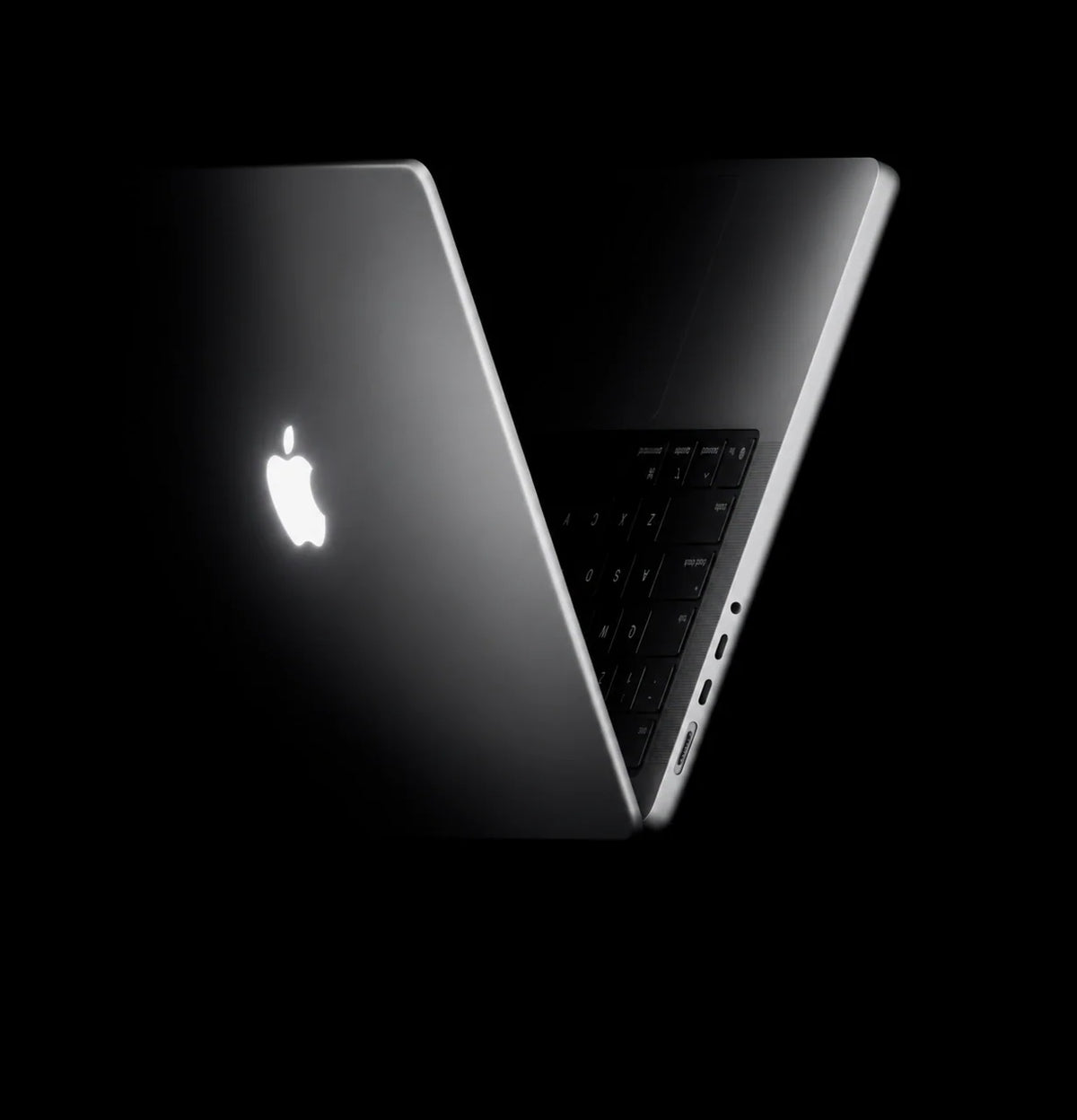
The glowing Apple logo is finally back, and Apple’s first touchscreen MacBook Pro is official. Announced on October 28, 2026, the MacBook Pro with PROLED XDR Display combines a tandem OLED touchscreen, Dynamic Island, M5 Pro or M5 Max, and a lighter design.
The display reaches up to 2,000 nits peak brightness, supports P3 and Adobe RGB, and adds direct gestures for scrolling, zooming, drawing and creative work. The 14-inch model starts at $2,899 in the U.S.; the 16-inch starts at $3,399. Pre-orders are open, with availability beginning November 6. The familiar lid logo may draw the first glance, but the screen changes how you use the Mac.
MacBook Pro PROLED XDR: Specs at a Glance
Models
14-inch and 16-inch; actual display diagonals are 14.2 and 16.3 inches.
Native resolution
14-inch: 3024 × 1986. 16-inch: 3472 × 2266. Both are rated at 254 pixels per inch.
Display technology
PROLED XDR with two self-emitting OLED layers and integrated Multi-Touch.
Peak brightness
Up to 2,000 nits for HDR and SDR content.
Sustained brightness
Up to 1,000 nits across the full screen.
Contrast & color
10,000,000:1 contrast; P3 and Adobe RGB wide color; True Tone.
Refresh rate
ProMotion with adaptive refresh rates from 10Hz to 120Hz.
M5 Pro
Up to an 18-core CPU, 20-core GPU and 64GB unified memory.
M5 Max
18-core CPU; up to a 40-core GPU and 128GB unified memory.
SSD storage
M5 Pro starts at 1TB; M5 Max starts at 2TB. Configurable up to 16TB with M5 Max.
Battery life
Video streaming: 14-inch up to 22 hours with M5 Pro or 20 with M5 Max; 16-inch up to 24 or 22 hours respectively.
Fast charging
14-inch: 96W or higher USB PD source. 16-inch: 140W or higher USB PD source.
Weight
From 3.0 lb for the 14-inch model and 4.0 lb for the 16-inch model; configuration affects weight.
Ports
Three Thunderbolt 5 ports, HDMI, SDXC, MagSafe 3 and a 3.5mm headphone jack.
External displays
Up to three with M5 Pro or four with M5 Max, subject to resolution and refresh rate.
Wireless
Wi-Fi 7 and Bluetooth 6.
Camera & audio
12MP Center Stage with Desk View; six speakers and a studio-quality three-mic array.
Software
macOS 27; Siri AI is available in beta in macOS 27.2, subject to language and region.
Design & finishes
Glowing Apple lid logo, slimmer display borders, Space Black or Silver; optional nano-texture glass.
Release date
Announced and available to pre-order October 28, 2026. Availability begins November 6, 2026.
M5 Pro prices · U.S.
14-inch from $2,899; 16-inch from $3,399.
M5 Max prices · U.S.
14-inch from $4,499; 16-inch from $4,799.
The Glowing Apple Logo Returns
Some Mac redesigns need a specification sheet to explain them. This one has a detail you can recognize across a room: the illuminated Apple logo on the lid. As 9to5Mac notes in its coverage of Apple’s launch film, the glowing logo returns with the new PROLED XDR model.
It gives a familiar identity to a much bigger change. Open the laptop and the redesign becomes practical: a touchscreen you can reach into, an OLED panel with individually controlled pixels, and a Dynamic Island that brings useful controls into the top of the display. The logo is the nostalgic part; the way you interact with your work is the real departure.
What Makes PROLED XDR Different?
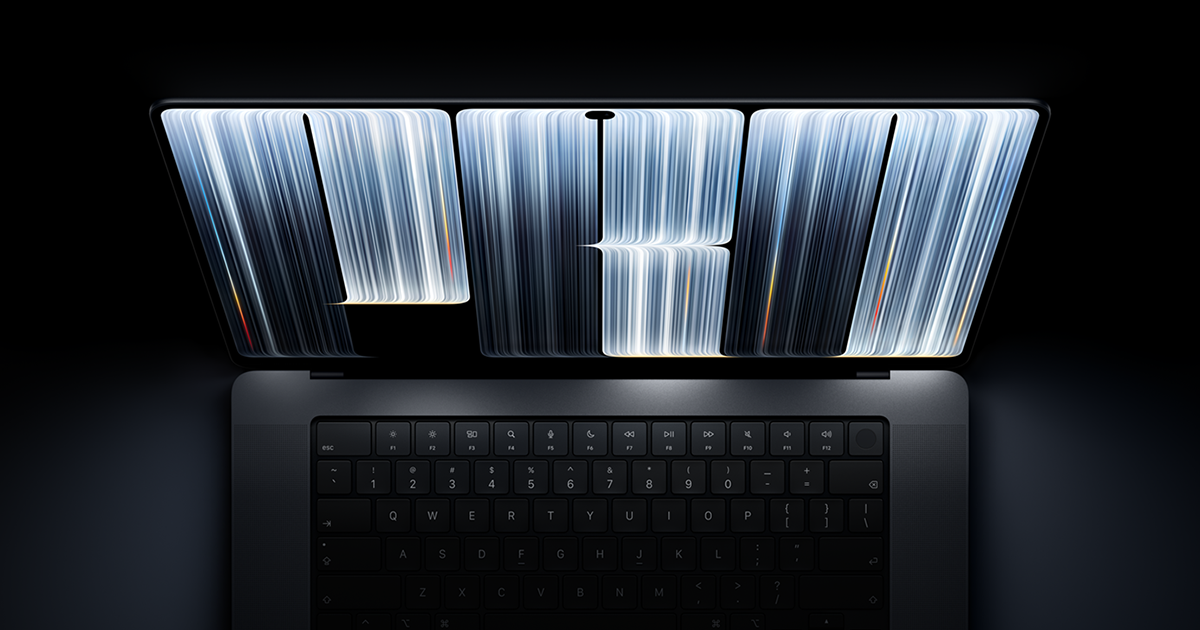
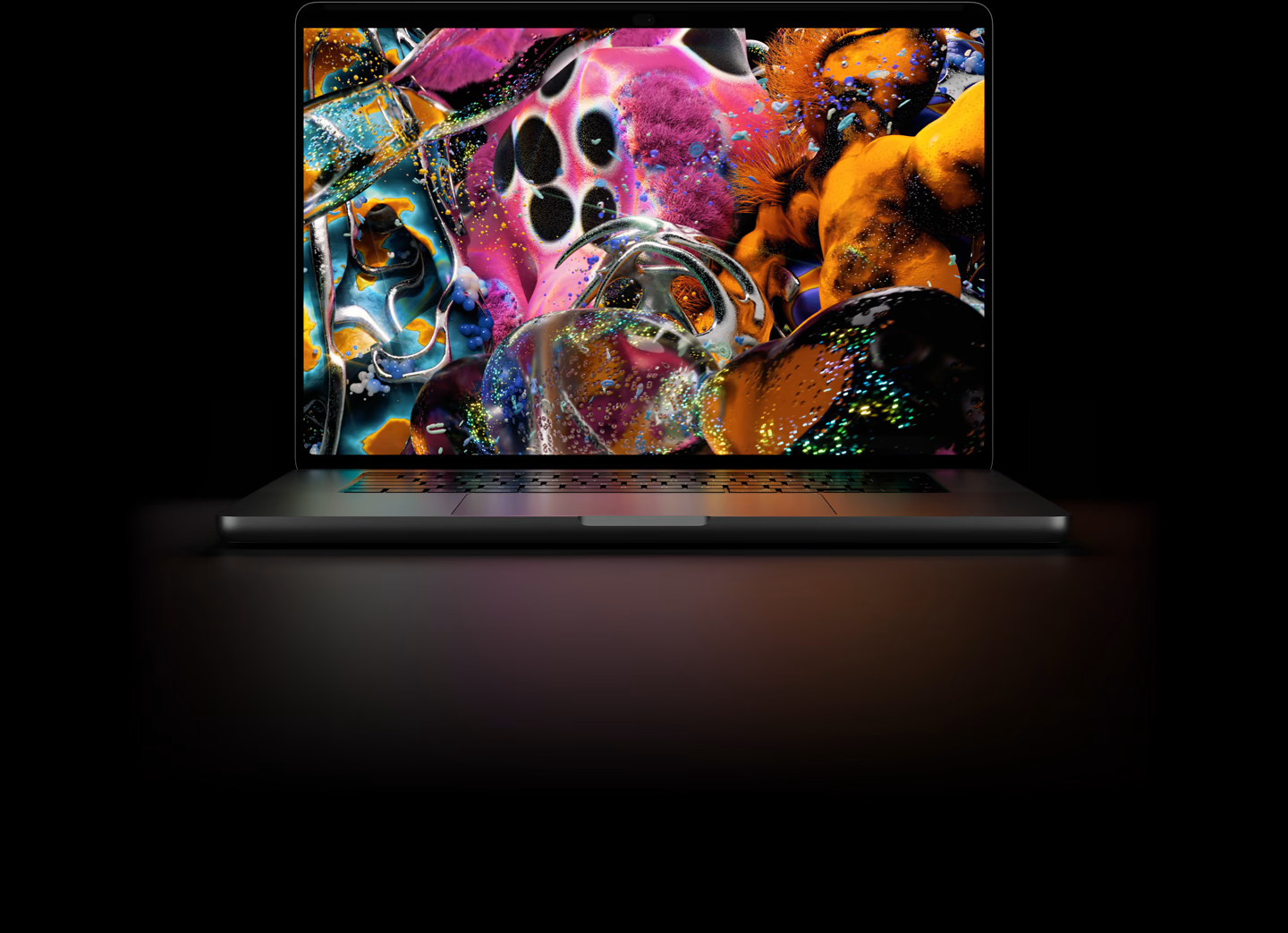
PROLED XDR is Apple’s name for the new tandem OLED laptop display. It combines two self-emitting pixel layers, so individual pixels can light up or switch off without a shared backlight. That matters when a bright highlight sits beside a dark background: the display can preserve the separation without the halos associated with backlit panels.
Brighter highlights, deeper shadows
Apple rates peak HDR and SDR brightness at up to 2,000 nits, with a 10,000,000:1 contrast ratio. For HDR video, this gives small, bright details more intensity while retaining dark-scene information. The sustained full-screen rating is up to 1,000 nits; the peak figure describes a different display condition.
P3 for video, Adobe RGB for print
The wider color support serves two different kinds of work. P3 is useful for video and screen content; Adobe RGB matters to photographers and designers preparing images for print. A wider gamut is most useful when the application, document and output workflow use the intended color space.
10–120Hz ProMotion
The adaptive refresh range can slow down for less active content and rise to 120Hz for motion. Scrolling, moving windows and direct touchscreen gestures benefit from the higher refresh rate without requiring every task to run at that rate continuously.
Glare control in bright spaces
An antireflective coating is standard, while optional nano-texture glass further reduces distracting reflections. It is a separate choice from chip or memory: consider it for the lighting where you actually work, especially near windows or outdoors.
Behind the panel, Apple’s display engine adjusts pixel color and luminance while accounting for content, temperature, environment and pixel use. It also tracks usage over time to help preserve image quality. For creators, the useful result is consistent brightness and shadow detail when moving between still images, fast footage and darker editing interfaces.
Touch Adds a New Way to Work
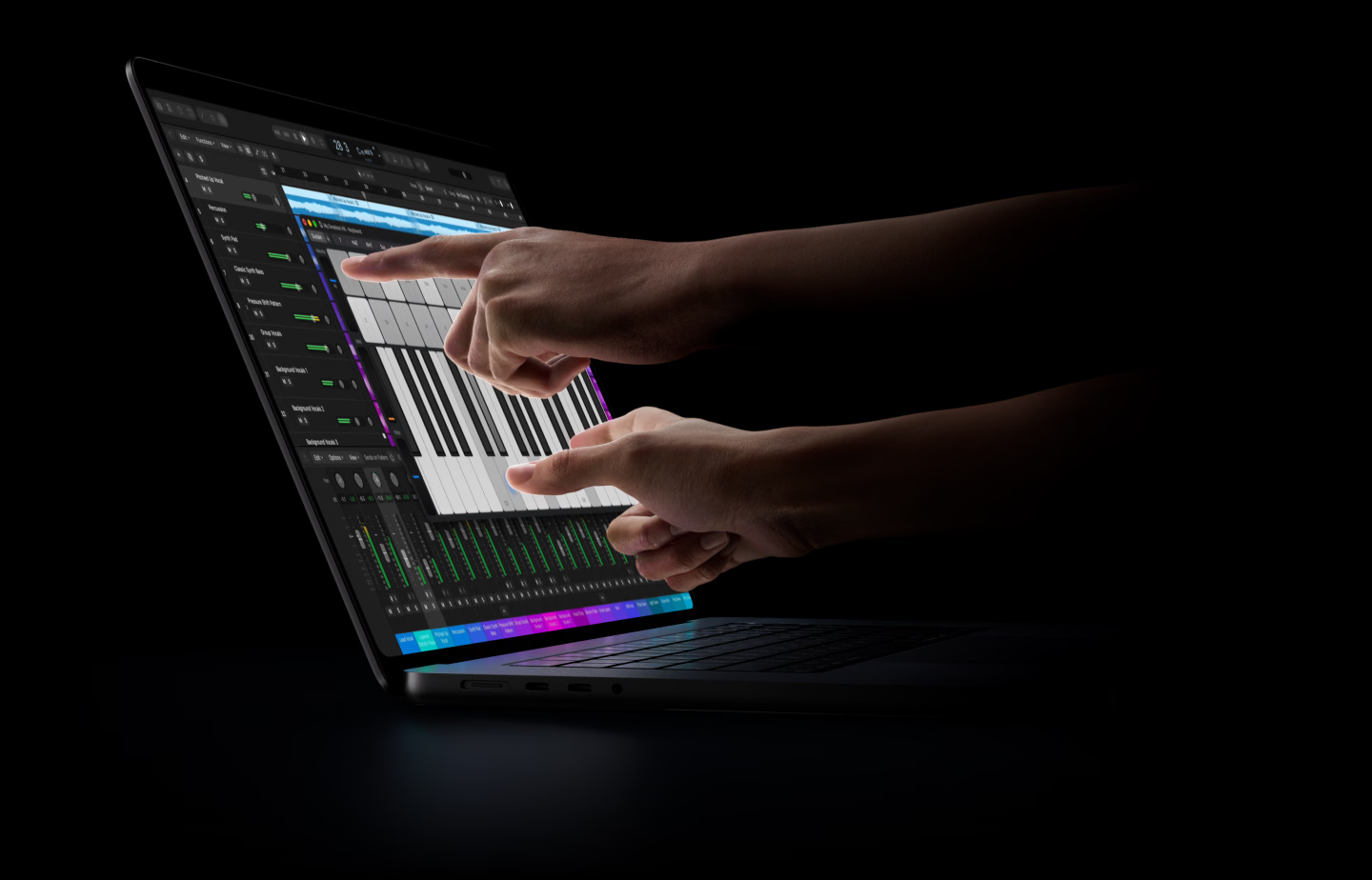
The touch sensor is built into the display panel. You can swipe through a document, pinch to inspect a photo, rotate content, draw or annotate onscreen, and move presentation slides directly. Window gestures extend that idea to the desktop: double-tap a window to fill the screen, or flick it into a tiled position.
The most useful moments are easy to picture. Reach into a 3D model to turn it, adjust a music fader with a finger, or zoom into an image at the exact point you want to inspect. Keyboard shortcuts and the trackpad remain available, so you can move between typing, precision pointer work and direct manipulation within the same project.
Photo, video and design
Onscreen interaction makes canvas work more direct. Pinch into a detailed area, move an object, or sketch an annotation where it belongs. Apple also describes Touch workflows in Final Cut Pro, Pixelmator Pro and Logic Pro, including clip placement, canvas interaction and onscreen instruments.
Music and development
Musicians can play virtual instruments and work with onscreen controls. Developers can test touch interaction in iOS and iPadOS apps directly on the MacBook Pro display, adding a practical use for the new input hardware beyond everyday gestures.
Apple says many existing apps can respond immediately because macOS translates touches into clicks; deeper third-party Touch experiences are scheduled for later this year. A redesigned hinge adds stability during screen interaction, and camera stabilization helps smooth the video feed when you touch the display during a call.
Dynamic Island Comes to the Mac
Dynamic Island turns the camera area into a place for ongoing activities and quick interactions. Music controls, incoming calls, AirDrop requests and delivery progress are the kinds of information you can check without switching away from your main task. Touch makes those controls directly accessible at the top of the screen.
It also provides a home for Spotlight and Siri AI. You can search for documents, apps, contacts or email, and use the assistant for questions or help with information on your Mac. Spotlight moves into Dynamic Island when Siri AI is available and enabled. Apple lists Siri AI as a macOS 27.2 beta feature, with availability depending on language and region.
M5 Pro and M5 Max Power the New Design
This touchscreen MacBook Pro uses M5 Pro or M5 Max. The separately announced 14-inch MacBook Pro with M6 remains part of the Liquid Retina XDR family. Choose by the display, processor tier and workload you need rather than assuming every new MacBook Pro has the same hardware.
M5 Pro: demanding everyday production
With up to an 18-core CPU, 20-core GPU and 64GB of unified memory, M5 Pro targets substantial development, photography, editing and engineering projects. Its 1TB starting SSD provides room for applications and active files, with larger configurations available.
M5 Max: heavier graphics and memory needs
M5 Max combines an 18-core CPU with up to a 40-core GPU and 128GB of unified memory. It is the tier to examine for complex 3D scenes, demanding visual effects and large local AI workloads. Storage starts at 2TB and can reach 16TB.
Both chips include GPU Neural Accelerators, hardware-accelerated ray tracing and Dynamic Caching. Apple highlights local AI apps such as LM Studio, image generation tools and video enhancement software. The useful configuration still depends on the size of your models and projects: memory capacity and GPU resources are separate reasons to choose a higher tier.
The redesigned thermal system supports sustained work in the lighter chassis. For readers who also keep a desktop Mac for long exports, our Mac mini case and cooling guide covers that separate workstation setup.
Lighter to Carry, Fully Equipped at Your Desk
The smaller display borders and lighter construction make a practical difference to a machine intended to travel. The 14-inch model starts at 3.0 pounds, while the 16-inch model starts at 4.0 pounds and expands its viewable diagonal to 16.3 inches. Space Black and Silver remain the finish choices.
Battery for time away from an outlet
The up-to-24-hour headline applies to video streaming on the 16-inch M5 Pro model. Wireless web ratings are lower, and long renders, games and local AI place different demands on the processor and display. Match the battery figure to the exact size, chip and task you are comparing.
Ports for cameras, storage and displays
Three Thunderbolt 5 ports support a demanding desk setup, while HDMI and SDXC keep common display and camera connections accessible. MagSafe 3 handles charging separately, leaving USB-C connections available for other devices. Wi-Fi 7 and Bluetooth 6 update the wireless side.
Calls and collaboration
The 12MP Center Stage camera keeps you framed as you move, while Desk View lets you share the workspace in front of you. The three-mic array supports clear voice capture, making the laptop useful for calls as well as recording ideas away from a studio.
A redesigned six-speaker system
Apple says the updated speaker system delivers 50 percent deeper bass and improved clarity. That should be especially welcome for reviewing edits, listening to music and watching films through the built-in speakers; it is Apple’s stated improvement rather than a listening-test result here.
Who Is This MacBook Pro For?
The strongest reason to choose the PROLED XDR model is that its screen changes your daily work. An HDR editor gains per-pixel contrast and brighter highlights. A photographer gets Adobe RGB support on a portable display. A designer or musician gains another way to manipulate the content directly. Frequent travelers also benefit from carrying less weight.
If your current Mac already finishes your work comfortably, consider how often those display and Touch features would be useful before choosing a configuration. For a desk-first workflow with a separate monitor, our Mac mini, MacBook Air and MacBook Pro buying guide provides another way to compare the setup.
The glowing logo gives this launch its emotional hook. PROLED XDR and Touch give it a practical one. The new MacBook Pro combines a familiar exterior signature with a much more direct way to work on a Mac.
FAQ
Can an older MacBook get touchscreen support through a macOS update?
The direct touchscreen experience depends on the sensor built into the PROLED XDR display. A software update cannot add that missing hardware to an older MacBook.
Does the touchscreen confirm Apple Pencil support?
The announced input features cover finger-based Multi-Touch, drawing and annotation. Apple Pencil compatibility remains unconfirmed, so check accessory support separately if stylus work is essential to you.
Sources
Apple product overview · Apple technical specifications · Apple launch announcement and U.S. pricing · Apple purchase page.
Related Reading
M6 MacBook Pro: official specifications, price and release date
Mac mini vs. MacBook Air and MacBook Pro: choosing your setup
Mac mini case guide: aluminum, airflow and SSD options
MacForge and MacFrost: two Mac mini accessory approaches
Building a Mac mini desk setup with a case, stand or cooler
Mac mini M6 desk setup: a compact Mac Pro-inspired workstation






