
Quick Answer
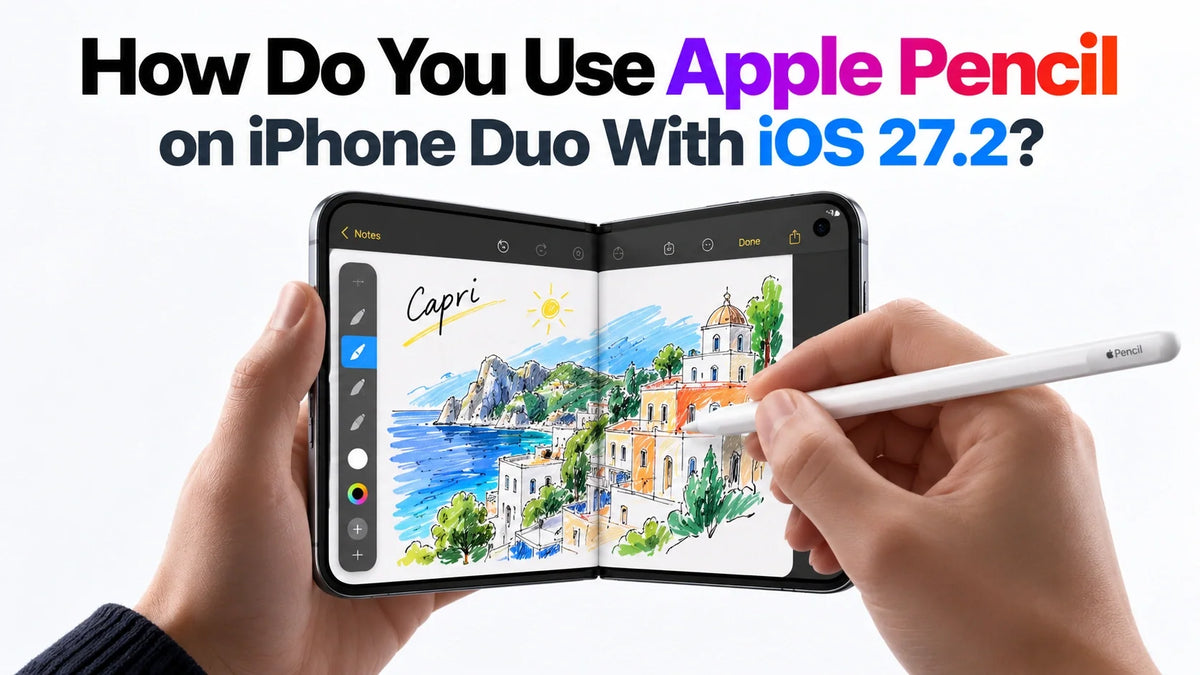
iOS 27.2 brings Apple Pencil support to iPhone Duo. Use Apple Pencil (USB-C), the compatible model.
Connect it to Duo with a USB-C cable, tap the connection prompt, then unplug it to write.
Both screens support Pencil input: the outer display for short notes and the inner display for more writing space.
It supports tilt sensitivity, but has no pressure sensitivity or Apple Pencil hover on Duo.
Does Apple Pencil Work on iPhone Duo Now?
Yes. The Verge reported on October 26, 2026 that Apple released iOS 27.2 with Pencil support. You can now use the public update instead of installing a Release Candidate.
Apple lists iPhone Duo under Apple Pencil (USB-C) compatibility. Apple Pencil Pro and the first- and second-generation models are incompatible. For the model differences, see our iPhone Duo Apple Pencil compatibility guide.
How to Connect Apple Pencil to iPhone Duo
- Update Duo. Open Settings → General → Software Update and install iOS 27.2 or a later available release. Back up the phone first.
- Enable Bluetooth. Check Settings → Bluetooth.
- Connect the cable. Slide open the Pencil’s end to expose its USB-C port. Connect a USB-C cable between the Pencil and Duo.
- Accept the prompt. Tap “Tap to Connect”, then disconnect the cable after pairing.
- Try a writing tool. Open a note or document, select its pen or Markup tool, and make a short stroke.
Apple’s pairing and charging instructions cover iPhone Duo. The Pencil charges while connected by cable; you can also charge it using a USB-C power adapter. A MagSafe phone charger does not charge this Pencil.
Can You Write on Both iPhone Duo Screens?
Apple’s Duo technical specifications list USB-C Pencil support under features shared by both displays. Choose the screen that gives your task enough space.
Outer screen: a quick note or small annotation
The 5.4-inch display is the practical place for a brief reminder or a small mark on a document when you want to keep the phone closed.
Inner screen: longer handwriting and page review
Open the 7.6-inch display for a sketch, several lines of handwriting, or a PDF page that needs more room. The larger canvas leaves more of your document visible around the writing area.
Start with an app’s drawing or annotation tools. If a stroke scrolls the page instead of drawing, check that you have selected a pen tool before troubleshooting the connection.
What Are the Apple Pencil Limits on iPhone Duo?
- No pressure sensitivity. Pressing harder does not give you pressure-controlled brush strokes. Select line thickness in the app instead.
- Tilt sensitivity is supported. Apps can use the Pencil’s angle for effects such as shading.
- No hover on Duo. You do not get a hovering preview above either display.
- No Pencil Pro controls. Squeeze, barrel roll and haptic feedback belong to the incompatible Pro model.
These differences make the USB-C Pencil useful for handwriting and document markup, while pressure-sensitive illustration remains a reason to consider a compatible iPad and Pencil combination. Apple’s Pencil feature comparison explains the hardware differences, and its Duo FAQ confirms the hover limitation.
Why Is Apple Pencil Not Working After Updating?
Reconnect after a restart or device switch
Apple says the USB-C Pencil needs pairing again after you restart Duo, turn off Bluetooth, or pair the Pencil with another compatible device. Reconnect the cable and accept the prompt.
Check power and the cable connection
Let the Pencil charge, then try connecting again. If there is no prompt, reseat both cable ends and try another compatible USB-C cable. Check that the cable plugs fully into the phone.
Separate an app problem from a pairing problem
Try a blank note with its drawing tool selected. If writing works there but fails in another app, update that app and check its pen settings before repeatedly pairing the Pencil.
What Else Does iOS 27.2 Add for Duo?
The update also adds Edge Light, which uses the screen to illuminate your face during video calls. It is separate from Pencil input and does not change the stylus requirements.
FAQ
Does iOS 27.2 make Apple Pencil work on iPhone 18 Pro?
No. Duo is the iPhone listed in Apple’s USB-C Pencil compatibility information. Installing the same iOS version does not add Pencil support to an unlisted iPhone.
Will Apple Pencil fit a case with an included stylus?
A slot made for a case’s included pen may not fit Apple Pencil. Confirm the holder’s dimensions separately from electronic compatibility. Our Duo stylus-holder case guide explains that distinction.
Related Guides
- iPhone Duo Apple Pencil: compatibility and features
- Apple Pencil model compatibility and the original Duo announcement
- iPhone Duo cases with stylus holders
- iPhone Duo case guides: protection, materials and accessory fit
- Duo inner-screen scratch test: pencil hardness explained
- Explore ZEERA iPhone Duo cases






