
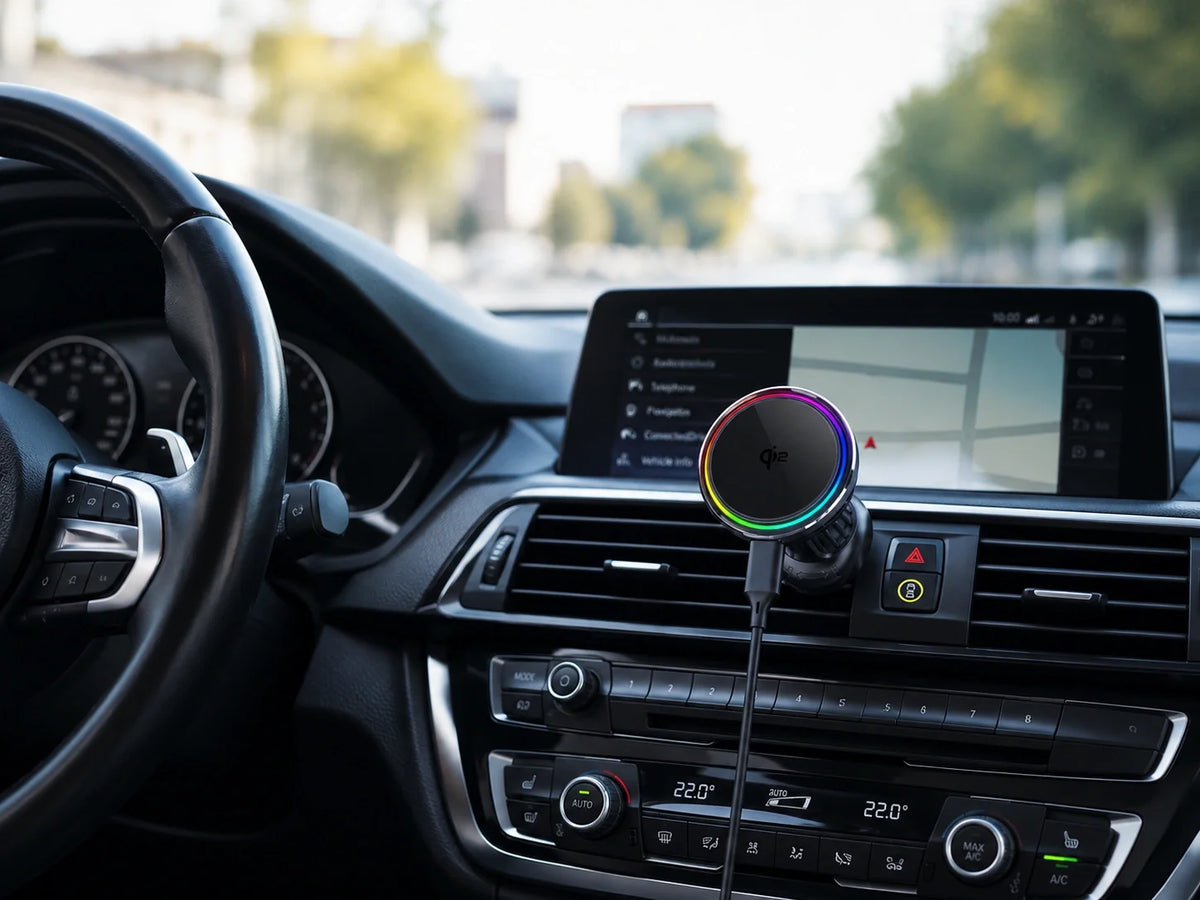
Quick Answer
Yes, but orientation matters. ZEERA SuVolt Gen5 supports iPhone Duo folded or unfolded in portrait mode.
Folded: fully supported for secure mounting during GPS navigation with a correctly installed, compatible setup.
Unfolded portrait: supported; check clearance and stability with your exact case and mounting location.
Unfolded landscape: not recommended. SuVolt Gen5 cannot securely support the opened phone in this orientation.
Use a compatible MagSafe case and keep the charging face clear. These limits are specific to SuVolt Gen5, not a promise about every magnetic car mount.
What does “MagSafe compatible” mean for an iPhone Duo car mount?
A magnetic connection, wireless charging and secure support are three separate requirements. A charger can attach and display a charging indicator without being suitable for every unfolded position. For an iPhone Duo MagSafe car mount, ask about the phone's physical orientation—not just whether the magnets connect.
The case is part of that connection. Choose an explicitly MagSafe-compatible model or configuration with a clear, properly aligned rear charging area. The collection below contains different case types; not every case or variant shown supports magnetic car mounting. A wallet, grip or stand alone does not establish compatibility.
Published October 15, 2026. The folded/portrait/landscape support statement comes from ZEERA's product compatibility guidance for SuVolt Gen5. This is a buying and setup guide, not an independent road test or a universal load rating.
SuVolt Gen5 compatibility: folded vs. unfolded portrait vs. landscape
Folded iPhone Duo: fully supported
SuVolt Gen5 can securely hold the folded phone during GPS navigation when the mount is installed correctly and the case provides a suitable magnetic connection. This is the practical default for everyday driving, especially when you already use the vehicle's display for navigation.
Unfolded iPhone Duo in portrait: supported
The opened phone is supported in portrait orientation. Before relying on that setup, check that the larger display clears the dashboard, controls and steering area without obstructing your view. The base, joint and phone-to-mount connection must all remain stable.
Unfolded iPhone Duo in landscape: not recommended
Do not buy SuVolt Gen5 expecting it to securely hold the unfolded phone sideways. This orientation is outside ZEERA's recommended support. If unfolded landscape is essential, look for a holder whose manufacturer explicitly supports that configuration and your vehicle installation.
Portrait and landscape here describe the physical position of the opened phone. Rotating a map on screen does not change the mounting hardware's support limits.
Why does an unfolded phone need a separate support check?
The weight stays the same; the load distribution changes
Unfolding does not make the phone heavier. It moves part of the body farther from the rear attachment area. Depending on orientation, that can change the turning force on the magnetic connection and ball joint. This is a mechanical explanation, not a measured diagnosis of a specific failure.
A rotatable mount is not an all-orientation rating
Being able to rotate a charging head does not prove it can hold every phone in every position. Likewise, a case's landscape desk stand supports the phone differently from a rear magnetic car mount. Neither feature overrides SuVolt Gen5's unfolded-landscape restriction.
A stationary attachment check also cannot reproduce every road condition. Do not use a successful parked check as permission to try an unsupported configuration while driving.
Which MagSafe iPhone Duo case should you pair with SuVolt Gen5?
Start with the case features you need away from the car, then confirm a flat, unobstructed connection to the mount. The following options offer MagSafe functionality, but none changes the mount's supported orientations.
FoldArmor Pro: integrated outer-screen protection
Consider FoldArmor Pro if you want MagSafe, hinge coverage and an integrated outer-screen protector in one case. Close its stand before mounting and check that no raised part prevents full contact.
FoldFlex Pro: a grip for everyday handling
Its Kickstand with Integrated Finger Strap adds a finger hold and a built-in ring stand. Let the silicone strap retract and fold the ring flat before attaching a compatible charger. Do not mount through an extended strap or open stand.
FoldPivot Pro: an integrated rotating stand
Choose FoldPivot Pro if you also want a rotating stand for everyday viewing. Return its built-in ring to the flat, closed position before mounting. A 360° case stand is not approval for unfolded landscape use on SuVolt Gen5.
FoldAero Pro: a slim case with an optional detachable ring
FoldAero Pro offers an aramid-fiber MagSafe case with an optional matching magnetic ring stand. Remove that accessory before attaching the case directly to the car charger. Do not sandwich a removable ring between the phone and mount.
For a broader feature comparison, see our ZEERA iPhone Duo case comparison. Do not assume a fixed-wallet case or a non-MagSafe variant will work simply because another case in the same collection does.
Will the vent mount fit your car?
- Vent structure: confirm that the hook and supports can attach as instructed. Stop if the vent slats flex, the base shifts or the assembly cannot tighten correctly.
- Joint stability: make sure the viewing angle stays set without drooping. Do not overtighten components to compensate for a poor fit.
- Clearance: check the entire opened phone, not only the charging head. Keep controls, visibility and airbag deployment areas clear.
- Alternative base: check the optional suction-cup mounting configuration if the vent is unsuitable. A different base does not automatically approve unfolded landscape use.
Phone compatibility does not guarantee fit in every vehicle. If uncertain, send ZEERA your car's year and model, a photo of the proposed mounting location, and the case you plan to use before ordering.
Does a secure magnetic hold guarantee fast wireless charging?
No. Holding the phone and delivering wireless power are separate checks. SuVolt Gen5 is offered in Qi2 15W and upgraded Qi2.2 25W versions, with active cooling; actual power depends on the phone, power supply and operating conditions. Check the selected version rather than assuming every configuration delivers 25W.
Keep the charging path clear
Remove detachable wallets and ring accessories. Retract straps, close built-in stands, and check that the camera surround or hinge cover does not hold the charging face away from the case. Confirm the charging indicator after attachment.
Active cooling helps manage charging heat; it does not strengthen the magnetic connection or override the phone's thermal protection. Apple notes that heat can slow or pause charging. See Apple's temperature guidance.
If you use CarPlay, keep the two systems separate: a magnetic car charger does not add CarPlay to the vehicle. Our iPhone Duo CarPlay guide covers the connection question.
What should you check before your first drive?
- Install while parked. Follow the mount's instructions and confirm that the base and joint are secure.
- Prepare the case. Clear the rear charging area and put moving accessories in their mounting position.
- Start folded. Support the phone by hand as you attach it; verify full contact, alignment and charging.
- If using the inner display, choose portrait. Remove the phone, open it in your hands and reattach it while supported. Avoid using the mounted hinge as a lever.
- Check clearance and unwanted movement. Do not proceed if the phone slips, the joint droops or the base moves. A parked check is not a road-safety certification.
- Set navigation before moving. Do not unfold, rotate or readjust the phone while driving. Pull over safely before changing the setup.
Buying verdict: is SuVolt Gen5 right for your iPhone Duo?
Choose it for folded GPS navigation or supported unfolded portrait use, provided the exact case and mounting location fit correctly.
Choose a different, explicitly supported holder if unfolded landscape is your main requirement. Do not buy on magnetic strength or rotation claims alone.
Related iPhone Duo guides
- iPhone Duo car mounts: MagSafe, Qi2 and active cooling explained
- iPhone Duo CarPlay: wired, wireless and mounting setup
- Compare ZEERA iPhone Duo cases by everyday use
- Ring, grip strap or built-in stand: which should you choose?
- Why some MagSafe wallets and battery packs may not fit
- iPhone Duo case buying guide: slimness, wallets and hinge protection
Sources and compatibility scope
The orientation limits in this article are ZEERA's supplied SuVolt Gen5 compatibility guidance, current for this article on October 15, 2026. Product features were checked against the listings below. Mechanical explanations and buying recommendations are editorial guidance; no magnetic-force, vibration, braking or temperature measurements are claimed. The conclusions do not certify every car, case or third-party mount.
- ZEERA SuVolt Gen5: versions, mounting hardware and case guidance
- ZEERA FoldArmor Pro product details
- ZEERA FoldFlex Pro: ring and strap charging position
- ZEERA FoldPivot Pro product details
- ZEERA FoldAero Pro: case and optional detachable ring
- Apple Support: temperature effects on iPhone charging
FAQ: iPhone Duo MagSafe car mounts
Does “supports iPhone Duo” include every unfolded position?
No. Ask for orientation-specific guidance. SuVolt Gen5 supports folded use and unfolded portrait, but not secure support for unfolded landscape. Do not generalize that statement to other mounts.
Will stronger case magnets make unfolded landscape supported?
No. A suitable MagSafe case helps the intended connection, but it does not override the complete mount's support limits. Extra rings or stacked magnetic accessories are not a substitute for an explicitly supported configuration.
Does the optional suction-cup base remove the landscape restriction?
Do not assume so. Changing the base addresses where the mount attaches; it does not establish a new orientation rating for the phone-to-charger connection. Keep the same unfolded-landscape restriction unless ZEERA explicitly confirms otherwise.
Can I use a MagSafe wallet between the phone and car charger?
Remove a detachable wallet and attach the charger directly to the compatible case. A wallet's magnets do not establish a secure mounting or wireless charging path. Fixed-wallet cases require their own compatibility check.
Should I keep iPhone Duo folded when using the car's navigation display?
That is the practical default when the vehicle display already shows your route. Opening the phone makes the mounted footprint larger without enlarging the car's screen. Confirm your CarPlay connection separately.
What information should I send before buying?
Send your car's year and model, a photo of the vent or mounting surface, the exact case, and whether you want folded or unfolded portrait use. If unfolded landscape is essential, state that requirement first.









