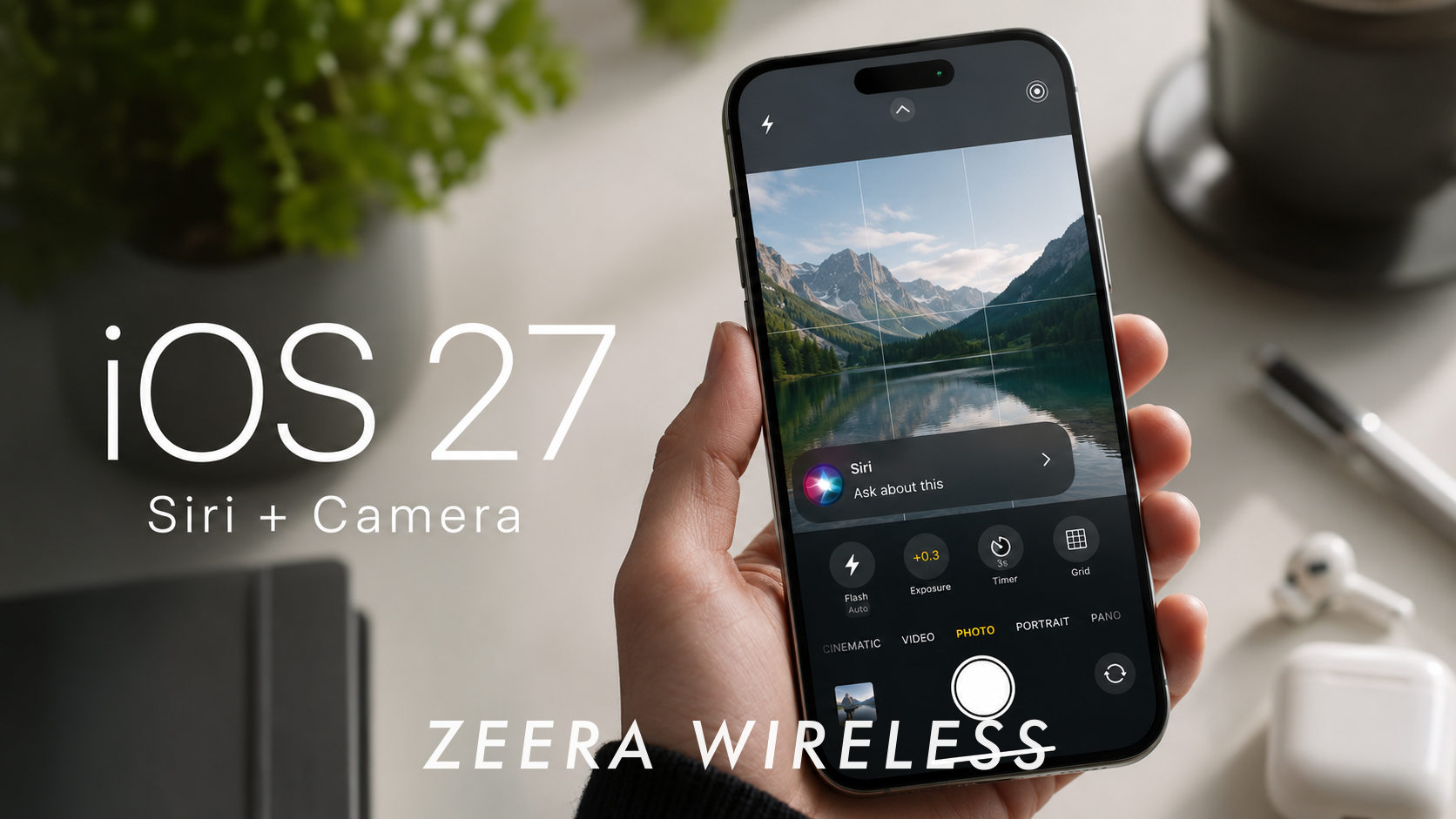
Apple aún no ha anunciado oficialmente iOS 27, pero el cambio más importante del que se rumorea puede ser la aplicación Cámara. Los informes sugieren que Apple está preparando una interfaz de cámara de iPhone más personalizable, diseños de control separados para diferentes modos de disparo y un nuevo Modo de Cámara Siri impulsado por Inteligencia Visual.
Si es preciso, esto no sería solo un rediseño visual. Podría cambiar la forma en que los usuarios toman fotos, graban videos, escanean objetos del mundo real e interactúan con Apple Intelligence a través de la cámara.
Para una visión general más amplia de la próxima gran actualización de software del iPhone de Apple, incluyendo el momento de su lanzamiento, las expectativas de compatibilidad y las principales características rumoreadas, lea nuestra guía completa de fecha de lanzamiento y características de iOS 27 .

Respuesta Rápida: ¿Qué podría cambiar en iOS 27?
Se rumorea que iOS 27 se centrará en una personalización más profunda y en experiencias más inteligentes a nivel de aplicación.
Los cambios más importantes reportados incluyen:
- Una interfaz de la aplicación Cámara más personalizable
- Diseños de control de Cámara separados para diferentes modos de disparo
- Un nuevo modo de Cámara Siri con funciones de Inteligencia Visual
- Una posible experiencia de búsqueda del sistema "Buscar o Preguntar"
- Una página de inicio de Safari rediseñada
- Un nuevo panel de Condiciones Meteorológicas
- Pequeñas actualizaciones de interfaz en las aplicaciones integradas de Apple
Lo más importante no es solo que Apple pueda cambiar el diseño. La historia más grande es que iOS 27 podría hacer que el iPhone se sienta más adaptable a cómo lo usan realmente las diferentes personas.
Serie de accesorios de aluminio ZEERA para Mac
Carcasa de aluminio CNC ZEERA MacForge Studio para Mac Studio
- Aluminio CNC
- Estilo Mac Pro
- Rejilla de refrigeración
- Ajuste sin herramientas
- Protector de estudio

Carcasa de aluminio CNC ZEERA MacForge Gen3 para Mac Mini
- Rejilla Mac Pro
- Chasis CNC
- Mejor flujo de aire
- Expansión SSD
- Puertos frontales

¿Qué está confirmado y qué sigue siendo rumor?
Antes de continuar, es importante separar la información confirmada de las características reportadas.
Apple ha confirmado que la WWDC26 tendrá lugar del 8 al 12 de junio de 2026. La compañía dice que los desarrolladores verán las últimas herramientas, marcos y características de Apple durante el evento.
Sin embargo, Apple aún no ha confirmado oficialmente las características de Cámara, Siri, Safari o Tiempo de iOS 27.
Los informes actuales sugieren que Apple podría estar trabajando en:
- Una aplicación de Cámara personalizable
- Nuevos widgets de control de la cámara
- Un modo de Cámara Siri
- Integración de Inteligencia Visual dentro de la Cámara
- Cambios en la página de inicio de Safari
- Un panel de Condiciones Meteorológicas
- Una experiencia de interacción con Siri rediseñada
- Una nueva interfaz de Buscar o Preguntar
Estas características pueden cambiar antes del lanzamiento. Algunas pueden aparecer en la primera beta de iOS 27, otras pueden llegar más tarde y algunas pueden estar limitadas a los modelos de iPhone más recientes.
Se espera que Apple presente sus próximas plataformas de software principales en la WWDC26, por lo que estos rumores probablemente se aclararán durante la vista previa de iOS 27 en la WWDC 2026.

Rediseño de la aplicación Cámara de iOS 27: Por qué es importante
La aplicación Cámara podría ser uno de los mayores cambios en iOS 27.
Según un informe de Bloomberg cubierto por MacRumors y 9to5Mac, Apple planea hacer que la aplicación Cámara del iPhone sea más personalizable, permitiendo a los usuarios elegir qué controles aparecen en la interfaz y dónde se colocan.
Eso sería un cambio importante para Apple.
Durante años, la aplicación Cámara del iPhone se ha centrado en la simplicidad. Esto tiene sentido para los usuarios ocasionales que solo quieren abrir la aplicación y tomar una foto rápidamente. Pero el iPhone ya no es solo una cámara de apuntar y disparar. Muchas personas ahora lo usan para fotos de viajes, videos cortos, fotos de productos, videos familiares, escaneo de documentos y creación de contenido móvil.
Una aplicación de cámara más personalizable podría ayudar a cerrar esa brecha. Apple podría mantener la disposición predeterminada simple para los usuarios cotidianos, al tiempo que ofrece a los usuarios más avanzados una disposición de control flexible cuando la necesiten.
Esta dirección de software también es importante porque se espera que los futuros iPhone Pro de Apple sigan avanzando en el hardware de la cámara. Para obtener más información sobre cómo los futuros cambios en la cámara pueden afectar la usabilidad y los accesorios, lea nuestro análisis de los rumores sobre la actualización de la cámara del iPhone 18 Pro.
Controles de cámara personalizados: qué podrían cambiar los usuarios
La parte más interesante de este rumor no es solo que la aplicación Cámara pueda tener un aspecto diferente. Es que los usuarios pueden tener más control sobre la interfaz de disparo.
Los informes sugieren que Apple podría añadir un diseño de control avanzado donde los usuarios puedan elegir entre diferentes widgets de Cámara. Estos controles pueden incluir herramientas para el flash, la exposición, el temporizador, la resolución, la cuadrícula, el nivel y otros ajustes de disparo. MacRumors también informa que los widgets predeterminados actuales pueden permanecer disponibles, mientras que Apple añade una opción más avanzada para los usuarios que desean más control.

Una forma sencilla de entender el cambio:
| Tipo de control | Posibles ejemplos | Por qué es importante |
|---|---|---|
| Controles básicos | Flash, temporizador, Live Photos | Disparo diario más rápido |
| Controles manuales | Exposición, profundidad, herramientas relacionadas con el enfoque | Más control para los creadores |
| Controles de configuración | Resolución, cuadrícula, nivel | Mejor calidad y composición |
Esto es importante porque no todos los usuarios de iPhone necesitan las mismas herramientas en pantalla.
Alguien que tome fotos familiares rápidas puede querer flash, temporizador y Live Photos. Un creador de videos puede estar más interesado en la resolución, la velocidad de fotogramas, la estabilización y la configuración del micrófono. Un viajero puede querer herramientas de cuadrícula y nivel para una composición más limpia.
Si iOS 27 permite a los usuarios crear un diseño de cámara en función de sus propios hábitos de disparo, la aplicación Cámara podría parecer menos una interfaz fija de Apple y más un espacio de trabajo de disparo personal.
Los controles de software son solo una parte del flujo de trabajo de la fotografía móvil. Para los usuarios que ya se preocupan por la exposición, la composición y el estilo de disparo, los accesorios físicos todavía pueden marcar la diferencia. Una configuración de filtro de clip como el sistema de filtro magnético ZEERA SnapLens ofrece a los usuarios actuales de iPhone Pro una forma más rápida de cambiar entre filtros UV, ND32, 1/4 Black Mist y CPL sin depender de estuches voluminosos o monturas de rosca. Se adapta naturalmente a la misma idea detrás del rumoreado rediseño de la cámara de iOS 27: menos configuración, control más rápido y disparo más flexible.


Diseños separados para los modos de foto, video y retrato
Uno de los detalles más útiles reportados es que los diferentes modos de la Cámara pueden tener sus propios diseños de control.
Eso importa más de lo que parece.
Los modos de Foto, Video y Retrato no requieren las mismas herramientas. Un usuario que toma fotos fijas puede querer acceso rápido a la exposición, el flash, la cuadrícula y los Estilos Fotográficos. Un usuario de video puede estar más interesado en la resolución, la velocidad de fotogramas, la estabilización y los ajustes relacionados con el micrófono. Los usuarios de Retrato pueden querer herramientas de profundidad, iluminación y composición más cerca del área de disparo principal.
Si iOS 27 permite que cada modo mantenga su propia configuración de control, la aplicación Cámara podría volverse más eficiente sin volverse abrumadora.
Esto sería especialmente útil para los usuarios que alternan entre fotos casuales y tomas más intencionales. En lugar de buscar en los menús o depender de un diseño fijo, los usuarios podrían tener una interfaz más limpia para cada modo de disparo.
Ese es el tipo de cambio de software que puede no parecer dramático en las capturas de pantalla, pero podría hacer que el iPhone se sienta más rápido en el uso real.
Por qué el control de la cámara con una sola mano podría ser importante
Otro cambio reportado es que algunos controles de la cámara podrían moverse más cerca del área del botón del obturador en lugar de permanecer en la esquina superior de la aplicación. MacRumors dice que la vista de control actual desde la parte superior derecha podría moverse más cerca de la derecha del botón del obturador, lo que podría hacer que ciertos controles sean más fáciles de alcanzar.
Este es un pequeño detalle, pero importa.
Muchas personas toman fotos con una sola mano. Eso podría significar disparar mientras viajan, grabar un video rápido, tomar fotos de niños o mascotas, o usar un iPhone Pro Max más grande donde los controles de la esquina superior son más difíciles de alcanzar.
Si Apple mueve más controles hacia la parte inferior de la interfaz, la aplicación Cámara podría sentirse más práctica en iPhones más grandes. Reduciría la necesidad de estirar el pulgar por la pantalla solo para cambiar una configuración.
Este es el tipo de cambio de diseño que encaja con la dirección general de usabilidad de Apple: no necesariamente añadir más complejidad, sino colocar herramientas importantes donde los usuarios puedan alcanzarlas.

El modo de cámara Siri podría convertir la cámara en una herramienta de entrada de IA
El rumoreado Modo de Cámara Siri puede ser aún más importante que el rediseño visual.
9to5Mac informó en abril que Apple está desarrollando un nuevo Modo de Cámara de Siri para iOS 27, diseñado para integrar la Inteligencia Visual más profundamente en la aplicación Cámara. MacRumors también informa que el nuevo modo de Siri incorporará funciones de Inteligencia Visual actualmente accesibles a través de atajos de Control de Cámara o Botón de Acción.
Este podría ser un paso importante para Apple Intelligence.
El futuro de la IA móvil no solo se trata de escribir preguntas en un chatbot. En un teléfono, la cámara es una de las herramientas de entrada de IA más naturales. Los usuarios no siempre quieren describir lo que ven. Es posible que quieran mostrar al iPhone un objeto, un letrero, un documento, un producto, un menú o un punto de referencia y hacer una pregunta directamente.
Un Modo de Cámara de Siri podría hacerlo más natural.
Los posibles casos de uso podrían incluir la identificación de objetos, la traducción de texto, la comprensión de señales, el escaneo de información de documentos, el reconocimiento de lugares o la formulación de preguntas sobre lo que aparece en la vista de la cámara.
La verdadera prueba será la velocidad y la simplicidad. Si el Modo de Cámara de Siri requiere demasiados toques, los usuarios podrían ignorarlo. Pero si Apple lo integra directamente en la aplicación Cámara de una manera que se sienta rápida, podría convertirse en una de las características más prácticas de Apple Intelligence en iOS 27.
Este rumoreado Modo de Cámara de Siri también encaja con el impulso más amplio de Apple para hacer de Siri algo más que un asistente de voz. Explicamos ese cambio más grande en nuestra guía sobre rumores de la aplicación Siri e inteligencia artificial de iOS 27.

Siri y Buscar o Preguntar: Apple podría replantear Spotlight
Siri también podría cambiar más allá de la aplicación Cámara.
Los informes sugieren que Apple está trabajando en un rediseño más amplio de Siri en iOS 27, posiblemente incluyendo la integración de Dynamic Island, resultados estilo tarjeta y una interfaz más conversacional. Apple también podría introducir una nueva experiencia de "Buscar o Preguntar" que amplía el funcionamiento de Spotlight.
Si es exacto, esto podría convertir la búsqueda del iPhone en algo más que una forma de encontrar aplicaciones, contactos y archivos. Podría convertirse en un punto de entrada a nivel de sistema para Siri, Apple Intelligence, datos de aplicaciones y respuestas de IA.
La pregunta clave es si Apple puede hacerlo más rápido y útil que la experiencia actual de Siri.
Sistema de filtros magnéticos para cámaras de iPhone
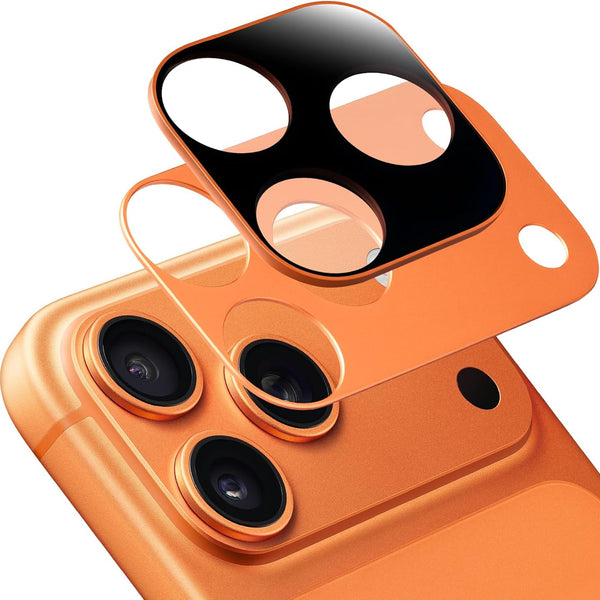
Sistema de Filtro Magnético ZEERA SnapLens
- Acoplamiento rápido
- Sin funda
- Sin tornillos
- 4 filtros
- Fotos profesionales
¿Qué iPhones podrían ser compatibles con el Modo de Cámara de Siri?
Apple aún no ha confirmado el Modo de Cámara de Siri para iOS 27. Si la función se basa en Apple Intelligence e Inteligencia Visual, es probable que funcione mejor en iPhones más nuevos, como la serie iPhone 17 y los modelos iPhone 16 Pro.
Los iPhones más antiguos aún podrían recibir la aplicación de Cámara rediseñada, pero es posible que no obtengan la experiencia completa del Modo de Cámara de Siri con IA. La diferencia clave es simple: la actualización de diseño podría basarse en software, mientras que el Modo de Cámara de Siri podría requerir hardware más nuevo para la comprensión visual en tiempo real.
Otros cambios de interfaz y aplicaciones de iOS 27 a tener en cuenta
Rediseño de Safari: Una página de inicio más limpia
El rediseño de Safari en iOS 27 podría centrarse en una página de inicio más limpia en lugar de una revisión importante del navegador.
Los informes sugieren que Apple podría actualizar Safari con cuatro pestañas principales: Favoritos, Marcadores, Lista de lectura e Historial. Esto podría facilitar la organización y el regreso a las páginas guardadas.
Para los usuarios que a menudo guardan artículos, revisan el historial de navegación o dependen de la Lista de lectura, la nueva página de inicio de Safari podría sentirse menos abarrotada y más útil en la navegación diaria.
Cambios en la aplicación del tiempo: un panel de condiciones más legible
La aplicación Tiempo de iOS 27 también podría volverse más fácil de escanear de un vistazo.
Los informes sugieren que Apple podría añadir un nuevo panel de Condiciones del Tiempo que permita a los usuarios cambiar entre información clave como la temperatura, la lluvia y el viento desde la interfaz principal.
Esta no es una característica principal, pero encaja con la dirección más amplia de iOS 27: hacer que las aplicaciones diarias de Apple sean más rápidas de leer, más fáciles de navegar y más útiles con menos toques.
Cambios menores en la interfaz de iOS 27 a observar
Más allá de Cámara, Siri, Safari y Tiempo, puede haber cambios menores en la interfaz de iOS 27 en las aplicaciones integradas de Apple.
Las actualizaciones reportadas incluyen ajustes en la barra de pestañas inferior, nuevas opciones de cuadrícula y nivel en Cámara, posibles cambios en Image Playground, más resultados de Siri basados en tarjetas y refinamientos visuales más amplios en todas las plataformas de Apple.
Esto no debe tratarse como la noticia principal, pero en conjunto sugieren que Apple podría estar haciendo iOS más limpio y modular sin rediseñar por completo la experiencia del iPhone.
Qué significa esto para los usuarios de iPhone
Si estos rumores de iOS 27 son precisos, la actualización podría ser importante porque mejora las aplicaciones que la gente ya usa todos los días.
La cámara puede volverse más flexible. Siri puede volverse más visual y conectada a la búsqueda del sistema. Safari podría sentirse más limpio, mientras que el tiempo podría ser más fácil de escanear de un vistazo.
La dirección más amplia es práctica: Apple podría estar tratando de hacer que las aplicaciones centrales del iPhone sean más personales sin hacerlas más complicadas. Ese equilibrio importará, porque la personalización solo ayuda si sigue siendo fácil de usar.
¿Deberías preocuparte por iOS 27?
Sí, especialmente si te importa la cámara del iPhone, Siri o Apple Intelligence.
El rumoreado rediseño de la cámara de iOS 27 podría mejorar la toma de fotografías diaria con controles más rápidos y diseños específicos para cada modo. El modo de cámara de Siri y la función Buscar o Preguntar podrían mostrar si Apple puede hacer que Siri sea más útil como asistente del sistema. Los cambios en Safari y la aplicación del tiempo son menores, pero más fáciles de notar día a día.
Aun así, Apple todavía no ha confirmado estas funciones de iOS 27.


¿Qué iPhones podrían ser compatibles con el Modo de Cámara de Siri?
Apple aún no ha confirmado el Modo de Cámara de Siri para iOS 27. Si la función se basa en Apple Intelligence e Inteligencia Visual, es probable que funcione mejor en iPhones más nuevos, como la serie iPhone 17 y los modelos iPhone 16 Pro.
Los iPhones más antiguos aún podrían recibir la aplicación de Cámara rediseñada, pero es posible que no obtengan la experiencia completa del Modo de Cámara de Siri con IA. La diferencia clave es simple: la actualización de diseño podría basarse en software, mientras que el Modo de Cámara de Siri podría requerir hardware más nuevo para la comprensión visual en tiempo real.
Otros cambios de interfaz y aplicaciones de iOS 27 a tener en cuenta
Rediseño de Safari: Una página de inicio más limpia
El rediseño de Safari en iOS 27 podría centrarse en una página de inicio más limpia en lugar de una revisión importante del navegador.
Los informes sugieren que Apple podría actualizar Safari con cuatro pestañas principales: Favoritos, Marcadores, Lista de lectura e Historial. Esto podría facilitar la organización y el regreso a las páginas guardadas.
Para los usuarios que a menudo guardan artículos, revisan el historial de navegación o dependen de la Lista de lectura, la nueva página de inicio de Safari podría sentirse menos abarrotada y más útil en la navegación diaria.
Cambios en la aplicación del tiempo: un panel de condiciones más legible
La aplicación Tiempo de iOS 27 también podría volverse más fácil de escanear de un vistazo.
Los informes sugieren que Apple podría añadir un nuevo panel de Condiciones del Tiempo que permita a los usuarios cambiar entre información clave como la temperatura, la lluvia y el viento desde la interfaz principal.
Esta no es una característica principal, pero encaja con la dirección más amplia de iOS 27: hacer que las aplicaciones diarias de Apple sean más rápidas de leer, más fáciles de navegar y más útiles con menos toques.
Cambios menores en la interfaz de iOS 27 a observar
Más allá de Cámara, Siri, Safari y Tiempo, puede haber cambios menores en la interfaz de iOS 27 en las aplicaciones integradas de Apple.
Las actualizaciones reportadas incluyen ajustes en la barra de pestañas inferior, nuevas opciones de cuadrícula y nivel en Cámara, posibles cambios en Image Playground, más resultados de Siri basados en tarjetas y refinamientos visuales más amplios en todas las plataformas de Apple.
Esto no debe tratarse como la noticia principal, pero en conjunto sugieren que Apple podría estar haciendo iOS más limpio y modular sin rediseñar por completo la experiencia del iPhone.
Qué significa esto para los usuarios de iPhone
Si estos rumores de iOS 27 son precisos, la actualización podría ser importante porque mejora las aplicaciones que la gente ya usa todos los días.
La cámara puede volverse más flexible. Siri puede volverse más visual y conectada a la búsqueda del sistema. Safari podría sentirse más limpio, mientras que el tiempo podría ser más fácil de escanear de un vistazo.
La dirección más amplia es práctica: Apple podría estar tratando de hacer que las aplicaciones centrales del iPhone sean más personales sin hacerlas más complicadas. Ese equilibrio importará, porque la personalización solo ayuda si sigue siendo fácil de usar.
¿Deberías preocuparte por iOS 27?
Sí, especialmente si te importa la cámara del iPhone, Siri o Apple Intelligence.
El rumoreado rediseño de la cámara de iOS 27 podría mejorar la toma de fotografías diaria con controles más rápidos y diseños específicos para cada modo. El modo de cámara de Siri y la función Buscar o Preguntar podrían mostrar si Apple puede hacer que Siri sea más útil como asistente del sistema. Los cambios en Safari y la aplicación del tiempo son menores, pero más fáciles de notar día a día.
Aun así, Apple todavía no ha confirmado estas funciones de iOS 27.

Preguntas frecuentes
¿Se ha anunciado oficialmente iOS 27?
No. Apple aún no ha anunciado oficialmente las funciones de iOS 27. Apple ha confirmado que la WWDC26 se llevará a cabo del 8 al 12 de junio de 2026, donde se espera que la compañía presente sus próximas plataformas de software principales.
¿iOS 27 rediseñará la aplicación Cámara?
Los informes actuales sugieren que iOS 27 podría traer una aplicación Cámara más personalizable con opciones de control avanzadas. Sin embargo, Apple no ha confirmado oficialmente el rediseño de la Cámara todavía.
¿Qué controles de la cámara podrían ser personalizables en iOS 27?
Según los informes, los usuarios podrían personalizar controles como el flash, la exposición, el temporizador, la resolución, la cuadrícula, el nivel y otras herramientas de disparo. Los diferentes modos de cámara también podrían tener sus propios diseños de control.
¿Qué es el Modo de Cámara de Siri?
El Modo de Cámara de Siri es una característica rumoreada de iOS 27 que podría integrar la Inteligencia Visual más directamente en la aplicación Cámara. Podría permitir a los usuarios utilizar la cámara como una herramienta de entrada de IA para objetos, texto, escenas e información del mundo real.
¿iOS 27 reemplazará Spotlight con Buscar o Preguntar?
Los informes sugieren que Apple podría introducir una nueva experiencia de Buscar o Preguntar, pero no está claro si esto reemplazaría a Spotlight o lo expandiría. La idea parece ser una interfaz de búsqueda del sistema más centrada en la IA y conectada a Siri y Apple Intelligence.
¿Qué cambios se rumorean para Safari y la aplicación del tiempo?
Safari podría tener una página de inicio rediseñada con pestañas para Favoritos, Marcadores, Lista de lectura e Historial. La aplicación del tiempo podría tener un nuevo panel de Condiciones para ver rápidamente información como la temperatura, la lluvia y el viento.
¿Todos los iPhones recibirán estas funciones de iOS 27?
Eso aún no está claro. Incluso si un iPhone recibe iOS 27, algunas funciones avanzadas de Siri, Inteligencia Visual o IA relacionadas con la cámara pueden depender de hardware más nuevo. Puedes consultar nuestro desglose de iPhones compatibles con iOS 27 para conocer los rumores actuales de compatibilidad.
Consideraciones finales
iOS 27 aún no se ha anunciado, y Apple podría ajustar o retrasar algunas funciones antes de la WWDC26.
Pero basándonos en los informes actuales, esta podría ser una de las actualizaciones de iPhone más prácticas de Apple en los últimos años. El rumoreado rediseño de la Cámara podría dar a los usuarios más control. El Modo de Cámara de Siri podría hacer que Apple Intelligence sea más visual y útil. Safari y la aplicación del tiempo podrían volverse más limpios, rápidos y fáciles de escanear.
La verdadera historia no es simplemente que iOS 27 podría rediseñar las aplicaciones.
La pregunta más importante es si Apple puede hacer que el iPhone se sienta más personal sin hacerlo más complicado. Si Apple acierta con ese equilibrio, iOS 27 podría ser una actualización significativa incluso para los usuarios a los que no les importan todas las funciones de IA.