
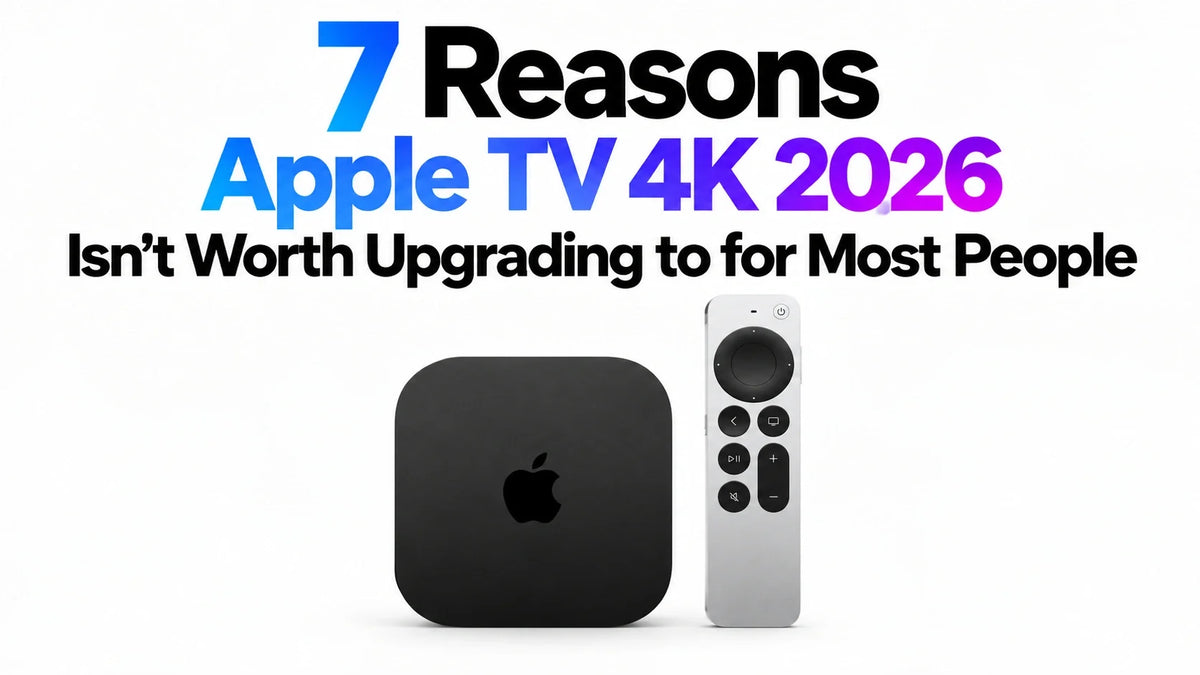
Quick Answer
For most owners of a working 2021 or 2022 Apple TV 4K, we would skip the $299 upgrade.
The new box adds capabilities, but many sit outside an ordinary evening of streaming.
Siri AI eligibility extends to older boxes; the new remote can be bought separately.
Four-speaker HomePod surround sound requires additional compatible speakers.
Upgrade only when a confirmed new feature solves a problem you actually have.
1. The $299 Price Is Hard to Justify When Your Current Box Works
Apple lists the new Apple TV 4K at $299 in the US. The 2022 generation launched from $129: a $170 increase against the old starting price, although the configurations differ. These are launch-price comparisons, not today’s reseller quotes. Sources: Apple’s current store and 2022 launch announcement.
A replacement needs to earn its place. If your existing box opens your apps reliably and plays the shows you want, spending $299 replaces something that already does its job. A longer feature list is a weak reason to retire it.
Apple TV 4K 2026: The Upgrade Snapshot
- US price: $299; availability begins November 13, 2026.
- Hardware: A19, 128GB, Wi-Fi 7, Gigabit Ethernet and Thread.
- Published video limit: up to 2160p at 60fps.
- New conveniences: room-level voice pickup and an easier-to-find remote.
- Optional system upgrade: four compatible HomePods for surround sound.
Sources: Apple Store, technical specifications and feature overview.
Published October 14, 2026. This is an editorial assessment of announced features before retail availability, rather than a hands-on performance review. “Most people” refers here to existing owners who mainly stream video and are satisfied with their current setup; it is not a survey result.
The new Apple TV feels increasingly feature-heavy and overpriced for that audience. Its most impressive demonstrations depend on habits, accessories or home setups many viewers do not need. Apple has not published a component-cost breakdown; our criticism concerns the value of the package, rather than an accounting claim about where the extra money went.
2. A19 Is More Power Than Many Streaming Viewers Need
Apple claims up to 50% faster CPU performance and twice the GPU performance versus the previous generation. It also announces a dedicated AV1 decoder for more efficient streaming. Sources: Apple’s performance overview and AV1 announcement.
Those improvements can matter for demanding apps, games and supported video delivery. They do not establish that the same movie will look dramatically better on your existing TV. That is a separate question involving the content, service, encoding and display.
If you spend an evening watching a film rather than switching apps or playing games, unused processing headroom delivers little obvious benefit. A smoother menu can be pleasant without being a $299 problem to solve.
Skip if: you cannot name an app or game that currently feels too slow. Likewise, Wi-Fi 7 should carry little weight if your existing connection already streams reliably.
The 2022 model already introduced HDR10+ alongside Dolby Vision and supported Dolby Atmos. For its owners, several familiar cinematic features on the new product page are continuations rather than new upgrade benefits. Source: Apple’s 2022 announcement.
3. Siri AI Is Shared With Older Models—and Comes With Conditions
Siri AI Beta supports Apple TV 4K from the second generation onward. That includes the 2021 and 2022 boxes. Compatibility does not promise identical speed or every new hardware feature. Source: Apple’s Siri AI availability details.
For an eligible owner, the sensible first step is to evaluate the software experience on the box already connected to the TV. Replacing it just to gain access to a shared feature is difficult to justify.
Apple also requires tvOS 27.2 and an Apple Intelligence-enabled iPhone or iPad belonging to the home owner, with current software and Siri AI enabled. Launch availability is English in selected regions. Some server-based features have daily limits; expanded access is planned for a fee. Source: announcement footnote 1.
These conditions make AI a purchase decision that needs checking, rather than an automatic benefit of buying new hardware. A new box cannot resolve an unsupported language or ineligible companion device.
Our 2021 and 2022 Apple TV Siri AI compatibility guide explains the model cutoff and setup checks. If you usually know exactly what you want to watch, more conversational discovery may also make little difference to your routine.
4. Hands-Free Microphones Are a Convenience You May Rarely Use
The new box has three far-field microphones for hands-free Siri. That is a hardware difference from using the Siri button on a remote. Source: Apple’s hands-free control overview.
Voice control can be valuable while cooking, when your hands are occupied, or for someone who finds a remote difficult to use. For a viewer already holding the remote, reaching a show with a few button presses may remain the easier habit.
Skip if: you rarely use voice control today and do not expect that to change. Paying for room-level voice pickup makes little sense when it adds no useful shortcut to your own viewing.
This is where the product can feel showy: a demonstration makes talking to your TV look transformative, while the real benefit may be only avoiding an occasional reach for the remote. Decide how often that matters before treating it as a major upgrade.
5. Four-HomePod Surround Sound Turns $299 Into a Much Bigger Purchase
Apple’s four-speaker setup requires the fourth-generation Apple TV 4K and matching front and rear pairs of HomePod mini 2 or second-generation HomePod speakers. Source: Apple’s surround-sound requirements.
At the current US price of $149 per HomePod mini 2, buying four speakers adds $596. With the box, that totals $895 before tax, assuming you start with none of the required hardware. Prices: HomePod mini 2 store listing and Apple TV store listing.
That is an optional system budget, not the minimum cost of using Apple TV. Existing compatible speakers can reduce the additional spend.
Skip if: you use TV speakers, are happy with a soundbar or receiver, or do not want four powered speakers around the room. Speaker placement, power outlets and extra purchases are real commitments for a feature you may never enable.
For an ordinary streaming household, an unused surround-sound capability contributes no daily value. If you are comparing speakers, read our HomePod mini 2 and original mini pairing guide before assuming speakers from different generations serve the same role.
6. The Premium Price Still Does Not Deliver Every Home-Theater Feature
Video: published support remains 4K at 60fps
Apple lists up to 2160p at 60fps, rather than 4K at 120fps or 8K playback. HDMI 2.1 branding alone does not establish support for every feature associated with that standard. Source: Apple’s video specifications.
If higher frame-rate output is your reason for upgrading, the published specification does not support that purchase case. Do not preorder for a future capability Apple has not promised.
Audio: lossless playback and bitstream passthrough are different
Firecore documents lossless LPCM output in Infuse, alongside E-AC3 Atmos support, while noting restrictions around TrueHD Atmos and DTS:X. Apple’s new specifications do not announce a complete bitstream-passthrough solution for those formats. Sources: Firecore’s audio documentation and Apple’s audio format list.
This does not mean Apple TV cannot play lossless audio. It means local-library and receiver owners should verify the exact format and output they need before assuming a newer box fixes their current limitation.
The upgrade faces a difficult value test: casual viewers may not need its extra capabilities, while demanding home-theater users still need to examine what it leaves unresolved. A more expensive streamer should address your actual bottleneck.
7. You Can Get the New Remote Without Replacing the Box
The fourth-generation Siri Remote is available separately for $59 in the US, with Apple listing compatibility for Apple TV HD and all Apple TV 4K generations. It adds locating sound playback and Precision Finding. Source: Apple’s standalone Siri Remote listing.
Precision Finding has separate iPhone and regional requirements, so confirm eligibility before buying for that function. Source: Apple’s remote-finding footnote.
If losing the remote is your recurring annoyance, replacing that accessory is a much smaller purchase. If the old remote still works and you rarely misplace it, keeping both the box and remote costs nothing.
Choose the smallest change that fixes the problem. You do not need a new processor, new wireless hardware and a microphone array to replace a controller.
Who Should Keep Their Current Apple TV—and Who Might Upgrade?
Keep your current box
You own a working 2021 or 2022 Apple TV 4K, mainly stream shows and movies, and are satisfied with playback and control. You have no plan for a compatible four-speaker setup, and hands-free voice control is a minor convenience.
Consider the new model
You specifically want room-level Siri pickup or the supported four-HomePod configuration, and have checked the extra requirements. You might also consider it if a named app or game struggles on your current box, once relevant reviews show the improvement you need.
Evaluate older models separately
Owners of Apple TV HD or the first-generation Apple TV 4K face a different comparison. Assess your missing capabilities, app experience and replacement budget; the recommendation for a satisfied 2022 owner does not automatically apply to you.
For the hardware differences, see our Apple TV 4K 2026 vs 2022 comparison.
Our verdict: keep a good existing setup. The new Apple TV 4K offers more, but much of that “more” sits beyond a typical streaming routine. When those extras are irrelevant to you, the premium price is paying for capabilities you will leave unused.
Before ordering, write down one problem the new box will solve and the confirmed feature that solves it. If you cannot complete that sentence, skipping this generation is a reasonable decision.
Frequently Asked Questions
Should I replace my 2022 Apple TV 4K just because it is four years old?
Age alone is a weak reason. If your apps remain supported and playback is reliable, judge the replacement by a specific benefit you would use.
Will the new Apple TV fix buffering?
Do not assume so. Buffering can come from your connection, home network or streaming service. Identify the cause before buying another box.
Does the $299 price include ongoing streaming subscriptions?
No. The hardware purchase and ongoing service subscriptions are separate. An eligible introductory trial does not make those services permanently free. Check the offer terms at checkout.
Should I buy now for features a future tvOS update might add?
Buy for confirmed capabilities. A powerful chip does not establish a promise of future video output modes, audio passthrough or picture enhancement.
Is this a recommendation against Apple TV for first-time buyers?
The strongest recommendation here concerns existing owners with a satisfactory setup. First-time buyers should compare the complete price with the apps, control experience and Apple integration they actually want.
Sources
Hardware and availability were checked against the following primary sources on October 14, 2026. Buying judgments are ZEERA’s editorial assessment.
- Apple: 2026 announcement, Siri AI eligibility and speaker requirements
- Apple: current Apple TV 4K technical specifications
- Apple: current feature overview
- Apple: US Apple TV store and box contents
- Apple: 2022 launch features and historical starting price
- Apple: standalone fourth-generation Siri Remote
- Apple: HomePod mini 2 US pricing
- Firecore: Infuse audio output and format limitations
Related ZEERA Guides
- Will Older Apple TV 4K Models Get Siri AI?
- Apple TV 4K 2026 vs 2022: Official Upgrade Comparison
- Apple TV 4K 2026 Release Date, Price & Preorder
- Can HomePod mini 2 Pair With the Original HomePod mini?
- HomePod mini 2 for Mac mini: Compatibility & Default Audio
- 7 Reasons to Skip Apple HomeView Before Spending $299









