
Quick Answer
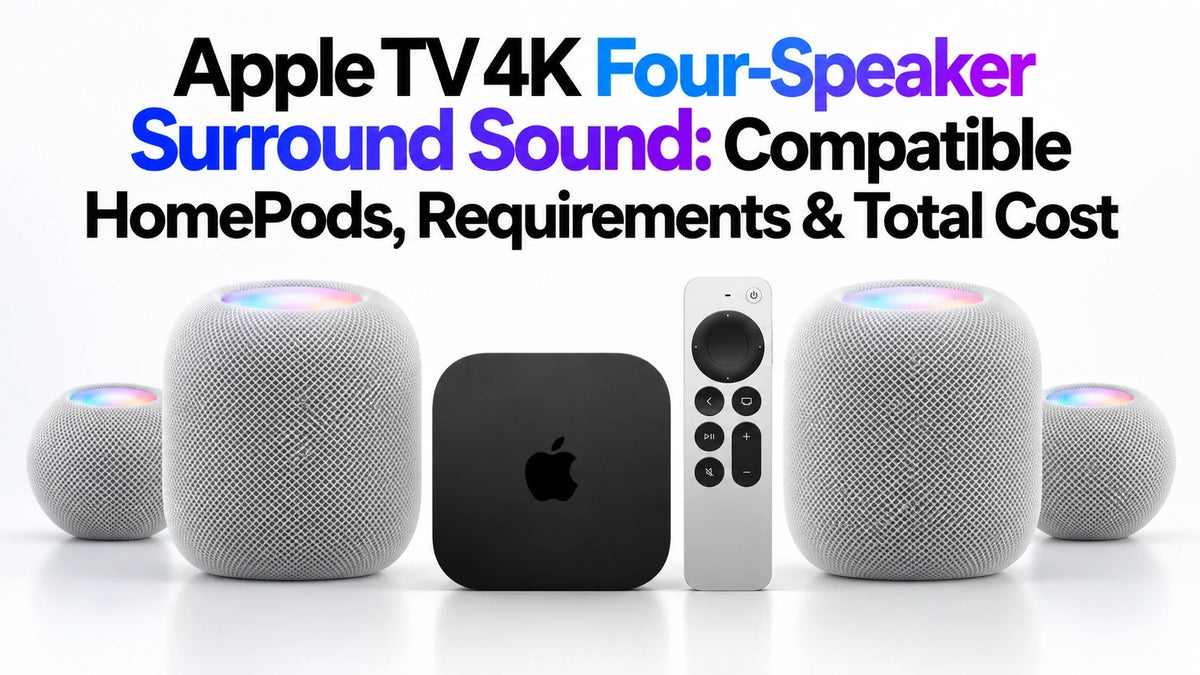
Apple TV four-HomePod surround sound requires Apple TV 4K (4th generation) and four eligible speakers.
Use HomePod mini 2 or HomePod (2nd generation), with matching models in each front and rear pair.
You can mix a full-size pair with a mini 2 pair; original HomePod and original HomePod mini are excluded.
Buying everything new costs $895, $1,295 or $1,695 at current US list prices, before tax and extras.
Already own two second-generation HomePods? Keep them and add the new box plus two mini 2s for $597.
Do You Need the New Apple TV 4K for Four HomePods?
Yes. Apple's announced four-speaker system requires the fourth-generation Apple TV 4K. A 2021 or 2022 box does not meet that requirement, even with new speakers. Buying only the new Siri Remote does not upgrade the box's surround compatibility.
Apple lists the new box at $299, available November 13, 2026. This guide focuses on what you can reuse and what you need to buy; our Apple TV 4K 2026 vs 2022 comparison covers the broader upgrade. Source: Apple's announcement and surround requirement.
Which HomePod Combinations Support Four-Speaker Surround Sound?
The matching rule applies within each pair. The front-left and front-right speakers must match, as must the rear-left and rear-right speakers. The front pair and rear pair can be different eligible models.
| Front pair | Rear pair | Four-speaker support |
|---|---|---|
| 2 × HomePod mini 2 | 2 × HomePod mini 2 | Yes |
| 2 × HomePod (2nd gen) | 2 × HomePod mini 2 | Yes |
| 2 × HomePod (2nd gen) | 2 × HomePod (2nd gen) | Yes |
| 2 × HomePod mini 2 | 2 × HomePod (2nd gen) | Meets the published matching-pair rule* |
| 2 × original HomePod | Any pair | No |
| Any pair | 2 × original HomePod mini | No |
| 1 × HomePod (2nd gen) + 1 × mini 2 | Any pair | No: front pair does not match |
| Any eligible matching pair | 1 × original mini + 1 × mini 2 | No: rear pair is ineligible and does not match |
Source: Apple TV 4K home-theater requirement. *The reverse mixed arrangement follows Apple's published rule; Apple's illustrated mixed setup places full-size HomePods at the front and mini 2s behind the seating area. ZEERA has not tested either arrangement.
Three full-size speakers plus one mini 2 will not qualify
Four eligible speakers are not enough if they cannot form two matching pairs. Likewise, one first-generation HomePod and one second-generation HomePod do not become a matching full-size pair.
Original HomePod means the full-size first-generation model; original HomePod mini means the first compact mini. For using old and new minis elsewhere in the home, see our stereo versus multiroom compatibility guide.
How Much Does a Complete Four-HomePod Setup Cost?
US list prices checked October 15, 2026: Apple TV 4K $299, HomePod mini 2 $149 each, and HomePod (2nd generation) $349 each. Sources: Apple TV pricing, mini 2 pricing and Apple US HomePod store.
| Speaker combination | Four speakers | With $299 Apple TV |
|---|---|---|
| 4 × HomePod mini 2 | $596 | $895 |
| 2 × HomePod (2nd gen) + 2 × mini 2 | $996 | $1,295 |
| 4 × HomePod (2nd gen) | $1,396 | $1,695 |
Totals are ZEERA calculations using those unit prices. They exclude sales tax, your television, optional stands or mounts, an HDMI cable, subscriptions and any network changes. Regional prices are separate; these dollar totals are not local quotes for Europe, Japan or Korea.
Lowest new-system price: $895
Four mini 2s keep the initial speaker bill lowest. This is a price comparison, not a claim that four compact speakers deliver the bass, output or listening experience of four full-size HomePods.
Mixed-system price: $1,295
A full-size front pair with mini 2 surrounds is worth considering if you want the larger speakers up front without paying for four of them. The $400 difference from four minis buys the two full-size replacements; it is not a separate surround activation fee.
All full-size price: $1,695
Four second-generation HomePods cost $800 more than four mini 2s. Before paying the difference, consider room size, listening volume, rear-speaker placement and whether you can audition the options.
What Can You Keep, and What Must You Replace?
Count eligible matching pairs before counting speakers. The table shows the lowest hardware spend for the listed route at the same US prices. Existing equipment is treated as already paid for; resale proceeds are not deducted.
| What you already own | Keep / buy | Additional cost |
|---|---|---|
| Older Apple TV + 2 × HomePod (2nd gen) | Keep speakers; buy 4th-gen box + 2 × mini 2 | $597 |
| 4th-gen Apple TV + 2 × HomePod (2nd gen) | Keep both; buy 2 × mini 2 | $298 |
| Older Apple TV + 2 × mini 2 | Keep speakers; buy 4th-gen box + 2 × mini 2 | $597 |
| 4th-gen Apple TV + 2 × mini 2 | Keep both; buy 2 × mini 2 | $298 |
| Older Apple TV + 1 × HomePod (2nd gen) | Keep speaker; buy 1 matching HomePod + 2 × mini 2 + new box | $946 |
| Older Apple TV + 1 × mini 2 | Keep speaker; buy 3 × mini 2 + new box | $746 |
| Older Apple TV + 1 × HomePod (2nd gen) + 1 × mini 2 | Keep speakers; buy 1 of each model + new box | $797 |
| Older Apple TV + 4 eligible speakers in 2 matching pairs | Keep all four; buy 4th-gen box | $299 |
| Older Apple TV + only original HomePods or original minis | Old speakers cannot join this system; buy new box + 4 × mini 2 | $895 |
| 4th-gen Apple TV + only original HomePods or original minis | Keep box; buy 4 × mini 2 | $596 |
If you already own the new box and four eligible speakers in matching pairs, no additional speaker or box purchase is needed. If you want four full-size HomePods instead, adding two to an existing second-generation pair costs $698, or $997 with a new Apple TV.
Do not trade in working speakers just to complete a pair
An existing second-generation HomePod pair is the most valuable equipment to retain for the mixed setup. Original models can stay in a separate listening setup or another room; exclusion from this new four-speaker feature does not mean they must be discarded.
What Else Does the HomePod Surround Setup Require?
Compatible hardware and current software
Have the fourth-generation Apple TV, four supported speakers, and the latest available operating-system software. Apple lists HomePod mini 2 as compatible with HomePod software 27.2. Its October 30 launch precedes the Apple TV's November 13 release, so buying minis first does not enable the complete system on an older box. Sources: Apple TV launch details and HomePod mini 2 launch details.
Home app, Wi-Fi and an iPhone or iPad
HomePod mini 2 requires an iPhone or iPad with current software and Wi-Fi internet access. Prepare the speakers in the same Home and room as the Apple TV, following Apple's home-theater setup guidance. Sources: HomePod mini 2 requirements and Apple home-theater setup.
Power near the front and rear speakers
Plan four speaker power connections, including two near the seating area, plus power for the Apple TV. HomePod mini 2 includes a 20W adapter; full-size HomePod includes its power cable. Wireless audio still needs mains power. Check outlet access before buying stands or arranging furniture. Sources: mini 2 box contents and HomePod box contents.
An HDMI connection to your television
Apple lists HDMI TV compatibility and sells the HDMI cable separately. You do not need a new television merely because you are changing the speakers; check your existing display and cable first. Audio from external devices introduces additional ARC/eARC requirements, covered below. Source: Apple TV technical specifications.
Apple names no HomeView requirement for this four-speaker feature. Also, do not import the paired-device requirements for Siri AI into the surround checklist: AI eligibility and audio hardware compatibility are separate questions.
How Should You Prepare the Front and Rear Speaker Pairs?
Apple confirms automatic calibration of speaker position, timing and levels. The practical starting layout is one matching pair around the television and one matching pair behind the main seating area. Apple illustrates full-size HomePods in front and mini 2s at the rear.
Before the four-speaker setup is available
- Check every speaker's exact model and generation.
- Identify the front pair and rear pair, and make sure each pair matches.
- Prepare power and stable surfaces at all four positions.
- Update the Apple TV and speakers; check their Home app room assignments.
- Follow the four-speaker instructions supplied with the release software and verify that both pairs participate.
Setup documentation status: As checked October 15, Apple's general home-theater support article still describes one speaker or a stereo pair, rather than the complete new four-speaker flow. Its existing Audio Output menu is useful background, but we are not presenting it as a tested four-speaker walkthrough. Sources: Apple's calibration announcement, stereo-pair setup and current home-theater support article.
For placement, keep the speakers clear of enclosed cabinets and avoid blocking the rear units behind furniture. Automatic calibration is useful, but it does not remove the need to find practical speaker locations. ZEERA has not measured retail-unit performance or published a room-specific calibration test.
Will It Also Play PS5, Xbox or Your TV Apps?
Audio coming back from your television uses a separate connection path. Apple's ARC/eARC guide describes receiving TV audio through a compatible TV's ARC/eARC port and playing it on HomePod speakers. It also explains the Play Television Audio setting and possible TV-side CEC settings.
That support article currently describes a single HomePod or stereo pair. It does not establish every four-speaker outcome for a PS5, Xbox, TV app or Blu-ray player. If external-source surround is your reason to buy, verify the updated four-speaker instructions and your TV's audio routing before committing to the full system.
Speaker compatibility also does not prove lossless codec passthrough. For that separate question, read our Dolby TrueHD, DTS and Plex audio guide.
Which Four-Speaker Route Makes the Most Sense?
You already have two second-generation HomePods
Start by pricing two mini 2s and, if needed, the new box. The $597 upgrade route preserves your existing front pair. Compare that additional spend with keeping the current two-speaker system before replacing equipment.
You are starting from scratch
Use $895 as the entry hardware budget. Compare complete systems at that total, including any stands and cable needs. Four mini 2s are the least expensive supported Apple combination; final listening quality still needs evaluation in a room like yours.
You own only first-generation speakers
Budget as a new surround buyer. Your old units cannot fill the rear positions under Apple's announced rule. Keeping your current setup while waiting for retail reviews may be the more sensible purchase decision if it already sounds good.
For a household using HomePods at a desk as well, evaluate the Mac speaker feature separately. Its compatibility requirements and listening position differ from a living-room surround setup.
FAQ
Can I use just three HomePods while waiting for a fourth?
Apple's announced surround configuration specifies four speakers in two matching pairs. Do not count a three-speaker arrangement as the supported four-speaker system; use a supported simpler setup until the required hardware is complete.
Do the speakers need to be the same color?
Apple's published requirement concerns speaker model and matching pairs, not matching colors. Verify the model and generation rather than choosing by appearance.
Can a soundbar or third-party AirPlay speaker replace the rear HomePods?
Apple's new configuration names HomePod mini 2 and second-generation HomePod. It does not list a soundbar or third-party AirPlay speaker as a substitute for either required pair.
Do I need an Apple TV subscription to activate surround sound?
Apple lists hardware and software requirements for the feature, without a separate surround activation subscription. Paid shows, streaming services and music subscriptions remain separate content costs.
Is four-HomePod surround the same as selecting four AirPlay speakers?
No. Selecting several speakers for synchronized playback does not establish the specified front and rear surround configuration. Use the supported home-theater arrangement and release-software instructions.
Does four speakers mean a conventional 5.1.2 system?
No. Speaker count alone does not establish a conventional channel layout with a separate center speaker, subwoofer and height speakers. Evaluate Apple's four-speaker system on its actual supported features and listening performance.
Related ZEERA Guides
- Apple TV 4K 2026 vs 2022: Hardware and Upgrade Differences
- Apple TV 4K 2026: Release Date, Price and Preorder
- 7 Reasons to Skip the Apple TV 4K 2026 Upgrade
- Apple TV Audio Passthrough: Dolby TrueHD, DTS and Plex
- HomePod mini 2 and Original mini: Stereo vs Multiroom
- HomePod mini 2 for Mac mini: Compatibility and Default Audio
Official Sources and Price Notes
- Apple TV 4K announcement: eligibility, price and launch date
- Apple TV 4K: home-theater description and footnotes
- HomePod mini 2 announcement: surround, calibration and availability
- Apple US Store: HomePod pricing and included power cable
- HomePod mini 2 specifications: setup requirements and included adapter
- Apple TV 4K specifications: TV, HDMI and network requirements
- Apple Support: existing home-theater setup instructions
- Apple Support: matching stereo pairs
- Apple Support: ARC/eARC and television audio
Information checked October 15, 2026. US prices exclude sales tax; local prices and availability vary. System and upgrade totals are calculations, not bundle offers. This guide uses Apple's published information; retail-unit surround performance and the complete new setup flow have not been tested by ZEERA.









