
Recentemente, alcuni utenti hanno segnalato che alcuni modelli di iPhone 17, Pro e Air potrebbero non riaccendersi dopo che la batteria è completamente scarica, soprattutto quando si utilizza la ricarica USB-C.
In questi casi, il dispositivo potrebbe rimanere inattivo, non mostrando alcun indicatore di carica o logo Apple, anche dopo essere stato collegato.
Tuttavia, questo problema non è limitato ai più recenti modelli di iPhone. Situazioni simili possono verificarsi su molti iPhone quando la batteria raggiunge uno stato di scarica profonda o quando le condizioni di ricarica non sono ideali.
Se il tuo iPhone non si accende dopo che la batteria si è scaricata, non preoccuparti. In questa guida, imparerai perché succede e come risolverlo passo dopo passo.

Perché il tuo iPhone non si accende dopo che la batteria si è scaricata
🔸 1. Protezione da scarica profonda della batteria
Quando la batteria raggiunge lo 0%, il tuo iPhone entra in uno stato di scarica profonda.
Potrebbe richiedere tempo per accumulare energia sufficiente prima di potersi riavviare.
🔸 2. La ricarica USB-C potrebbe non attivare l'avvio immediato
La ricarica USB-C non sempre riattiva immediatamente il dispositivo se:
- L'erogazione di energia è instabile
- La tensione è troppo bassa all'inizio
- La batteria è completamente scarica
🔸 3. Gli accessori di ricarica influiscono sulla stabilità
L'utilizzo di cavi o adattatori di bassa qualità può:
- Ritardare la ricarica
- Impedire una corretta erogazione di energia
- Causare la mancata risposta del dispositivo
🔸 4. Comportamento del software o della gestione dell'alimentazione
A volte, iOS potrebbe impiegare più tempo per reinizializzare il sistema di ricarica dopo uno scaricamento completo della batteria.
Come riparare un iPhone che non si accende
1. Lascialo collegato per 10–20 minuti
Anche se non succede nulla immediatamente:
👉 Tienilo collegato
Il tuo iPhone potrebbe lentamente recuperare energia sufficiente per riavviarsi.
2. Prova un cavo e un adattatore di alimentazione diversi
Passa a:
- Un cavo USB-C affidabile
- Un adattatore di alimentazione stabile
👉 Evita configurazioni di ricarica economiche o incoerenti.
3. Utilizza un caricabatterie MagSafe (Soluzione chiave)
In molti casi, gli utenti hanno scoperto che passare alla ricarica MagSafe può ripristinare l'alimentazione quando l'USB-C non risponde.
Questo è probabilmente perché la ricarica wireless inizializza l'alimentazione in modo diverso e può aiutare a riattivare il sistema della batteria.
⭐ Soluzione di ricarica stabile raccomandata
Se spesso riscontri problemi di ricarica o di alimentazione instabili, l'utilizzo di una configurazione di ricarica ben progettata può fare una grande differenza.
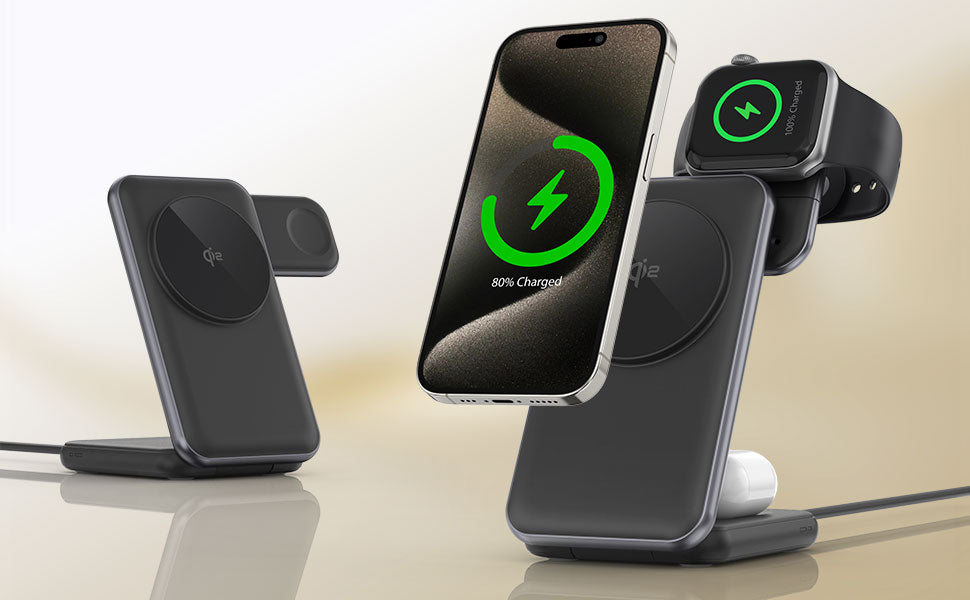
Ad esempio, un caricabatterie magnetico compatto come ZEERA MagTri Gen2, progettato per offrire:
- Allineamento magnetico stabile
- Fino a 25W di ricarica wireless veloce
- Raffreddamento attivo per un migliore controllo della temperatura
- Design pieghevole e adatto ai viaggi
👉 Questo aiuta a mantenere prestazioni di ricarica costanti, specialmente quando la batteria del tuo iPhone è completamente scarica o instabile.

4. Riavvia forzatamente il tuo iPhone
Prova:
- Premi Volume Su
- Premi Volume Giù
- Tieni premuto il pulsante di accensione
👉 Continua a tenere premuto finché non appare il logo Apple.
5. Controlla e pulisci la porta di ricarica
Polvere o detriti all'interno della porta USB-C possono bloccare il contatto corretto.
Perché la ricarica MagSafe può funzionare quando l'USB-C fallisce
La ricarica MagSafe utilizza un percorso di erogazione di energia diverso rispetto alla ricarica cablata.
In alcune situazioni:
- Può avviare la ricarica più gradualmente
- Evita problemi di connessione da cavi allentati
- Può aiutare a recuperare batterie profondamente scariche
👉 Ecco perché cambiare i metodi di ricarica a volte può risolvere il problema.
Quando dovresti contattare il supporto Apple
Se il tuo iPhone non si accende ancora:
- La batteria potrebbe essere danneggiata
- Potrebbero esserci problemi hardware
👉 Visita il Supporto Apple o un Apple Store per ulteriori diagnosi.

Come prevenire questo problema in futuro
✔ Evita che la batteria raggiunga frequentemente lo 0%
✔ Utilizza accessori di ricarica stabili e di alta qualità
✔ Mantieni il tuo iPhone fresco durante la ricarica
Se il tuo dispositivo si surriscalda anche durante la ricarica, consulta questa guida completa per risolvere il surriscaldamento dell'iPhone durante la ricarica.
✔ Mantieni una configurazione di ricarica coerente
Evita di passare da cavi o adattatori inaffidabili.
FAQ
❓ Perché il mio iPhone non si accende dopo che la batteria si scarica?
Potrebbe essere in modalità di scarica profonda e necessita di tempo o di alimentazione stabile per riavviarsi.
❓ Quanto tempo dovrei caricare un iPhone scarico?
Almeno 10–20 minuti prima di provare ad accenderlo.
❓ Perché MagSafe funziona ma l'USB-C no?
MagSafe utilizza un meccanismo di ricarica diverso che potrebbe gestire meglio gli stati di batteria scarica.
❓ Questo problema può verificarsi su iPhone più vecchi?
Sì. Non è limitato all'iPhone 17: può verificarsi su molti modelli in determinate condizioni.









