Quick Answer
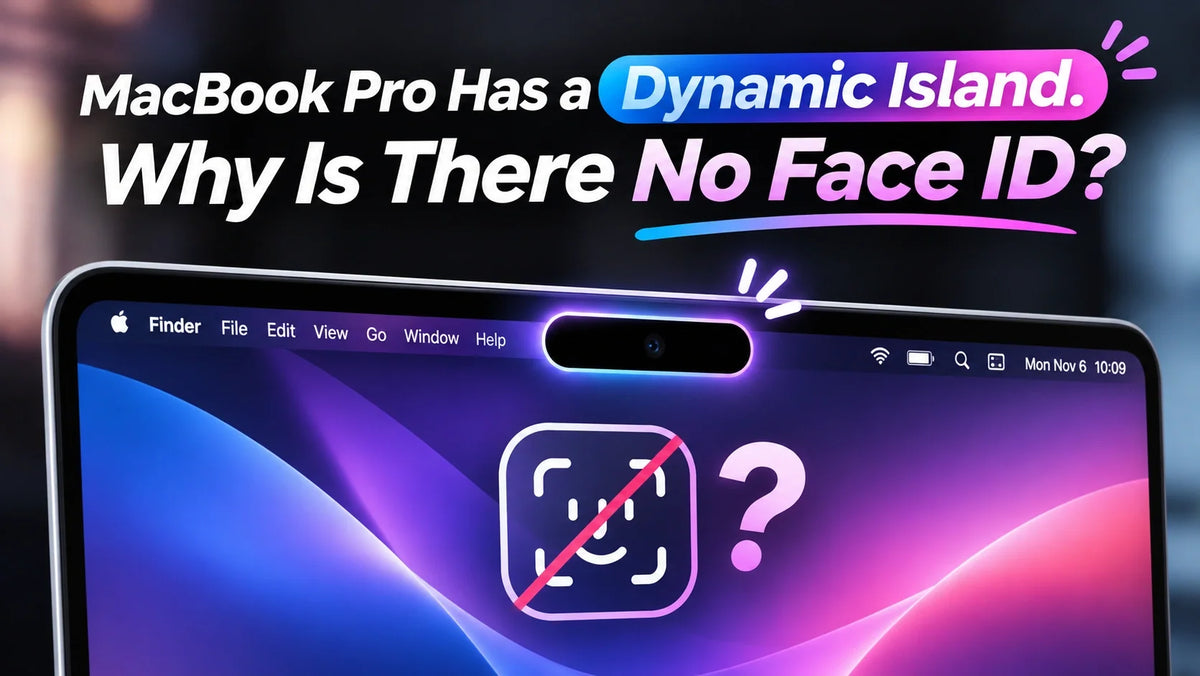
The MacBook Pro with PROLED XDR Display has a Dynamic Island but no Face ID because it ships with a 12MP Center Stage camera and Touch ID, without the TrueDepth hardware Face ID needs. MediaStorm questioned why Apple kept a visible camera cutout when you still have to reach for the keyboard to use fingerprint unlock. ZEERA sees Face ID as a potential headline upgrade for the next MacBook Pro. When you lift the lid, you already look at the screen. If the Mac could recognize you at that moment, you could resume work without reaching for a key.
MediaStorm’s Take on the Missing Face ID
In its hands-on review, MediaStorm (影视飓风) showed how the Mac’s Dynamic Island can surface AirDrop transfer progress and other ongoing activity. The reviewer questioned the trade-off. Apple had replaced the notch with a visible camera cutout, yet fingerprint unlock still meant moving a hand back to the keyboard.
MediaStorm also mocked up how the MacBook Pro might look with an under-display camera. The point was about what you get in exchange for that cutout. If it takes up visible screen space, the reviewer wanted it to do more.
What’s Inside the MacBook Pro’s Dynamic Island?
Both the 14-inch and 16-inch PROLED XDR models pair a 12MP Center Stage camera with a Touch ID sensor on the keyboard. The Dynamic Island gives Live Activities, Spotlight and quick controls a place at the top of the display. Apple’s MacBook Pro technical specifications · Apple’s Dynamic Island announcement
On iPhone, Face ID uses TrueDepth to capture facial depth data and an infrared image. That requires sensing hardware separate from the Mac’s video-call camera. The shape of the opening tells you little about which sensors fit behind it. Apple’s guide to how Face ID works
ZEERA’s Take on Why Face ID Fits a MacBook
Think about coming back to your desk or opening your MacBook between meetings. You lift the lid and look straight at the display, often before either hand is on the keyboard. A Face ID system could authenticate you during that first glance, so the desktop or your last app is ready when you reach for the trackpad.
Open the lid, look at the screen, get back to work
Touch ID already feels quick when your hands are in typing position. Face ID would be most useful in the moment before that, when you’re sitting down or reopening the Mac for a quick task. For a feature you could use several times a day, removing that small reach could make the laptop feel more responsive.
Could Apple Save Face ID for the Next MacBook Pro?
ZEERA thinks Apple could make Face ID a headline feature of the next MacBook Pro. The first PROLED XDR generation introduces the Dynamic Island alongside a redesigned display. A successor could build on that design with a change people would notice every time they open the lid. Apple has yet to announce a Face ID Mac or a release date.
For that experience to feel natural, Apple would need sensors that fit the lid and work at normal laptop distances, including when the screen is tilted back. The everyday test would be simple. Can you open the Mac and look at it normally, without adjusting the hinge or leaning toward the camera? See what changed on the current MacBook Pro.
Related Reading
- Is the $400 Touchscreen MacBook Pro Premium Worth It?
- Why the OLED MacBook Pro Uses M5 Pro
- Why the Glowing Apple Logo Returned to MacBook Pro
- Does the OLED MacBook Pro Support Apple Pencil?
FAQ
Can a macOS update add Face ID to the current MacBook Pro?
Face ID depends on depth and infrared data from dedicated sensors. A macOS update can change what the Dynamic Island shows, but it can’t add those sensors to the existing MacBook Pro.
Can I unlock my MacBook Pro without touching the keyboard today?
Yes. With Auto Unlock set up, a compatible Apple Watch can unlock your Mac when it wakes and you’re nearby wearing the unlocked watch. You still enter your password for the first login after startup, restart, or logout. Apple’s Auto Unlock setup guide