
Mac mini buying guide
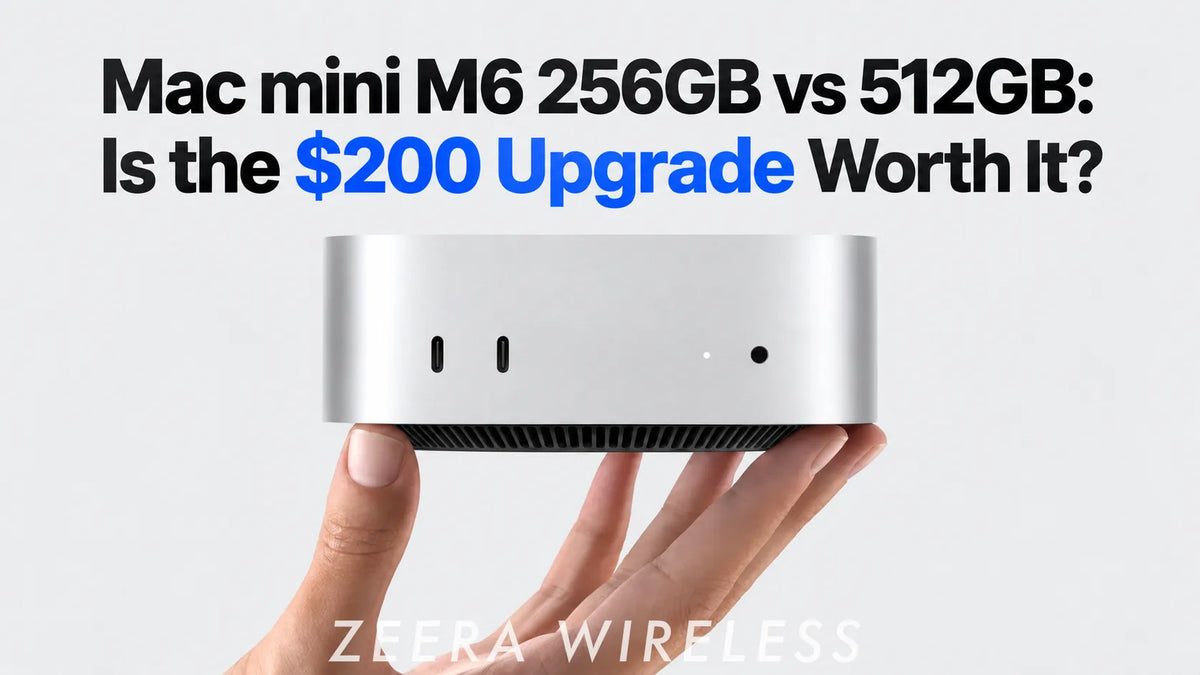
The entry-level Mac mini M6 is compelling at $899. The real decision is whether 256GB of internal storage will still feel sensible after a year of apps, photo libraries, local backups, and project files. For most buyers, the $200 move to 512GB is the right call.
Updated September 12, 2026. Pricing refers to the U.S. Apple Store configuration at publication.

Quick answer
Buy the 512GB Mac mini M6 if this will be your everyday desktop. It gives macOS, applications, work files, and normal cache growth enough room to coexist without turning storage management into a routine task.
Buy 256GB only when your usage is genuinely light: browser-based work, documents, cloud storage, streaming, and a deliberate plan to keep large files on an external SSD or NAS.
Do not automatically jump to 1TB. For many people, 512GB internally plus a fast external SSD is a better balance than paying Apple’s premium for every extra internal gigabyte.
Apple lists the Mac mini M6 with 16GB unified memory and 256GB storage from $899; moving to 512GB adds $200. Check the current Apple configuration and price before ordering.
Mac mini M6 storage and price at a glance
Entry configuration
$899
16GB / 256GB
Best for cloud-first work, browsing, Office-style apps, streaming, and users who already expect to use external storage.
Everyday sweet spot
$1,099
16GB / 512GB
Enough internal breathing room for a main Mac without making a fast external SSD unnecessary.
More multitasking
$1,299
24GB / 512GB
The better step-up for developers, creators, and heavy multitaskers who need more memory as well as usable storage.
The key point: storage and memory solve different problems. Storage determines how much you can keep locally. Unified memory affects how comfortably the Mac handles many apps, larger files, virtual machines, and demanding creative workloads at once.
Is 256GB enough for Mac mini M6?
It can be. “Enough” is simply a much lower bar than “comfortable for the life of the computer.” A 256GB Mac mini is a good fit when it behaves like a focused terminal: web apps, email, documents, music streaming, light photo handling, and files that live primarily in iCloud Drive, Dropbox, Google Drive, or a NAS.
It becomes restrictive when the Mac is your main local machine. macOS needs room for system data, caches, updates, swap files, and snapshots. Applications such as Adobe Creative Cloud, Xcode, Logic Pro, Docker, games, and media tools can consume tens of gigabytes before your own files enter the picture.
A 256GB drive is not a literal 256GB workspace. After formatting and system use, the practical empty space is lower. As the drive fills, you have less room for updates, temporary files, local cloud copies, and the working headroom macOS uses behind the scenes.
256GB is sensible if all of these sound like you
- You mostly work in a browser and office apps.
- Your photo, video, download, and archive libraries do not stay on the internal SSD.
- You are happy connecting a fast external SSD from day one.
- You do not run local virtual machines, large developer toolchains, or a large local Plex library.
- You are buying a secondary Mac, a compact server, or a remote-work host rather than a primary creative workstation.
Why 512GB is the better default
The $200 upgrade is not about hoarding files. It buys flexibility. You can install the apps you actually use, keep current work local, and still leave healthy free space for macOS without deciding every month which files must move elsewhere.
512GB also creates a cleaner split between internal and external storage. Keep the operating system, applications, active projects, and frequently used documents on the internal SSD. Put media libraries, completed projects, Time Machine archives, downloads, and long-term files on external storage.
This approach is especially useful for Mac mini owners because the machine stays at a desk. An external SSD can remain connected permanently; it does not need to travel with a laptop.
Our rule of thumb: If you are already asking whether 256GB might be too small, choose 512GB. The people happiest with 256GB usually know exactly why their files will live elsewhere.
What actually fills a Mac mini drive?
Storage pressure rarely comes from one huge folder. It is usually the accumulation of perfectly ordinary things:
- macOS and system data: updates, local snapshots, caches, logs, and swap space grow and shrink over time.
- Applications: creative suites, games, developer tools, and their support files are much larger than they first appear.
- Cloud-sync folders: a cloud service may keep frequently used files available offline.
- Phone and camera media: local Photos libraries, video imports, and iPhone backups add up quickly.
- Downloads and exports: installers, screen recordings, renders, ZIP files, and duplicate project versions often stay longer than intended.
- Developer and server data: Xcode simulators, Docker images, local databases, Plex metadata, and backup repositories can expand quietly.
That last category matters for users turning a Mac mini into a home server. Plex itself can be modest, but a locally stored media library is not. Downloading, file sync, backups, and containers all need a storage plan rather than a hopeful 256GB estimate.

256GB vs 512GB vs 1TB: who should buy what?
| Configuration | Best for | Watch out for | Recommendation |
|---|---|---|---|
| 256GB | Cloud-first office work, streaming, light secondary desktop, remote host with external storage | Little room for big apps, media, local backups, or growth | Buy only with a clear external-storage plan |
| 512GB | Most home users, knowledge workers, students, light creators, developers with sensible external storage | Large media libraries and several VMs still belong externally | Best default for most M6 buyers |
| 1TB | Large local photo libraries, frequent video editing, more demanding development, people who value internal convenience | Apple’s internal-storage premium rises quickly | Worth it when active files must stay internal |
| 2TB | Specialized local workflows with very large active projects | Often poor value for general use | Choose only when the workflow clearly justifies it |
When 1TB is worth paying for
Choose 1TB when the files you work with every day are large enough that an external drive would become an annoyance, not a solution. Examples include a sizable actively edited photo library, multi-camera video projects, sample libraries for music production, several local virtual machines, or a development workflow with many large repositories and container images.
It is also reasonable for someone who wants the simplest possible desk: no external drive, no extra cable, and no decisions about where an active project belongs. That convenience has value.
But a larger internal SSD is not automatically the best investment. If your large files are archives, movies, backups, downloads, or a Plex media library, they are excellent candidates for an external SSD, DAS, or NAS. Spend the internal budget where it affects your daily experience first.
Internal SSD vs external SSD: use each for the right job
The best Mac mini storage setup is usually hybrid, not all-internal or all-external. Internal storage is fastest and simplest for the operating system and the files you touch constantly. External storage is more economical and easier to expand for bulky data.
| Keep on internal storage | Move to external SSD, DAS, or NAS |
|---|---|
| macOS, everyday apps, current documents, active creative projects, current code repositories | Media libraries, completed projects, large downloads, backups, archive folders, Plex media |
| Apps that are sensitive to latency or used every day | Files that need capacity more than instant access |
| Working files that must stay simple and portable within macOS | Shared household files and server data that benefit from separate storage and backup policies |
A good external NVMe SSD can feel very quick over the right connection, but it still adds a cable, enclosure, power considerations, and another device to back up. That is why 512GB internally is the sweet spot: it removes the need to externalize ordinary day-to-day computing, while preserving the option to scale cheaply.
ZEERA MacForge Gen3: a cleaner home for Mac mini and external storage
If your Mac mini M6 will stay on the desk full-time, the ZEERA MacForge Gen3 turns the small square computer into a more complete desktop setup. It is a CNC aluminum Mac mini case and stand designed for Mac mini M6, M5 Pro, and M4.

- Mac Pro-inspired aluminum design: The machined enclosure gives Mac mini a more substantial desktop presence while matching Apple-style aluminum hardware.
- Built for a permanent desk setup: It is designed for users who keep Mac mini connected to monitors, Ethernet, storage, and accessories instead of moving it around.
- Practical front-port access: The layout keeps everyday ports easier to reach, so plugging in a drive or accessory does not mean lifting or turning the Mac mini.
- Passive airflow-aware structure: The stand elevates and frames the Mac mini without using a bottom fan that can disturb the computer’s normal air path.
- Cleaner external-storage placement: It makes a 512GB internal SSD plus a separate external SSD setup feel more deliberate and less like a collection of loose desktop devices.

External SSDs and SSD enclosures are separate accessories and are not included with the MacForge Gen3.
The right M6 configuration for common users
Office, browsing, school, and streaming
Choose 16GB / 512GB. You may survive on 256GB, but 512GB keeps the machine easy to live with after apps, offline files, photos, and years of normal use.
Developer, Docker, and local virtual machines
Start at 24GB / 512GB if budget allows. More memory is often more valuable than jumping straight to 1TB. Use a fast external SSD for older projects, Docker data you can relocate, installers, and test assets; move to 1TB if several large active environments must stay local.
Home server, Plex, downloads, backups, and automation
Choose 512GB internally and plan separate data storage. Keep macOS, services, metadata, and current downloads on the Mac mini. Store media, backup targets, sync repositories, and long-term downloads on an external SSD, DAS, or NAS with an appropriate backup strategy. A 256GB boot drive can work, but it leaves less margin when services accumulate logs, caches, and metadata.
Photo, video, and music creation
Choose 512GB as the minimum comfortable starting point; consider 1TB for active libraries. If most raw media and finished exports remain on a fast external drive, 512GB is very practical. If your current projects, photo library, sample library, and applications all need to stay inside the Mac, 1TB is easier to justify.
Do not confuse storage capacity with heat or performance
A 512GB configuration does not make the Mac mini M6 inherently cooler than the 256GB version. Heat comes from workload, ambient temperature, airflow, and the components being stressed—not simply the storage number on the order page.
For an always-on Mac mini running Plex transcodes, downloads, backups, or compute-heavy automation, put the machine on a hard, open surface and keep its vents clear. If your workload is sustained and you want an actively cooled desktop setup, choose a cooling accessory for that reason—not as a substitute for buying enough storage.
ZEERA MacFrost Pro: active cooling for sustained Mac mini workloads
MacForge Gen3 is the better choice when your priority is a clean, elevated desk setup. ZEERA MacFrost Pro is for a different buyer: someone running a Mac mini M6, M5 Pro, or M4 under sustained load and wanting active cooling rather than a purely passive stand.

- Top-contact thermoelectric cooling: MacFrost Pro uses a 30W thermoelectric system with a CNC aluminum cold plate that contacts the top of the Mac mini.
- Designed around long-running tasks: It suits media-server transcoding, long video exports, code builds, virtual machines, local AI workloads, and always-on automation more than casual browsing.
- Three power levels plus Auto mode: The cooler supports 7W, 20W, and 30W operation, with Auto mode available to adjust cooling behavior by temperature.
- Clear power planning: The 20W and 30W modes require 12V input. Use a USB-C PD power source of at least 20W; a 45W adapter is recommended for 30W operation.
- Made as a desktop component: Its aluminum base, top-mounted design, OLED status display, and open access to the Mac mini’s underside make it a more integrated option than a generic fan blowing into the bottom vents.
MacFrost Pro can help create a more controlled thermal environment, but it is not a promise that every workload will run cooler by the same amount or that throttling can never occur. Keep the Mac mini in an open, ventilated location and choose the power mode that matches the workload and noise you accept.


Final verdict: the $200 you are least likely to regret
The 16GB / 512GB Mac mini M6 is the configuration most buyers should choose. It keeps the entry M6’s value proposition intact while giving the computer enough internal capacity to work like a primary desktop, not a device you must constantly curate.
Pick 256GB only if you are cloud-first, light on local apps and media, and comfortable treating an external SSD or NAS as part of the purchase. Choose 1TB only if your daily active workload truly needs it. For everyone in between, 512GB internally plus expandable external storage is the balanced answer.
Mac mini M6 256GB vs 512GB FAQ
Can I upgrade the Mac mini M6 internal storage later?
Plan to choose the internal capacity at purchase. Apple does not offer a normal user-upgrade path for the Mac mini’s internal storage, so it is safer to buy the capacity you expect to need and add external storage for expansion.
Is 256GB enough if I use iCloud?
It can be, especially for documents and smaller libraries. But iCloud does not remove the need for local working space, system files, applications, caches, and offline copies. 512GB is more forgiving.
Should I spend $200 on 512GB or buy an external SSD?
For most people, do both over time: buy 512GB now for the operating system, apps, and active work, then add an external SSD when large media, backups, or archives demand it. If budget forces one choice, 256GB plus a quality external SSD can work—but it requires more deliberate file management.
Is 24GB / 512GB better than 16GB / 1TB?
For developers, multitaskers, and people using memory-heavy software, 24GB / 512GB is often the smarter choice. Memory affects live performance; capacity is easier to extend externally. Choose 16GB / 1TB when your workload is storage-heavy but not memory-heavy.
Will an external SSD make the Mac mini feel slow?
Not necessarily. A quality external NVMe SSD on a suitable high-speed connection is excellent for media and project storage. Keep the operating system and the most latency-sensitive daily work on the internal SSD for the simplest experience.






