Quick Answer
The three best ZEERA accessories for using an iPhone Duo without a case are ClariFit Pro for outer-screen scratches, FoldSpine Pro for the exposed hinge, and DuoFlat for camera-bump wobble on a desk. Start with glass if you use the outer screen throughout the day. Pick the hinge guard if the exposed fold is the part you most want to cover. If the phone rocks while you tap or type on a desk, start with DuoFlat. Each piece works on its own, so you can keep the finish and slim feel that made you want to go caseless.
1. ClariFit Pro for the outer screen you use all day
If you check maps, messages or boarding passes on the folded iPhone Duo, the outer display gets most of the everyday use. ZEERA ClariFit Pro puts a clear layer of anti-reflective tempered glass over that screen. It comes in a three-pack, so you have spares when a protector needs replacing.


The 77.5 × 112.5 mm glass extends slightly past the lit display and leaves a narrow margin around the outer perimeter. You may see that margin on a bare phone. The extra space comes in handy if you sometimes switch to a compatible open-front-frame case.
2. FoldSpine Pro if you want to cover just the hinge
The exposed hinge can brush against other things you carry or touch a hard surface when you set the phone down. ZEERA FoldSpine Pro covers the outside of the hinge with a leather-wrapped plastic guard. Most of the back stays exposed, with just a narrow flap alongside the fold.


How it attaches. Built-in magnets line up the guard directly on the hinge. A clear, low-tack adhesive strip holds the flap to the phone’s back. If you prefer to leave the back completely bare, start with the outer-screen protector alone.
3. DuoFlat if your iPhone Duo rocks on a desk
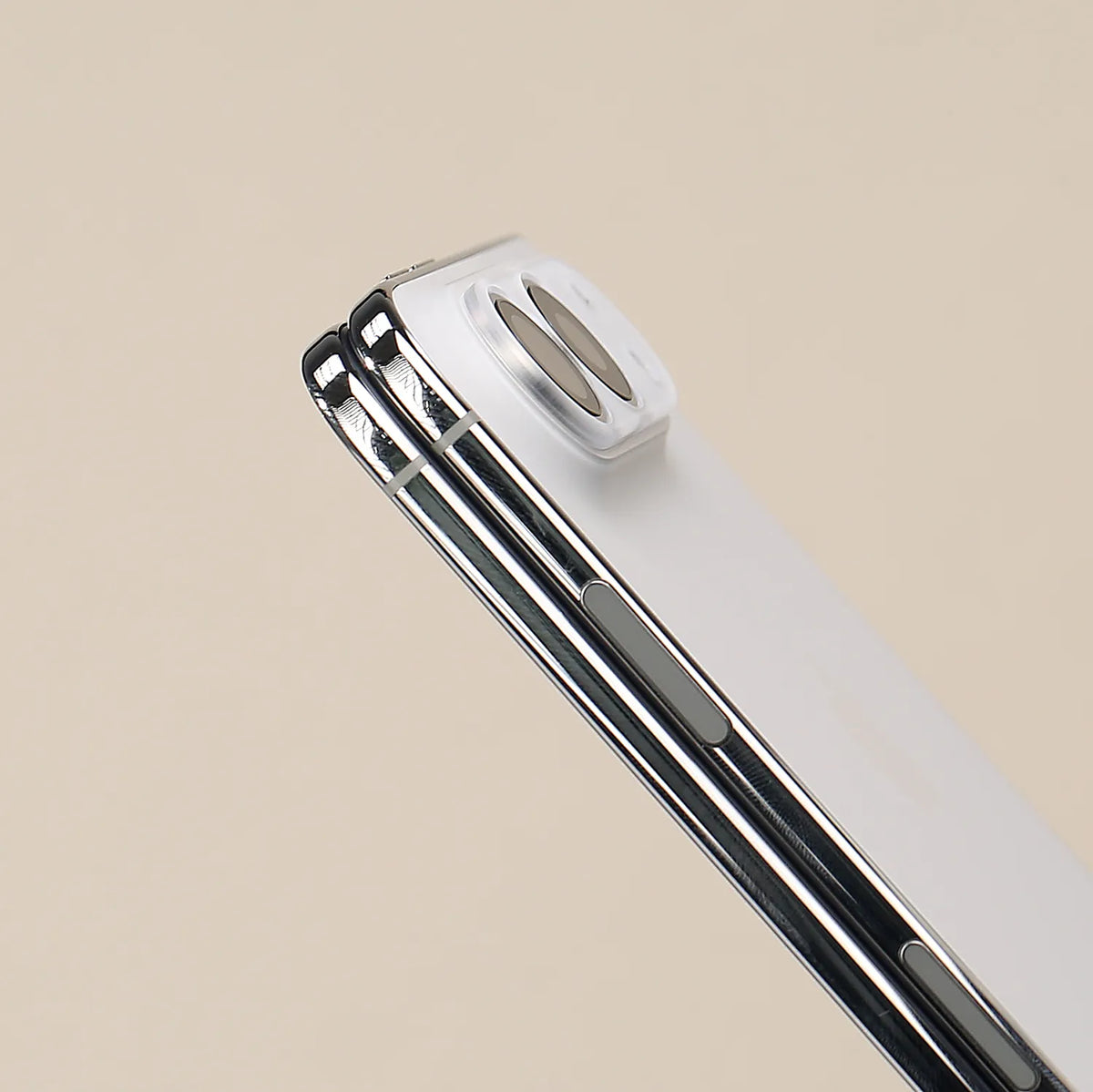
If you leave your folded iPhone Duo on your desk while you work, even a quick tap on a notification can rock the phone around the raised camera area. ZEERA DuoFlat brings the surrounding surface closer to lens height so the phone moves less while you type a reply or scroll.


The matte polycarbonate piece weighs about 1.23 g and fits around both lenses, leaving them exposed through open cutouts. It attaches with adhesive. Line it up before you press it down. How much it reduces wobble depends on the surface and how evenly it sits.
Shop ZEERA iPhone Duo screen, hinge and camera accessories
Related Reading
FAQ
Can I use all three accessories together?
Yes. ClariFit Pro sits on the folded phone’s outer display, FoldSpine Pro sits along the hinge, and DuoFlat fits around the rear cameras. Each is installed separately.
Can I reuse DuoFlat after removing it?
Yes. Place it adhesive-side down on the smooth side of the included storage sticker. That keeps dust off the adhesive until you’re ready to reapply it.
Do these three accessories protect the iPhone Duo from drops?
They address everyday contact at specific spots. The phone’s corners, much of its frame, and most of its back remain exposed in a drop.