
Quick Answer
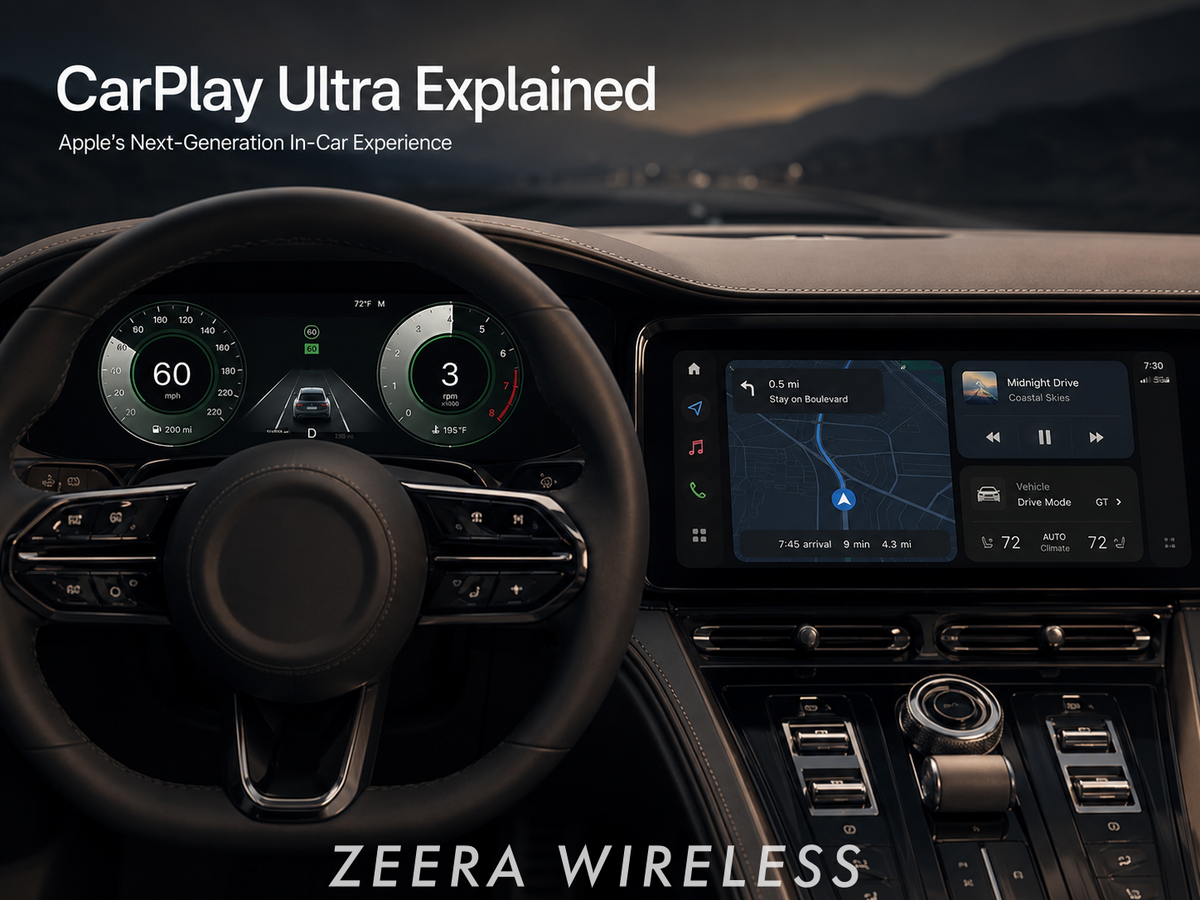
CarPlay Ultra is Apple’s deeper, next-generation CarPlay experience. It can extend beyond the center screen to the driver display, vehicle controls, gauges, media, and navigation.
It is not automatically available in every car with regular CarPlay. Your carmaker, model, display hardware, and software support all matter.
For iPhone Duo and iPhone 18 Pro Max owners, CarPlay Ultra does not require a special version of the phone. The practical question is whether the vehicle supports it.
For daily driving, keep the phone cool, securely mounted, and easy to access without distracting from the road.
CarPlay has always made navigation, calls, messages, and music feel more natural in the car. CarPlay Ultra pushes that idea further by connecting the iPhone experience with more of the vehicle’s digital cockpit.
That is especially relevant for drivers choosing an iPhone Duo or iPhone 18 Pro Max: both are built for large-screen navigation, wireless CarPlay, road-trip media, and everyday charging—but neither phone can turn a standard CarPlay vehicle into a CarPlay Ultra vehicle on its own.

What Is CarPlay Ultra?
CarPlay Ultra is Apple’s more deeply integrated in-car interface. Standard CarPlay primarily appears on the center infotainment screen. CarPlay Ultra can also provide content for the driver’s displays, including the instrument cluster.
Instead of constantly moving between Apple’s interface and the carmaker’s own software, the goal is a more unified experience for navigation, media, vehicle information, and key controls.
What CarPlay Ultra Can Integrate
- Driver display and instrument-cluster layouts.
- Maps, music, calls, messages, and widgets.
- Speed, fuel or battery data, and other vehicle information.
- Climate controls, radio controls, and selected car functions.
- Automaker-specific visual themes and gauge designs.
Apple began the CarPlay Ultra rollout with Aston Martin. Availability remains limited because this is not simply an iPhone software feature—it requires close integration with the carmaker and the car’s hardware.

CarPlay Ultra vs Standard CarPlay
| Feature | Standard CarPlay | CarPlay Ultra |
|---|---|---|
| Main display | Usually the center infotainment screen. | Can extend across the center display and driver screens. |
| Vehicle data | Limited integration, depending on the car. | Can combine iPhone content with vehicle information and gauges. |
| Vehicle controls | Mostly iPhone apps, media, calls, and navigation. | Can include radio, climate, and selected vehicle controls. |
| Availability | Available in many compatible cars and aftermarket systems. | Limited to supported automakers and vehicle models. |
The important distinction is depth. Standard CarPlay puts your iPhone apps on the car’s screen. CarPlay Ultra can become part of the car’s broader digital interface.
Will iPhone Duo Work With CarPlay Ultra?
Yes—when the car supports CarPlay Ultra. The iPhone Duo does not need a separate “Ultra” version of CarPlay. Compatibility is determined primarily by the vehicle, while the iPhone provides the Apple account, apps, content, and connection.
For an iPhone Duo owner, the more useful driving setup is normally to keep the phone folded and securely mounted. Use the outer display only when needed, and let the car display handle navigation and media through CarPlay.
Do not use the unfolded inner screen as a substitute for a properly positioned in-car display while driving. A foldable phone is excellent for planning a route before departure, checking a larger map while parked, or catching up during a stop—but the driving experience should remain focused on the vehicle screen and voice controls.
Will iPhone 18 Pro Max Work With CarPlay Ultra?
Yes—subject to the same vehicle requirement. If your vehicle supports CarPlay Ultra and your iPhone is running the required compatible software, iPhone 18 Pro Max can use the system like other supported iPhones.
The large display, long-drive navigation use, wireless CarPlay, and camera features make iPhone 18 Pro Max a natural companion for the car. But larger phones also receive more heat during summer navigation, wireless charging, cellular use, and wireless CarPlay.
That makes mount stability and cooling more important than chasing charging wattage alone.
Why CarPlay Can Make an iPhone Duo or iPhone 18 Pro Max Feel Hot
CarPlay itself is not necessarily the only cause. Heat usually comes from several things happening at once: GPS navigation, mobile signal changes, music streaming, a bright display, wireless CarPlay, direct sunlight, and wireless charging.
This is particularly noticeable during a long drive, in a hot cabin, or when the phone sits near the windshield. When the iPhone gets too warm, charging can slow down and performance may be reduced temporarily to protect the battery.
A Better CarPlay Routine
- Mount the phone near an air vent rather than in direct sun.
- Use a strong MagSafe-compatible case for secure alignment.
- Use wired charging when it is the cooler, more reliable option for your setup.
- For wireless charging, choose a mount with active cooling for summer navigation and long drives.
- Start navigation before driving and rely on Siri instead of handling the phone.
CarPlay Ultra Is Not the Same as CarPlay Video
CarPlay Ultra and CarPlay Video are separate ideas.
CarPlay Ultra is about deeper integration with screens, gauges, information, and vehicle controls.
CarPlay Video refers to supported video playback features intended for parked use, subject to vehicle and software support. It does not mean video should be watched while driving, and CarPlay Ultra does not remove those safety limits.

Read our full guide: CarPlay Video in iOS 26: Requirements, Safety Limits, and How It Works.

Is CarPlay Ultra Available on Every Car?
No. A vehicle can support regular Apple CarPlay and still not support CarPlay Ultra.
CarPlay Ultra depends on the automaker’s decision to integrate Apple’s system with its screens, dashboard architecture, vehicle controls, and brand-specific interface. That is why rollout is much slower than a normal iOS update.
Before buying a car specifically for CarPlay Ultra, confirm support for the exact model year, trim, country, and software version directly with the automaker or dealer.
ZEERA Setup for Everyday CarPlay Drivers
Most iPhone Duo and iPhone 18 Pro Max owners will continue using standard CarPlay for the foreseeable future. The practical upgrade is a stable, cooler charging setup for navigation, commuting, and road trips.

Final Takeaway
CarPlay Ultra is Apple’s vision for a more connected in-car iPhone experience. It goes beyond maps and music on one center screen by bringing iPhone content and vehicle functions closer together.
For iPhone Duo and iPhone 18 Pro Max users, the phone is ready for the CarPlay experience—but CarPlay Ultra availability still depends on the car. Until then, the biggest everyday improvement is a reliable mount, stable charging, and better heat control.
FAQ
Does iPhone Duo support CarPlay Ultra?
iPhone Duo can use CarPlay Ultra in a vehicle that supports it. The vehicle, not the foldable design, is the main compatibility factor.
Does iPhone 18 Pro Max support CarPlay Ultra?
iPhone 18 Pro Max can use CarPlay Ultra when the vehicle supports it and the phone is running the required compatible software.
Can I get CarPlay Ultra through an iOS update?
No. An iOS update alone cannot add CarPlay Ultra to an unsupported vehicle. It requires automaker and vehicle-hardware integration.
Is CarPlay Ultra the same as Apple CarPlay Video?
No. CarPlay Ultra focuses on vehicle integration. CarPlay Video concerns supported video playback while parked.
Why is my iPhone hot when using CarPlay and wireless charging?
Navigation, cellular data, screen brightness, cabin heat, sunlight, wireless CarPlay, and wireless charging can combine to raise temperature. Active cooling and better vent placement can help.
Related CarPlay Guides









