Quick Answer
Install the ZEERA FoldFrame Pro iPhone Duo case by fitting the back frame first, then the front frame, with your phone folded closed.
Before opening either magnetic section, gently lift it upward to release the clip, then swing it open backward.
The back frame opens at the top; the front frame opens at the bottom and needs a gentle outward movement of the hinge-side frame.
Use light pressure throughout, especially around the magnetic frame’s spring connection. The instructions and YouTube video below walk through each movement.
How to Install the ZEERA FoldFrame Pro iPhone Duo Case
The FoldFrame Pro uses separate front and back frames. Keep your iPhone Duo folded throughout installation, and fit the back frame before the front frame. The magnetic opening sections also have clips, so release the clip before rotating a section open.
IMPORTANT: LIFT FIRST. THEN OPEN.
Gently lift the magnetic section upward to disengage its clip, then swing it open backward. Do not pull it directly backward while the clip is still engaged.
ULTRA-THIN FRAME — HANDLE WITH CARE
Use gentle pressure. Do not force, bend or overextend the aluminum frame, especially at the spring connection on the magnetic section. If something resists, stop and check the alignment before continuing.
Step 1 — Install the Back Frame
- Keep the phone folded closed. Hold your iPhone Duo securely and identify the back frame, which surrounds the rear of the phone and includes the camera-frame area.
- Locate the top magnetic section. Support the frame near the opening so that you can control the small moving section without twisting the rest of the bumper.
- Lift gently to release the clip. Raise the top magnetic section upward just enough to disengage the clip. Once it is released, swing the section open backward. Keep the movement small and controlled.
- Slide the phone in from top to bottom. Guide your folded iPhone Duo through the opening and into the back frame. Keep the phone and frame aligned as you move it into position.
- Check that the phone is seated. Look around the frame’s edges before closing the top section. If the frame sits unevenly, gently reposition it rather than squeezing the bumper against the phone.
- Close the magnetic section gently. Bring the top section back into its aligned position and close it until it clicks into place. Avoid pressing harder if it does not close cleanly; check the fit again.

Step 2 — Install the Front Frame
- Keep your iPhone Duo folded. Leave the back frame fitted and position the front frame around the outer-screen side of the phone.
- Release the bottom magnetic section. Gently lift it upward to disengage the clip, then swing it open backward. Use the same lift-then-open sequence as on the back frame.
- Move the hinge-side frame gently outward. With your left hand, pull the hinge-side frame outward to the left, following the movement shown in the installation video. Move it only as far as needed to fit the frame around the phone.
- Fit the front frame around the phone. Guide it into position while controlling the hinge-side section. Do not stretch the frame or use the spring connection as a lever.
- Release the hinge-side frame gently. Let it return into place in a controlled movement once the front frame is seated.
- Close the bottom magnetic section. Align the bottom section and close it gently until it clicks into place. Check the frame’s seating if the closure does not line up.
FRONT FRAME: DO NOT OVEREXTEND
Pull the hinge-side frame outward gently and only as far as needed for installation. Avoid sudden pulls, twisting or extra leverage at the magnetic frame’s spring connection.
Check the Fit Before Use
- Both frames should sit evenly around the folded phone, with neither piece visibly lifted or misaligned.
- The top back-frame closure and bottom front-frame closure should both be fully closed.
- Check that no part of the frame is being held under visible strain.
- After checking the fit, slowly open and close the phone. If the frame catches or moves out of position, stop and recheck the seating rather than forcing the fold.
Watch the FoldFrame Pro Installation Video
Use the video alongside the written steps to follow the frame orientation and the left-hand movement for the front frame. Keep the lift-to-release instruction above in mind whenever you open a magnetic section.
Watch the Installation Video on YouTube ↗
What If a Magnetic Section Will Not Open or Close?
The section will not open
Check whether the clip has released. A magnetic section should not be pulled directly backward from its closed position. Support the surrounding frame, lift the moving section gently upward, and then swing it open. If it still resists, pause rather than increasing the force.
The section will not close evenly
Check that the phone is fully seated and the frame edges are aligned. Gently reposition the frame before bringing the closure together again. Do not squeeze the ultra-thin bumper or press on the spring connection to compensate for an uneven fit.
If you cannot resolve the fit, contact ZEERA with clear photos or a short video of the affected section before trying again.
What Does FoldFrame Pro Add to Your iPhone Duo?
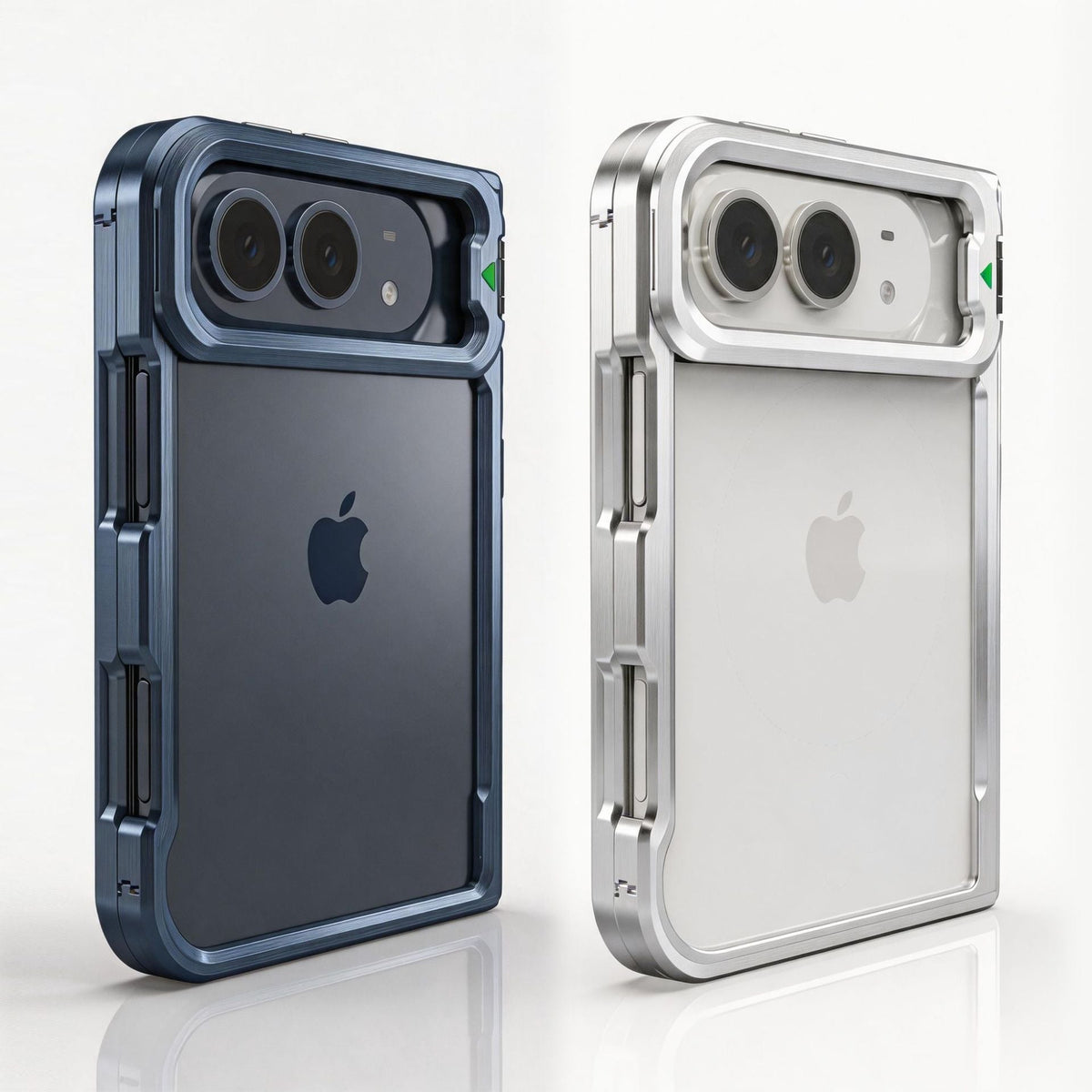
Once fitted, the ZEERA FoldFrame Pro Aluminum Bumper Case combines an open-back metal frame with a camera kickstand, interior cushioning and hinge coverage. These are the features shown on the product page.

Open-Back Aluminum Alloy Design
The aluminum alloy bumper surrounds the phone’s edges while leaving the original rear glass exposed. It suits users who want the phone’s own finish to remain part of the design, with a metal frame around it rather than a full rear panel.

Camera-Frame Kickstand for Portrait and Landscape
The camera frame opens outward to become a built-in stand. Use portrait orientation for a video call or a vertical viewing layout, and landscape orientation for watching videos on a desk or table. Fold the camera frame back into place when you finish.

EVA Cushioning and Reusable Inner Adhesive
EVA cushioning pads line the inside of both frame pieces, helping separate the phone’s edges from direct contact with the aluminum.
Reusable double-sided adhesive along the inner frame helps maintain a close fit. Keep the cushioning and adhesive strips in place; they are part of the frame’s interior fitting system.

Magnetic Auto-Return Hinge Cover
A dedicated cover adds coverage over the central hinge. Its magnetic auto-return mechanism helps guide the cover back into position as the phone folds, carrying the frame’s design through to the spine of the device.

Tool-Free Construction for Everyday Use
Separate front and back frames use magnetic opening sections instead of screws, so installation does not require tools. Handle the moving sections carefully whenever you open them, including when removing the bumper for cleaning.

Silver and Blue Finishes
Both color options share the aluminum alloy frame, camera kickstand, EVA cushioning, reusable inner adhesive and magnetic auto-return hinge cover. Choose the finish you prefer around your phone’s original glass back.

FoldFrame Pro Product Gallery
Explore the additional product images below for a closer look at the case design.


FAQ
Does FoldFrame Pro include a built-in outer-screen protector?
No. FoldFrame Pro does not include built-in tempered glass for the outer display. If you plan to add a separate protector, check its compatibility with the case’s front frame before fitting it.
Should I remove the adhesive strips inside the frame?
Leave the reusable double-sided adhesive strips in place. If a protective liner is attached, remove only the liner for the final fit, not the adhesive strip underneath it.
Can I pry a magnetic section open with a tool?
The case is designed for tool-free installation. Do not use a tool to pry against the clip or spring connection. If gentle hand pressure does not release the section, stop and ask ZEERA for help.
Related Reading