
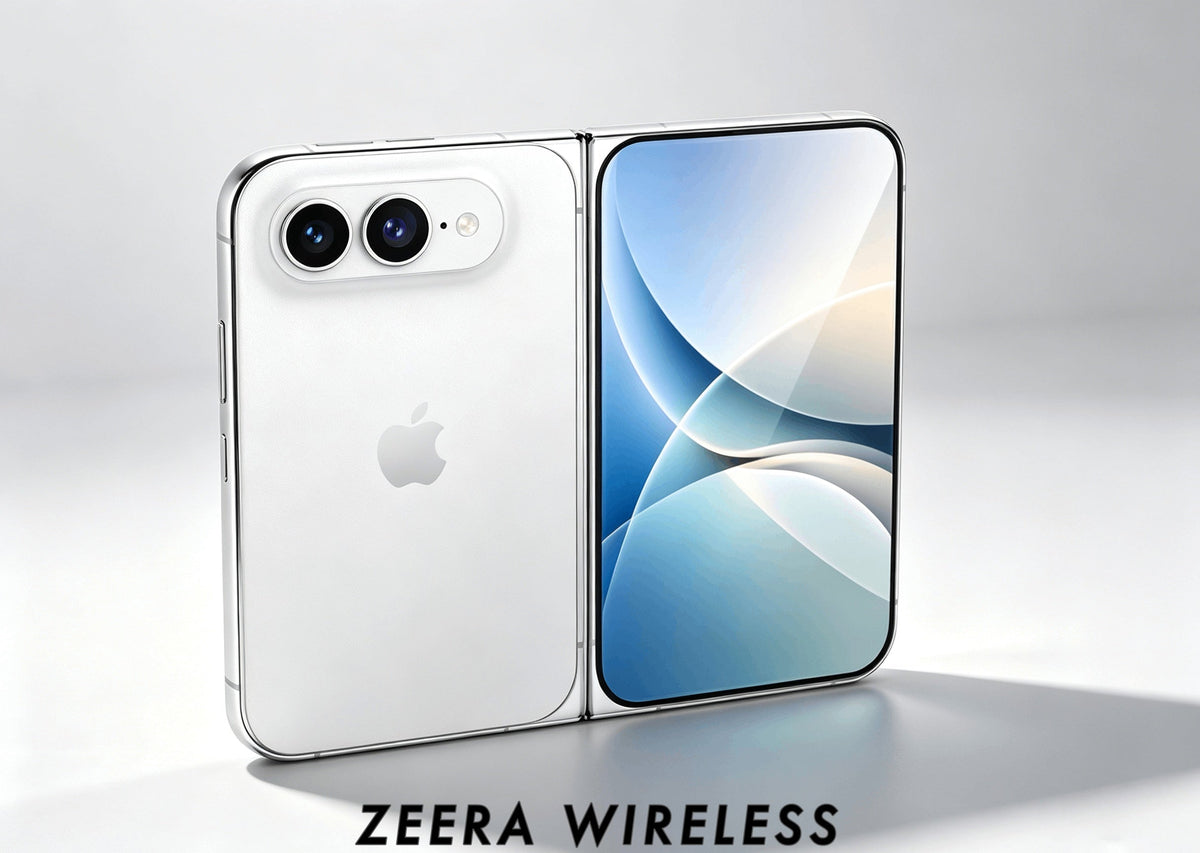
Updated September 9, 2026: The latest reporting points to iPhone Duo as the likely name for Apple’s first foldable. iPhone Ultra and iPhone Fold remain common earlier search terms. Final battery capacity, display specifications and real-world battery life remain unconfirmed.
Quick Answer
The iPhone Duo’s larger inner display will probably use more battery than its smaller outer screen, but the difference should depend heavily on what you are doing.
Existing foldables show that using the cover screen can save relatively little battery during lighter tasks such as web browsing, while the difference becomes more noticeable during video, gaming, high brightness and other display-heavy workloads.
That means using iPhone Duo unfolded should not automatically destroy battery life. The bigger variables will be brightness, workload, display efficiency and how long you actually use the inner screen. Exact battery-life figures remain unknown until Apple confirms the final hardware.
Latest name reporting: The Verge. This guide uses current foldable-phone testing as context, not as a prediction of iPhone Duo runtime. Apple has not published final battery tests or specifications.

Battery life is likely to be one of the biggest questions buyers have about Apple’s first foldable iPhone.
The expected appeal of iPhone Duo is straightforward: use the smaller outer display for normal phone tasks, then unfold it when you want a much larger tablet-like screen.
But that creates a question conventional iPhone buyers rarely need to think about:
Does spending more time on the large inner display significantly reduce battery life?
Existing foldable phones suggest the answer is more nuanced than “big screen equals bad battery life.”
The inner display will probably require more power in many situations, but the size of that difference depends heavily on what is happening on the screen—and what the processor is doing at the same time.

Does the iPhone Duo Inner Display Use More Battery?
Probably yes, but not always by a dramatic amount.
iPhone Duo is expected to use a much larger inner OLED display than its outer screen. A larger illuminated display area can require more power, particularly when brightness is high or a large portion of the screen remains active.
But screen size alone does not determine battery consumption.
OLED power use also depends on brightness, displayed content, refresh rate, panel efficiency and how aggressively the system is driving the screen.
There is another factor that matters just as much: people tend to do heavier things after unfolding a phone.
A quick message, notification check or music control may happen on the outer display.
Open the phone, however, and the user is more likely to watch video, browse a full webpage, edit photos, play a game or run multiple apps side by side.
Those activities can increase CPU, GPU, memory and network activity at the same time the larger display is consuming more power.
The useful way to think about foldable battery drain:
Inner-screen battery use = display power + workload power.
The larger screen matters, but the heavier tasks users tend to run after unfolding the phone can matter just as much.
How Much More Battery Could the iPhone Duo Inner Display Use?
There is no single fixed percentage. The difference depends on brightness, content and workload, and published tests measure total phone runtime rather than the display’s power draw alone.
For reference, PhoneArena tested the Samsung Galaxy Z Fold 7 using its cover display and larger inner display under comparable battery-test conditions:
| Galaxy Z Fold 7 Test | Cover Display | Inner Display | Cover-Screen Runtime Advantage |
|---|---|---|---|
| YouTube playback | 7 hr 46 min | 6 hr 38 min | About 17% |
| Web browsing | 14 hr 55 min | 14 hr 18 min | About 4–5% |
Source: PhoneArena’s Samsung Galaxy Z Fold 7 cover-screen vs main-screen battery test.
The results suggest that the larger inner display can reduce battery life more noticeably during video than during lighter tasks such as web browsing.
These figures should not be applied directly to iPhone Duo. They show that the inner-vs-outer battery-life gap can vary significantly depending on how a foldable phone is used.

What Drains the Most Battery When iPhone Duo Is Unfolded?
Not every inner-screen activity should be treated equally.
| Activity | Expected Battery Impact | Why |
|---|---|---|
| Messaging / email | Low | Mostly static content with relatively light processor demand. |
| Reading | Low–Moderate | The larger display stays active, but CPU and GPU workload is usually light. |
| Web browsing | Moderate | Scrolling, page rendering, network activity and display use contribute together. |
| Video streaming | Moderate–High | A large portion of the inner OLED display remains active continuously. |
| High brightness outdoors | High | Driving a large OLED panel at elevated brightness increases display power demand. |
| Split-screen multitasking | High | Multiple active apps can increase CPU, memory, network and display workload. |
| Gaming | Very High | Display, GPU, CPU, audio and network activity may all remain active at once. |
| Photo / video editing | Very High | Heavy processing combines with sustained large-screen use. |
The pattern matters more than the exact labels.
The inner display becomes most demanding when a large active screen is combined with high brightness and sustained CPU or GPU workload.
That also means simply opening iPhone Duo to read a message or browse a webpage should not have the same battery impact as opening it for an hour of gaming or HDR video.
Will iPhone Duo Last a Full Day?
This is the question that matters more than any theoretical percentage.
Current reports point to a dual-cell battery in the 4,800–5,000mAh range, including a reported 4,883mAh minimum rated capacity. Apple has not confirmed any figure, so this remains pre-launch information.
At first glance, that may look modest next to some Android foldables. But battery capacity alone cannot predict all-day battery life.
What will matter most:
Display efficiency, Apple silicon, modem efficiency, iOS power management, screen brightness, how often the phone is used unfolded, and the apps running in the background.
In practice, two iPhone Duo users could see very different results.
Someone who uses the outer display for messages, notifications and quick browsing may get much better endurance than someone who spends hours gaming, editing or multitasking on the large inner screen.
The real question is not just how big the battery is, but how efficiently Apple can power the inner display during real-world use.
Will iPhone Duo Battery Life Be Worse Than iPhone 18 Pro Max?
If maximum battery endurance is the only priority, the iPhone 18 Pro Max currently looks like the safer choice.
A conventional Pro Max has a simpler job: one large display inside a traditional slab-style chassis.
iPhone Duo has a more difficult design challenge.
It needs to power an outer display and a much larger inner display while fitting batteries, hinge hardware, cameras and other components into an extremely thin foldable body.
That does not automatically mean iPhone Duo will have poor battery life.
Apple could offset some of that disadvantage through display efficiency, silicon efficiency and aggressive power management.
But buyers who value maximum endurance above everything else should wait for direct battery testing instead of assuming the Ultra will match the Pro Max simply because both are premium iPhones.
If you are choosing between the two devices, see our full iPhone Fold vs iPhone 18 Pro Max comparison rather than using battery capacity alone to make the decision.

How to Make iPhone Duo Battery Last Longer
If iPhone Duo behaves like existing foldables, users probably will not need complicated battery-saving routines.
A few foldable-specific habits should matter much more.
Use the Outer Display for Quick Tasks
You probably will not need to unfold iPhone Duo every time you check a notification, reply to a short message, change music or read a quick email.
Using the smaller outer screen for these interactions reduces the amount of time the larger OLED panel remains active.
Reduce Brightness When You Do Not Need It
Brightness can have a major effect on OLED power consumption.
A large inner screen used indoors at moderate brightness should require less power than the same screen pushed to high brightness outdoors.
That means brightness can sometimes matter more than the simple choice between folded and unfolded use.
Limit Heavy Inner-Screen Workloads When Battery Is Low
If you are already low on battery, an hour of gaming, video editing or intensive split-screen multitasking will matter more than replying to messages on the inner display.
The goal is not to avoid the large screen.
The large screen is the reason to buy a foldable.
Instead, recognize which workloads combine large-screen use with sustained processor and graphics demand.
Keep the Phone Cool
Heat can affect both performance and charging behavior.
Long gaming sessions, high brightness, direct sunlight and wireless charging can all add thermal load.
If the phone becomes unusually warm, reducing the workload and moving it away from direct heat can help.
For more detail, see our guide to why an iPhone gets hot while charging and how to reduce it.
Should Battery Life Stop You From Buying iPhone Duo?
Probably not for most buyers—but users who expect to spend most of the day on the large inner display should pay closer attention to battery endurance.
The entire point of a foldable is to use the larger screen.
Buying iPhone Duo and then avoiding the inner display purely to save battery would defeat much of the reason for choosing the device.
Existing foldables suggest that light inner-screen use does not automatically destroy battery life.
The biggest differences appear when the large display is combined with sustained video playback, high brightness, gaming or heavy multitasking.
That makes the buying decision highly dependent on usage.
If your normal day is messaging, email, reading, browsing and occasional video, the additional inner-screen power demand may be manageable.
If you expect to use iPhone Duo as a mini tablet for hours of gaming, streaming, editing or multitasking, battery life should become a much bigger part of your purchase decision.
The real question is not whether unfolding iPhone Duo uses more battery—it probably will. The important question is whether Apple’s final hardware is efficient enough that users can enjoy the inner display without constantly thinking about battery percentage.
That answer will require real production hardware and direct battery testing.
FAQ
Is a 4,800–5,000mAh Battery Enough for iPhone Duo?
It could be, but capacity alone cannot answer the question. Processor efficiency, display efficiency, modem power use, iOS optimization and how often the large inner display is used will all affect real battery life. The reported battery range is still unconfirmed.
Does Using the Outer Screen Save Battery on a Foldable Phone?
Usually, yes. Existing foldable tests show that the smaller cover display can use less power than the larger inner display. However, the size of the advantage depends heavily on the workload and may be relatively small during lighter tasks.
Does Watching Video on the Inner Screen Use More Battery?
Probably. Existing foldable testing shows a more noticeable battery-life difference during continuous video playback than during lighter web browsing. Video keeps a large portion of the inner display active for long periods.
Will Gaming Drain iPhone Duo Battery Faster?
Gaming is likely to be one of the most demanding battery scenarios because it combines the large inner display with sustained CPU and GPU activity, high refresh rates, audio and sometimes network use.
Is iPhone Duo the same as iPhone Ultra or iPhone Fold?
Current reporting points to iPhone Duo as the likely name for Apple’s first foldable. iPhone Ultra and iPhone Fold are widely used earlier or descriptive names for the same expected device.
Related iPhone Ultra Guides






