
Last updated: August 31, 2026 — Updated for iOS 27 Beta 8
Quick Answer: What’s New in iOS 27 Beta 8?
Apple released iOS 27 Beta 8 on August 31, 2026, with build number 24A5430a. This late-stage beta mainly focuses on bug fixes, performance improvements, interface refinements, and stability ahead of the final iOS 27 release.
The major iOS 27 features remain Siri AI, a dedicated Siri app, expanded Apple Intelligence, new AI-powered Photos tools, Safari Notify Me, improved performance, Liquid Glass customization, and stronger parental controls.
iOS 27 supports the iPhone 11 and later, plus the iPhone SE (2nd generation and later). However, Apple Intelligence and Siri AI require an iPhone 16 model or later, an iPhone 15 Pro, or an iPhone 15 Pro Max.
The stable version of iOS 27 is coming in fall 2026. Siri AI has a separate rollout schedule and will initially launch as an English-language beta later in the year.
iOS 27 Beta 8 Release Date and Build Number
Apple released iOS 27 Developer Beta 8 on August 31, 2026. The new beta carries build number 24A5430a and follows iOS 27 Beta 7, which was released one week earlier on August 24.
The build number ends in the letter “a,” which normally indicates that Apple is approaching the end of the beta cycle. However, Apple has not officially confirmed whether Beta 8 will be the final beta before the Release Candidate.

What Changed in iOS 27 Beta 8?
iOS 27 Beta 8 does not introduce another large group of headline features. At this stage of development, Apple is concentrating on making the operating system more stable ahead of its public release.
iOS 27 Beta 8 Highlights
- Additional bug fixes: Apple continues addressing problems reported during earlier beta testing.
- Performance refinements: System animations, app launches, search, and general responsiveness continue to be optimized.
- Liquid Glass improvements: Apple is refining visual consistency, contrast, transparency, and interface behavior.
- Improved Spotlight suggestions: Search suggestions are becoming faster and more relevant.
- AirPlay refinements: Connections to compatible Apple TV and HomePod devices are being improved.
- Web audio fix: Apple has addressed behavior that could cause webpage audio to interrupt other system audio.
- Localization updates: Additional interface refinements are appearing for supported regional English settings.
- Final compatibility work: Apple is preparing apps and system frameworks for the stable release of iOS 27.
Because Beta 8 is a late-stage test release, its most important changes may not be immediately visible. Many updates are intended to improve reliability rather than add new buttons or features.
Individual fixes can also vary by device. A problem resolved on one iPhone model may still be present on another, and features may continue changing before the Release Candidate.


Should You Install iOS 27 Beta 8?
iOS 27 Beta 8 should be more polished than the first several developer betas, but it is still pre-release software.
Users may continue to encounter battery drain, heat, app crashes, interface bugs, missing features, or compatibility problems with banking, workplace, authentication, and third-party apps.
Consider Installing Beta 8 If You:
- Have a secondary iPhone available for testing.
- Develop or test apps for iOS 27.
- Understand how to back up and restore an iPhone.
- Can tolerate bugs, battery changes, and unexpected restarts.
- Need to test website, accessory, or app compatibility before the public release.
Wait for the Stable Release If You:
- Use the iPhone as your primary device.
- Depend on banking, workplace, travel, or authentication apps.
- Need maximum battery life and reliability.
- Do not have a recent archived backup.
- Only want the new features and do not need to test beta software.
Beta 8 being close to the final release does not guarantee that it is free from serious bugs. For most users, waiting for the stable version remains the safer option.
iOS 27 Release Date: When Is the Final Version Coming?
Apple announced iOS 27 during WWDC26 on June 8, 2026. The company has confirmed that the final version will be released as a free software update in fall 2026.
Apple has not yet announced the exact public release date. Based on the company’s normal schedule, the stable version is likely to arrive around the launch of the next iPhone generation, but that timing should not be treated as confirmed until Apple provides an official date.
| iOS 27 Stage | Status |
|---|---|
| WWDC26 announcement | June 8, 2026 |
| Developer beta | iOS 27 Beta 8 available |
| Latest developer build | iOS 27 Beta 8 (24A5430a) |
| Public beta | Available through the Apple Beta Software Program |
| Release Candidate | Not yet released |
| Final iOS 27 release | Coming in fall 2026; exact date not yet announced |
| Siri AI public availability | Coming as an English-language beta later in 2026 |
What Are the Biggest New Features in iOS 27?
The core features introduced during the iOS 27 beta cycle remain focused on intelligence, personalization, performance, and safer digital experiences.
- Siri AI: A more conversational assistant with personal context, onscreen awareness, broader web knowledge, and additional app actions.
- Dedicated Siri app: A central place to start, revisit, pin, and continue Siri AI conversations across compatible Apple devices.
- Photos: Spatial Reframing, Extend, and an upgraded Clean Up tool.
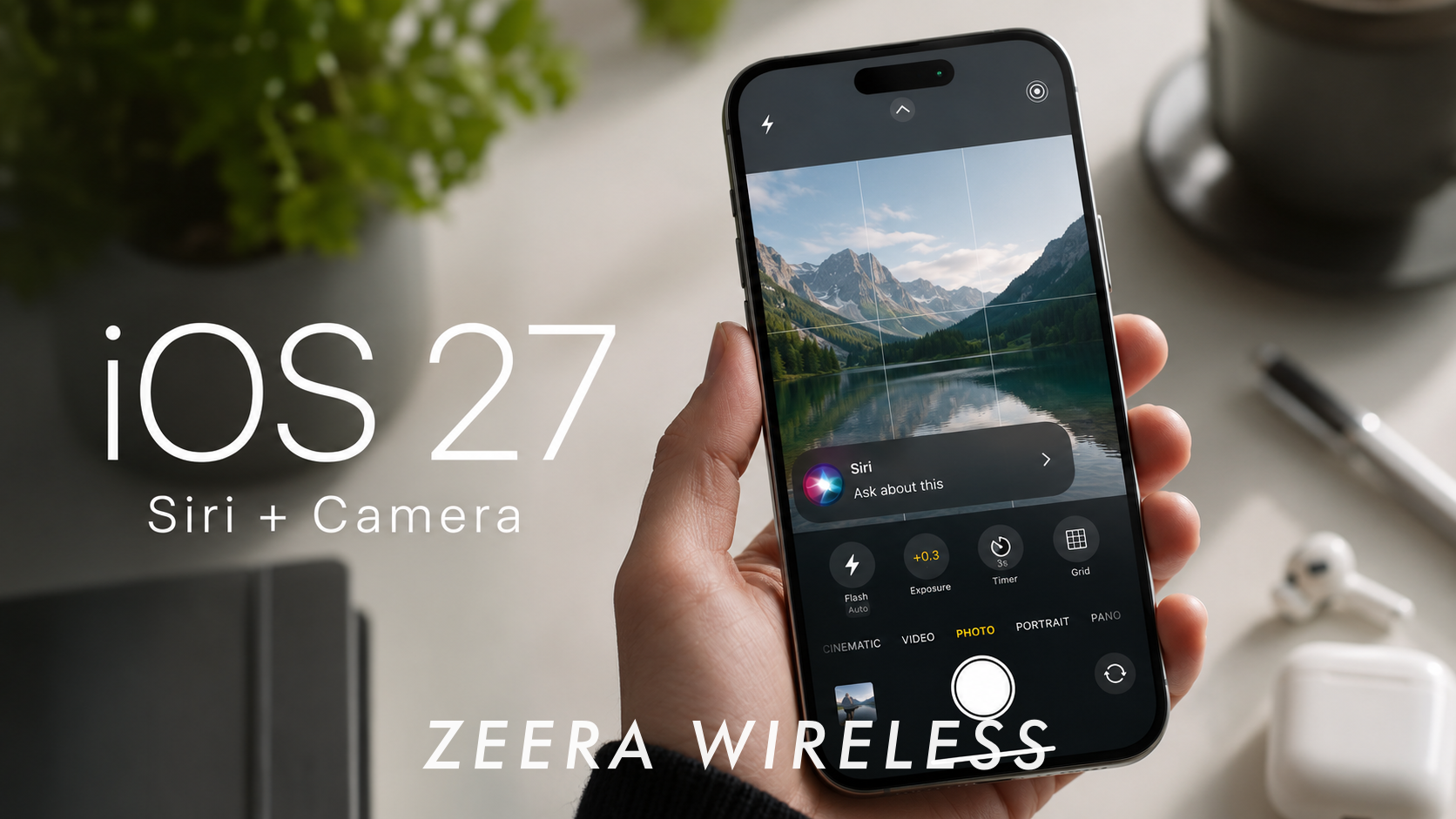
- Camera: Siri Mode uses Visual Intelligence to search, ask questions, and take actions based on objects around you.
- Safari: Automatic tab grouping and Notify Me alerts for changes such as price drops and product restocks.
- Messages and Mail: More contextual suggestions, writing assistance, and smarter actions.
- Image Playground: Higher-quality image generation, photorealistic styles, and natural-language editing.
- Liquid Glass: A slider for adjusting the interface from ultra-clear to more heavily tinted.
- Performance: Faster app launches, photo loading, AirDrop transfers, and more efficient search.
- Parental controls: More detailed contact, content, app-access, and Screen Time controls.
Siri AI Is the Headline iOS 27 Upgrade
Siri AI is an entirely new version of Siri powered by the next generation of Apple Intelligence. It is designed to provide richer answers, understand natural conversations, maintain context, and help users complete more complicated tasks.
Unlike the traditional Siri experience, Siri AI can draw on information from messages, emails, photos, notes, and supported third-party apps when appropriate. It can also understand content displayed on the screen and retrieve current information from the web.
What Can Siri AI Do?
- Hold more natural, back-and-forth conversations.
- Answer open-ended questions and help brainstorm ideas.
- Find information in messages, emails, photos, and notes.
- Use personal context to provide more relevant answers.
- Answer questions about content currently displayed on the screen.
- Retrieve current information from the web.
- Take actions in apps such as Messages, Music, Reminders, Mail, Photos, and Calendar.
- Draft, edit, or provide feedback on writing.
- Continue a previous conversation from the dedicated Siri app.
For example, a user could ask Siri AI to find a hotel confirmation number in an old email, locate photos from a recent trip, add an event mentioned in a message to Calendar, or provide more information about something shown on the iPhone screen.
The New Siri App
iOS 27 introduces a dedicated Siri app that brings previous Siri AI conversations together in one place.
Users can start a new conversation, revisit an earlier one, pin important conversations, or begin a question on an iPhone and continue it on another compatible Apple device. Apple says conversation history is privately synchronized through iCloud.

Siri Mode in Camera
Siri Mode brings Visual Intelligence directly into the Camera app. It allows users to point the camera at an object, place, sign, or other subject and then search for information, ask a question, or take an appropriate action.
This feature is part of the expanded Siri AI experience and requires a compatible Apple Intelligence device.

When Will Siri AI Be Available?
Installing iOS 27 Beta 8 does not guarantee immediate public access to the complete Siri AI experience.
Apple says Siri AI will arrive as a beta later in 2026 for users with a supported device configured in English. Support for additional languages is planned afterward.
- Initial language: English.
- Initial status: Beta.
- Timing: Later in 2026.
- European Union: Siri AI will not initially be available on iPhone, iPad, or Apple Watch.
- China: Siri AI and the new iOS 27 Apple Intelligence features will not initially be available while Apple works through regulatory requirements.
- Other regions: Availability may vary by language, device, and local regulations.
Users outside the United States should check Apple’s regional availability information instead of assuming every Siri AI feature will appear after installing iOS 27 or iOS 27 Beta 8.
iPhone Air & iPhone 17 Pro Max Ultra-Thin Accessories
ZEERA MagSkin Air Ultra-Thin Magnetic Plate
- Only 0.3mm thin
- MagSafe compatible
- Preserves Air feel
- Light back guard
- Case-free carry

ZEERA MagSkin Pro Ultra-Thin Magnetic Back Plate
- Ultra-thin Pro fit
- MagSafe compatible
- Bare-phone feeling
- Camera deco guard
- Minimal daily carry

ZEERA AirFlat Lens Cover for iPhone Air
- Makes back flat
- Stops desk wobble
- Protects camera lens
- Slim matching look
- Easy clean design

Apple Intelligence Gets More Useful Across Apps
Siri AI is the most visible change, but iOS 27 also expands Apple Intelligence across many of the apps people use every day.
Photos: Spatial Reframing, Extend, and Better Clean Up
Spatial Reframing lets users adjust the composition and apparent perspective of a photo after it has been taken.
The Extend tool can expand the edges of an image, while the upgraded Clean Up tool can remove larger distracting objects more effectively.
These are Apple Intelligence features, so they are not available on every iPhone that supports iOS 27.
Safari: Tab Grouping and Notify Me
Safari can automatically organize related tabs into topics, making large groups of open pages easier to manage.
The Notify Me feature allows Safari to monitor a webpage for relevant changes. Users can request an alert when a product returns to stock, a price drops, or registration for an event opens.
Availability may depend on whether Safari can identify and monitor the relevant information on a particular webpage.
Messages and Mail
Messages can provide one-tap contextual suggestions based on a conversation. A message about bringing something to an event, for example, may provide an option to create a reminder or note.
Siri AI can also help generate, edit, and improve text. In Messages and Mail, Apple says it can adapt to the user’s writing style, including tone and punctuation.
Image Playground
Image Playground gains higher-quality image generation, including a photorealistic style. Users can also describe changes in natural language instead of creating an entirely new image from the beginning.
Apple notes that some server-based image-generation features may have daily usage limits. Higher usage allowances may be included with eligible iCloud+ plans.

iOS 27 Design: More Control Over Liquid Glass
iOS 27 continues the Liquid Glass design introduced in the previous generation while giving users more control over its appearance.
A slider in Settings allows the interface to be adjusted from an ultra-clear appearance to a more heavily tinted look. Apple has also refined app icons so they appear sharper and more defined.
Throughout the beta cycle, Apple has continued adjusting transparency, contrast, animations, and interface consistency. Beta 8 contains additional refinements rather than another complete visual redesign.

Which iPhones Support Apple Intelligence and Siri AI?
Apple Intelligence has stricter requirements than iOS 27 Beta 8 itself.
Apple Intelligence-Compatible iPhones
- iPhone 17 series and iPhone Air.
- iPhone 16 series, including iPhone 16e.
- iPhone 15 Pro.
- iPhone 15 Pro Max.
- Later compatible iPhone models released with Apple Intelligence support.
The standard iPhone 15 and iPhone 15 Plus can install iOS 27 Beta 8, but they do not support Apple Intelligence. The same applies to the iPhone 14, iPhone 13, iPhone 12, iPhone 11, and compatible iPhone SE models.
| Feature | Hardware Requirement |
|---|---|
| Install iOS 27 Beta 8 | iPhone 11 or later; iPhone SE (2nd generation or later) |
| Use Apple Intelligence | iPhone 16 model or later; iPhone 15 Pro or iPhone 15 Pro Max |
| Use Siri AI | Compatible Apple Intelligence device, supported language, and supported region |
| Use Spatial Reframing and other new AI tools | Compatible Apple Intelligence device; availability may vary by feature |
iOS 27 Beta 8 Battery Life and Heat
A late-stage beta can be more efficient than earlier builds, but battery life and heat may still vary during testing.
After installing iOS 27 Beta 8, an iPhone may temporarily use more power while it indexes files, analyzes photos, updates apps, and completes background setup. Battery performance usually becomes more representative after these processes finish.
AI processing, gaming, video recording, GPS navigation, high screen brightness, weak cellular reception, and wireless charging can also increase power consumption and device temperature.
Because Beta 8 remains pre-release software, unusual battery drain should not automatically be treated as representative of the final iOS 27 release.
Charging During Travel and Navigation
Heavy workloads such as GPS navigation, Wireless CarPlay, gaming, video recording, and wireless charging can generate heat at the same time. In these situations, active cooling may help reduce heat buildup around the charging surface and create better conditions for stable charging.
- For travel: The ZEERA MagTri Gen2 25W Foldable MagSafe Charger combines a foldable multi-device design, Qi2.2 25W charging, and active cooling.

- For driving: The ZEERA SuVolt Gen5 Qi2.2 25W Car Charger combines magnetic car charging with active cooling for navigation and longer drives.
Active cooling cannot override the iPhone’s built-in thermal protection or eliminate heat caused by direct sunlight and a very hot vehicle cabin.

Should You Update to iOS 27?
For most users with a compatible iPhone, iOS 27 should be worth installing after the stable version becomes available.
Beta 8 is close to the end of the development cycle, but it can still contain bugs, increased battery drain, app compatibility problems, and features that change before the final release.
Update to the Stable Version If You:
- Want the latest security, performance, and system improvements.
- Want the new Photos, Safari, Search, Liquid Glass, and parental-control features.
- Have an Apple Intelligence-compatible iPhone and want the latest AI features.
- Want to prepare your device for Siri AI when it becomes available in your language and region.
- Regularly use Apple apps such as Photos, Safari, Messages, Mail, and Reminders.
Consider Waiting If You:
- Are considering installing Beta 8 on your primary iPhone.
- Depend on critical apps that may not yet be optimized for iOS 27.
- Prefer maximum stability over early access.
- Need Siri AI in a language or region where it is not yet available.
- Have limited free storage or an iPhone battery that already requires service.
Do You Need a New iPhone for iOS 27?
If your current iPhone appears on Apple’s compatibility list, you do not need to buy a new phone simply to install iOS 27 or iOS 27 Beta 8.
A hardware upgrade becomes more relevant if your main reason for updating is Apple Intelligence or Siri AI. Many older iPhones can run iOS 27 but cannot use its most advanced AI features.
Want the general iOS 27 update?
Keep using your compatible iPhone.
Want Apple Intelligence and Siri AI?
Check the separate hardware, language, and regional requirements.
ZEERA MacFrost Pro Active Cooler for Mac Mini
- 30W TEC cooling
- CNC aluminum
- OLED monitoring
- 3 cooling modes
- M6 / M5 Pro / M4

ZEERA MacForge Gen3 CNC Aluminum Mac Mini Case
- Mac Pro grille
- CNC chassis
- Better airflow
- SSD expansion
- Front ports

iOS 27 Beta 8 Frequently Asked Questions
When was iOS 27 Beta 8 released?
Apple released iOS 27 Developer Beta 8 on August 31, 2026.
What is the iOS 27 Beta 8 build number?
The iOS 27 Beta 8 build number is 24A5430a.
What is new in iOS 27 Beta 8?
Beta 8 mainly focuses on bug fixes, performance improvements, Liquid Glass refinements, search improvements, AirPlay reliability, localization updates, and final preparation for the stable release.
Is iOS 27 Beta 8 the final beta?
Apple has not officially confirmed that Beta 8 is the last beta. Its late-stage build number suggests that the Release Candidate may be approaching, but another beta remains possible.
Is iOS 27 Beta 8 stable?
It should be more polished than earlier betas, but it remains pre-release software and may still contain battery, performance, interface, and app compatibility problems.
When will the final version of iOS 27 be released?
Apple says iOS 27 will be released as a free software update in fall 2026. The exact stable release date has not yet been announced.
Which iPhones support iOS 27 Beta 8?
iOS 27 Beta 8 supports iPhone 11 and later, as well as the iPhone SE (2nd generation and later).
Which iPhones support Apple Intelligence in iOS 27?
Apple Intelligence requires an iPhone 16 model or later, an iPhone 15 Pro, or an iPhone 15 Pro Max. Availability also depends on language and region.
Does installing Beta 8 give me access to Siri AI?
Not necessarily. Siri AI requires compatible hardware and is subject to separate language, regional, and rollout requirements. Apple says the public Siri AI beta will initially be available in English later in 2026.
Will Siri AI be available in the European Union?
Apple says Siri AI will not initially be available on iPhone, iPad, or Apple Watch in the European Union. Apple has not announced a firm EU release date.
Will Siri AI be available in China?
Apple says Siri AI and the other new iOS 27 Apple Intelligence features will not initially be available in China while it works through regulatory requirements.
Does iOS 27 Beta 8 improve MagSafe charging speed?
No direct MagSafe charging-speed increase has been announced. Performance continues to depend on the iPhone, charger, power adapter, charging standard, alignment, and temperature.
Does iOS 27 Beta 8 cause battery drain?
Battery life can vary on beta software. Temporary drain may also occur after installation while the iPhone completes indexing, app updates, and other background tasks.
Should I install iOS 27 Beta 8?
Most users should wait for the stable release. Beta 8 is primarily intended for developers, testers, and users who understand the risks of running pre-release software.
Final Verdict: What Matters Most About iOS 27 Beta 8?
iOS 27 Beta 8 marks another important step toward the public release of iOS 27. It does not introduce another major group of features, but it improves stability, performance, interface consistency, and compatibility.
The major reasons to care about iOS 27 remain Siri AI, expanded Apple Intelligence, new Photos tools, Safari Notify Me, Liquid Glass customization, faster system performance, and stronger parental controls.
The most important distinction is that iOS 27 compatibility and Apple Intelligence compatibility are not the same thing. An iPhone 11, 12, 13, or 14 can install iOS 27 Beta 8, but it cannot use the complete Apple Intelligence and Siri AI experience.
Users should also remember that Siri AI has its own rollout schedule. It will initially arrive as an English-language beta later in 2026, with availability limited by device, language, and region.
For most users, the best option is still to wait for the stable iOS 27 release. Developers and experienced testers can use Beta 8 to verify app, website, and accessory compatibility before the final version arrives.









