
Updated: August 22, 2026
If your iPhone battery is draining faster after updating to iOS 27, or your iPhone feels unusually warm, you're not alone.
Battery drain, overheating, and shorter battery life are among the most common issues users report after a major iOS update. In many cases, these problems are temporary and improve within a few days. However, if your iPhone stays hot, loses battery unusually fast, or repeatedly pauses charging because of temperature, there may be another issue involved.
In this guide, we'll explain why iOS 27 battery drain happens, whether overheating is normal, and the most effective ways to improve battery life and reduce heat.

Quick Answer
For most users, mild battery drain and extra warmth during the first 24 to 72 hours after installing iOS 27 are normal.
Your iPhone may still be:
-
Indexing photos
-
Syncing iCloud data
-
Updating apps
-
Rebuilding Spotlight search
-
Optimizing system services
If battery life improves after a few days, the issue was likely temporary.
If your iPhone continues overheating, drains heavily overnight, or loses battery unusually fast during light use, follow the troubleshooting steps below.
iPhone Air & iPhone 17 Pro Max Ultra-Thin Accessories
ZEERA MagSkin Air Ultra-Thin Magnetic Plate
- Only 0.3mm thin
- MagSafe compatible
- Preserves Air feel
- Light back guard
- Case-free carry

ZEERA MagSkin Pro Ultra-Thin Magnetic Back Plate
- Ultra-thin Pro fit
- MagSafe compatible
- Bare-phone feeling
- Camera deco guard
- Minimal daily carry

ZEERA AirFlat Lens Cover for iPhone Air
- Makes back flat
- Stops desk wobble
- Protects camera lens
- Slim matching look
- Easy clean design

How to Fix iOS 27 Battery Drain and Overheating
1. Give iOS 27 Time to Finish Background Tasks
If you updated within the last day or two, your iPhone may still be indexing photos, syncing iCloud data, rebuilding Spotlight search, and optimizing apps.
These background processes can temporarily increase battery usage and generate extra heat. For many users, battery life improves noticeably within 24 to 72 hours without any additional troubleshooting.
2. Check What's Actually Using Your Battery
Before changing multiple settings, identify where the battery is going.
Open Settings > Battery and review battery activity over the last 24 hours and 10 days. If one app suddenly appears at the top of the list or shows unusually high Background Activity, update it first.
Apps that are not fully optimized for iOS 27 can sometimes cause excessive battery drain, overheating, or unexpected background activity.

3. Update Your Apps
Many battery complaints after a major iOS release are actually caused by third-party apps rather than iOS itself.
Developers often release optimization updates shortly after a new iOS version launches. Open the App Store and install any available app updates, especially for social media, navigation, video, and productivity apps that run frequently in the background.
iPhone 18 Pro Max MagSafe Charger & Stand
ZEERA MagTri Gen2 Qi2.2 Foldable MagSafe Charger
- 25W Qi2.2
- 3-in-1 fold
- Active cooling
- Travel size
- 3-device ready
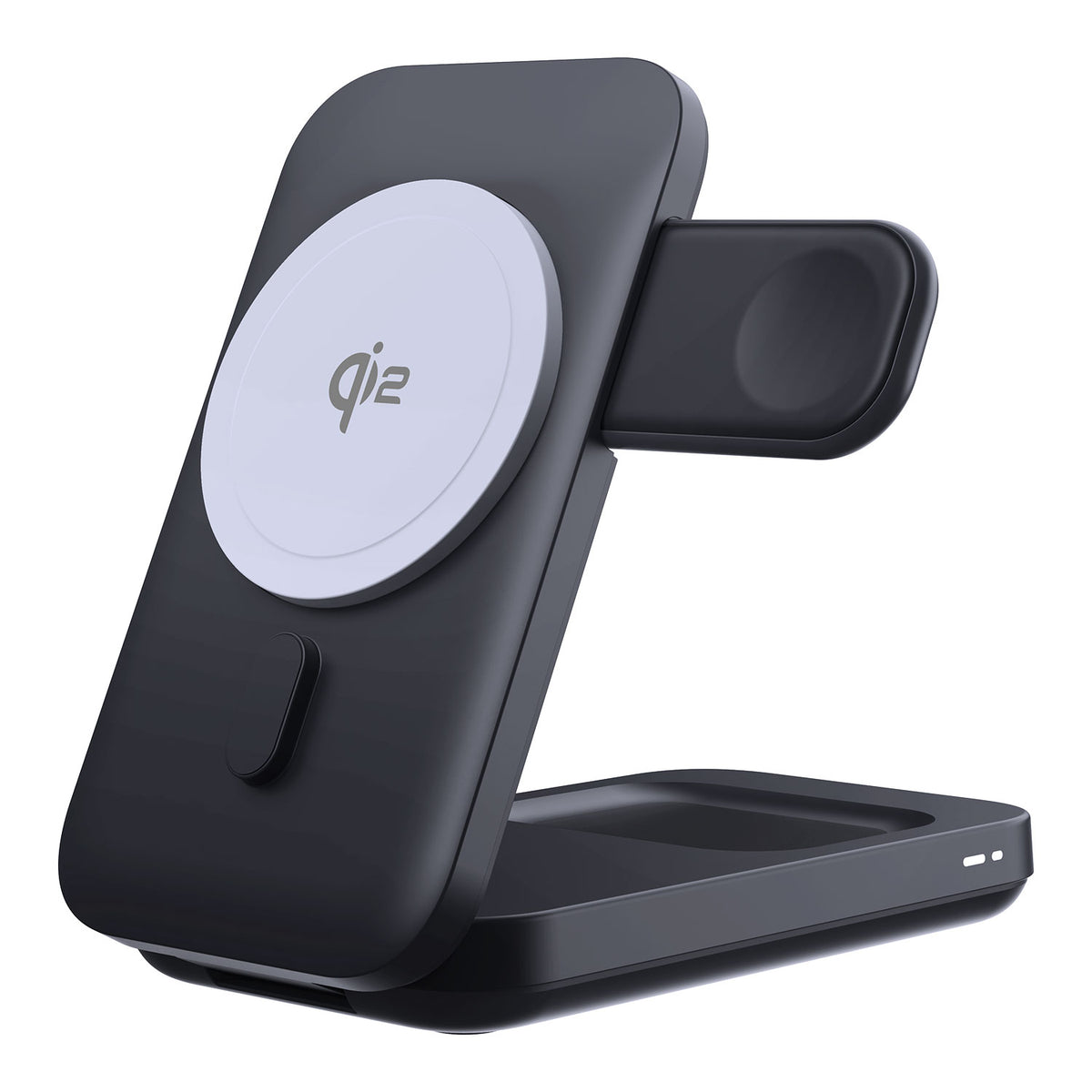
ZEERA MagSion 5-in-1 Dual MagSafe Charger Stand
- Dual MagSafe
- 5-in-1 stand
- Watch charging
- Angle adjust
- Clean setup
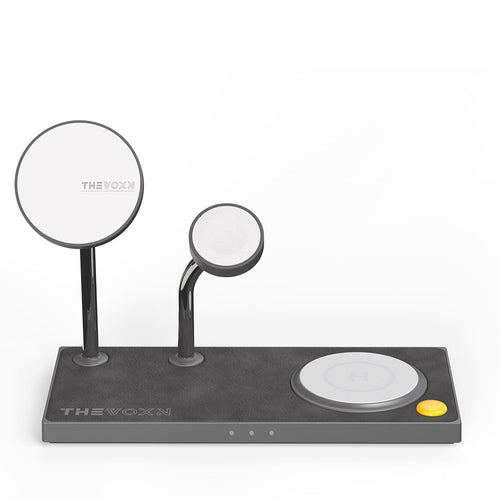
ZEERA SuVolt Gen5 Qi2.2 Active Cooling Car Charger
- 25W Qi2.2
- Active cooling
- Strong magnet
- CarPlay ready
- Heat control

4. Restart Your iPhone
It sounds simple, but a restart can clear temporary processes that may not have completed correctly after the update.
If your iPhone has been running continuously since installing iOS 27, restarting it can sometimes reduce background activity and improve battery performance almost immediately.

5. Use Low Power Mode Temporarily
If your battery is draining unusually fast, Low Power Mode can help reduce background activity while the system settles after the update.
You can enable it from Settings > Battery > Low Power Mode.
This is especially useful during the first few days after updating when iOS is still completing post-installation tasks.
6. Review Location Services
Location tracking is one of the biggest hidden causes of battery drain.
Check Settings > Privacy & Security > Location Services and review which apps have permission to access your location all the time.
Many apps work perfectly fine with While Using the App enabled instead of Always, which can reduce unnecessary battery usage throughout the day.

7. Lower Screen Brightness
The display is one of the largest power consumers on any iPhone.
High brightness levels not only drain the battery faster but can also contribute to additional heat, especially outdoors, during navigation, or while using CarPlay.
Reducing brightness slightly can have an immediate impact on both battery life and device temperature.
8. Reduce Background App Refresh
Some apps continue checking for new content even when you're not actively using them.
If battery drain continues after several days, consider disabling Background App Refresh for apps that do not need constant updates.
You can find this option under Settings > General > Background App Refresh.

9. Install the Latest iOS 27 Update
The first release of a major iOS version is rarely the final word on battery performance.
Apple often releases follow-up updates that address overheating reports, battery drain complaints, app compatibility issues, and other bugs discovered after launch.
If a newer iOS 27 update is available, installing it may solve the problem without any additional troubleshooting.
Why Your iPhone Gets Hot After the iOS 27 Update
If your iPhone feels warmer than usual after installing iOS 27, it doesn't necessarily mean there's a problem.
Major iOS updates often trigger background activity, app updates, and iCloud syncing, all of which can increase power consumption and generate extra heat. Heat can also become more noticeable during navigation, gaming, video recording, wireless charging, or when using the device in a hot environment.
Mild warmth is normal. However, if your iPhone becomes too hot to hold comfortably, repeatedly pauses charging because of temperature, or shuts down unexpectedly, further troubleshooting may be necessary.
If you're preparing for Apple's next iPhone generation, see our guide to iPhone 18 Pro Max overheating during setup, data transfer, charging, and iOS 27.
Is iOS 27 Battery Drain Normal After Updating?
Usually, yes.
Battery life may temporarily decrease after installing iOS 27 while the system completes post-update tasks and optimizations in the background. For most users, battery performance gradually returns to normal within a few days.
If battery drain remains severe after a week, or your iPhone continues overheating during light use, the issue may be related to an app, battery health, or a software bug.
Does Apple Intelligence Affect Battery Life?
Possibly. Apple Intelligence features can increase system activity because they rely on both on-device and cloud-based processing.
However, they are rarely the sole cause of battery drain. Before disabling any features, check Settings > Battery to see which apps or services are actually consuming power.

Does Wireless Charging Make iPhone Overheating Worse?
Charging can make an already warm iPhone feel hotter, especially during wireless charging, navigation, CarPlay, gaming, or other demanding tasks. If the iPhone gets too warm, iOS may temporarily slow or pause charging to protect the battery.
For users who frequently charge during navigation, travel, or other demanding tasks, an iPhone 18 Pro Max MagSafe charger with efficient thermal management can help reduce additional charging-related heat while keeping the phone powered.
When iPhone Heat Is Not Normal
Mild warmth is expected.
These situations are not.
Take the issue more seriously if:
-
Your iPhone becomes too hot to hold comfortably
-
Charging repeatedly pauses because of temperature
-
Battery drops extremely fast during light use
-
The device shuts down unexpectedly
-
Battery Health shows a service warning
-
Problems continue for more than several days
If these symptoms continue, back up your iPhone and contact Apple Support.
Quick Troubleshooting Table
| Problem | Most Likely Cause | First Solution |
|---|---|---|
| Battery drains fast after update | Background indexing | Wait 24–72 hours |
| iPhone gets hot while charging | Charging heat + system activity | Charge in a cooler location |
| Heavy overnight battery drain | iCloud sync or app activity | Check Battery settings |
| Heat while using Maps or CarPlay | GPS, screen brightness, charging | Reduce brightness and improve ventilation |
| One app drains most battery | App compatibility issue | Update or reinstall app |
| Charging pauses due to temperature | Thermal protection | Let device cool down |


FAQ
Why is my iPhone battery draining after iOS 27?
Most commonly because iOS is still completing background tasks such as indexing, syncing, and optimization after the update.
Why is my iPhone hot after updating to iOS 27?
Background activity, charging, navigation, gaming, and app updates can all increase heat generation after a major update.
How long does iOS 27 battery drain last?
For most users, battery life improves within 24 to 72 hours after updating.
Can Apple Intelligence cause battery drain?
Apple Intelligence may increase system activity, but it is rarely the only cause of battery drain.
Is battery drain worse on iOS 27 beta?
Yes. Beta software often contains bugs and unfinished optimizations that can affect battery life.
Should I replace my battery because of iOS 27?
Not immediately. Check Battery Health first and allow the update to finish its background tasks.
Can a charger fix iOS 27 battery drain?
No. A charger cannot fix software-related battery drain, but reducing charging heat can improve the overall experience.
Why does my iPhone get hot while charging after iOS 27?
Charging generates heat on its own, while post-update background tasks can add additional system activity. If the iPhone becomes too warm, iOS may slow or temporarily pause charging until the device cools down.
Will iPhone 18 Have Better Battery Life Than Previous Models?
Apple has not officially announced battery performance for the iPhone 18 series. However, future improvements in chip efficiency and thermal management may help reduce heat and improve battery life compared with older models.









