
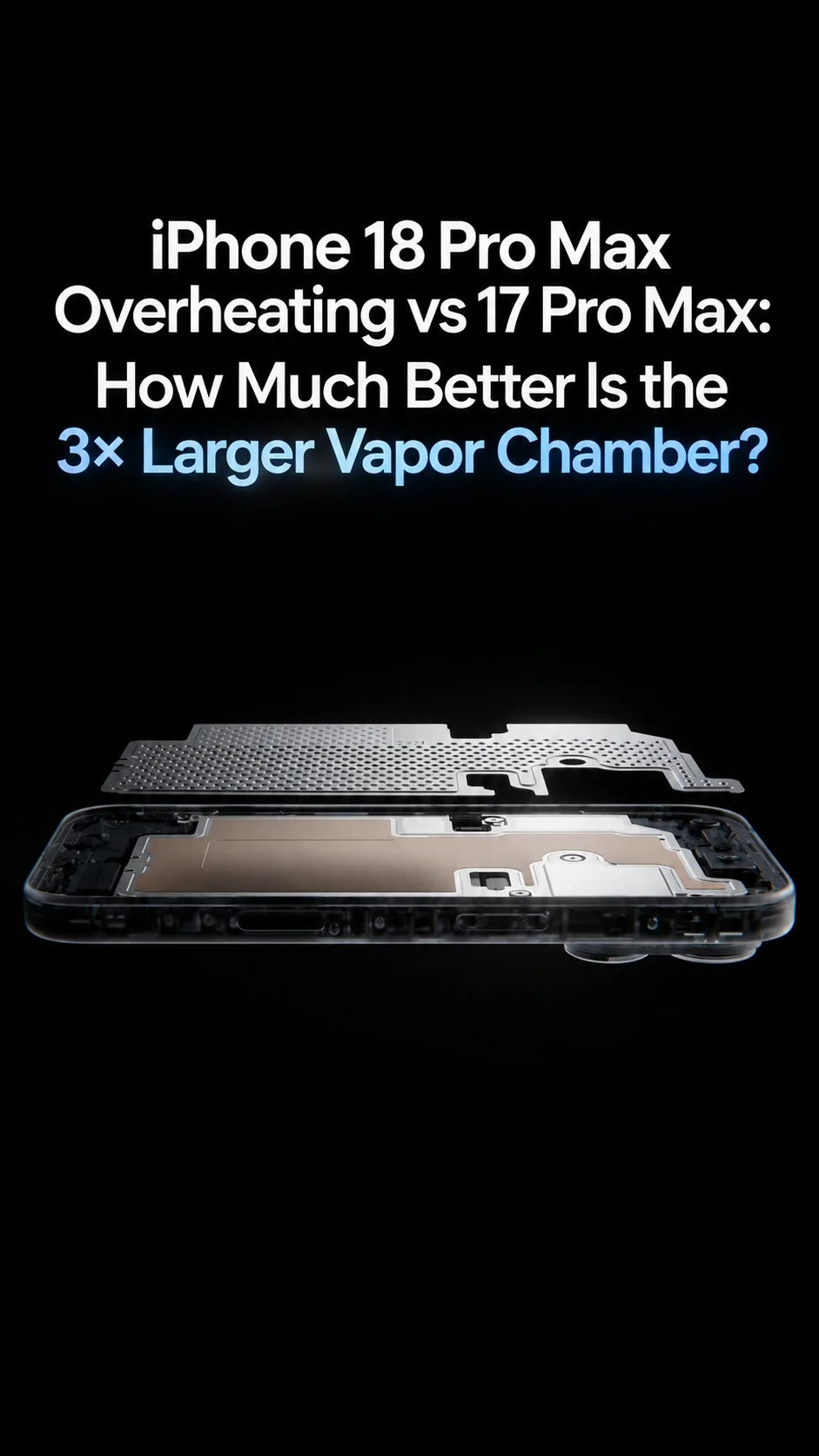
Is the iPhone 18 Pro Max cooling system much better?
Yes. The iPhone 18 Pro Max has a major thermal upgrade over the iPhone 17 Pro Max.
Apple says its next-generation vapor chamber has three times more surface area, while the A20 Pro connects more directly to the cooling system.
The result is up to 40% better sustained performance—not a 40% reduction in temperature.
ZEERA’s testing found that the iPhone 17 Pro Max already controlled heat well during most workloads, but occasional overheating could still occur during prolonged gaming, recording, navigation, direct sunlight or wireless charging.
The iPhone 18 Pro Max should handle these situations better, but extreme combined workloads can still benefit from an active-cooling charger such as MagTri Gen2 or SuVolt Gen5.
How Much Better Is the iPhone 18 Pro Max Vapor Chamber?
The difference is larger than a normal annual cooling update.
According to Apple’s official iPhone 18 Pro announcement, the redesigned vapor chamber has three times more surface area than the system used in the iPhone 17 Pro.
Apple also changed how heat travels from the A20 Pro chip into that chamber.
More surface area than the previous-generation cooling system.
Apple’s claimed gain over the previous generation during prolonged workloads.
The A20 Pro silicon can attach more directly to the vapor chamber.
The A20 Pro uses custom packaging inspired by Apple’s M-series chips. Its silicon die and memory are positioned side by side instead of placing the memory in the main thermal path.
This gives heat from the processor a shorter, more direct route into the vapor chamber.
40% more sustained performance does not mean 40% cooler
Apple’s figure describes how much performance the phone can maintain before thermal limits reduce speed. Apple has not claimed that the exterior temperature is 40% lower.
iPhone 18 Pro Max vs 17 Pro Max Cooling
First-generation vapor chamber
The vapor chamber distributes concentrated heat from the A19 Pro across a larger part of the aluminum chassis.
It improves sustained performance and reduces sudden hot spots, but it cannot completely prevent heat buildup during extreme workloads.
Larger, more direct cooling system
The next-generation chamber has three times more surface area, new materials and more direct contact with the A20 Pro package.
It should spread heat faster and delay thermal throttling for longer than the iPhone 17 Pro Max.
The biggest improvement should be visible during long gaming sessions, 4K video recording, video editing, AI processing and other sustained tasks.
Short activities such as opening apps, browsing Safari or taking a few photos may not show a dramatic temperature difference because neither phone stays under heavy load long enough to saturate its cooling system.
What ZEERA Found When Testing the iPhone 17 Pro Max
ZEERA tested the iPhone 17 Pro Max across everyday use and heavier real-world workloads.
In normal use, the vapor chamber did a good job of controlling concentrated heat. The phone generally remained stable while browsing, watching video, using social apps and taking photos.
The difference became clearer during longer high-load sessions. Instead of allowing heat to remain concentrated around the processor, the vapor chamber spread it across a wider part of the phone.
This helped reduce sharp temperature spikes and supported more consistent performance.
However, the iPhone 17 Pro Max could still become very warm—and occasionally reach thermal limits—when several heat sources were combined:
- Extended graphics-intensive gaming
- Long 4K video recording sessions
- Gaming or recording while charging
- High-power MagSafe or Qi2 wireless charging
- GPS navigation with wireless CarPlay
- Maximum display brightness in direct sunlight
- Using the phone inside a hot vehicle
That does not mean the vapor chamber failed. It shows the physical limitation of passive cooling inside a sealed smartphone.
Will the iPhone 18 Pro Max Still Overheat?
It can, especially under extreme combined loads.
The larger vapor chamber gives the iPhone 18 Pro Max more thermal headroom, but it does not make the phone immune to heat.
The A20 Pro also has a much faster GPU and more powerful on-device AI hardware. A more efficient 2nm processor can use less energy for the same task, but users may also run more demanding games and AI workloads that consume the available thermal headroom.
Ambient temperature remains equally important. Even an advanced vapor chamber cannot transfer heat effectively when the phone is sitting in direct summer sunlight or inside a hot car.
Apple states that iPhone is designed for use in ambient temperatures between 32°F and 95°F, or 0°C and 35°C. Extended use outside that range may affect performance and battery health.
Warm vs Overheating: What Is the Difference?
An iPhone feeling warm does not automatically mean it is overheating.
The phone feels warm
This can happen during setup, a major iOS update, wireless charging, gaming, camera use or high-quality video streaming.
If there is no warning and performance remains normal, the phone is generally operating within its thermal controls.
The phone is protecting itself
Warning signs include a dimmed display, reduced frame rate, slower charging, “Charging On Hold,” disabled camera features or a temperature warning.
Apple explains that iOS may automatically reduce performance or pause charging when the internal temperature exceeds its normal range.
Which Situations Are Most Likely to Cause Overheating?
Everyday indoor use
Messaging, web browsing, music, short videos and casual photography should be handled comfortably by the internal vapor chamber.
Gaming or 4K recording
Long sessions continuously load the CPU, GPU, camera system, display and storage. The 18 Pro Max should sustain performance longer, but it will still become warm.
Heavy use while charging
Wireless charging creates additional heat. Gaming, recording or video calling at the same time makes thermal throttling more likely.
Navigation inside a hot car
GPS, cellular data, wireless CarPlay, maximum brightness, wireless charging and direct sunlight can all generate heat at the same time.
When Does the iPhone 18 Pro Max Need Active Cooling?
Most owners will not need active cooling during normal daily use.
It becomes more useful when charging heat is added to an already demanding workload—particularly during long wireless charging sessions or in-car navigation.
Use MagTri Gen2 for desk, bedside and travel charging
The ZEERA MagTri Gen2 uses semiconductor active cooling beneath its magnetic charging surface.
It helps draw heat away from the charging area, creating better conditions for maintaining Qi2.2 charging performance during longer sessions.
Use SuVolt Gen5 for navigation and wireless CarPlay
The car is one of the most difficult thermal environments for an iPhone.
The ZEERA SuVolt Gen5 is designed for the combined load of navigation, wireless CarPlay, cellular data, a bright display and wireless charging.
Active cooling cannot eliminate heat from direct sunlight, but it can reduce the additional thermal load created at the wireless charging area.
It improves the thermal environment—it does not bypass iOS protections
An active-cooling charger does not force the iPhone to accept more power than it supports. It helps reduce heat buildup so the phone is less likely to slow or pause charging because of temperature.
How to Reduce iPhone 18 Pro Max Overheating
If your iPhone 18 Pro Max gets unusually hot, start with the heat source rather than immediately assuming there is a hardware problem.
- Move the iPhone away from direct sunlight.
- Stop gaming, recording or other processor-intensive tasks temporarily.
- Pause wireless charging until the phone cools.
- Remove a thick or heat-trapping case if charging has been paused.
- Lower display brightness during navigation.
- Close a malfunctioning app that is using excessive background power.
- Restart the iPhone if it remains hot while idle.
- Install the latest stable iOS 27 update.
- Use active cooling when charging in consistently demanding environments.
If a temperature warning appears, Apple recommends turning the device off, moving it to a cooler environment away from direct sunlight and allowing it to cool naturally.
Do not place an overheated iPhone in a refrigerator or freezer. Rapid temperature changes may create condensation and damage internal components.
Is the Cooling Upgrade Worth Moving from 17 Pro Max?
The vapor chamber is meaningfully better, but cooling alone is not a strong reason for every iPhone 17 Pro Max owner to upgrade.
If your 17 Pro Max already handles your normal workload without dimming, charging pauses or noticeable throttling, the real-world difference may be difficult to notice during everyday use.
The iPhone 18 Pro Max makes more sense for users who regularly:
- Play demanding games for extended periods
- Record or edit long 4K video projects
- Run intensive on-device AI workloads
- Use the phone for professional content creation
- Frequently encounter thermal throttling on the 17 Pro Max
For lighter users, the larger battery, camera changes and other upgrades may matter more than the vapor chamber itself.
A major thermal upgrade, but not an end to overheating
The iPhone 17 Pro Max proved that a vapor chamber can significantly improve heat distribution and sustained performance. ZEERA’s testing also showed that passive cooling still has limits when gaming, recording, wireless charging and high ambient temperatures are combined.
The iPhone 18 Pro Max addresses those limits with three times more vapor-chamber surface area and a more direct thermal path from the A20 Pro.
It should sustain demanding workloads for longer than the 17 Pro Max. However, in extreme conditions—especially wireless charging inside a hot car—active cooling can still make a practical difference.
Frequently Asked Questions
Does the iPhone 18 Pro Max have a vapor chamber?
Yes. It uses a next-generation vapor chamber with new materials and three times more surface area than the previous-generation system in the iPhone 17 Pro.
Is the iPhone 18 Pro Max vapor chamber three times larger?
Apple says the redesigned vapor chamber has three times more surface area. That does not necessarily mean every physical dimension of the component is three times larger.
Does 40% better sustained performance mean 40% less heat?
No. It means the phone can maintain higher performance during prolonged workloads before thermal throttling. Apple has not claimed a 40% reduction in temperature.
Can the iPhone 18 Pro Max still overheat while gaming?
Yes. Long gaming sessions can still make it hot, especially while charging or playing in a warm environment. The new cooling system should delay throttling, not eliminate heat.
Why does the iPhone 18 Pro Max get hot while charging?
Charging naturally produces heat, and wireless charging creates additional conversion losses. Using demanding apps, a thick case or direct sunlight can increase that heat further.
Do I need an active-cooling charger?
Not for ordinary charging in a cool room. Active cooling is most useful during longer Qi2.2 charging sessions, navigation, wireless CarPlay or charging in a warm vehicle.
Does a warm iPhone mean it is overheating?
No. Warmth during setup, gaming, camera use or wireless charging can be normal. Dimming, reduced performance, “Charging On Hold” or a temperature warning indicates that iOS is actively limiting heat.
Related Reading
Sources






