CarPlay Video in iOS 26: Complete Guide to Requirements, Safety Limits, and How It Works
As of May 2026, CarPlay video should still be understood as an emerging feature direction, not a widely available real-car feature. Apple first confirmed its plan for AirPlay video in the car nearly a year ago, but we still do not know for sure whether the feature will formally roll out to real vehicles during the iOS 26 release cycle.
Apple’s developer documentation describes AirPlay video in the car as a way for people to watch video from iPhone on their CarPlay display when they are not driving. Reports based on iOS 26 beta findings and CarPlay Simulator previews suggest Apple has been preparing the feature, but beta and simulator support do not mean every real CarPlay vehicle can use video playback today.

That means the most important point is simple: iOS 26 appears to open the technical path for parked CarPlay video, but real-world availability still depends on automakers, supported apps, vehicle systems, and parked-use safety rules.
For iPhone users, this matters because CarPlay could become more useful during parked moments such as EV charging, waiting in the car, or taking a road trip break. But it is not designed for watching video while driving, and it should not be described as fully rolled out yet.
Quick Verdict
- Current status: Apple has confirmed the AirPlay video in the car direction, but broad real-car availability is still uncertain.
- What iOS 26 changes: iOS 26 appears to provide the technical path for parked CarPlay video playback.
- Main limitation: Video playback is intended for parked situations only, not active driving.
- Main requirement: Automakers must integrate and enable support in the vehicle system.
- Best use cases: EV charging, waiting in the car, road trip breaks, and other parked moments.
Explore More CarPlay Video Guides
Start with the guide that matches your question best.
Why CarPlay Video May Not Appear
Why CarPlay video may not show up in your car even after iOS 26.
How CarPlay Video Works
AirPlay video, parked mode, and automaker support explained clearly.
Apple TV on CarPlay
What we know so far about Apple TV and iOS 26 CarPlay video.
CarPlay Ultra Explained
How Apple’s next-generation CarPlay system fits the future of in-car experiences.
What Is CarPlay Video in iOS 26?
CarPlay video in iOS 26 refers to Apple’s parked video direction for CarPlay. Instead of turning every car display into a video screen, Apple is preparing a controlled video path that is only meant to work when the vehicle is not being driven.
The feature is built around the iPhone. Your iPhone provides the video source, AirPlay video sends the content, and the CarPlay display becomes the screen — but only if the car system supports the feature and can confirm the vehicle is parked.
This makes CarPlay video different from simple screen mirroring or a built-in car streaming app. It is part of Apple’s CarPlay framework, with safety rules and automaker support built into the experience.

What Your iPhone and Car Need
An iOS update alone is not enough. Even if iOS 26 provides the technical foundation, real-world CarPlay video needs support from the vehicle side.
To use CarPlay video, several conditions may need to line up:
- A supported iPhone running the required iOS 26 version.
- A compatible CarPlay vehicle or infotainment system.
- Automaker support for AirPlay video in the car.
- A supported video app that works with the new CarPlay video path.
- A parked vehicle state that the system can verify.
The key point is this: standard CarPlay support does not automatically mean CarPlay video support.
Many vehicles already support CarPlay for maps, music, calls, and messages. Video playback requires a different level of vehicle-side integration.

Why CarPlay Video Only Works While Parked
CarPlay video is designed around parked use because video playback on a dashboard display can distract the driver.
Apple’s wording focuses on people watching video from iPhone on the CarPlay display when they are not driving. The car may need to confirm that it is stopped, in Park, or otherwise not being driven before video playback can appear.
Realistic parked-use scenarios include:
- Waiting in the car.
- Charging an EV.
- Taking a road trip break.
- Using the car display before leaving or after arriving.
This is not a feature for watching video on the road.

Why Real-Car Availability Is Still Uncertain
Although Apple has confirmed the technical direction, the real-world rollout is still unclear. The feature requires automakers to integrate support for CarPlay with AirPlay video, which means Apple cannot enable the experience for every existing vehicle by software alone.
This is why nearly a year after Apple first confirmed the feature direction, users still should not assume that CarPlay video will appear in every vehicle during the iOS 26 release cycle.
For now, the safer way to describe the feature is:
CarPlay video is technically prepared in the iOS 26 era, but broad real-car support remains dependent on automakers.

ZEERA AirFlat – Anti-Wobble Lens Cover
Ultra-flat lens cover designed for iPhone Air camera stability.
Reduces wobble and improves flat placement on any surface.

ZEERA MagSkin – Ultra-Thin MagSafe Back Plate
Minimalist magnetic back plate for MagSafe compatibility.
Ultra-thin design keeps iPhone Air lightweight and protected.
Apple TV, CarPlay Video, and What Comes Next
Apple TV is one of the clearest apps to watch in this transition because it belongs to Apple’s own video ecosystem. It may become one of the most natural examples of what parked CarPlay video could look like.
However, Apple TV on CarPlay should not be treated as a guaranteed feature in every real vehicle today. Simulator previews and beta findings do not automatically mean broad real-car availability.
For a focused breakdown, read: Apple TV on CarPlay Video in iOS 26: What We Know So Far.

How CarPlay Ultra Fits Apple’s In-Car Future
CarPlay video is one piece of a larger Apple in-car story. The broader direction is visible through CarPlay Ultra, Apple’s next-generation CarPlay system.
CarPlay Ultra goes beyond the standard CarPlay interface by integrating more deeply with the vehicle, including driver displays, vehicle information, controls, and a more unified in-car experience. Apple began rolling out CarPlay Ultra with Aston Martin vehicles, which shows how Apple is moving toward deeper car integration.
CarPlay Ultra is not the same thing as CarPlay video, but both point to the same long-term direction: Apple wants the iPhone experience to become more deeply connected to the car.
Read more: CarPlay Ultra Explained: Apple’s Future In-Car Experience.

ZEERA Setup for Everyday CarPlay Users
Even before CarPlay video becomes widely available, most iPhone users already rely on CarPlay for navigation, calls, music, and charging. That means the everyday in-car iPhone setup still matters.
For regular CarPlay use, the most practical setup needs are simple:
- Stable charging during navigation, long drives, and daily commuting.
- Better heat control when charging and using CarPlay at the same time.
- Secure magnetic hold so the iPhone stays properly aligned on the charger.
- A clean viewing angle for maps, calls, music controls, and future parked video use.
A Cleaner CarPlay Setup for iPhone Users
The ZEERA SuVolt Gen5 Qi2.2 Car Charger helps build a more stable in-car iPhone setup for CarPlay users. With Qi2.2 25W wireless charging, active cooling support, and MagSafe-compatible alignment, it helps keep your iPhone powered and cooler during navigation, charging, and future parked CarPlay sessions.
Pairing it with a ZEERA MagSafe case can also improve magnetic alignment, keeping your iPhone more secure on the charger during everyday driving and parked use.

Final Thoughts
CarPlay video in iOS 26 is an important shift, but it should not be treated as a feature that every car can use today. Apple has confirmed the AirPlay video in the car direction, and iOS 26 beta findings suggest the technical foundation is being prepared, but broad real-world support remains uncertain.
The most accurate way to understand it is this: iOS 26 appears to make parked CarPlay video technically possible, but automakers still need to support it before users can rely on it in real vehicles.
For users, the main things to remember are simple:
- CarPlay video is designed for parked use only.
- It depends on AirPlay video in the car.
- Standard CarPlay support does not automatically mean video support.
- Apple TV may become an important early example, but real-car support is not guaranteed everywhere.
- CarPlay Ultra shows Apple’s broader in-car direction.
For everyday CarPlay users, a stable iPhone setup still matters today — especially for charging, heat control, magnetic alignment, and future parked video use.
Related CarPlay Guides
- Why CarPlay Video May Not Appear in Your Car: What iOS 26 Actually Allows
- How CarPlay Video Works in iOS 26: AirPlay, Parked Mode, and Automaker Support
- Apple TV on CarPlay Video in iOS 26: What We Know So Far
- CarPlay Ultra Explained: Apple’s Future In-Car Experience

Mac Mini M4 Aluminum Cooling Case
CNC aluminum enclosure for Mac Mini M4 / Mac Mini M4 Pro, improves heat dissipation,
reduces thermal throttling, and enhances Mac Pro-style aesthetics with
premium build quality for desktop setups.
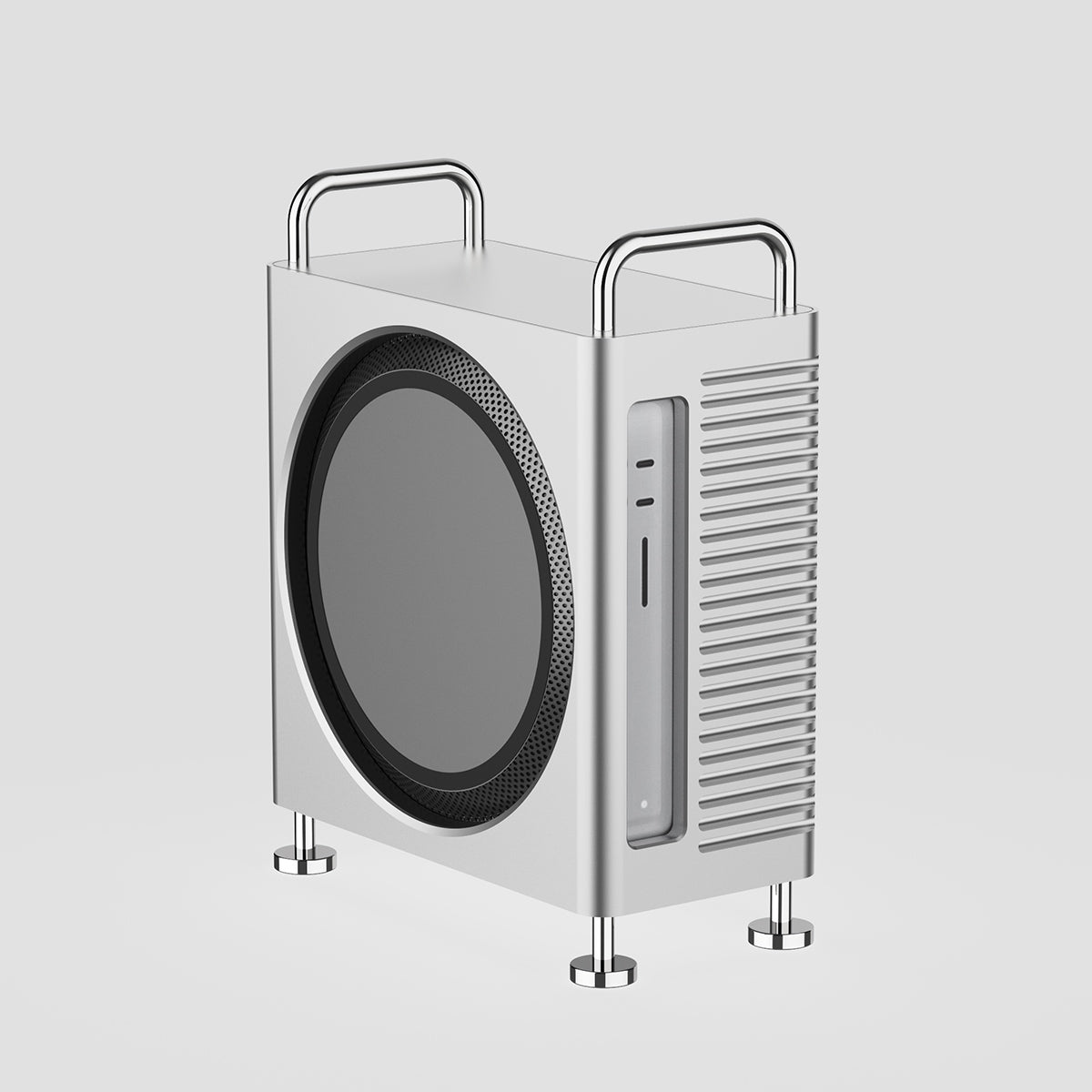
Mac Studio Aluminum Enclosure Case
CNC aluminum enclosure for Mac Studio, improves airflow and thermal performance,
designed for heavy workloads with Mac Pro-inspired structure and stable
high-performance cooling architecture.