
Quick Answer
For most buyers who carry a phone, iPad mini 8 Wi-Fi is the better-value choice. A phone hotspot can handle occasional browsing, email and streaming away from home without a separate tablet plan.
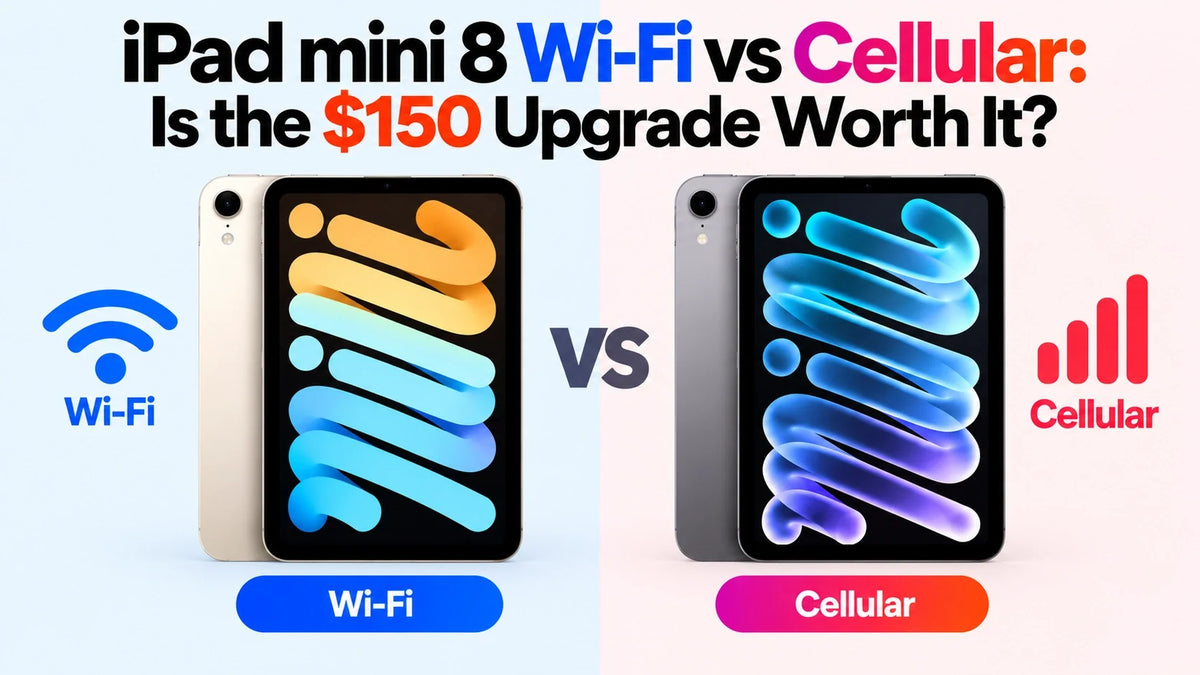
The US 128GB models start at $699 for Wi-Fi and $849 for Wi-Fi + Cellular. The $150 upgrade adds C2 mobile connectivity, eSIM and GPS/GNSS.
Choose Cellular if you regularly use your mini while commuting, want it online without your phone, or need built-in satellite positioning. Budget for data separately: the hardware premium does not include service. For occasional trips, compare a travel eSIM with your phone plan’s hotspot allowance before paying more.
What does the extra $150 actually buy?
Cellular buys the mini its own route to the internet. With an active compatible plan and coverage, it can load documents, send messages and join online meetings while your phone stays elsewhere. The Wi-Fi model needs a Wi-Fi connection, including one shared by a phone hotspot, for those online tasks.
At the same storage capacity and glass option, you are choosing connectivity rather than a different screen or processor tier. Compare matching configurations in the US Apple Store; our iPad mini 8 launch guide covers the broader hardware changes.
Can an iPhone hotspot replace an iPad data plan?
Yes, for many occasional users. If you pull out your mini for a short email session or a train journey a few times a month, tethering can meet the need. An Android phone hotspot can also provide a Wi-Fi connection; Apple’s Instant Hotspot convenience features are specific to supported Apple devices.
Apple’s Instant Hotspot and Auto-Join Hotspot reduce the setup friction. With the same Apple Account or supported Family Sharing setup, nearby devices can connect without entering a hotspot password. Keep Wi-Fi and Bluetooth enabled, then use Settings > Wi-Fi on the iPad to select your iPhone. Auto-Join Hotspot can connect automatically when needed.
Check the tethering allowance, not just “unlimited”
Your phone plan may treat hotspot data differently from data used on the phone itself. Check the high-speed tethering allowance, what happens after it runs out, and whether tethering is included abroad. A plan that suits phone browsing may be a poor match for hours of tablet video calls.
The practical trade-off is dependence on a second device: your phone must stay nearby, powered and connected. Hotspot use also adds work for its battery. Direct cellular removes that dependency, but a different device using the same carrier is not automatically a solution to weak local coverage.
If you already own a mini, try a normal day using your phone hotspot before ordering. If connecting becomes routine and unobtrusive, that is a strong reason to keep the $150. If you repeatedly find your phone unavailable or its tethering allowance too small, price a tablet plan.
How much does Cellular cost over two years?
The useful comparison is hardware premium + additional data spending. Count only costs that change because of this decision. If your existing phone plan already covers your hotspot use, its full monthly bill is not an extra Wi-Fi-model expense.
Illustrative examples, not current carrier quotes:
- Existing hotspot allowance, no extra charge: Wi-Fi avoids the $150 hardware premium and adds $0 in tablet service fees.
- $15/month tablet plan for 24 months: $150 + $360 = $510 extra.
- $25/month tablet plan for 24 months: $150 + $600 = $750 extra.
- Three $20 travel data packages in total: $150 + $60 = $210 extra, if a compatible prepaid option covers all three trips.
These examples exclude taxes, activation charges and promotions. If Wi-Fi would require a more expensive phone plan for extra tethering, subtract that additional cost from the Cellular comparison. For occasional use, a compatible prepaid package may make more sense than keeping a monthly tablet line active.
Also consider what else the budget would solve. More room for downloaded movies and files may help an offline traveler more than connectivity. Our iPad mini 8 storage and performance guide explains that separate purchase decision.
When is Cellular worth it for travel?
Daily commutes and frequent work trips
Cellular makes more sense when opening the mini usually means opening something online: a shared document, a work dashboard or a meeting. The benefit is being able to start without relying on your phone. Judge this against how often you actually use the tablet away from trusted Wi-Fi.
A few holidays each year
Wi-Fi plus hotspot is often sufficient if your phone travels with you and its plan permits tethering. Download entertainment before departure. Cellular becomes more attractive when the tablet needs its own connection or a compatible travel package gives it a useful allowance your phone plan lacks.
International trips with a local eSIM
The US mini uses eSIM rather than a physical SIM card. Before buying a package, confirm that the provider supports your iPad model, destination and activation method. Compare roaming with a local or international eSIM, including expiry, data limits and renewal terms. Follow the provider’s instructions for Data Roaming.
Apple’s iPad eSIM setup guide covers carrier activation, supported transfers, QR codes and carrier apps. Its roaming guide explains the options abroad. Arrange the connection before you need it; Cellular still needs a usable network, so offline downloads remain useful for flights and areas without coverage.
Does the C2 modem make Cellular faster than a hotspot?
Apple says C2 delivers up to 50% faster cellular data speeds than the previous-generation iPad mini, with improved power efficiency. That comparison in the launch announcement is not a direct comparison with your phone hotspot.
A hotspot connection depends on the phone’s modem and plan, local network conditions and the Wi-Fi link between the devices. Direct Cellular removes that last hop, but it does not guarantee a faster connection. Choose it for independence and convenience rather than assuming every download will beat your phone.
Apple rates the mini for up to 10 hours of Wi-Fi web browsing or video, and up to 9 hours of cellular browsing. These are different usage conditions, not a measured comparison of direct Cellular against a two-device hotspot setup. For short charging stops, see our 20W vs 35W charging guide.
Does the Wi-Fi model have GPS for offline maps?
Apple lists GPS/GNSS on Wi-Fi + Cellular models; the Wi-Fi model has Wi-Fi-based location features but no built-in satellite positioning receiver. A hotspot supplies internet access to a Wi-Fi mini—it does not add GPS hardware.
This can matter if the mini will be your moving-map device. On the Cellular model, satellite positioning itself does not require a paid data plan. Download maps beforehand and check the app’s offline features; live traffic, fresh map downloads and other online services still need a connection. See Apple’s technical specifications for the location and network differences.
FAQ
Can I add Cellular to a Wi-Fi iPad mini 8 later?
No. An eSIM plan cannot supply the missing modem hardware. A Wi-Fi mini can use a phone or portable hotspot later, but built-in Cellular requires buying that model.
Can I buy the Cellular model and activate a plan later?
Yes. Apple offers a “Connect to any carrier later” purchase option. You can use Wi-Fi first and activate a compatible plan when you need it. You are paying for the option upfront rather than committing to continuous service.
Can Cellular replace my phone for regular calls?
The iPad’s cellular service is data-only, not a standalone mobile voice line. Internet calling apps can use data. Supported iPhone call-relay features are separate from buying a tablet data plan.
Related Reading
- Apple iPad mini 8 Hub: Buying Guides, Comparisons and Setup
- iPad mini 8 vs iPad mini 7: Specs, Design and Performance
- iPad mini 8 512GB vs 256GB: Is the Faster A20 Pro Worth It?
- iPad mini 8 Nano-Texture vs Standard Glass: Is the $100 Upgrade Worth It?
- iPad mini 8 Fast Charging: 20W vs 35W
- Will iPad mini 7 Cases and Screen Protectors Fit iPad mini 8?






