
Quick Answer
Skip Apple HomeView if you want a portable tablet, unrestricted apps, or a screen that works independently of your existing Apple devices.
The $299 US price can rise with wall-mount hardware, installation and optional services.
Personal Siri AI features have extra device requirements; language, region and usage limits also matter.
Video playback is supported, but compatibility still depends on the app and playback method.
Its strongest case is a shared household screen you will actually use every day.
Is Apple HomeView Worth $299?
Apple HomeView is easier to justify when a family needs one dependable place for calls, calendars and home controls. It is harder to justify when your iPhone, iPad and speakers already handle those jobs comfortably.
This guide examines seven reasons not to buy HomeView, based on Apple's published requirements and the buying questions raised by early video impressions. ZEERA has not performed a hands-on HomeView test.
Checked October 14, 2026. US prices exclude tax. HomeView availability begins November 13, 2026. Features and availability vary by market.
Apple HomeView: The Buying Facts at a Glance
US price
$299 for either model; wall-mount hardware is extra.
Display
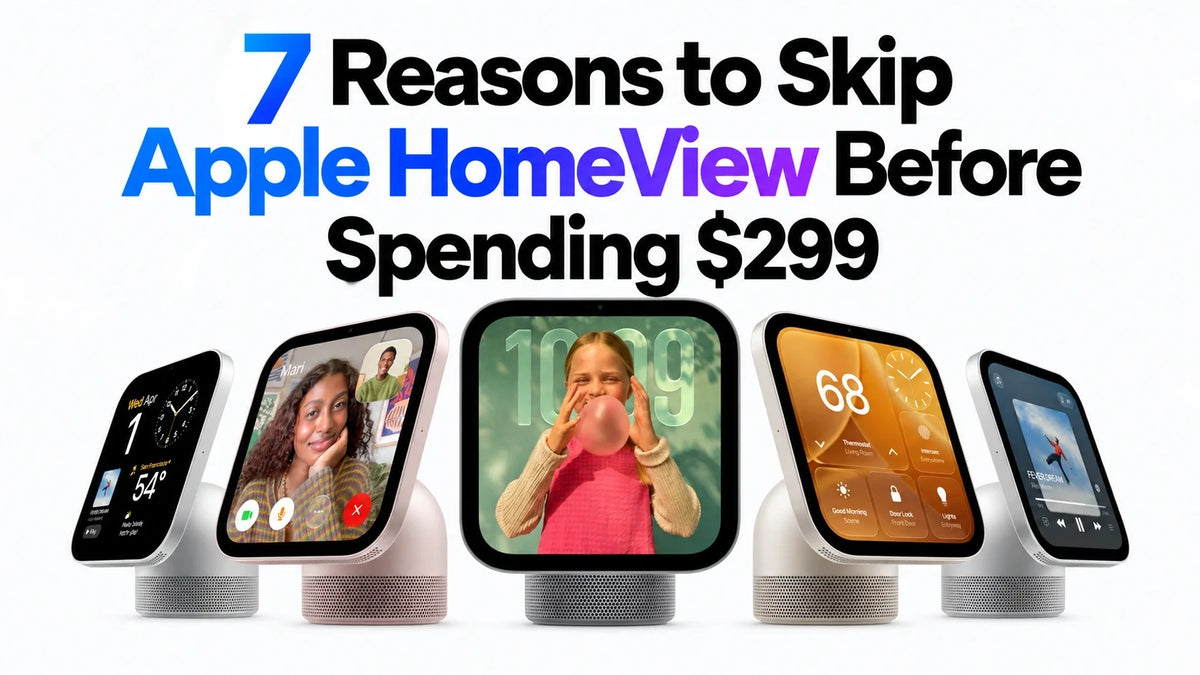
7-inch square Liquid Retina; True Tone; 0.3–500 nits.
Chip and camera
A18 chip; 12MP Center Stage camera.
Power and portability
Wired power required; not a battery-powered tablet.
Weight
Tabletop: 952g. Wall Mounted: 286g.
Audio
Tabletop includes a base woofer; Wall Mounted uses two full-range drivers.
Companion device
iPhone with iOS 27.2+ or iPad with iPadOS 27.2+.
Protection
Apple’s checked specifications do not list an IP water-resistance rating.
Sources: Apple technical specifications and US store. [2] [3]
1. It Does Not Offer the App Freedom of an iPad
A dedicated home screen can be convenient, but it is a poor purchase if you actually want a general-purpose tablet. Apple's documentation separates built-in apps from supported apps available through iPhone. It does not describe an unrestricted HomeView App Store. [1] [2]
That distinction matters if your household wants a particular game, work app, streaming service or educational tool. A familiar Apple interface does not guarantee access to your existing iPad app library.
Skip it if: You want to choose and install apps freely.
Video support: HomeView is not limited to audio. Apple lists TV among apps available from iPhone and supports compatible third-party video. Confirm your specific service rather than assuming either universal support or no video at all.
For service-specific questions, see our HomeView apps, YouTube and Netflix guide.
2. The Wall-Mounted Version Costs More to Complete
Both models cost $299 in the US, but the wall-mounted package excludes its mount and power accessories. Apple's announced Schneider mounts start at $59.95 for USB-C, $79.95 for AC wiring and $129.95 for PoE. [2] [4]
Device + mount starting totals:
- USB-C: $358.95
- AC wired: $378.95
- PoE: $428.95 — announced for early 2027
These starting totals cover the device and mount only. Add tax, labor and any additional power or network equipment your setup needs.
You also give up the tabletop model's base woofer and passive radiators. The wall version has its own on-wall tuning, so this is a hardware trade-off rather than proof that it sounds bad. [2]
Skip it if: You expected the $299 wall version to be ready to install, or bass performance is central to your purchase.
3. The Full Personal Experience Still Depends on Other Devices
HomeView requires a compatible iPhone or iPad for setup. Each enrolled household member needs their own Apple Account and compatible device. Personal AI requests additionally require an Apple Intelligence-capable paired device with Siri AI enabled. [3] [1]
Personal content also has access conditions: Apple describes face recognition and a recently unlocked paired device, normally on the same Wi-Fi network. Its footnotes describe a limited exception for a paired device disconnected from Wi-Fi; this is not unrestricted standalone access. [1]
Two different checks: A device can meet the basic software requirement without meeting the personal Siri AI requirement.
Skip it if: Your plan assumes every family member can get a personalized experience without compatible companion hardware.
Guests can still use shared functions. HomeView also offers general Siri AI capabilities without an AI-capable companion; the extra requirement concerns personal context. Check our HomeView iPhone and iPad requirements guide before budgeting for an upgrade.
4. Siri AI Has Language, Availability and Usage Limits
Apple describes Siri AI as a beta in HomeView software 27.2, initially available in English in selected markets. HomeView is not offered for sale in the EU at launch. [1] [4]
Apple also discloses daily limits for certain server-based AI features and says expanded access will cost extra in the future. The checked announcement does not specify that future fee. This does not mean every Siri request requires a subscription.
Skip it if: Your purchase depends on a language that is not supported, unlimited AI use, or a fully settled long-term AI cost.
A beta label does not establish that Siri is unreliable. Equally, a feature announcement does not establish consistently fast responses in your own home.
The early video Apple Homeview Impressions — Not Convinced! describes Siri as still somewhat slow during the author's short experience. That is an early observation, not a measured ZEERA benchmark or proof of a universal problem.
5. It Needs a Permanent Power Connection and a Useful Place to Live
Both HomeView models require wired power. The tabletop package includes a USB-C cable and power adapter, but it is not designed for unplugged tablet use. [2]
Before ordering, choose the actual spot: can you see it while cooking, reach it without moving other items, and route the cable comfortably? A good-looking screen in the wrong corner can be less useful than the phone already in your pocket.
Skip it if: You want to carry it between rooms and keep using it away from an outlet.
Kitchen check: Apple does not list an IP rating in the checked technical specifications. Avoid treating it as a splash-resistant kitchen appliance.
Fixed placement is a benefit when everyone knows where to find it. It becomes a drawback when your main tasks move around the house.
6. The Smart Home You See in the Demo Is a Separate Investment
A control screen cannot make an ordinary light, lock or camera compatible by itself. You need supported accessories. Apple's HomeView documentation points to HomeKit- or Matter-enabled devices and the Works with Apple Home logo. [1]
Some advanced camera features also have additional requirements. Apple ties AI video summaries and natural-language recording search to eligible paired hardware and an iCloud+ plan. Newly announced Apple Home Collection accessories begin arriving in December, with some following in early 2027. [4]
Skip it if: You own few compatible accessories and do not want to buy more, or your essential existing devices cannot join Apple Home.
Plan the complete system: display, compatible accessories, any installation work and the optional services you intend to use.
You do not have to buy the new collection to use existing compatible products. Our Apple Home Collection devices and compatibility guide explains the new lineup separately.
7. Your Existing Devices May Already Solve the Important Problems
This is the strongest reason to skip HomeView: you cannot name a recurring household problem that a fixed shared screen would solve better.
The video Apple HomeView — Top 10 Features & 3 PROBLEMS, builds its positive case around family calls, missing messages, kitchen help, photos and music. Those are useful scenarios, but the author's enthusiasm does not establish how often another household will use them.
Apple HomeView HANDS-ON — What's the Point! asks why an iPhone or iPad would not suffice, then identifies household profiles as a key distinction. The more skeptical Not Convinced! video predicts usage could shrink after the novelty wears off. That prediction has not been verified by long-term testing.
Try this before buying: For one week, note every occasion when you wanted a shared home screen and your current setup got in the way.
If you mostly want occasional music, timers or a clock, keep using what you own. If several family members repeatedly need the same visible, accessible screen, HomeView has a clearer job to do.
The relevant measure is frequency and convenience. A few daily uses can justify a device; ten features used once may not.
Who Should Still Consider Apple HomeView?
These HomeView drawbacks matter most when the product does not fit your household. It can still make sense for an Apple-based family that wants one shared location for everyday communication and compatible home controls.
- You have a defined shared-screen need: family members regularly want the same information or control point.
- Your hardware is ready: the devices and services you need meet Apple's published requirements.
- You have a suitable location: power, visibility and access work without creating extra friction.
- You accept the complete cost: your chosen model, accessories and optional services fit your budget.
ZEERA's buying verdict: Skip HomeView if it mostly duplicates comfortable routines. Consider it when a dedicated household screen would remove a problem you encounter every day. If that distinction is still unclear, wait for independent longer-term home-use reviews.
Frequently Asked Questions
Is Apple HomeView bad, or just unnecessary for some buyers?
The reasons to skip it mostly concern suitability, dependencies and total cost. They do not establish a widespread hardware defect. A dedicated shared screen can be useful even when an individual buyer has no need for one.
Can Apple HomeView play video?
Yes. Apple supports compatible video experiences and lists TV among apps available from iPhone. Support is app-specific, so confirm the service and playback method you want before buying.
Does an older iPhone make HomeView useless?
No. Basic compatibility and personal AI compatibility are separate checks. A device that meets the required software version may support setup without unlocking all personal Siri AI features. A compatible iPad is another setup option.
Do you have to pay a monthly fee to use HomeView?
Apple does not describe a universal monthly fee for using the device. Some media and camera services require subscriptions. Certain AI features have daily limits, and Apple says expanded access will be offered for a fee in the future.
Should you wait for HomeView 2?
You can wait for stronger evidence without assuming a second generation is imminent. None of the sources used here establishes a HomeView 2 release date. Longer-term reviews of the current model are the more concrete next checkpoint.
Related ZEERA Guides
- Apple HomeView: 10 Official Features, Uses & Limits Before You Buy
- What Apps Work on Apple HomeView? Streaming, iPhone Apps & Limits
- Does Apple HomeView Need an iPhone? Setup, Compatibility & AI Requirements
- Apple Home Collection: 9 New LG & Schneider Devices, Prices & Compatibility
- Apple TV 4K 2026 Release Date, Price & Preorder
- Apple TV 4K 2026 at $299: Is It Really Worth Buying?
Sources and Editorial Notes
- Apple HomeView product page, FAQ and footnotes
- Apple HomeView technical specifications
- Apple US HomeView store and compatibility FAQ
- Apple Newsroom announcement, October 13, 2026
Video commentary reviewed: Apple HomeView HANDS-ON — What's the Point!, Apple HomeView — Top 10 Features & 3 PROBLEMS, and Apple Homeview Impressions — Not Convinced!. Their observations and predictions are identified as such; conflicting functionality claims are checked against Apple rather than repeated as facts.
Buying judgments are ZEERA's editorial assessment. This article is not a HomeView durability test, measured audio comparison or long-term ownership review.









