
If your iPhone rocks every time you tap the screen while it’s lying on a desk, you’re not imagining it.
This “iPhone wobble” is a common issue, especially on newer models with larger camera systems. It can make typing frustrating, cause movement during video watching, and make the phone feel unstable on flat surfaces.
So why does this happen — and what’s the best way to fix it?
Ultra-Thin MagSafe Back Plate Series
ZEERA MagSkin Air Ultra-Thin Magnetic Plate
- Only 0.3mm thin
- MagSafe compatible
- Preserves Air feel
- Light back guard
- Case-free carry

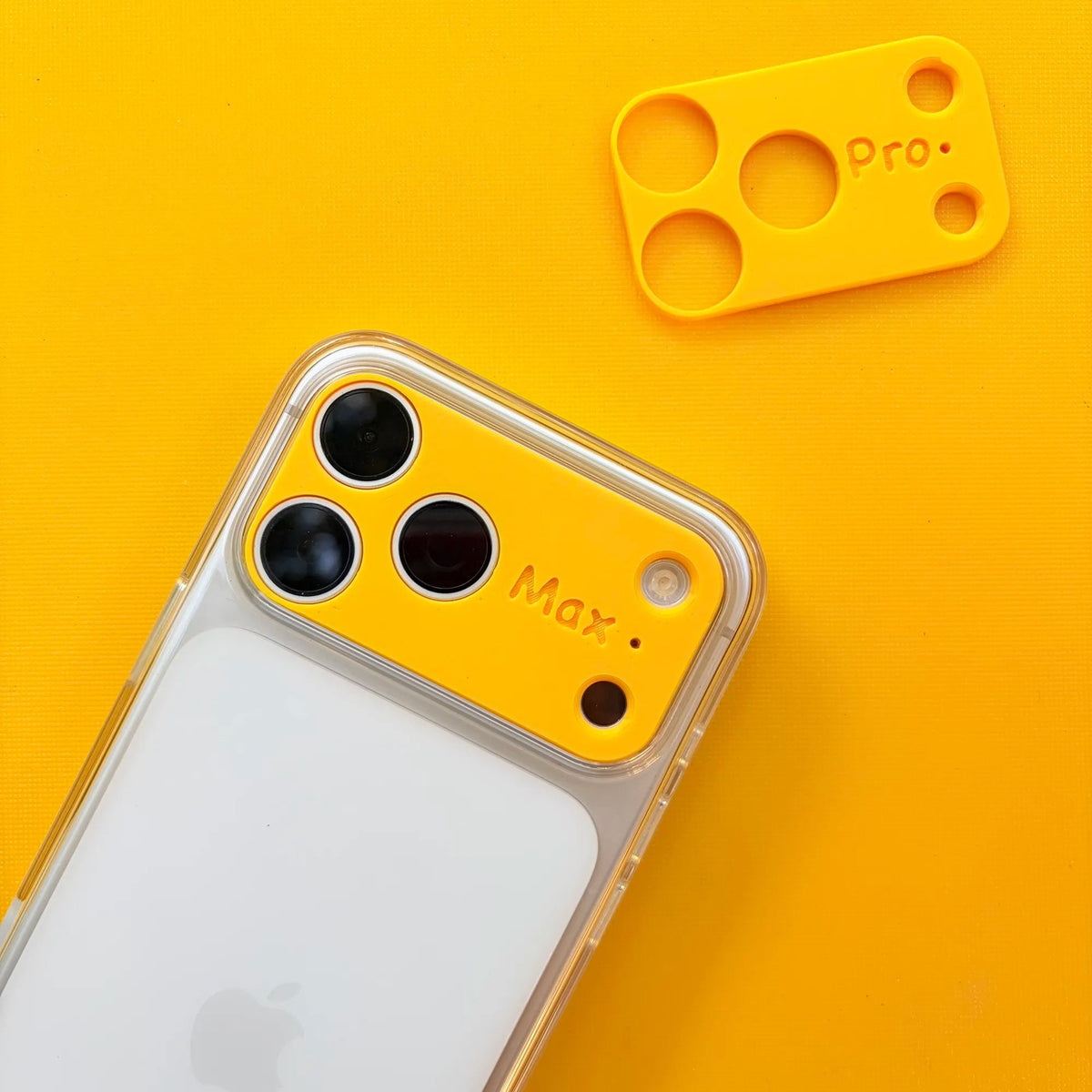
ZEERA MagSkin Pro Ultra-Thin Magnetic Back Plate
- Ultra-thin Pro fit
- MagSafe compatible
- Bare-phone feeling
- Camera deco guard
- Minimal daily carry

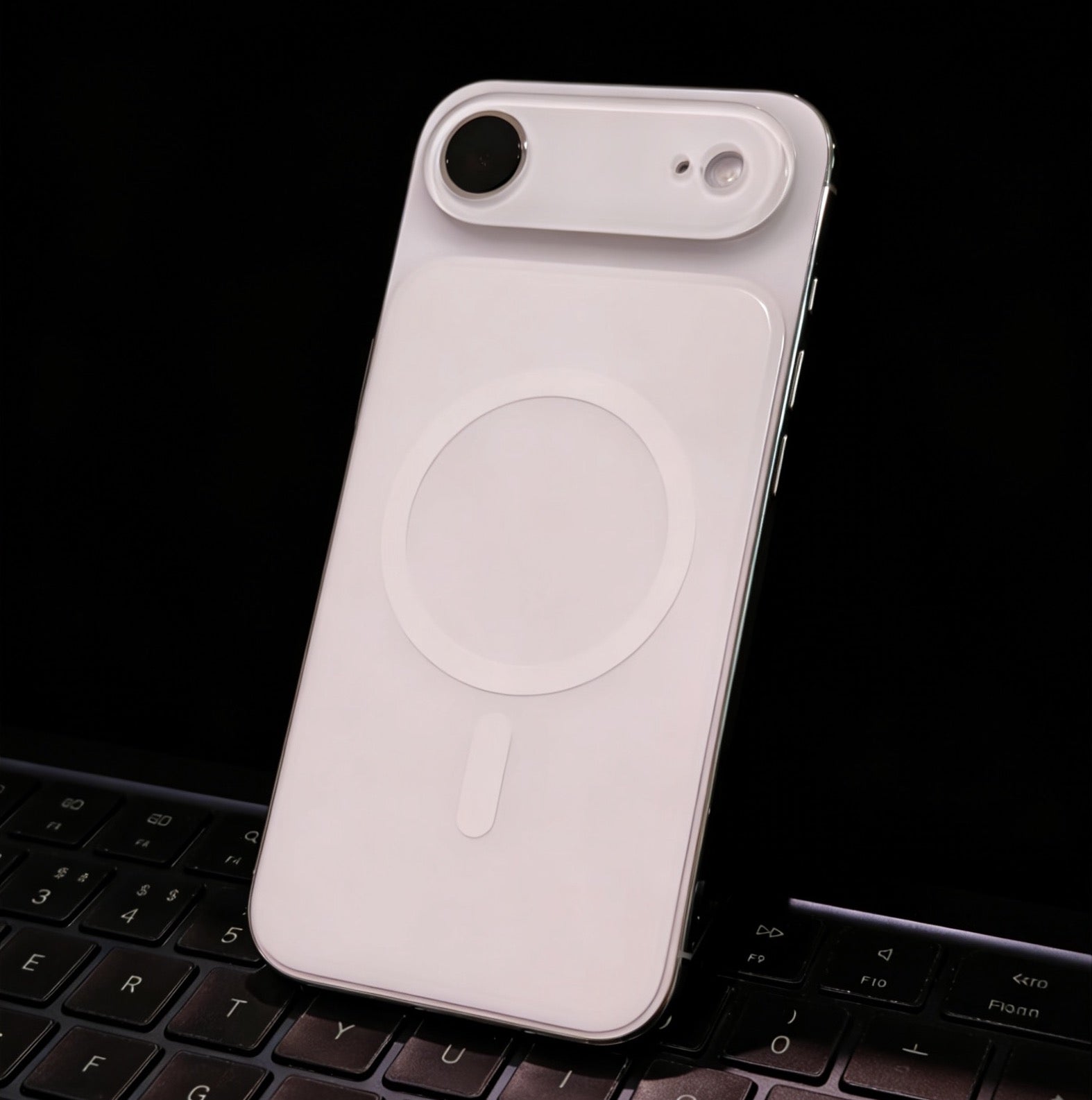
ZEERA AirFlat Lens Cover for iPhone Air
- Makes back flat
- Stops desk wobble
- Protects camera lens
- Slim matching look
- Easy clean design

The Real Reason Your iPhone Isn’t Flat
The issue comes down to one thing: the camera bump.
Modern iPhones have increasingly powerful cameras, but that also means the lenses stick out from the back of the device.
As a result:
- Your iPhone doesn’t sit evenly on a table
- One side is slightly raised
- Even light taps can cause it to rock
This is exactly why your iPhone feels uneven or unstable on a flat surface.

The Best Ways to Fix iPhone Wobble
Introduce the ZEERA AirFlat Pro : Make Your iPhone Flat Again
Instead of adding thickness with a case, a more direct solution is to eliminate the uneven surface caused by the camera bump.
ZEERA AirFlat Pro Lens Cover works by covering the camera bump and creating an even surface, so your phone no longer rocks when placed on a table.

By leveling out the back of the phone, you can:
- Stop the wobble completely
- Keep your iPhone slim
- Maintain the original feel of the device
- 👉 This flat-back lens cover is specifically designed for iPhone 17 Air

For users who want a clean, minimal fix without using a case, there are accessories designed to make the back of the iPhone flat again.
Going Further: Improve Grip & MagSafe Experience (iPhone 17 Air and iPhone 17 Pro Max)
Fixing wobble is only part of the experience — especially for iPhone 17 Air and iPhone 17 Pro Max users.
Because the device is ultra-thin, some users feel:
- The frame is less comfortable to hold
- The phone can feel a bit slippery
- Grip isn’t as secure as expected
This is where a thin back plate solution makes a big difference.


Introduce the ZEERA MagSkin Air : Ultra-Thin Magnetic MagSafe Back Plate for iPhone Air
A minimal back plate can enhance both grip and functionality — without turning your phone into a bulky case.
What it improves:
Keeps the Original Feel
- Ultra-thin design that matches the iPhone Air’s minimalist style
- Doesn’t compromise the slim profile
Stronger MagSafe Experience
- Built-in powerful magnets
- Stronger magnetic connection than a bare iPhone
- Works better with MagSafe accessories
Better Grip & Texture
- Matte surface finish
- Less slippery than naked glass
- Reduces the risk of accidental drops
Durable Material
- PC material construction
- Resistant to yellowing and oxidation over time


The Best Combo: Flat + Grip + Style
For the best overall experience, you can combine both solutions:
- ✅ Flat-back lens cover → eliminates wobble
- ✅ Magnetic back plate → improves grip & MagSafe
Together, they:
- Make your iPhone stable on any surface
- Improve how it feels in your hand
- Let you enjoy MagSafe more reliably
Plus, with multiple color options, you can mix and match to create a more personalized look.

Final Thoughts
iPhone wobble is a small issue — but one you notice every day. The good news is, you don’t need to sacrifice your iPhone’s design with a bulky case to fix it.
With the right combination of a flat-back solution and a thin magnetic plate, you can: eliminate wobble, improve grip and enhance MagSafe performance
All while keeping your iPhone clean, slim, and uniquely yours.









