Quick Answer
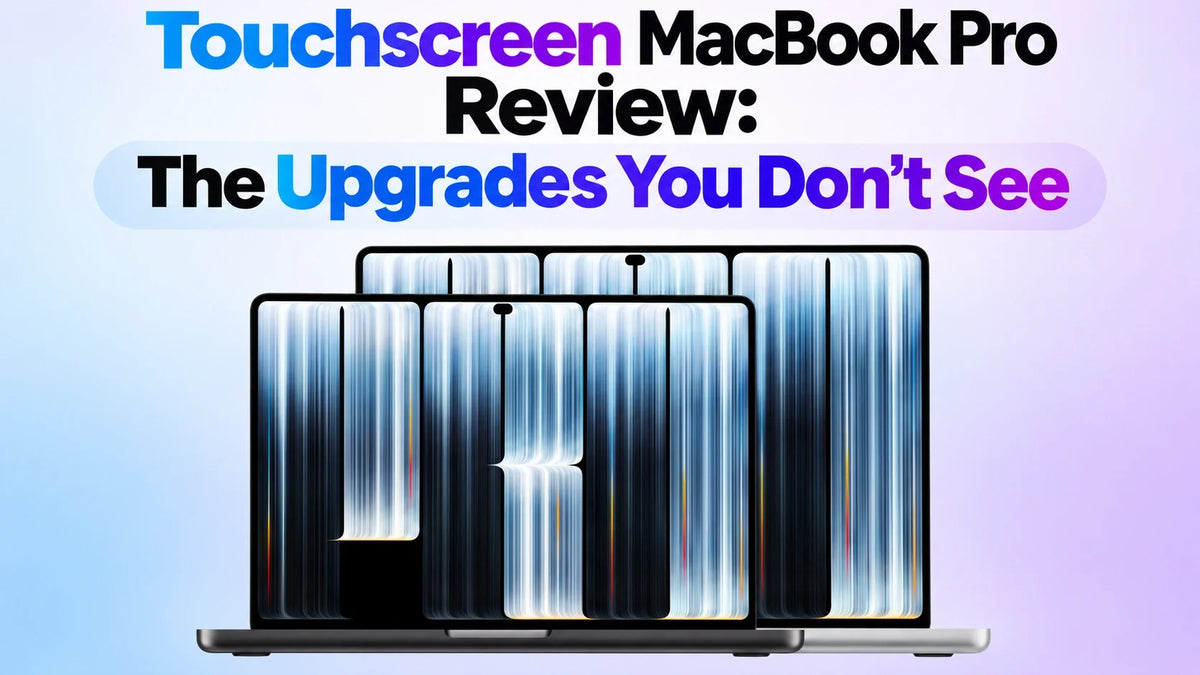
The touchscreen MacBook Pro’s biggest upgrades are a lighter chassis, a more efficient tandem OLED display, and quieter cooling under sustained load. In Geekerwan’s review, the new 16-inch M5 Max ran more than an hour longer in the outlet’s battery test and sustained 60W of chip power with the lid closed, versus 46W on the previous model in the same stress test. Short benchmark scores were broadly similar on matching configurations. The 14-inch also measured about 2 dB quieter in Automatic mode under a combined CPU and GPU load. The redesign is most noticeable if you carry your Mac daily, work away from power, or run long jobs with the lid closed.
A Lighter Chassis With the Same Pro Ports
Apple’s specs put the 14-inch M5 Max at 1.40 kg, down from 1.62 kg, and the 16-inch M5 Max at 1.84 kg, down from 2.15 kg. That’s 220 g and 310 g less in your bag, respectively. Thickness drops from 1.55 to 1.50 cm on the 14-inch and from 1.68 to 1.60 cm on the 16-inch. New model specs · Previous chassis specs
Both sizes keep three Thunderbolt 5 ports, HDMI, SDXC, MagSafe 3 and a headphone jack. Geekerwan also found the side intake edges more comfortable to hold. The glowing Apple logo returns, but the weight difference is what you feel every time you pick up the laptop.
Tandem OLED Makes a Difference to Battery Life
More than an hour longer in Geekerwan’s 16-inch test
Geekerwan compared two 16-inch M5 Max models and recorded over an hour of extra runtime on the touchscreen model in its laptop battery test. The new 14-inch M5 Max also came close to the older 14-inch M5 Pro in that test, although those two machines have different chips. In a separate display power test with a full white screen set to 300 nits, the tandem OLED drew visibly less power than the old mini-LED panel. Both 16-inch designs are rated at 100 Wh, so the battery capacity offers little explanation for the result. Geekerwan’s battery and display tests
Apple still lists the 16-inch M5 Max at up to 22 hours of video streaming. That rating and Geekerwan’s result come from different workloads. For the display itself, Apple rates the new panel at up to 2,000 nits peak for HDR or outdoor SDR, and 1,000 nits sustained full-screen. The old mini-LED model was rated at 1,600 nits peak in HDR. The new display also adds Adobe RGB coverage alongside P3 and offers an optional nano-texture finish. Apple’s display and battery ratings
The 14-Inch Runs Quieter Under Load
Geekerwan stressed the CPU and GPU together with a Cinebench R23 loop and a 3DMark stress test. The strongest open-lid gain was on the 14-inch in High Power Mode. With the fans controlled automatically, the redesigned model held 69W of SoC power versus 60W on the old chassis. The 16-inch reached 87W on both designs in that mode.
| Size and mode | Previous | New |
|---|---|---|
| 14-inch, High Power | 60W | 69W |
| 14-inch, Automatic | 43W | 46W |
| 16-inch, High Power | 87W | 87W |
| 16-inch, Automatic | 54W | 60W |
About 36 dB instead of 38 dB in Automatic mode
On the 14-inch, noise also fell from about 50 dB to 48 dB at full fan speed. At a matched 36 dB, the new fan reached roughly 5,500 rpm versus 4,700 rpm on the old machine. The review units stayed assembled, so the specific internal fan changes remain unknown. Geekerwan’s cooling and fan-noise tests
Closing the Lid Costs the 16-Inch Less Performance
The exhaust now directs hot air rearward, and the redesigned hinge leaves room for that air to escape. On the old chassis, some exhaust was directed toward the display. The airflow change showed up most clearly when Geekerwan compared the two 16-inch M5 Max models in Automatic mode with an external display in mind.
16-inch M5 Max in the separate lid-position test
- Previous mini-LED design: 54W open, 46W closed.
- New touchscreen OLED design: 62W open, 60W closed.
That is about 30% higher sustained SoC power with the lid closed. The wattage describes the chip’s power budget during this combined stress test. The time saved in a specific export or render depends on how that app uses the CPU and GPU. At full fan speed the closed-lid gap was smaller, about 85W versus 87W. Geekerwan’s open- and closed-lid tests
Apple also tuned the redesigned six-speaker system for closed-lid use. That change is separate from the airflow gains and matters if you use the laptop’s own speakers while docked. Apple’s audio details
The Same M5 Chips Behave Differently in Long Runs
Peak Cinebench results and several Blender, 3DMark and Adobe results were close when Geekerwan matched chip configurations across the two designs. After 15 Cinebench R23 runs, the new 14-inch held up better than its predecessor and moved closer to the 16-inch. In the warmed-up Cyberpunk 2077 run, the 16-inch still pulled ahead of the comparable 14-inch with automatic fan control.
For local AI inference, the tested 16-inch ran nearly as fast on automatic fan control as it did with the fans at full speed. Configuration still matters. The 36GB and 128GB M5 Max units also differed in GPU resources and memory bandwidth, so the results combine several hardware differences. The separately announced 14-inch M6 MacBook Pro belongs to the Liquid Retina XDR lineup.
Where the Touchscreen Fits Into macOS
Touch is handy for quick gestures on the built-in screen. Apple gives the example of pinching to zoom a timeline and marking ranges in Final Cut Pro, and Logic Pro supports playing multiple notes at once on its onscreen keyboard. Geekerwan’s reviewer found himself reaching for the trackpad or keyboard for most routine work. The value of touch depends largely on how the apps you use implement it. Apple’s touch and app details
Is the Touchscreen MacBook Pro Worth the Upgrade?
Choose the 14-inch if you carry your Mac every day and want a lighter machine that stays quieter on long jobs. Choose the 16-inch if you do heavier sustained GPU work or frequently run demanding tasks with the lid closed.
If you already own an equivalent mini-LED M5 Pro or M5 Max, the case for upgrading rests on portability, the display, and cooling in the way you work. For short bursts on a machine you rarely carry, the benchmark differences alone give you little reason to swap.
U.S. launch prices on November 6, 2026 were $2,899 and $3,399 for the 14-inch and 16-inch M5 Pro, and $4,499 and $4,799 for the corresponding M5 Max models. The entry 14-inch OLED M5 Pro carries a $400 premium over the mini-LED M5 Pro at their listed U.S. starting prices. Apple’s launch pricing · ZEERA’s $400 price comparison
Sources and Test Notes
- Geekerwan (极客湾), November 2026 MacBook Pro review. Source for measured battery runtime, display power, sustained chip power, fan noise, benchmarks and lid-position comparisons. Public video summary and original video link.
- Apple PROLED XDR technical specifications and Apple Liquid Retina XDR technical specifications. Sources for official weight, dimensions, display and battery ratings. Apple’s October 28 launch announcement provides feature and price details.
Related Reading
- MediaStorm’s MacBook Pro PROLED XDR display and temperature tests
- MediaStorm’s hands-on look at touch and tandem OLED
- MacBook Pro nano-texture vs standard glass for touch
- Touchscreen MacBook Pro trade-offs to know before buying
FAQ
Can the new MacBook Pro drive multiple external monitors?
Apple lists up to three external displays on M5 Pro and up to four on M5 Max. The available combinations depend on resolution and refresh rate. Apple’s external display configurations
Does Dynamic Island add Face ID to the MacBook Pro?
Biometric sign-in still uses the keyboard’s Touch ID sensor. Dynamic Island sits around the 12MP Center Stage camera and provides access to supported live activities and controls. How Dynamic Island works on Mac