Quick Answer
These 10 ZEERA iPhone Duo cases install without double-sided tape. The lineup includes FoldArmor Pro, FoldStand Pro, FoldFolio Pro, FoldWallet Pro, FoldPivot Pro, FoldTex Pro, FoldFlex Pro, FoldVista Pro, FoldFlip Pro and FoldNine Pro.
Each case can be installed and removed without a case-mounting strip to peel off or replace. Seven models include outer-screen protection. FoldTex Pro leaves the outer-screen half free of a rigid frame, while FoldVista Pro and FoldNine Pro leave room for a separate full-coverage tempered glass protector. Choose by how you use the phone, from carrying two cards to standing it upright on a desk.
Why do some iPhone Duo cases need adhesive?
A thin frame around the outer display has little surface area to grip, so some cases use double-sided strips to keep it seated. A fitted frame with an integrated protector can hold its shape across the whole display, and open-front designs can leave that frame out.
In this guide, adhesive-free describes how the case attaches to the phone. A separate tempered glass protector may use its own bonding layer. The collection above also includes tape-assisted options such as FoldAero Pro.
Compare 10 adhesive-free ZEERA iPhone Duo cases
ZEERA FoldArmor Pro
Full coverage with a magnetic hinge stand
Tempered glass is built into the outer-screen frame. The hinge cover returns into place magnetically as the phone closes, and the stand opens to about 45°. Raised camera edges add clearance on a desk.
Best for An everyday MagSafe case with built-in glass and a stand you can open from the hinge.


ZEERA FoldStand Pro
A hinge stand for portrait and landscape
A two-section hinge stand supports both orientations. The case pairs full hinge coverage with integrated outer-screen tempered glass and MagSafe compatibility.
Best for Keeping the phone upright for calls and messages, then turning it sideways for video.


ZEERA FoldFolio Pro
A two-card wallet with a stylus slot
The side-opening wallet doubles as a kickstand, and the included stylus has a dedicated slot. The case has integrated outer-screen protection and an auto-closing hinge cover. Choose this model when card and pen storage take priority over MagSafe.
Best for Carrying two cards and a stylus together for quick notes on the go.


ZEERA FoldWallet Pro
A vegan leather wallet that doubles as a stand
The rear vegan leather wallet holds up to two cards and opens into a desk stand. Integrated outer-screen protection, an auto-closing hinge cover and a raised camera surround round out the design.
Best for Keeping an ID and a payment card on the phone for everyday errands.


ZEERA FoldPivot Pro
A slim case with a 360° ring stand
The polycarbonate shell has a 360° rotating MagSafe ring and an integrated outer-screen protector. The hinge stays exposed, keeping the folding edge free of a separate cover.
Best for Adjusting the stand angle while keeping the case slim around the fold.


ZEERA FoldTex Pro
A tech-woven folio with a two-way stand
A tech-woven back folds into portrait or landscape positions. The PC shell adds structure, flexible fabric covers the hinge, and the back supports MagSafe. The outer-screen half stays free of a rigid case frame.
Best for Using the phone upright for reading and sideways for video in a textured fabric case.


ZEERA FoldFlex Pro
A retracting finger strap and a ring stand
The silicone finger strap retracts into the center of the MagSafe ring, which flips out for hands-free viewing. Built-in outer-screen tempered glass and a hinge cover add coverage.
Best for Getting a steadier one-handed hold and propping the phone up between uses.


ZEERA FoldVista Pro
An aluminum frame with room for full-coverage glass
Two flush TPU corners leave the outer display clear. The aluminum frame has a soft TPU lining, and the composite back has a flocked interior and built-in magnets for compatible accessories.
Best for Pairing a case with a separate full-coverage outer-screen protector while covering the rear glass.


ZEERA FoldFlip Pro
A woven back that flips into a landscape stand
A tech-woven finish covers the PC rear shell, and the front frame includes an outer-screen protector. The case supports MagSafe and has an auto-return hinge frame.
Best for Propping up the unfolded phone for video with a single backward fold.


ZEERA FoldNine Pro
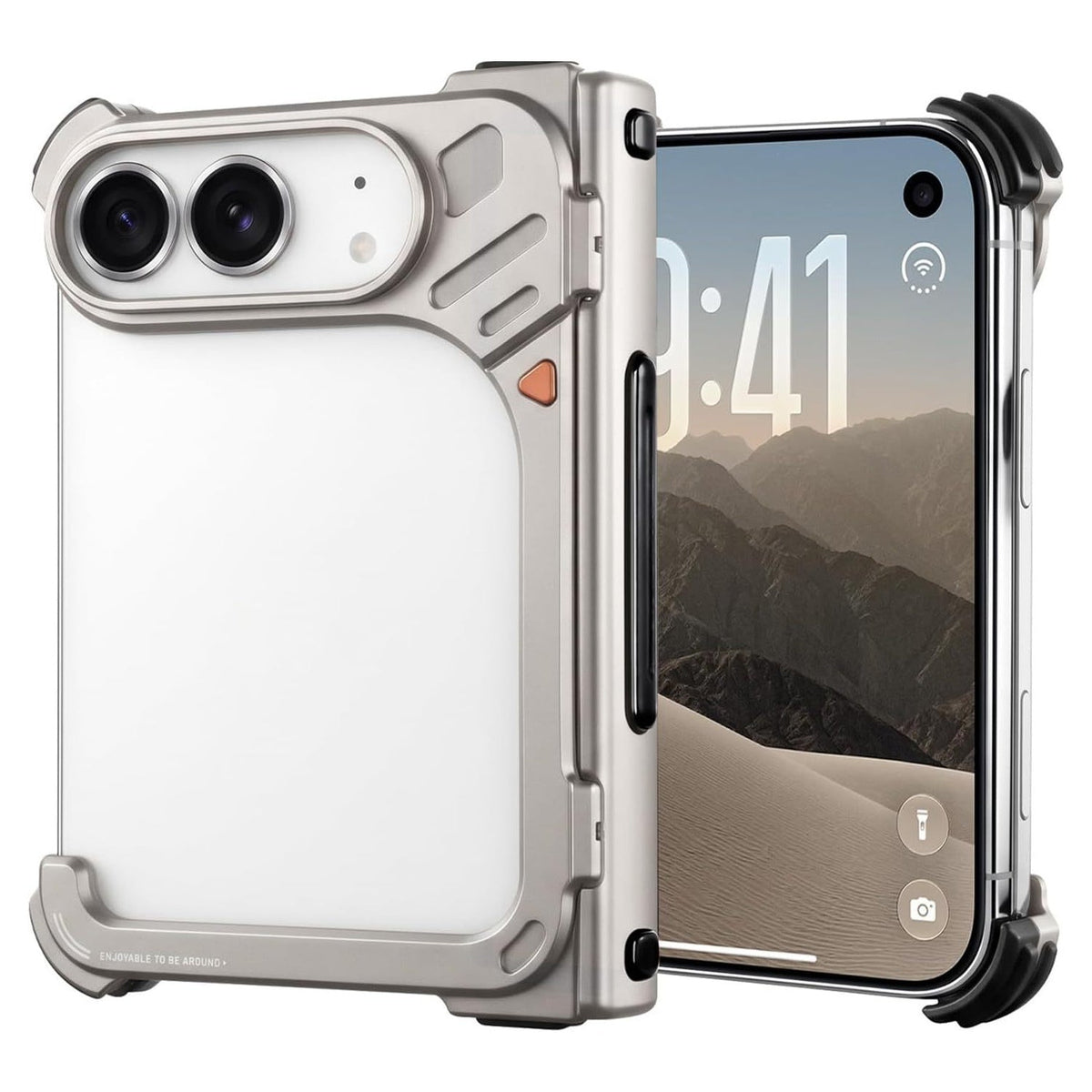
An open-back aluminum bumper with one-button release
The orange button releases the 9-shaped frame. Air cushions at all four corners and inside the auto-return hinge cover help buffer impacts. The open back gives MagSafe accessories direct access to the phone, and the front leaves room for separate full-coverage glass.
Best for Removing the case quickly and keeping the phone’s original back visible.


Which case works best with your screen setup?
If you want an outer-screen protector that goes on with the case, start with FoldArmor Pro or FoldStand Pro for a hinge stand, or FoldFlex Pro for a finger strap.
If you already use full-coverage glass, choose FoldVista Pro for a covered back or FoldNine Pro for a bumper that leaves the rear glass exposed. Compare the frame shapes in the ZEERA aluminum case guide.
Related Reading
- How to fix a loose iPhone Duo case front frame
- iPhone Duo cases with integrated outer-screen protection
- Compare ultra-thin iPhone Duo cases by weight and thickness
- How aramid fiber, PC and vegan leather cases differ
- iPhone Duo case buying guide
- Choose an iPhone Duo case by stand, wallet, grip or MagSafe use
FAQ
Can I keep my existing glass under a built-in protector?
Use the built-in protector on its own unless the case maker confirms that both layers fit. Extra glass can lift the front frame and keep it from seating fully.
Can I leave the liners on a case that comes with adhesive strips?
If the installation instructions call for those strips, remove the liners as directed. Leaving them on can let the outer-screen frame shift or catch on a pocket edge.
What should I check after swapping cases?
Check that the corners sit flush and the buttons move freely. Open and close the iPhone Duo to make sure the case clears the hinge throughout the fold.