Quick Answer
Three ZEERA iPhone Duo accessories solve distinct everyday problems: ClariFit Pro helps prevent case pressure from lifting the outer screen protector, FoldSpine Pro covers an exposed hinge, and DuoFlat helps keep the phone steadier on a desk.
Choose ClariFit Pro if you want clear tempered glass with room for an open front frame. Pick FoldSpine Pro if you carry your phone bare or want to keep a compatible open-hinge case. DuoFlat makes the most sense if the raised camera area makes the phone rock when you tap or type. Start with the problem you notice most, then check the fit at that part of the phone.
Which iPhone Duo accessory should you buy first?
ClariFit Pro
Start here if bubbles appear along the edge after you snap on the front frame.
FoldSpine Pro
Start here if you like your current setup and want coverage along the exposed fold.
DuoFlat
Start here if the folded phone rocks when you reply to messages with it lying on a desk.
ClariFit Pro helps prevent outer screen protector edge lift
If the glass looked fine until you put on the case, check where the front frame meets it. An inward-facing lip can press against oversized or off-center glass. That pressure can lift an edge and let air under it. If the frame is still touching the glass, smoothing the bubble can be a temporary fix.

How the inset glass solves the problem
ZEERA ClariFit Pro measures 77.5 × 112.5 mm. The glass extends slightly past the lit part of the outer display and sits inward from the phone’s perimeter. That margin leaves room for the frame to seat beside the glass. The clear anti-reflective (AR) tempered glass also helps cut distracting reflections when you check directions or read a message under bright overhead lights.


Check the opening with the frame installed
ZEERA lists ClariFit Pro as compatible with its iPhone Duo cases that have an open front frame. For another brand, use 77.6 × 112.6 mm as the starting minimum for the clear opening. Check the corners and the inner lip, too. A rounded corner or overhanging lip can still touch the glass even when the width and height look right. If your case has integrated glass, use that protector on its own.
Fit the frame before applying the glass
- Fold the phone closed, clean and dry the bare outer display, and check for lint.
- Seat the open front frame fully. Hold the glass over the opening with its backing on to check the corners.
- Peel the backing and use the frame’s top inner edge as an alignment guide. Leave even clearance on each side as you lower the glass.
- Gently sweep trapped air toward the nearest edge with a clean, soft cloth.
Each pack contains three protectors, so you have spares on hand for a future replacement. Shop ZEERA ClariFit Pro AR HD tempered glass.
FoldSpine Pro adds hinge coverage without replacing your case
An open-hinge case can cover the front and back while leaving the spine exposed. Going caseless leaves that same area open to everyday contact on a desk or in a bag. FoldSpine Pro gives that strip of the phone its own cover, so you can keep a slim case you already like or keep most of the original finish visible when carrying the phone bare.

What the magnets hold and where the flap goes
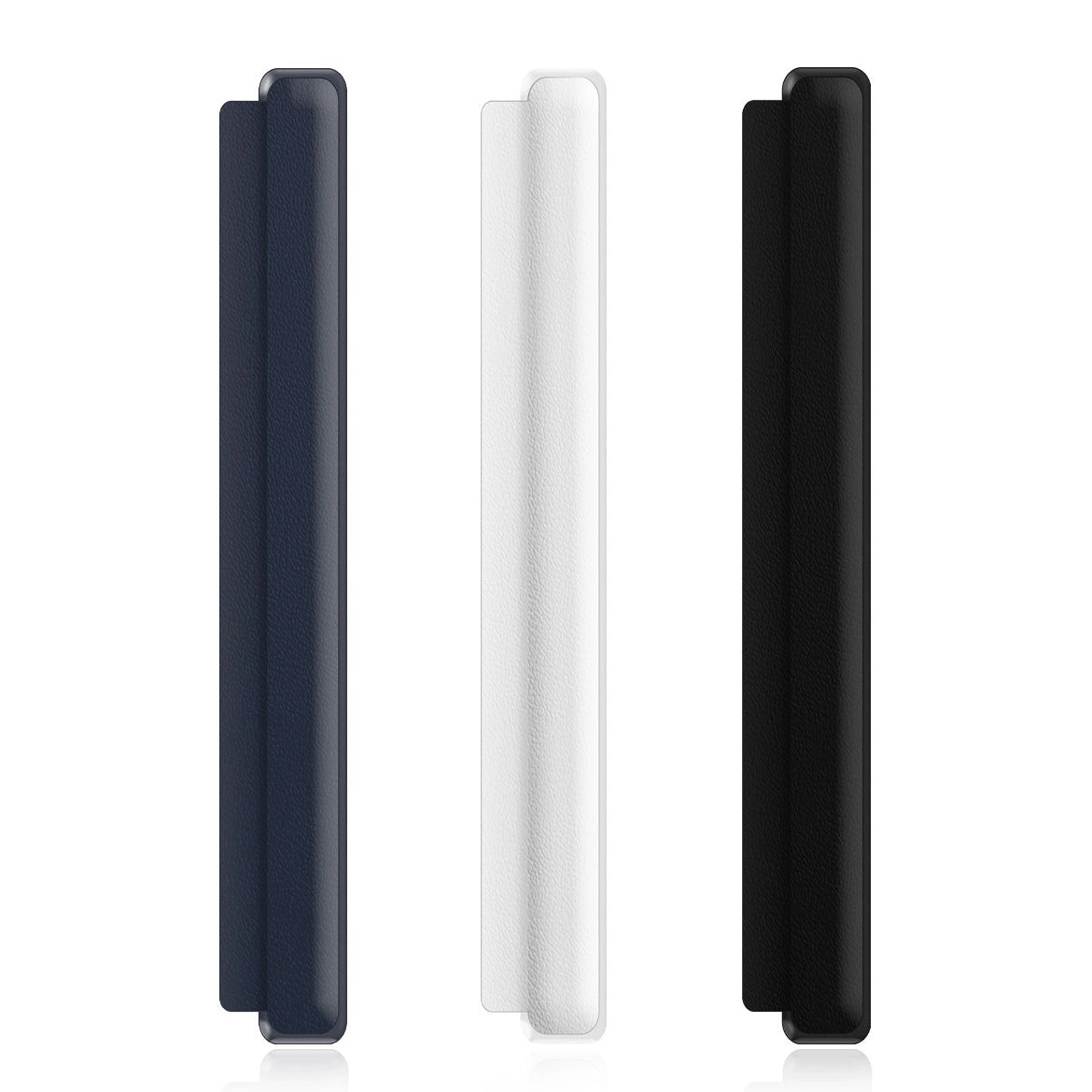
The protector has a plastic core fully wrapped in leather. Magnets inside the guard align it directly to the iPhone Duo hinge. A clear, low-tack double-sided adhesive strip holds the leather-covered side flap against the back of the phone. This gives the two attachment points different jobs: the magnets locate the guard along the hinge, and the adhesive keeps the flap in place.


Check the exact case version
ZEERA lists compatible versions without a built-in hinge cover from these case lines: FoldAero, FoldMatrix, FoldLuxe, FoldSlim, FoldPivot, FrostGuard, and FoldWeave. If you own a version with an integrated hinge cover, use that guard on its own. On a compatible version, the added flap needs room between the phone and the case so the case can seat normally.
Install the hinge guard directly on the phone
Clean and dry the hinge and the adjacent back panel. Let the magnets align the guard, peel the flap liner, then press the flap onto the phone’s back next to the hinge. Put the compatible case on afterward. Slowly open and close the phone to check that the case and guard sit properly throughout the fold.
FoldSpine Pro comes in Black, White, and Blue. Shop ZEERA FoldSpine Pro removable magnetic hinge protection.
DuoFlat makes the iPhone Duo camera area steadier on a desk
Set your folded iPhone Duo outer-screen-up on a hard desk and tap a corner away from the cameras. If the phone tilts and settles back as you lift your finger, the raised camera area may be acting as a pivot. You’ll notice it most when tapping through a calendar, scrolling a recipe, or typing a quick reply with the phone flat on the table.

How a near-flush camera cover reduces rocking
DuoFlat fills the area immediately around the two lenses, bringing the surrounding surface closer to lens height. That broader resting profile helps the phone rock less. The matte polycarbonate (PC) cover measures 53.8 × 19.3 mm and weighs about 1.23 g. Open cutouts leave both lenses and the adjacent openings exposed. The cover shields the surrounding area from everyday surface contact.


Check the whole camera opening, including the rim
DuoFlat sits about 0.85 mm inward per side from the edge of the camera area. ZEERA designed it to fit Apple’s original iPhone Duo Folio and Liquid Silicone cases. For a third-party case, look for one large shared cutout with clearance around the cover. A narrow opening or separate holes for each lens can overlap DuoFlat. Check the fit with the backing still in place before sticking it down.
Align the lens cutouts before pressing
Clean and dry the camera area, then position the adhesive-backed cover lightly. Check that both lenses and the adjacent openings are centered. Once it’s aligned, press evenly to seat the adhesive. How much the phone steadies depends on the surface and which parts of the phone or case actually touch it. A taller case rim can still set the resting height.
Can you use all three iPhone Duo accessories together?
They sit on different parts of the phone, so you can combine them when your setup leaves room at each point. With a case, check for an open front frame for the glass, a compatible open hinge for the magnetic guard, and a single camera opening with space for the cover. Check each component separately as you fit it so you can see which edge is causing any interference.
Shop the three accessories in one place
The ZEERA iPhone Duo Screen, Hinge & Camera Accessories collection brings together the ClariFit Pro outer-screen protector, FoldSpine Pro hinge guard, and DuoFlat camera-area cover.
Related Reading
FAQ
Can I apply ClariFit Pro to the inner folding screen?
ClariFit Pro is made for the rigid outer display only. Keep the tempered glass off the flexible inner display.
Can I install FoldSpine Pro without peeling the adhesive liner?
Peel the liner for the installed fit. The magnets can position the guard while you check alignment, but the adhesive is what holds the flap flat against the back panel.
How do I store DuoFlat if I remove it to try a different case?
Gently lift it from an edge with a thin paper card or fine thread. Place the adhesive side on the smooth side of the included storage sticker to keep dust off it until you’re ready to reapply it.