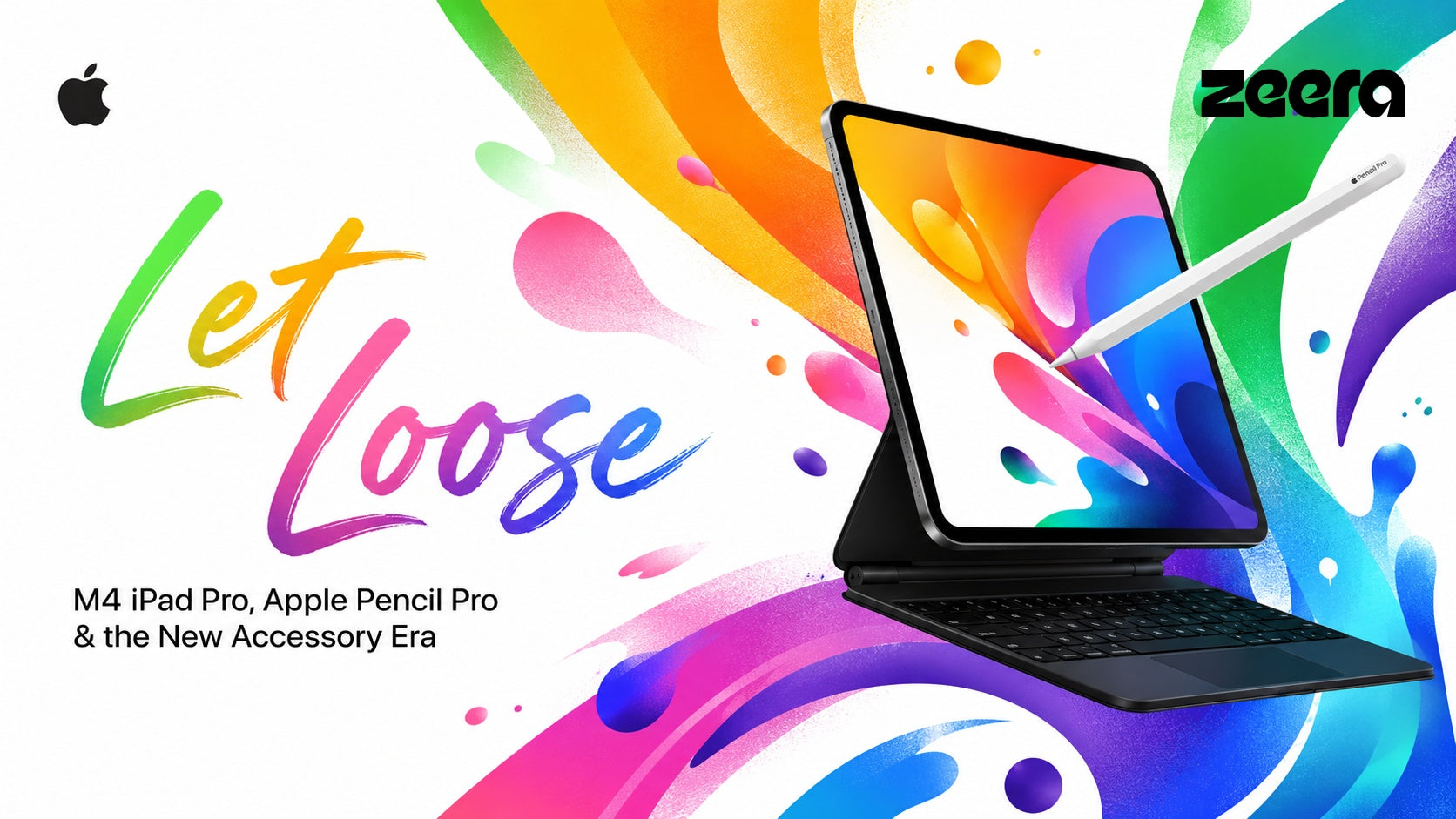
Apple’s “Let Loose” event was more than a normal spring hardware update. It marked one of the most important iPad refreshes in recent years, bringing a new M4 iPad Pro, a larger M2 iPad Air lineup, Apple Pencil Pro, and a redesigned Magic Keyboard.
For everyday users, the event answered a simple question: is the iPad becoming more like a real computer? For accessory brands, creators, and e-commerce sellers, it raised an even bigger question: when Apple makes the iPad thinner, faster, brighter, and more productivity-focused, what happens to the entire accessory market around it?
The answer is clear: “Let Loose” did not just update the iPad. It reset the demand for screen protection, magnetic desktop stands, USB-C charging setups, heat management, and mobile productivity accessories.
What Was Apple’s “Let Loose” Event?
“Let Loose” was Apple’s spring special event focused mainly on the iPad ecosystem. The key products included the M4 iPad Pro, M2 iPad Air, Apple Pencil Pro, and a new Magic Keyboard for iPad Pro.
The event was important because Apple did something unexpected: it introduced the M4 chip first on the iPad Pro instead of launching it first on a Mac. That move immediately changed how people viewed the iPad Pro. It was no longer just a tablet with laptop-level performance. It became Apple’s first showcase device for a new generation of silicon.
At the same time, Apple pushed the iPad Pro into a more extreme design direction. The 13-inch iPad Pro became only 5.1mm thin, while the new Ultra Retina XDR display used a tandem OLED structure to deliver higher brightness, deeper contrast, and more professional display quality.
M4 iPad Pro: The Biggest Shift From “Tablet” to High-End Creative Machine
The M4 iPad Pro was the headline product of the “Let Loose” event. Apple skipped the M3 generation for this model and moved directly to M4, making the iPad Pro the first Apple device to use the chip.
This matters for three reasons.
1. M4 Changed the Performance Conversation
Before this event, most iPad Pro discussions focused on whether iPadOS could fully use the power of Apple silicon. After “Let Loose,” the conversation changed. Users began asking whether the M4 iPad Pro could replace a laptop for design, video editing, illustration, note-taking, and AI-related workflows.
Search behavior also changed around terms like:
- M4 iPad Pro performance
- M4 iPad Pro vs MacBook
- Can iPad Pro replace a laptop?
- M4 iPad Pro overheating
- Best accessories for M4 iPad Pro
These are not just product curiosity searches. They show buying intent. A user searching for M4 iPad Pro accessories is often close to purchasing a case, stand, charger, cable, hub, or keyboard setup.
2. Tandem OLED Created a New Screen Protection Opportunity
The new Ultra Retina XDR display became one of the strongest selling points of the M4 iPad Pro. Its tandem OLED design makes the iPad Pro more attractive for artists, photographers, video editors, and users who care about display quality.
But a more premium screen also increases the perceived need for protection. Users who pay for a high-end OLED iPad are more likely to search for:
- best screen protector for M4 iPad Pro
- paper texture screen protector for iPad Pro OLED
- does screen protector affect OLED iPad Pro quality
- iPad Pro nano-texture glass protection
This creates a strong SEO opportunity for accessory sellers. Articles comparing glass protectors, paper-like protectors, anti-glare films, and drawing-focused screen layers can capture long-tail traffic from users who are protecting a premium display.
3. The 5.1mm Design Created Structural and Thermal Questions
The 13-inch M4 iPad Pro’s 5.1mm body is impressive, but extreme thinness naturally created online discussion around durability and heat. Many users wondered whether a thinner iPad Pro is easier to bend, whether it needs stronger case protection, and how it handles sustained workloads such as video editing, gaming, drawing, and multitasking.
This is where accessory demand becomes more specific. Users are not only searching for “iPad Pro case.” They are searching for stability, cooling, protection, and workstation-style setups.
Useful SEO angles include:
- Does the M4 iPad Pro bend easily?
- Best stand for M4 iPad Pro 13-inch
- How to keep iPad Pro cool while editing video
- Best USB-C charging setup for iPad Pro
- M4 iPad Pro desk setup accessories
M2 iPad Air: Big-Screen iPad Becomes More Accessible
The M2 iPad Air was another major product from the “Let Loose” event. For the first time, Apple split the iPad Air into 11-inch and 13-inch versions. This made a large-screen iPad more accessible to users who did not want to pay for the Pro model.
This changed the accessory market in a different way. The iPad Air user is often more price-sensitive than the iPad Pro user, but still wants a better screen size, Apple Pencil support, and a productivity-friendly setup.
That means the M2 iPad Air creates strong demand for practical accessories:
- affordable iPad Air 13-inch case
- iPad Air 13-inch keyboard alternative
- USB-C charger for iPad Air M2
- iPad Air 13-inch stand for desk
- Apple Pencil Pro compatible iPad Air accessories
From an SEO perspective, this is important because iPad Air users often search with comparison intent. They may ask whether they should buy the iPad Air or iPad Pro, whether the 13-inch Air is enough for school or work, and which accessories make the Air feel closer to a laptop.
Apple Pencil Pro: Why Creators Started Searching for Better iPad Setups
Apple Pencil Pro brought one of the most meaningful upgrades to Apple’s stylus lineup. It introduced barrel roll, squeeze gestures, haptic feedback, and deeper creative control for drawing and design workflows.
For artists and designers, these features made the iPad feel more like a professional creative surface. Barrel roll allows users to rotate the Pencil for more natural brush control. Squeeze gestures make it easier to open tools quickly. Haptic feedback gives physical confirmation during interaction.
This creates a clear accessory chain reaction. If users start drawing more seriously on iPad, they also need:
- a stable stand with adjustable angles
- a screen protector that improves drawing feel
- a charging setup that keeps the desk clean
- a protective case that does not block magnetic charging
- a portable power solution for working outside the studio
In other words, Apple Pencil Pro increases the value of the entire iPad workstation.
New Magic Keyboard: The iPad Moves Closer to MacBook Behavior
The redesigned Magic Keyboard for the new iPad Pro added a function row and a larger aluminum palm rest. These changes made the iPad Pro feel closer to a MacBook in physical interaction, especially for typing, shortcuts, and productivity workflows.
This is important because it changes how users build their iPad setups. Instead of treating the iPad as a handheld tablet, more users now treat it as a portable workstation.
That shift creates more searches around desktop charging, multi-device stands, USB-C cables, compact wall chargers, and productivity-focused accessories. A user who buys an iPad Pro with Magic Keyboard is more likely to also own an iPhone, Apple Watch, AirPods, and possibly a Mac. That makes the Apple ecosystem accessory opportunity much larger than a single iPad case.
Why “Let Loose” Shocked the Apple Accessory Market
The biggest impact of “Let Loose” was not only the products themselves. It was the way Apple changed the physical and functional requirements around the iPad ecosystem.
Thinner Devices Break Old Accessory Assumptions
When a device becomes thinner, older accessory designs may no longer feel ideal. Cases need better structural support without adding too much bulk. Magnetic stands need stronger stability. Screen protectors need to preserve display quality. USB-C hubs and cables need to match higher performance expectations.
For accessory brands, this means old products can quickly feel outdated even if they technically still fit. A new iPad generation creates a new wave of searches, reviews, compatibility questions, and buying decisions.
Magnetic Architecture Matters More Than Ever
The iPad ecosystem depends heavily on magnets: Apple Pencil attachment, Magic Keyboard connection, case alignment, and stand compatibility all rely on precise physical design. When Apple adjusts dimensions, weight balance, or accessory behavior, third-party brands must rethink magnetic strength, alignment, and real-world usability.
This is why magnetic desktop stands, protective covers, and productivity docks can gain search volume after a major iPad redesign.
Performance Creates Heat and Power Questions
The M4 chip made the iPad Pro more powerful, but more powerful devices also make users think about heat, charging, and battery health. Even if Apple optimizes efficiency, real users still search for practical questions such as:
- Does M4 iPad Pro get hot?
- Can I charge iPad Pro while editing video?
- What charger should I use for iPad Pro?
- Is wireless charging bad for battery health?
- How do I keep my Apple devices cool while charging?
This is where charging accessories, high-quality USB-C cables, GaN chargers, and active-cooling products become more relevant to the broader Apple ecosystem.
SEO Opportunity: Search Demand After “Let Loose”
For SEO, “Let Loose” is valuable because it connects several layers of search intent:
- Event intent: Apple Let Loose event, what did Apple announce, Let Loose meaning
- Product intent: M4 iPad Pro, M2 iPad Air, Apple Pencil Pro, Magic Keyboard
- Problem intent: iPad Pro bending, iPad Pro overheating, OLED screen protection
- Accessory intent: best iPad Pro accessories, best iPad desk setup, USB-C charger for iPad Pro
- Comparison intent: M4 iPad Pro vs M2 iPad Air, iPad Pro vs MacBook, iPad Air 13-inch vs iPad Pro 13-inch
The best content strategy is not to write only one event recap. A stronger strategy is to build a topic cluster around the event.
Recommended Content Cluster
- Apple Let Loose Event Recap: Everything Announced
- M4 iPad Pro vs M2 iPad Air: Which One Should You Buy?
- Best Accessories for M4 iPad Pro in 2026
- Does the M4 iPad Pro Need a Screen Protector?
- How to Build a Clean iPad Pro Desk Setup
- Best USB-C Charging Setup for iPad Pro, iPhone, and Apple Watch
- Is the 13-inch iPad Air Enough for Students and Creators?
This cluster can capture both informational traffic and buyer-intent traffic. The event article works as the hub, while product guides and comparison pages capture long-tail searches.
What Accessories Became More Important After “Let Loose”?
The new iPad lineup made several accessory categories more important:
1. Premium Screen Protection
The Ultra Retina XDR display makes screen quality a core buying reason. Users want protection that does not ruin brightness, color, or touch response. Drawing users may also want a better surface texture for Apple Pencil Pro.
2. Stronger Magnetic Stands
As the iPad becomes more like a desktop creative device, users need stands that hold it at stable angles. This is especially important for drawing, video calls, second-screen use, and side-by-side work with a Mac.
3. Compact High-Speed Charging
Users with an iPad Pro, iPhone, Apple Watch, and AirPods need cleaner charging setups. Compact GaN chargers, high-power USB-C cables, and multi-device stands are more valuable than ever.
4. Heat-Aware Charging Accessories
Performance and battery health are now part of the conversation. Users are more aware of heat during wireless charging, navigation, mobile data, and heavy app usage. Accessories that address heat can stand out more clearly.
5. Desktop Ecosystem Accessories
Many iPad Pro buyers also use Mac mini, Mac Studio, MacBook, external monitors, and multi-device desk setups. This makes the accessory market less about one device and more about the full Apple workspace.
ZEERA Picks for a Cleaner Apple Ecosystem Setup
If “Let Loose” showed one thing clearly, it is that Apple users are building more powerful, more connected, and more desk-friendly setups. Whether you use an M4 iPad Pro, iPhone, Apple Watch, AirPods, Mac mini, or Mac Studio, the right accessories can make daily charging and productivity feel much smoother.
- ZEERA MacForge Studio CNC Aluminum Cooling Case for Mac Studio — a premium aluminum enclosure designed to improve airflow and give your Mac Studio a cleaner, more distinctive desktop look.
- ZEERA MacForge Gen3 Mac Mini Case — a Mac Pro-inspired aluminum case for Mac mini that enhances cooling performance and upgrades your desktop setup.
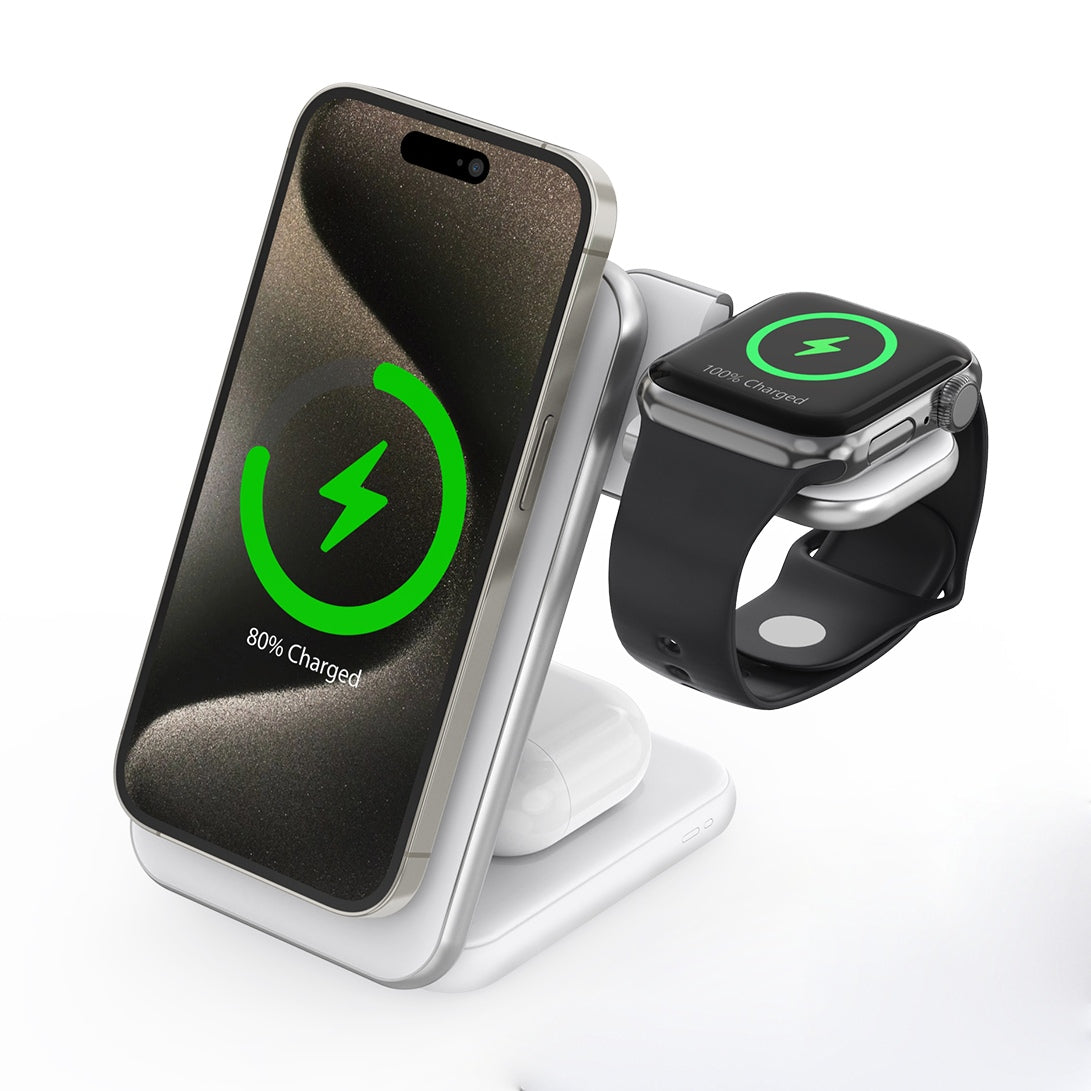
- ZEERA x THEVOXN 5-in-1 Dual MagSafe Charger Stand — a cleaner all-in-one desktop charging station for iPhone, AirPods, Apple Watch, and more.
- ZEERA MagTri Gen2 Qi2.2 Foldable MagSafe Charger — a compact foldable 3-in-1 charger that works well for desk use, travel, and everyday Apple device charging.
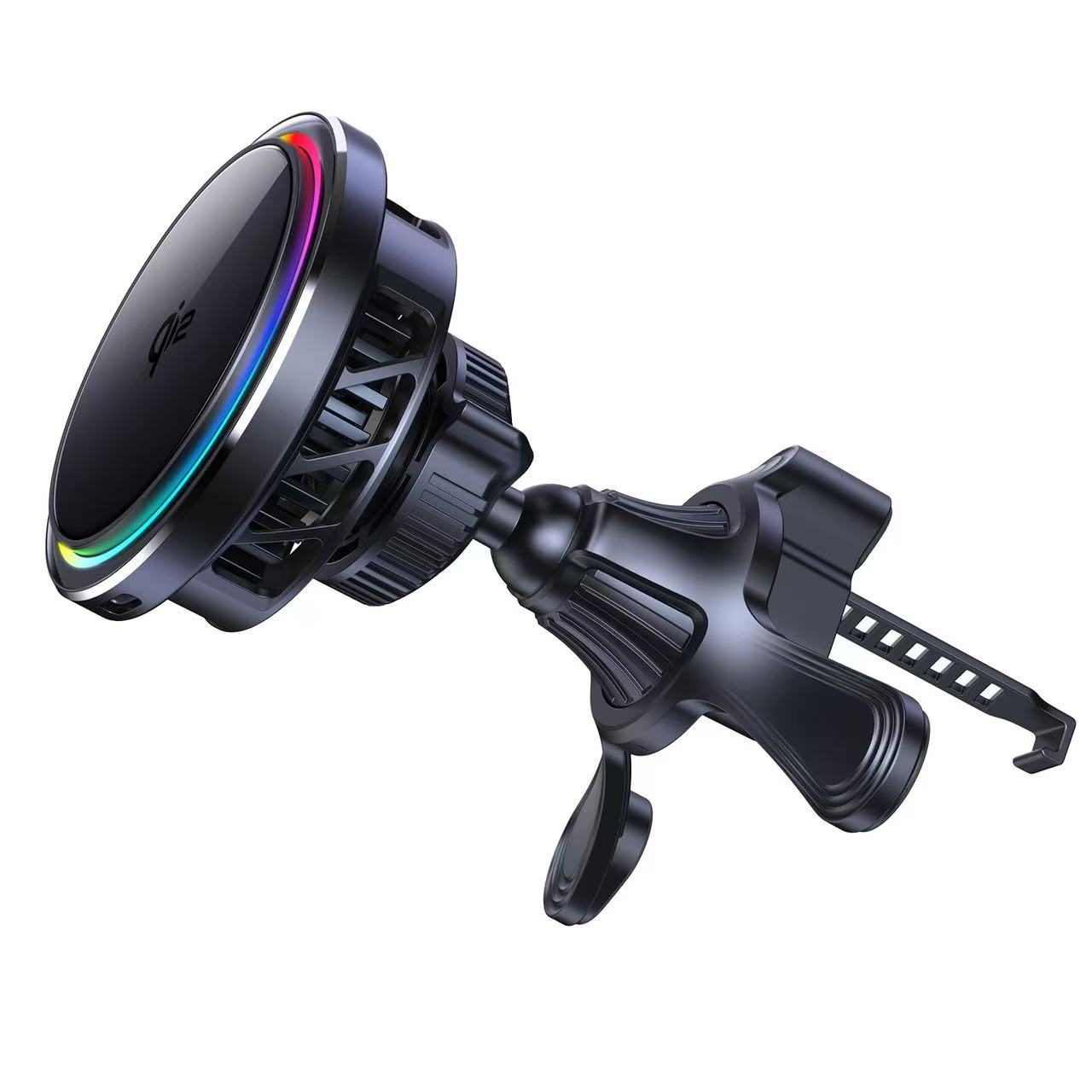
- ZEERA SuVolt Gen5 Qi2.2 Active Cooling Car Charger — ideal for drivers who rely on iPhone charging, navigation, and stable mounting during commutes and road trips.
- ZEERA AirFlat Pro Lens Cover — a practical anti-wobble accessory that helps keep iPhone Air flatter and more stable on desks and tables.
- ZEERA MagSkin Air — an ultra-thin magnetic back plate for iPhone Air that adds MagSafe convenience while keeping a slim, minimalist feel.

Final Thoughts: “Let Loose” Was More Than an iPad Event
Apple’s “Let Loose” event was a turning point for the iPad lineup. The M4 iPad Pro pushed performance and display quality forward. The M2 iPad Air made large-screen iPads more accessible. Apple Pencil Pro improved the creative experience. The redesigned Magic Keyboard made the iPad feel closer to a laptop.
But the bigger impact was on the accessory ecosystem. Thinner devices, brighter OLED screens, stronger creative workflows, magnetic setup changes, and higher performance expectations all created new accessory demand.
For users, this means the modern iPad is no longer just a tablet. It is part of a larger Apple productivity system. For accessory brands, it means the next growth opportunity is not only making products that fit the new iPad, but creating smarter, cleaner, and more heat-aware setups for the entire Apple ecosystem.
Related Articles
- iPhone 18 Pro Max Release Date, Price, Specs & Rumors 2026
- iPhone Fold or iPhone Ultra? 2026 Release Date, Price, Specs & Leaks
- iPhone 18 Pro Max Colors: Dark Cherry, Ice Blue, Dark Gray & Silver Renders
- iPhone 18 Pro Camera Upgrade & Case Compatibility
- iPhone 18 Pro Max vs iPhone 17 Pro Max: What’s New and Should You Upgrade?
- iPhone 18 Pro Max A20 Pro Chip: What 2nm Could Mean
- iPhone 18 Pro Max Release Date 2026
- iPhone Fold Reddit Questions: Wait or Buy iPhone 17 Pro Max?