
Quick Answer
Most Mac mini M6 owners do not need a cooling stand for browsing, office work, streaming or short creative tasks.
A basic stand can still help if your desk limits clearance around the Mac mini's bottom ventilation.
An active Mac mini M6 cooler makes more sense for repeated long video exports, 3D renders, large code builds and local AI workloads.
ZEERA's MacFrost Pro tests recorded cooler-sensor lows of 15°C at 7W, 10.1°C at 20W and 6.9°C at 30W; these are cold-plate system readings, not CPU temperatures.
For most sustained workflows, Level 1 is the practical starting point. Level 2 and Level 3 trade substantially more noise for stronger external cooling.
The compact Mac mini M6 is powerful enough to run work that once belonged on a much larger desktop. That naturally raises a buying question: does a small computer doing heavy work need extra cooling?
The honest answer depends much more on how long the workload runs than on whether the aluminum enclosure feels warm. A warm case is not automatically a problem. It can be evidence that heat is moving away from internal components and into the enclosure.
This guide focuses on the purchase decision. If you want a closer look at the hardware, power levels and full test notes, see our dedicated MacFrost Pro active cooler test.
Does the Mac mini M6 need external cooling?
No—not for normal use. The Mac mini M6 has its own temperature sensors, fan and internal airflow system. Apple explains that its products monitor internal temperatures and increase fan airflow when intensive work raises heat. Apple also recommends keeping vents unobstructed and using the computer on a hard, flat surface.
That built-in system is designed to handle web browsing, documents, video calls, media playback, photo management and short bursts of creative work without a separate cooling accessory.
An external cooler becomes relevant when a repeatable task holds the CPU, GPU or Neural Engine under sustained load. Think of a 90-minute export rather than a five-minute edit, or an overnight local AI batch rather than an occasional prompt.
The three-user decision
Light use
Skip the cooler
Browsing, office apps, streaming, video calls and short photo edits normally do not justify active cooling.
Long mixed use
Start with a stand
If desk clutter or a soft surface restricts the bottom area, elevation and clear airflow are the first improvements to make.
Sustained heavy work
Consider active cooling
Local AI, 3D rendering, long exports and large builds are the workloads most likely to benefit from extra thermal headroom.
Cooling stand or active cooler: what is the difference?
A Mac mini cooling stand can describe two very different products, so the label alone is not enough.
A passive stand simply raises the Mac mini. Its main job is to improve clearance and keep the original ventilation path unobstructed. It adds no cold plate and consumes no power.
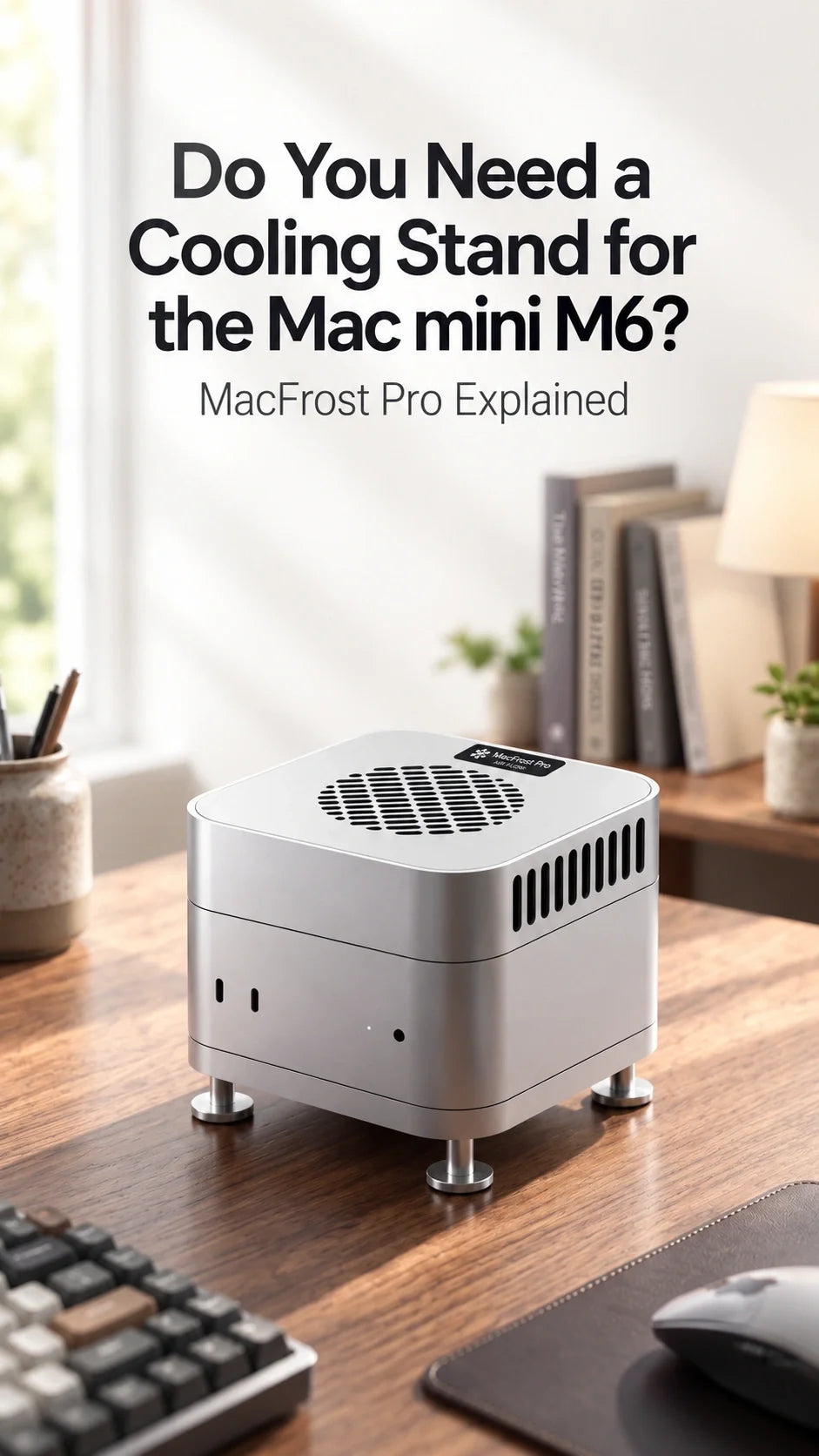
An active cooler adds powered cooling. MacFrost Pro uses a thermoelectric cooling module above the Mac mini, with a 100 × 100 × 3 mm thermal silicone pad between the cold plate and the computer's aluminum top surface. The lower aluminum stand simultaneously raises the Mac mini so its native bottom ventilation remains clear.
This means the system does not try to replace the Mac's internal cooling. It creates an additional heat-transfer path through the enclosure while preserving the airflow Apple already designed into the computer.
Useful rule: choose a passive stand to fix a clearance problem. Choose an active cooler only when sustained heat is part of a measurable workload problem.
ZEERA test data: 7W vs 20W vs 30W cooling
ZEERA tested the three manual MacFrost Pro cooling levels. As power and fan speed increased, the cooler's own sensor recorded progressively lower minimum temperatures.
Level 1 · 7W
15°C
1,980 RPM · 38 dB
Best balance for long sessions, lighter creative work and users who still care about desk noise.
Level 2 · 20W
10.1°C
2,880 RPM · 55 dB
Better matched to long exports, large builds, local AI jobs and renders where audible fan noise is acceptable.
Level 3 · 30W
6.9°C
4,080 RPM · 60 dB
Maximum external cooling for performance-first sessions, with a noise level unsuitable for most quiet offices.
Important: 15°C, 10.1°C and 6.9°C are the lowest readings reported by the MacFrost Pro cooling-system sensor. They are not the Mac mini's internal CPU, GPU or SoC temperatures.
ZEERA measured sound at approximately 50 cm (19.7 inches) in its test environment. Room acoustics, ambient temperature, humidity, thermal-pad contact, power supply and workload can all change real-world results.
The test proves that higher modes create a colder external cooling surface. It does not, by itself, prove a specific render-time reduction or a fixed number of degrees removed from the M6 chip. That distinction matters when deciding whether the noise and power draw are worthwhile.
Who should consider a Mac mini M6 active cooler?
Local AI users running long jobs
Local language models, image generation and repeated inference can keep multiple parts of the M6 active for far longer than normal office work. If a batch runs for an hour or more, additional thermal headroom becomes more relevant—especially in a warm room.
Video editors exporting large projects
Timeline editing is often bursty, but a long 4K or 8K export can become a sustained load. An active cooler is easier to justify when exporting is frequent, deadline-sensitive and long enough for heat to reach a steady state.
3D artists and developers
Long Blender renders, shader compilation, repeated test builds and large software compiles can keep the system busy continuously. These are stronger use cases than occasional photo edits or a short Xcode build.
Warm-room and compact-desk setups
Apple notes that higher ambient temperature can make fans activate sooner and run faster. A small cabinet, crowded shelf or poorly ventilated desk can make conditions worse. Fix the placement first; if the workload remains demanding, active cooling can be the next step.
Who does not need MacFrost Pro?
If most of your day is Safari, email, spreadsheets, streaming, music, messaging and occasional photo editing, buying an active cooler is unlikely to change the experience meaningfully.
You also should not buy a cooler simply because the Mac mini's aluminum case feels hot. Touch is not a reliable measurement of internal throttling, and a warm enclosure can be part of normal heat dissipation.
Finally, external cooling should not hide a fault. If the Mac mini runs unusually hot or its fan stays loud while the system is idle, check Activity Monitor, background indexing, blocked ventilation and software behavior first. Restart the computer and investigate unexpected load before adding hardware.
When a passive stand is the better choice
A passive stand is often the more sensible first purchase when the problem is physical clearance rather than sustained performance.
Choose elevation without active cooling if you want to keep the bottom ventilation area clear, reduce desk contact, organize an external SSD or make ports easier to reach. It stays silent, requires no separate power adapter and cannot create condensation.
For a more complete workstation, the Mac mini M6 desk setup guide shows how MacForge Gen3 can combine a raised enclosure, top-access ports, SSD organization and Mac Pro-inspired styling. The goal is different: MacForge is primarily a desk-organization and enclosure upgrade, while MacFrost Pro is built for active thermal control.
Which MacFrost Pro mode should you use?
Start with the lowest mode that solves the problem. Maximum cooling is not automatically the best everyday setting.
Level 1: Use it for long daily work, extended multitasking, development and lighter exports. ZEERA's 38 dB measurement makes it the easiest fixed mode to live with.
Level 2: Use it for a sustained workload where stronger cooling matters more than quiet operation. At 55 dB in ZEERA's setup, it will be obvious in a quiet room.
Level 3: Reserve it for maximum-load sessions, unattended exports or tests where cooling takes priority over acoustics. ZEERA measured 60 dB at 50 cm.
Auto: Choose it if you prefer temperature-responsive operation instead of selecting a fixed manual level.
MacFrost Pro's 0.96-inch OLED displays its sensor temperature, fan RPM, voltage and power information. It works through hardware controls, so no driver or background macOS app is required.
Will a cooler make the Mac mini M6 faster?
Not necessarily. A cooler can provide more thermal headroom, but it cannot make a lightly loaded Mac faster, add CPU or GPU cores, increase memory or fix an application bottleneck.
The performance question should be tested with a repeatable task. Run the same long export, render, AI batch or build with the same project, software version, room conditions and power settings. Compare completion time, internal sensor behavior and fan noise after the system has been under load long enough to stabilize.
If both runs finish in the same time and the Mac's own fan behavior is already acceptable, external cooling may provide little practical value. If the active cooler improves consistency during repeated long runs, reduces internal fan demand or helps avoid heat-related performance loss, it is solving a real problem.
Before spending on accessories, also make sure you chose the right computer. Our Mac mini M6 vs M4 benchmark and upgrade guide explains where the new chip's CPU, GPU, AI and storage gains matter—and where an upgrade changes less.
Noise, power and condensation: the tradeoffs
An active thermoelectric cooler is not a free performance upgrade. It adds fan noise, consumes power, occupies vertical space and places a cold surface directly against the Mac mini's enclosure.
MacFrost Pro requires a USB-C PD power source rated at 20W or higher. ZEERA recommends a 45W USB-C PD adapter for stable operation at the full 30W level.
Thermoelectric cooling can lower the cold surface below the surrounding air's dew point. In a humid room, that creates a possible condensation risk. Check the cooler and contact area when using higher levels, and stop the system immediately if moisture appears.
Noise is the more common compromise. Level 1 measured 38 dB in ZEERA's environment, while Level 2 and Level 3 reached 55 dB and 60 dB. Those measurements should be treated as a comparison between modes, not a guarantee of what every room will sound like.
How to decide before buying a Mac mini M6 cooler
- Identify a real workload. Use a task you repeat often—not a one-time stress test.
- Measure duration. Extra cooling is easier to justify when the load lasts 30 minutes, an hour or longer.
- Fix airflow first. Keep the Mac mini on a hard surface and make sure its ventilation area is not blocked.
- Check background activity. Indexing, a runaway process or a software problem can create heat that no accessory should be asked to conceal.
- Record a baseline. Note task time, internal sensor readings, fan behavior and room temperature.
- Choose the quietest useful mode. Start at Level 1 and move upward only if the stronger mode changes a result that matters.
Do not open or modify the Mac mini to test cooling. A useful buying test should be repeatable, non-destructive and based on the work you actually do.
Final verdict: do you need a cooling stand?
For light and ordinary Mac mini M6 use, no active cooler is necessary. Keep the computer on a hard surface, leave its ventilation clear and let the built-in thermal system do its job.
For a cramped desk, a well-designed passive stand may be enough. It solves clearance and organization without adding power draw or noise.
MacFrost Pro makes the strongest case for users who can name a sustained workload: long video exports, local AI batches, 3D rendering, scientific work or large code builds. ZEERA's testing shows a clear increase in cooling intensity from Level 1 to Level 3, but the noise rises sharply as well.
That makes Level 1 the best default for most buyers who genuinely need active cooling. Treat Levels 2 and 3 as task-specific tools, not everyday modes. The right goal is not the lowest number on the OLED; it is a quieter, more consistent or faster real workflow.
Frequently Asked Questions
Does every Mac mini M6 need a cooling stand?
No. Normal browsing, office work, streaming and short creative tasks generally do not require external cooling. A stand is useful mainly for improving clearance; active cooling targets sustained heavy loads.
Is MacFrost Pro just a fan stand?
No. It combines a top-mounted thermoelectric active cooler with a separate CNC aluminum stand underneath the Mac mini.
Is 6.9°C the Mac mini M6 CPU temperature?
No. It is the lowest MacFrost Pro cooler-sensor reading recorded by ZEERA at Level 3. It is not an internal CPU, GPU or SoC temperature.
What is the quietest MacFrost Pro setting?
Level 1. ZEERA measured approximately 38 dB at 50 cm, compared with 55 dB for Level 2 and 60 dB for Level 3.
Can I leave MacFrost Pro on Level 3 all day?
Level 3 is designed for maximum-cooling sessions rather than quiet daily use. Monitor for moisture in humid conditions and switch to a lower mode when the heavy task is finished.
What charger does MacFrost Pro need?
Use a USB-C PD power adapter rated at 20W or higher. A 45W USB-C PD adapter is recommended for stable full-power 30W operation.
Does MacFrost Pro work with older compact Mac mini models?
It is designed for Mac mini M6, M5 Pro and M4 models that use the current 127 × 127 mm enclosure footprint.
Related Reading
Guichang Chen · ✓ Verified
Apple Supply Chain & Product Development Specialist. Guichang Chen has over 10 years of experience in consumer electronics, with hands-on involvement in Apple accessory development, manufacturing and supply-chain operations.






