Quick Answer
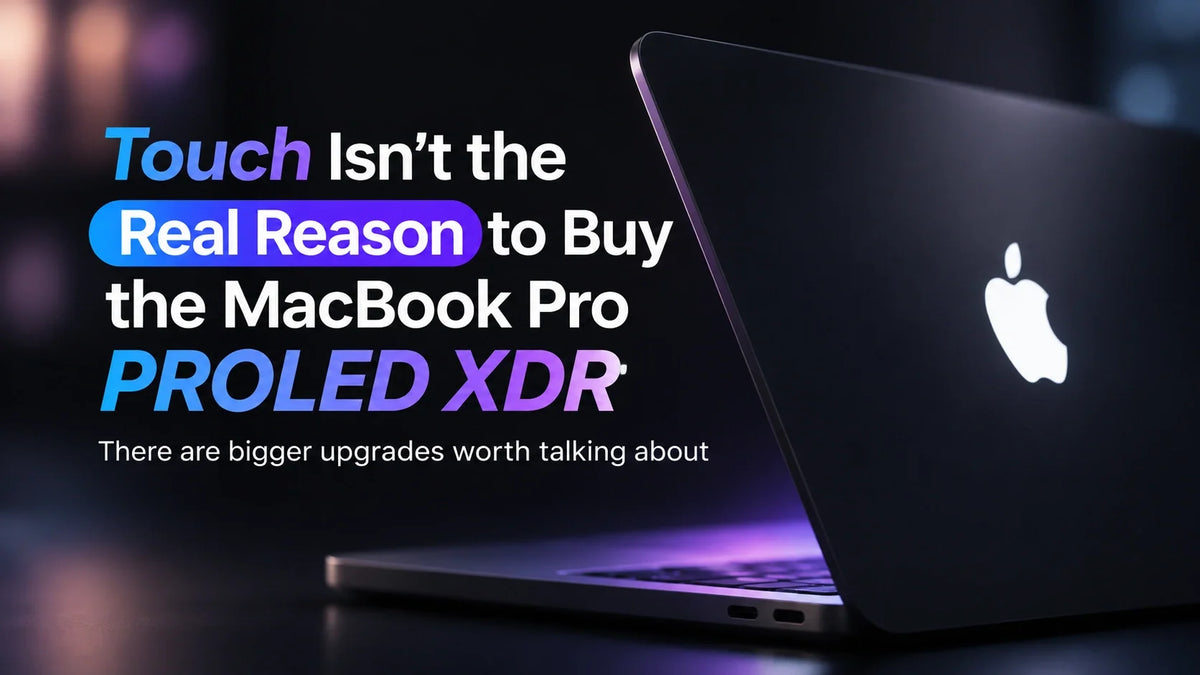
The MacBook Pro PROLED XDR’s biggest upgrade is its tandem OLED display, according to MediaStorm’s hands-on review. The team measured roughly 1,800 nits in SDR on a 50% window under strong light, found the 16-inch model about 300 grams lighter, and recorded lower surface temperatures in a 30-minute stress test. It also had more battery left after two hours of video playback. The responsive touchscreen earned a place in mobile app testing, but most of the team’s writing, design and production work still felt better with familiar tools. The panel and chassis improve the laptop even when you never reach for the screen. MediaStorm’s hands-on review
Why MediaStorm would lead with the display
After spending time with the MacBook Pro, MediaStorm’s presenter called it the best MacBook Pro he had used for work. He regularly used touch to test mobile apps he was building with AI and rarely reached for the screen during other work. Apple’s launch materials highlight both OLED and Multi-Touch. The review makes the case for giving the display itself top billing. Apple’s announcement
What the PROLED XDR display changes
Apple’s tandem OLED panel stacks two OLED layers, an approach also used in the iPad Pro. Apple rates this MacBook Pro at up to 2,000 nits peak in outdoor SDR or with HDR content and lists 10–120Hz ProMotion and support for P3 and Adobe RGB. MediaStorm singled out the work Apple put into calibration and consistency across its displays. Apple’s display specifications
Outdoor visibility and color
MediaStorm triggered about 1,800 nits in SDR on a 50% test window under bright light. The team found the panel noticeably easier to see outdoors than the previous MacBook Pro. In SDR, it measured an average color error of ΔE 1.4. From the side, the OLED held onto brightness and color better than the older mini-LED panel in its comparison.
Reflections improved only modestly in the team’s side-by-side comparison. Its read was that the antireflective coating largely offsets the extra reflections introduced by the capacitive touch layer.
PWM and the camera cutout
High-speed footage showed high-frequency PWM dimming on the OLED panel. The presenter thought viewers sensitive to flicker might find the older mini-LED screen more comfortable.
Dynamic Island replaces the notch and surfaces things like AirDrop progress, recording and call status. Unlocking still uses Touch ID, which means reaching back to the keyboard. The presenter questioned the trade-off and mocked up a version with an under-display camera to show how an uninterrupted screen could look.
A lighter chassis that ran cooler
The changes are subtle from the outside. MediaStorm noted fewer vent openings, slightly smaller footprints and a 16.3-inch display that gains a tenth of an inch. X-ray images showed bigger changes inside. The 16-inch model was roughly 300 g (0.66 lb) lighter in the review’s comparison, a difference the presenter likened to leaving an iPad mini and a pair of AirPods out of the bag.
47.8°C versus 56.4°C after 30 minutes
The OLED model’s hottest measured surface reached 47.8°C (118°F), mainly around the middle of the keyboard and the exhaust. The previous non-touch MacBook Pro with the top M5 Max reached 56.4°C (134°F) in the review’s comparison. That’s an 8.6°C difference at the hottest surface measured.
The presenter also liked the keyboard’s rebound and heard noticeably stronger bass in the team’s binaural speaker comparison. The aluminum still felt cold on his lap. He was less taken with the glowing Apple logo than his colleagues were, though he liked that it looked metallic when switched off. The team suggested a one-way light-transmitting structure as a possible explanation. A closer look at the illuminated Apple logo
What 10 colleagues found when they tried touch
In the review, the screen responded quickly and could register up to 10 fingers. Fingerprints were much fainter than the team expected on the new review unit. MediaStorm credited the fresh oleophobic coating and left its long-term wear open. The redesigned hinge settled faster in high-speed footage, but the lid still moved when tapped, particularly near the top. The presenter pointed to Microsoft’s experiments with hinge designs as an example of how the shape of a laptop can make touch easier to use.
Writing, 3D, design, grading and music
- Writers and producers saw little appeal for browsing, watching videos or drafting scripts.
- Art and 3D staff found it more intuitive to drag, rotate and zoom models directly. They wanted a detachable screen they could use like an iPad.
- Graphic designers found finger drawing too imprecise for their work and wanted Apple Pencil or an active stylus.
- Colorists and music staff saw touch as a supplementary control. They still preferred dedicated equipment when speed and precision mattered.
The presenter liked tapping to focus or adjust settings in a camera-control app. In the tested build of Honor of Kings, the game registered one touch at a time, so the player could move or attack but couldn’t do both together. The slower pace of Balatro suited touch better. iPhone Mirroring felt more natural with direct taps and swipes, although the team could only use the iPhone Duo’s outer display in that test. The differences across those apps explain why MediaStorm found touch support uneven, even inside Apple’s ecosystem. ZEERA’s iPhone Duo app compatibility guide
Where touch earns its place in app development
The presenter’s strongest use case was testing mobile interfaces as he built them, including AI-assisted prototypes. In a simulator, he could tap buttons, swipe pages and try multi-finger gestures directly. Switching between simulated iPhone, iPad or Apple Watch layouts made it easier to check the feel of an interface without pulling out a physical device for every small iteration. That was the one workflow in the review where touch changed what the presenter regularly did on the Mac. Outside app development, none of the roles the team consulted regarded touch as essential.
What the M5 Max and 16TB SSD add
The PROLED XDR models use the already-released M5 Pro and M5 Max. The team found that Apple’s chip names led some colleagues to assume a base M6 automatically beats M5 Pro or M5 Max, or that M2 Ultra must trail every newer Max. The presenter felt both M5 chips already covered most everyday tasks and used local AI to show where a high-memory configuration can matter. He also mentioned an unconfirmed rumor that Apple could skip M6 Pro and M6 Max and move to M7. Why the OLED MacBook Pro uses M5 Pro and M5 Max
MediaStorm’s performance tests
Its M5 Max scored around 8,500 in the multicore CPU test, about 9% ahead of M4 Max and 148% ahead of M1 Max in that comparison. The GPU score was up about 25% versus M4 Max and 138% versus M1 Max.
In the team’s 27-billion-parameter Qwen test, the 36GB M5 Max decoded at about 25 tokens per second, and the 128GB configuration reached 32.46 tokens per second. For the presenter, the appeal was having that much unified memory available in a laptop for running models locally.
Apple offers up to 16TB of internal SSD storage with M5 Max. MediaStorm plans to buy some for shoots where footage can fit on two laptops, one copy per machine, saving the crew from carrying a large storage array on those jobs. The presenter quoted RMB 52,500 for the SSD upgrade in the configuration he discussed. Apple’s storage configurations
Longer video playback and the case for the premium
After two hours of 16:9 video playback, MediaStorm reported 92% battery remaining on the OLED MacBook Pro versus 78% on the mini-LED MacBook Pro. The difference narrowed under more complex workloads as more power went to computation. In its charging test, the OLED model reached 50% in roughly 30 minutes and took about 1 hour 46 minutes to go from empty to full.
The presenter framed the decision around a RMB 3,000 premium over the older model in his comparison. He cited a mainland China starting price of RMB 22,999 and a fully loaded price above RMB 110,000. Apple lists U.S. starting prices of $2,899 for the 14-inch M5 Pro and $3,399 for the 16-inch M5 Pro, with availability beginning November 6, 2026. Apple’s U.S. launch pricing
MediaStorm would put the money toward the brighter, more color-accurate screen, lower carry weight, cooler surfaces, stronger speakers and longer playback. The presenter found the touch response and parts of the workflow polished, but he saw little that made it materially better than a Windows touchscreen laptop. The clamshell still felt like a clamshell. His enthusiasm was for the MacBook Pro as a work computer.
Watch MediaStorm’s hands-on review
Watch the original review by MediaStorm (影视飓风) on YouTube
Related Reading
- Is the touchscreen MacBook Pro worth the extra $400?
- MacBook Pro nano-texture versus standard glass for touch
- What to know about Apple Pencil and the OLED MacBook Pro
- Apple’s November 6 launch specs and prices
FAQ
Does the 14-inch OLED MacBook Pro have the same rated battery life as the 16-inch?
Apple rates the 14-inch at up to 22 hours of video streaming with M5 Pro or 20 hours with M5 Max. The 16-inch is rated at up to 24 hours with M5 Pro or 22 hours with M5 Max. Apple’s battery specifications
How bright is PROLED XDR across the whole screen?
Apple rates both sizes at up to 1,000 nits sustained across the full screen in SDR and HDR. The 1,800-nit reading in MediaStorm’s test used a bright patch covering half the display. Apple’s brightness specifications