
Quick Answer
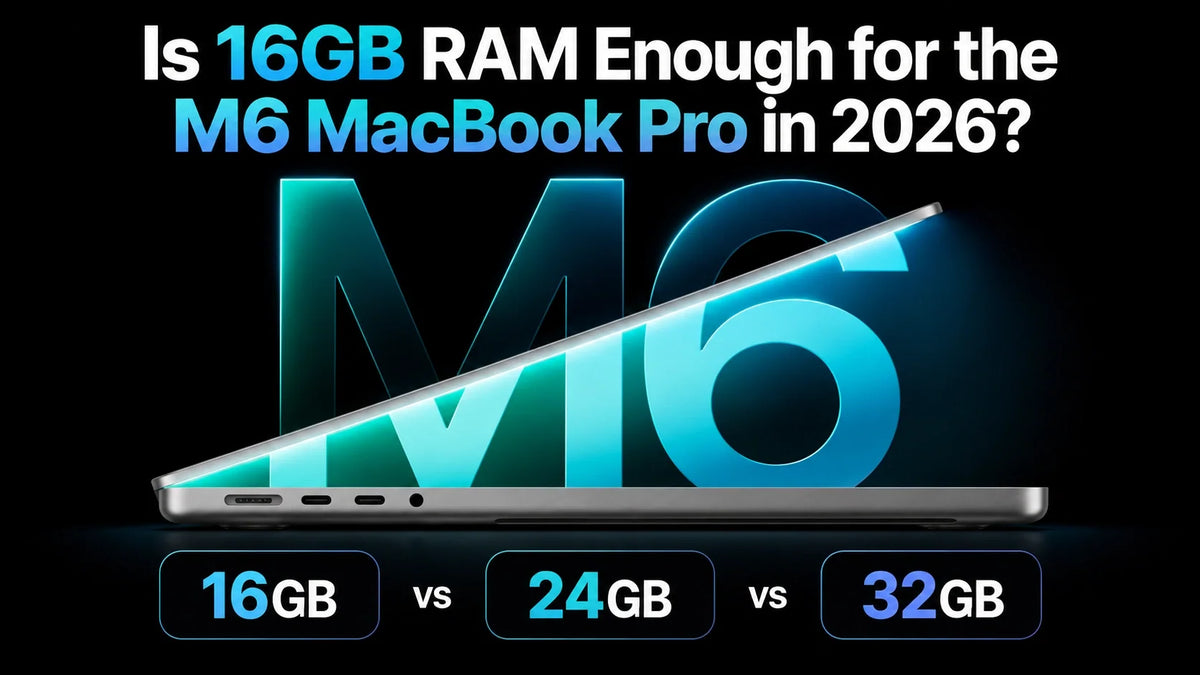
Yes—16GB RAM is enough for the M6 MacBook Pro in 2026 if you mainly use office apps, browse the web, write code in lighter projects and make occasional photo or video edits.
24GB is our balanced recommendation for people who regularly combine development tools, Photoshop or 4K editing with other open apps.
Choose 32GB for heavier Docker environments, large layered images, demanding 4K timelines or regular local AI use. Some projects still need more than 32GB.
Unified memory cannot be upgraded after purchase. Buy for the work you expect to do, including the apps that run alongside it.
Choose Memory Before You Buy
Apple lists 16GB, 24GB and 32GB of unified memory for the 14-inch MacBook Pro with the base M6 chip. The CPU and GPU share that capacity with macOS and your apps. It is not 16GB of system RAM plus a separate pool of dedicated graphics memory. See Apple’s technical specifications for the available configurations.
You cannot add RAM later. Apple’s MacBook Pro memory guide identifies newer models as having non-removable memory. An external SSD can expand file storage, but it cannot expand unified memory. For the wider launch details, see our M6 MacBook Pro specs, price and release guide.
16GB vs 24GB vs 32GB: Match Your Workload
The capacity recommendations below are our buying guidance. The deciding factor is the size of your active work and how many demanding tasks overlap—not simply whether an app opens.
| Workload | Our pick | When to move up |
|---|---|---|
| Office & study | 16GB | 24GB for heavy multitasking or large datasets |
| Programming | 24GB | 32GB for large projects, simulators and services together |
| Photoshop | 24GB | 32GB for large layered files and concurrent creative apps |
| 4K editing | 24GB | 32GB for multicam, heavy effects and complex timelines |
| Docker | 24–32GB | Choose by the working set of your stack and host apps |
| Local AI | 32GB | Consider more memory for larger models or long contexts |
Office work: 16GB is a sensible starting point
Email, documents, presentations, web research and video meetings are good reasons to keep the base configuration. If these are your main tasks, spending more on RAM may offer little visible benefit.
Move toward 24GB when your day includes several browser-based business tools, large spreadsheets and creative apps running together. There is no reliable “maximum tab count”: a static article and an active web app can use very different amounts of memory.
Programming: size the whole development environment
Learning Python, building a small website or working in a lightweight editor can fit a 16GB purchase. The case for 24GB becomes stronger with a full IDE, browser debugging, a local database and background build tools.
Choose 32GB when you routinely keep large projects, device simulators, containers or virtual machines active together. More memory helps when the environment is running out of room; it does not guarantee faster compilation for a CPU-limited project.
Photoshop: layers and open documents matter
Adobe recommends 16GB or more for Photoshop. That makes 16GB reasonable for occasional retouching, web graphics and modest documents, but it is not a promise that every project will feel comfortable.
For regular photo work, 24GB leaves more room for Photoshop alongside a browser and photo library. Choose 32GB for large panoramas, many layers, Smart Objects or multiple substantial documents. A compressed file’s size on disk does not tell you its full working memory requirement; keep adequate SSD space for scratch files as well.
4K video: simple cuts and heavy timelines differ
16GB can be a practical choice for occasional, straightforward 4K edits, especially with proxies and limited effects. The M6 includes hardware media acceleration for supported formats, but that does not eliminate memory use from effects, compositing or other open apps.
For regular 4K work, we would buy 24GB. Step up to 32GB for multicamera projects, complex grades, noise reduction, motion graphics or editing while other creative apps remain open. Resolution alone is not a useful RAM requirement: codec, effects and simultaneous streams also matter.
Docker: leave room outside the Linux VM
Docker Desktop runs Linux containers inside a virtual machine on macOS. Its resource settings control the VM’s memory limit; that limit is not the same as memory constantly in use.
16GB can serve a small, carefully limited stack. For daily development with an IDE, browser, database and containers, 24GB is the more comfortable starting point. Choose 32GB when several services, heavier databases, search indexes or local Kubernetes are part of your normal day.
For example, if your Linux workload actually needs around 8GB while active, a 16GB Mac leaves only the remaining capacity for macOS, graphics and host apps. This is a planning example, not a Docker benchmark. Count what your services use, rather than the number of containers.
Local AI: model size is only the beginning
For occasional experiments with a small quantized language model, 16GB may be enough. For regular local inference, 32GB is our preferred M6 configuration because the model shares memory with macOS, the runtime, graphics and your other apps.
As a rough illustration, 8 billion parameters stored at 4 bits each account for about 4GB of raw weights before metadata and runtime overhead. Actual memory use also includes the context cache and other buffers. Ollama’s documentation confirms that increasing context length increases memory requirements.
24GB offers room for more experimentation, but 32GB is not a universal “all models fit” tier. Check the exact model, quantization and context you plan to use. Larger models, long contexts and local image-generation pipelines may justify a Mac with more than 32GB. Our M6 Mac mini local AI memory guide explores the desktop alternative.
Is 24GB or 32GB the Better Upgrade?
24GB is the value choice when your demanding work is moderate and predictable. It adds 8GB over the base model—50% more capacity—without requiring you to buy the maximum configuration. If your normal workload fits comfortably, buying 32GB will not automatically make it faster.
32GB is worth considering when overlap is the problem: containers plus an IDE, large Photoshop files plus a photo library, or a local model plus your normal work apps. It gives you another 8GB over 24GB, about 33% more capacity. For a laptop you intend to keep for years, pay for foreseeable projects rather than an undefined promise of “future-proofing.”
If the budget forces a choice between extra memory and a larger SSD, prioritize memory when your working set needs it. Project files can move to an external SSD; active RAM cannot. Keep enough internal storage for your apps, caches and current work.
If you already need more than 32GB, compare a higher-memory Pro or Max configuration rather than stretching the base M6 to a job it cannot comfortably hold. Check the full price and chip configuration at purchase.
Check Your Current Mac Before Choosing
Open your usual apps and a representative project, then check Activity Monitor → Memory while you work. Look during a build, export or model run—not only while the Mac is idle.
- Start with Memory Pressure. Apple describes green as efficient memory use, yellow as a possible need for more RAM and red as a need for more RAM. See Apple’s Activity Monitor guide.
- Watch swap alongside responsiveness. Some swap use alone is not a reason to replace a Mac. Repeated pressure, growing swap during the task and delays when switching apps make a stronger case for more capacity.
- Add only the growth you can identify. A new simulator, a larger container stack or a specific local model is a concrete reason to move up. “Memory Used” by itself can include useful caches, so a nearly full graph does not automatically mean insufficient RAM.
FAQ
Does unified memory make 16GB equivalent to 32GB of regular RAM?
No. Shared access can reduce some duplication between CPU and GPU work, but it does not double the physical capacity. There is no dependable conversion ratio between Apple unified memory and RAM in a different computer.
Do I need 32GB just to use an external 4K monitor?
No. Driving a display uses graphics resources and some memory, but an external 4K monitor alone does not establish a 32GB requirement. Choose for the applications and content you run on that screen.
Related Reading
- M6 MacBook Pro: official specifications, price and release date
- M6 Mac mini for local AI: choosing 16GB, 24GB or 32GB
- M6 Mac mini memory bandwidth: a separate hardware comparison
- M5 Pro MacBook Pro vs M4 Pro and M6 Mac mini: workflow comparisons
Updated October 28, 2026. Written by Guichang Chen · ZEERA WIRELESS.






